
Introduction
This manual provides essential instructions for the safe and effective use of your GE UltraPro 7-Outlet Surge Protector, Model 40482. Please read this manual thoroughly before installation and operation, and retain it for future reference.
Important Safety Instructions
To reduce the risk of electric shock, fire, or injury, always follow these basic safety precautions:
- Do not use this surge protector with aquariums or other water-related products.
- Do not install this device if there is not at least 10 meters (30 feet) or more of wire between the electrical outlet and the electrical service panel.
- This surge protector is for indoor use only. Do not expose to moisture.
- Do not plug into another relocatable power tap or extension cord.
- Ensure the total amperage of connected equipment does not exceed 15 Amps.
- Do not attempt to open or modify the surge protector. There are no user-serviceable parts inside.
- Keep children away from unused outlets by utilizing the twist-to-close safety covers.
Product Features
- 7 Protected Outlets: Provides power and surge protection for multiple electronic devices.
- 2 USB Charging Ports: Conveniently charge smartphones, tablets, and other USB-powered devices.
- 4 Ft Power Cord: Offers flexibility in placement.
- Flat Plug: Space-saving design allows furniture to be placed closer to the wall.
- 1500 Joules Surge Protection: Protects electronics from power surges.
- Twist-to-Close Safety Covers: Helps keep unused outlets protected from dust and debris, and prevents accidental contact.
- Integrated Circuit Breaker: Automatically shuts off power in case of an overload.
- Power Filter: Reduces electromagnetic interference (EMI) and radio frequency interference (RFI) for cleaner power.
- UL Listed: Certified for safety standards.
Installation and Setup
1. Connecting the Surge Protector
- Ensure the surge protector's power switch is in the OFF position.
- Plug the surge protector's flat plug into a standard 3-prong, 120V AC wall outlet.

Image: The flat plug design allows for furniture to be placed closer to the wall, optimizing space.
2. Connecting Devices
- Plug your electronic devices into the protected outlets.
- For USB charging, connect your USB cables to the USB ports and then to your devices.
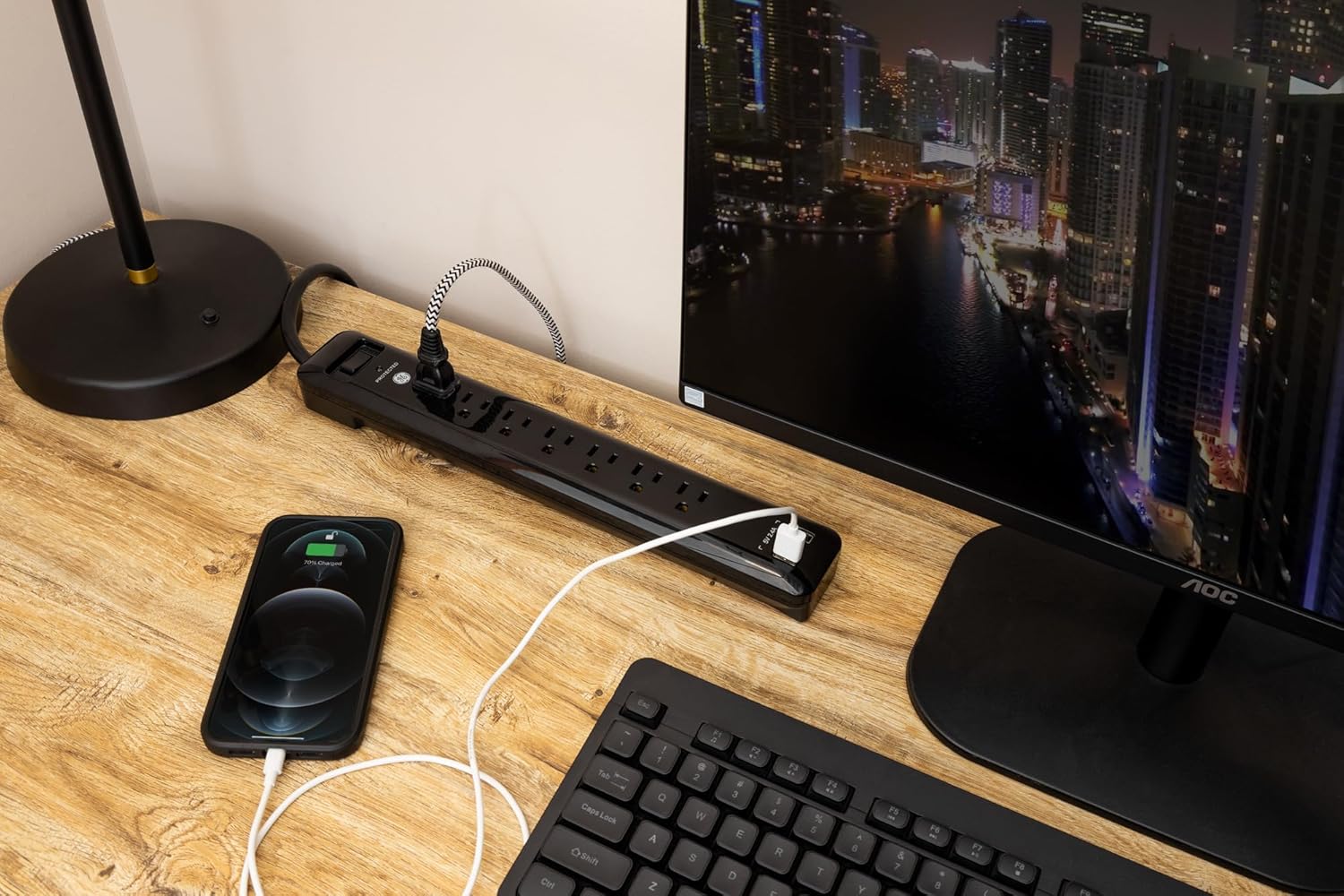
Image: The surge protector in a typical desk setup, powering a monitor and charging a smartphone.

Image: The surge protector on a nightstand, demonstrating phone charging via USB.
3. Wall Mounting (Optional)
The surge protector features keyholes on the back for convenient wall mounting.
- Measure the distance between the keyholes on the back of the unit.
- Mark two corresponding spots on the wall.
- Install two screws (not included) into the wall, leaving a small portion of the screw head exposed.
- Align the keyholes with the screw heads and slide the surge protector down to secure it.

Image: The underside of the surge protector showing the keyholes for wall mounting.
Operation
Power Switch
To supply power to the connected devices, press the ON/OFF switch to the ON position. To cut power, press the switch to the OFF position.
Protection Indicator Light
The surge protector features a 'PROTECTED' indicator light. When this light is illuminated, it indicates that the surge protection components are functioning correctly. If this light is off, the surge protection has been compromised, and the unit should be replaced to ensure continued protection for your devices.
Twist-to-Close Safety Covers
Each AC outlet is equipped with a twist-to-close safety cover. To use an outlet, twist the cover to align the openings and insert the plug. When not in use, twist the cover back to the closed position to prevent dust and foreign objects from entering the outlet.
Circuit Breaker
The surge protector includes an integrated circuit breaker. In the event of an electrical overload, the circuit breaker will trip, cutting power to the outlets to protect connected devices. If this occurs, unplug some devices, then press the circuit breaker reset button (usually located near the power switch) to restore power.
Care and Maintenance
- Cleaning: Disconnect the surge protector from the wall outlet and all connected devices before cleaning. Use a soft, dry cloth to wipe the exterior. Do not use liquid or aerosol cleaners.
- Inspection: Periodically inspect the power cord and the surge protector for any signs of damage, such as frayed wires, cracks, or loose connections. If damage is found, discontinue use and replace the unit.
- Environment: Store and operate the surge protector in a dry, indoor environment, away from extreme temperatures and direct sunlight.
Troubleshooting
| Problem | Possible Cause | Solution |
|---|---|---|
| No power to connected devices. | Surge protector switch is OFF. | Press the ON/OFF switch to the ON position. |
| Circuit breaker has tripped. | Unplug some devices, then press the circuit breaker reset button. | |
| Wall outlet is not functioning. | Test the wall outlet with another device or plug the surge protector into a different outlet. | |
| 'PROTECTED' indicator light is off. | Surge protection components are no longer functional. | The surge protector has absorbed a significant surge and should be replaced to ensure continued protection. |
| USB ports are not charging devices. | Device requires more power than USB ports provide. | Ensure your device is compatible with the USB port's output (2.1A/10W total). Try a different USB cable. |
Specifications
| Feature | Detail |
|---|---|
| Model Number | 40482 |
| Total Power Outlets | 7 |
| Total USB Ports | 2 (2.1A/10W total) |
| Power Cord Length | 4 ft (1.2m) |
| Surge Protection Rating | 1500 Joules |
| Electrical Rating | 120VAC, 15A, 1800W |
| Voltage | 120 Volts (AC) |
| Maximum Current | 15 Amps |
| Plug Type | Type B - 3 pin (North American) |
| Material | Copper, Plastic |
| Dimensions (approx.) | 38.28 x 10.39 x 5.11 cm |
| Weight (approx.) | 558 g |
| Certifications | UL Listed |
| Country of Origin | China |
Warranty Information
This GE UltraPro Surge Protector comes with a Lifetime Warranty. Additionally, it includes a Connected Equipment Warranty of up to $150,000. For detailed terms and conditions regarding the warranty, please refer to the documentation included with your product or contact customer support.
Customer Support
For technical assistance, warranty claims, or general inquiries, please contact the manufacturer:
- Manufacturer: Jasco Products Company, LLC
- Address: OKLAHOMA CITY, OK, 73114 US
- Please visit the official GE Lighting website or refer to your product packaging for the most current contact information.


