
Introduction
This manual provides instructions for the proper use and care of your Clarisonic Mia Smart Replacement Charging Stand. This stand is designed exclusively for use with the Clarisonic Mia Smart device to ensure efficient and safe charging.
Product Overview
The Clarisonic Mia Smart Replacement Charging Stand is a dedicated accessory for charging the Clarisonic Mia Smart facial cleansing device. It provides a stable base and a reliable power connection to keep your device ready for use.
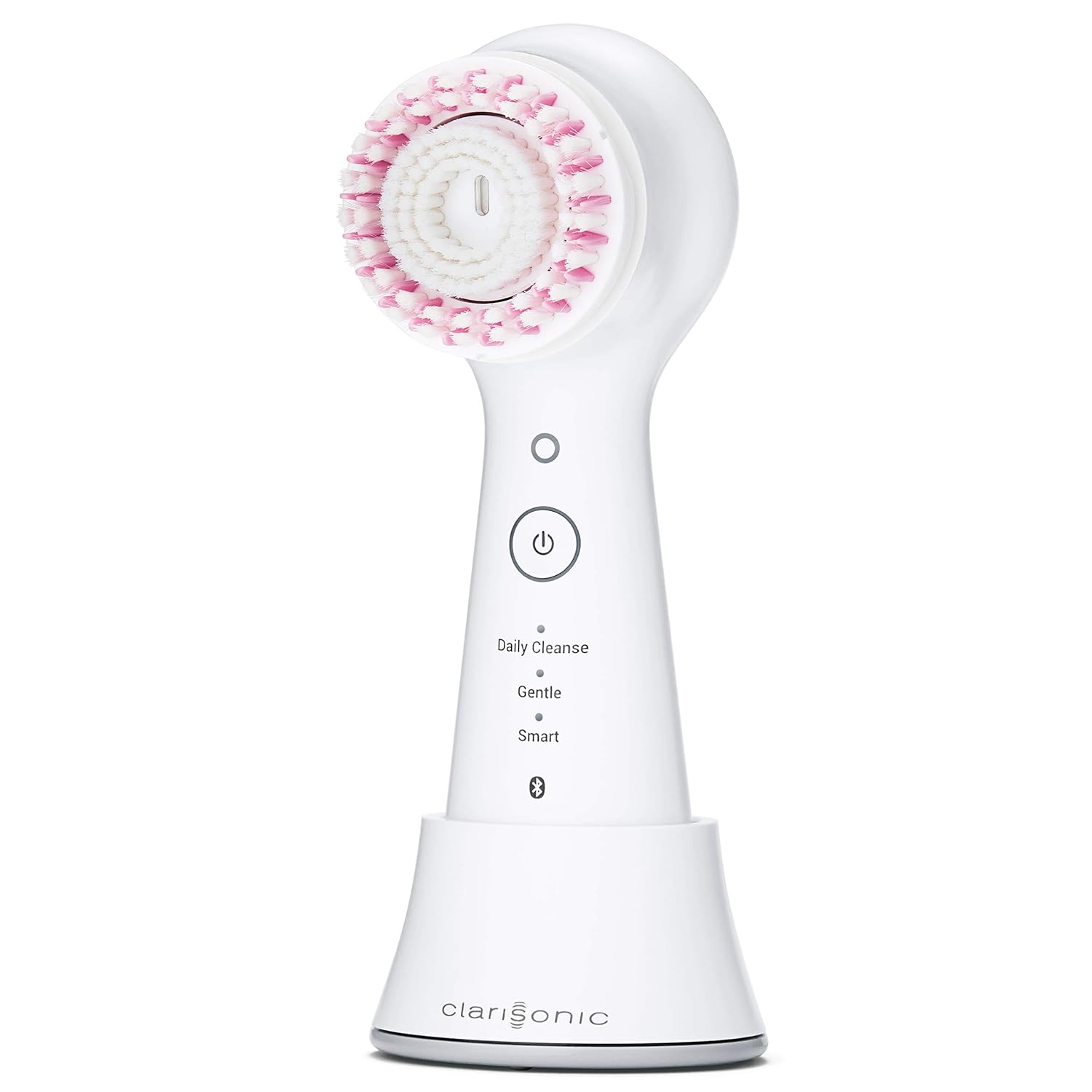
Image: Clarisonic Mia Smart device securely placed on its white charging stand. The device is white with a pink and white brush head. The stand is also white with a silver base.
Setup
- Unpack the Charging Stand: Carefully remove the charging stand from its packaging.
- Connect to Power Source: Plug the USB connector of the charging stand into a compatible USB-enabled power source. This can be a wall adapter (not included), a computer USB port, or a power bank.
- Placement: Place the charging stand on a stable, flat, and dry surface, away from water.
Operating Instructions
Charging Your Mia Smart Device
- Ensure Power Connection: Verify that the charging stand is properly connected to a power source.
- Place Device on Stand: Gently place your Clarisonic Mia Smart device onto the charging stand. Ensure it is seated correctly and makes full contact with the charging pins.
- Monitor Charging Indicator: The Mia Smart device will typically display an indicator (e.g., a blinking light) to show that it is charging. Refer to your Mia Smart device's manual for specific charging light patterns.
- Full Charge Time: A full charge for the Mia Smart device typically takes approximately 18 hours.
- Remove When Charged: Once fully charged, you may remove the device from the stand.
Maintenance
- Cleaning: Wipe the charging stand with a soft, dry cloth. Do not use abrasive cleaners or immerse the stand in water.
- Storage: Store the charging stand in a cool, dry place when not in use.
- Avoid Damage: Do not drop the charging stand or expose it to extreme temperatures.
Troubleshooting
- Device Not Charging:
- Ensure the USB cable is securely plugged into both the charging stand and the power source.
- Try a different USB power source or wall adapter.
- Verify that the Mia Smart device is correctly seated on the charging stand, making proper contact with the charging pins.
- Check for any debris on the charging pins of both the stand and the device.
- Charging Stand Appears Damaged:
- Discontinue use immediately.
- Contact Clarisonic customer support for assistance.
Specifications
| Product Dimensions | 3.15 x 3.15 x 2.63 inches |
| Item Weight | 2.4 ounces (0.07 Kilograms) |
| Model Number | B07VYJMFJ9 |
| Brand | Clarisonic |
| Connectivity Technology | USB |
| Connector Type | USB |
| Input Voltage | 240 Volts (AC) |
| Mounting Type | Tabletop Mount |
| Color | White |
| Compatibility | Clarisonic Mia Smart device only |
Warranty and Support
For warranty information or technical support, please refer to the documentation included with your original Clarisonic Mia Smart device or visit the official Clarisonic website. You may also contact Clarisonic customer service directly for assistance with this replacement charging stand.