
Introduction
Thank you for choosing the CHINLY LED Fiber Optic Dance Whip. This device is designed to create dynamic light effects for dance performances, parties, and light shows. It features super bright LED illumination, 40 distinct color effect modes, and a 360-degree swivel handle for enhanced maneuverability. This manual provides essential information for the safe and effective use of your fiber optic whip.

Image: The CHINLY LED Fiber Optic Dance Whip with its handle and illuminated fiber strands.
Safety Information
- Battery Safety: Use only the specified battery type (3x AAA). Ensure correct polarity when inserting batteries. Do not mix old and new batteries, or different types of batteries. Remove batteries if the device will not be used for an extended period.
- Choking Hazard: Keep small parts, such as batteries, out of reach of children.
- Handling: While the fiber optics are durable, avoid excessive bending or sharp impacts to prevent damage.
- Environment: Do not expose the device to extreme temperatures, direct sunlight, or moisture. This product is not waterproof.
Package Contents
Please check the package to ensure all items are present:
- 1 x CHINLY LED Fiber Optic Dance Whip (Handle with attached fiber optic cables)
- 1 x Drawstring Storage Bag
- 1 x Instruction Leaflet
Note: AAA batteries are not included and must be purchased separately.
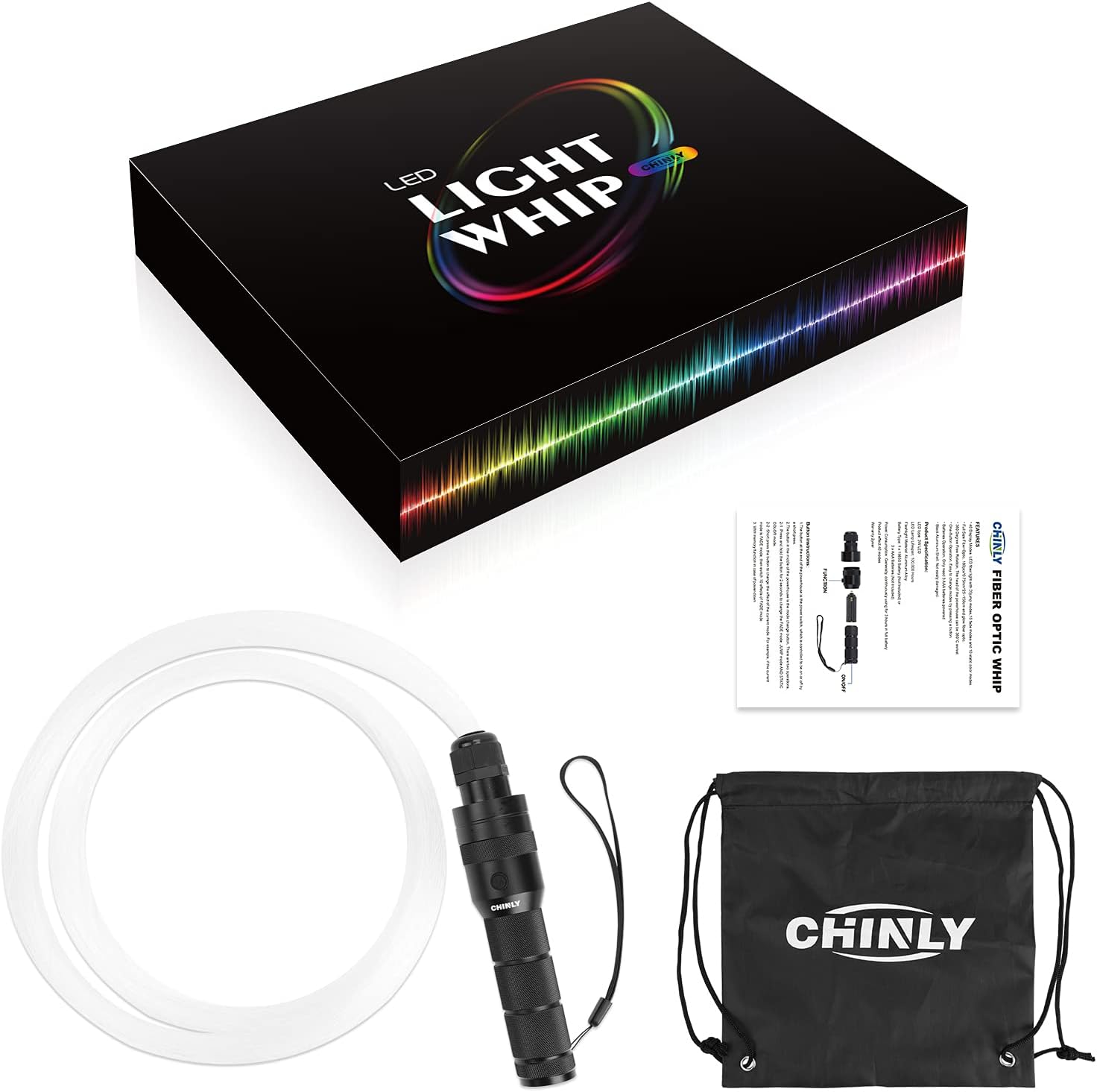
Image: The package contents, including the fiber optic whip, a drawstring bag, and a small instruction manual.
Setup
Battery Installation
- Unscrew the bottom cap of the whip handle.
- Carefully insert 3 AAA batteries into the battery compartment, ensuring correct polarity (+/-).
- Screw the bottom cap back on securely.
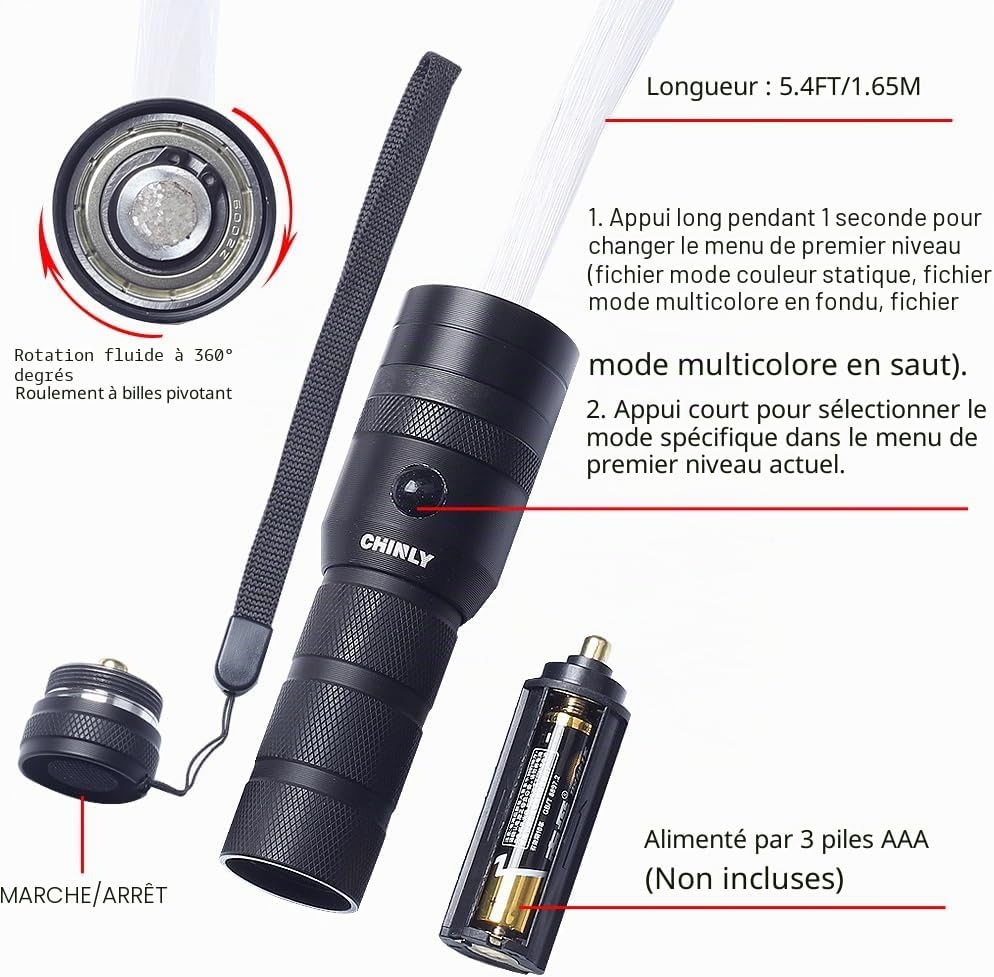
Image: Detailed view of the whip handle, illustrating the power button, mode button, 360-degree swivel mechanism, and the AAA battery compartment.
Operating Instructions
The CHINLY LED Fiber Optic Dance Whip features a simple one-button control system.
- Power On/Off: The button at the very end of the handle (bottom cap) is the power switch. A short press will turn the device on or off.
- Mode Selection: The button located in the middle of the handle is the mode change button. It has two primary functions:
- Change Mode Category: Press and hold the mode button for approximately 2 seconds to cycle through the main mode categories: Static Color mode, Fade mode, and Jump mode.
- Change Effect within Category: Once a mode category is selected (e.g., Fade mode), a short press of the mode button will cycle through the different effects available within that specific category (e.g., 10 different Fade effects).
- Memory Function: The device features a memory function, retaining the last selected mode setting when powered off and on again.
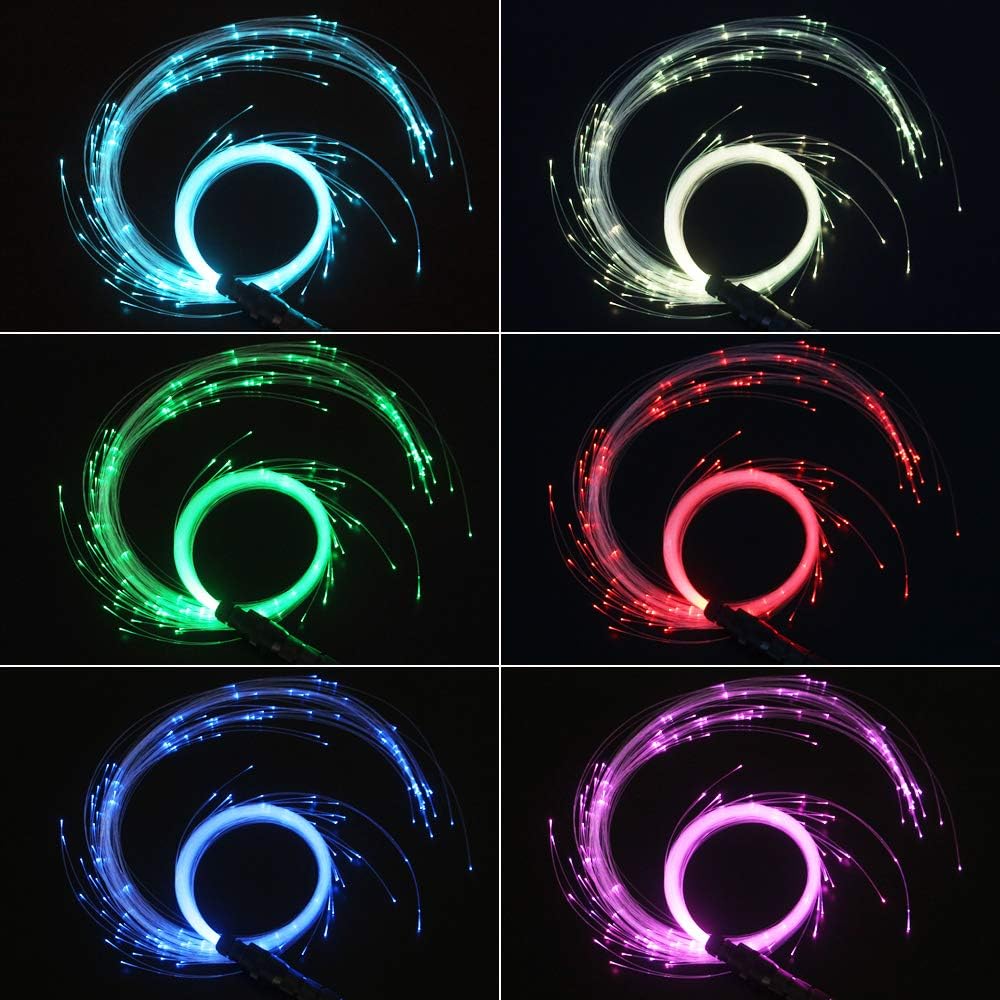
Image: Examples of the various vibrant color effects achievable with the CHINLY LED Fiber Optic Dance Whip.
Features
- Lightweight Design: Easy to handle and maneuver during dance performances.
- 360-Degree Swivel: The handle head allows for full 360-degree rotation, offering dynamic movement possibilities.
- Extensive Lighting Modes: Features 40 distinct effect modes, including 20 jump modes, 10 fade modes, and 10 static color modes.
- High-Quality Fiber Optics: Composed of 160 pieces of 0.75mm PMMA glow fiber optics, cut to various lengths (maximum 1.65m).
- Durable Construction: Black aluminum alloy shell for the handle.
- Long LED Lifespan: LED lamp life rated at 100,000 hours.
- Battery Powered: Operates on 3 AAA batteries (not included).
Maintenance
Cleaning
To clean the fiber optic whip, gently wipe the handle with a soft, dry cloth. For the fiber strands, a slightly damp cloth can be used if necessary, but ensure no moisture enters the handle or battery compartment. Avoid using harsh chemicals or abrasive cleaners.
Storage
When not in use, store the whip in its provided drawstring bag to protect the fiber optics from dust and damage. Store in a cool, dry place away from direct sunlight and extreme temperatures. Remove batteries if storing for an extended period to prevent leakage.
Battery Replacement
Replace all 3 AAA batteries simultaneously when the light output diminishes or the device stops functioning. Always use new batteries of the same brand and type for optimal performance and to avoid potential issues with color display.
Troubleshooting
- Device does not turn on:
- Ensure batteries are inserted correctly with the proper polarity.
- Check if the batteries are new and fully charged. Replace if necessary.
- Ensure the bottom cap is screwed on tightly, making proper contact for power.
- Limited color display (e.g., only red, blue, purple, green):
- This can occur if different brands or types of AAA batteries are mixed. For full color spectrum functionality, ensure all 3 AAA batteries are of the same brand and type.
- Fibers appear dim or unevenly lit:
- Check battery charge.
- Ensure the fiber bundle is securely seated in the handle.
- Fibers breaking or falling out:
- Handle the whip with care. Avoid sharp impacts or excessive force that could damage the fiber strands.
Specifications
| Model Number | FO2847US02 |
| Brand | CHINLY |
| Power Source | 3 x AAA Batteries (not included) |
| LED Type | 3W Diode électroluminescente (LED) |
| LED Lifespan | 100,000 hours |
| Number of Fibers | 160 pieces |
| Fiber Diameter | 0.75 mm |
| Max Fiber Length | 1.65 meters (5.4 feet) |
| Handle Material | Aluminum Alloy |
| Dimensions (Handle) | 17 cm (6.69 inches) length, 2.6 cm (1.02 inches) diameter |
| Max Luminous Flux | 220 Lumens |
| Beam Angle | 360 Degrees |
| Features | Color changing, mode switching, 360-degree rotation, one-button operation, memory function |

Image: Detailed dimensions of the CHINLY LED Fiber Optic Dance Whip handle.
Warranty Information
The CHINLY LED Fiber Optic Dance Whip comes with a 2-year warranty. This warranty covers any manufacturing defects or malfunctions that may occur during normal use within the 2-year period from the date of purchase. Please retain your proof of purchase for warranty claims.
Support
For any questions, concerns, or assistance regarding your CHINLY LED Fiber Optic Dance Whip, please do not hesitate to contact the CHINLY support team. Refer to your purchase platform or product packaging for specific contact details.