Introduction
The Edge Products Pulsar 42452 is an inline performance module designed specifically for the 2020 Jeep 3.6L JT Gladiator. This module enhances vehicle performance by providing user-adjustable power levels and improving overall economy, towing capabilities, and throttle response. It integrates seamlessly with your vehicle's existing systems to deliver a customizable driving experience.

Image: The Edge Products Pulsar 42452 module, showing its robust casing and two connector ports.
Key Features
- User-Adjustable Power Levels: Easily modify power settings via the vehicle's cruise control buttons, allowing for personalized performance.
- On-the-Fly Adjustments: Power levels can be changed while driving, providing immediate adaptation to varying driving conditions or needs.
- Tire Size Calibration: Supports tire sizes ranging from 20 inches to 40 inches, ensuring accurate speedometer and odometer readings after tire upgrades.
- Gear Ratio Adjustment: Compatible with gear ratios from 2.00 to 5.99, optimizing performance for different axle setups.
- Enhanced Performance: Designed to improve fuel economy, increase towing capabilities, and sharpen overall engine performance and throttle response.
Setup and Installation
Proper installation of the Pulsar module is crucial for optimal performance and safety. It is recommended that installation be performed by a qualified technician or an individual with experience in automotive electrical systems.
General Installation Steps:
- Preparation: Ensure the vehicle's ignition is off and the battery is disconnected before beginning installation.
- Locate Connection Points: Identify the specific wiring harnesses or modules on your 2020 Jeep 3.6L JT Gladiator where the Pulsar module will connect. Refer to the detailed installation guide provided with your product for exact locations.
- Connect Module: Carefully connect the Pulsar module to the designated vehicle connectors. Ensure all connections are secure and properly seated.
- Secure Module: Mount the Pulsar module in a safe, dry location away from excessive heat or moving parts, using the provided mounting hardware if applicable.
- Reconnect Battery: Once all connections are verified, reconnect the vehicle's battery.
- Initial Power-Up: Turn the ignition to the ON position (without starting the engine) and observe for any error indicators. Follow the initial setup prompts as outlined in the product's specific instructions.
Note: Always refer to the comprehensive installation manual included with your Pulsar 42452 for vehicle-specific instructions, diagrams, and safety warnings.
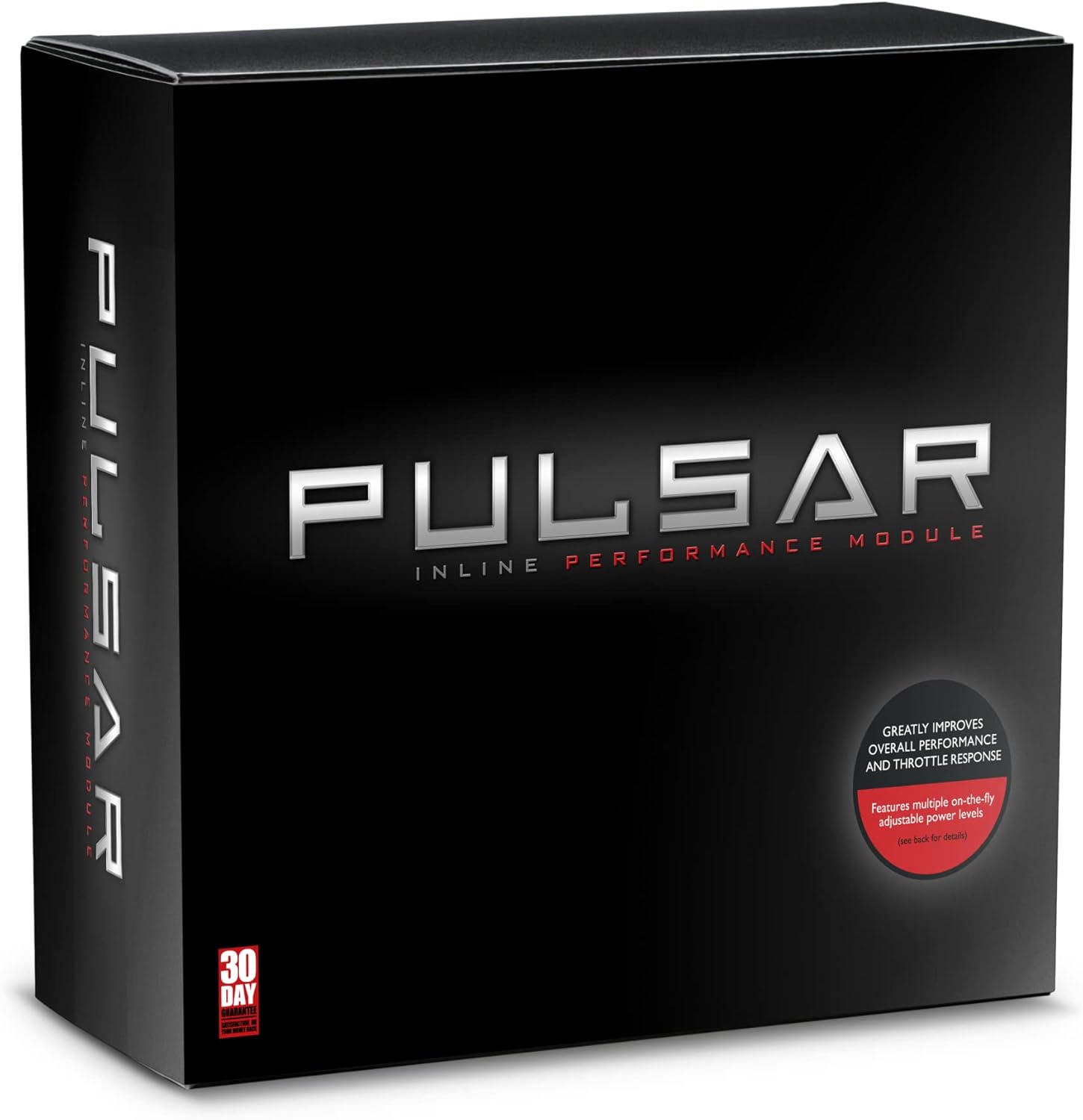
Image: The Pulsar module shown within its retail packaging, highlighting the product's presentation.
Operating Instructions
The Edge Products Pulsar 42452 allows for dynamic adjustment of power levels to suit various driving conditions and preferences. These adjustments are typically made using the vehicle's cruise control buttons.
Adjusting Power Levels:
- Accessing Adjustment Mode: While the vehicle is running, engage the cruise control system. Specific button presses (e.g., RESUME/ACCEL or SET/COAST) will typically cycle through available power levels.
- Selecting Power Level: Each press of the designated cruise control button will advance to the next power level. The current power level may be indicated on the vehicle's dashboard display or through a series of flashes from an indicator light, depending on the specific integration.
- On-the-Fly Adjustments: Power levels can be changed at any time, even while driving, allowing for immediate performance modifications.
Tire Size and Gear Ratio Calibration:
The Pulsar module also provides functionality for calibrating tire size and gear ratio. This ensures accurate speedometer readings and optimized shift points after modifications to your vehicle's drivetrain.
- Accessing Calibration Menu: This typically involves a specific sequence of ignition cycles and button presses. Refer to the detailed user guide for your Pulsar module for the exact procedure.
- Inputting Values: Once in calibration mode, use the vehicle's controls to input the new tire size (in inches) and/or gear ratio.
- Saving Settings: Confirm and save the new settings to apply the calibration.

Image: The Pulsar module displayed alongside its packaging, providing a view of both components.
Maintenance
The Edge Products Pulsar 42452 is designed for durability and requires minimal maintenance. However, periodic checks can help ensure its longevity and continued performance.
- Connection Integrity: Periodically inspect all electrical connections to the Pulsar module to ensure they are secure and free from corrosion or damage.
- Module Housing: Keep the module housing clean and free of excessive dirt or debris. Avoid using harsh chemicals for cleaning.
- Software Updates: Check the Edge Products official website periodically for any available firmware or software updates for your Pulsar module. Updates can improve performance, add features, or address known issues.
- Environmental Protection: Ensure the module remains protected from extreme temperatures, moisture, and physical impact.
Troubleshooting
If you encounter issues with your Pulsar 42452 module, consider the following common troubleshooting steps:
| Problem | Possible Cause | Solution |
|---|---|---|
| Module not responding / No power | Loose connection, vehicle battery disconnected, blown fuse. | Check all module connections. Ensure vehicle battery is properly connected. Inspect relevant fuses in the vehicle's fuse box. |
| Incorrect power level display / No change in performance | Incorrect installation, software glitch, vehicle communication issue. | Verify installation steps. Perform a module reset (refer to specific product manual). Ensure vehicle's ECU is compatible and not interfering. |
| Check Engine Light (CEL) or Diagnostic Trouble Codes (DTCs) | Improper installation, module malfunction, vehicle system conflict. | Disconnect the module and see if the CEL clears. Re-install carefully. If issues persist, contact Edge Products technical support. |
| Inaccurate speedometer after tire/gear change | Calibration not performed or incorrect values entered. | Re-enter and save the correct tire size and/or gear ratio values using the module's calibration function. |
For more detailed troubleshooting or issues not listed here, please consult the full product manual or contact Edge Products technical support.
Specifications
| Model Name | Pulsar 42452 2020 Jeep 3.6L JT Gladiator |
| Part Number | 42452 |
| Brand | Edge Products |
| Item Package Dimensions (L x W x H) | 10 x 9.49 x 3.74 inches |
| Item Dimensions (L x W x H) | 10 x 9.5 x 3.75 inches |
| Package Weight | 907 Grams (2 Pounds) |
| Item Weight | 2 Pounds |
| Material | Plastic |
| Color | No Color |
| Tire Size Support | 20" to 40" |
| Gear Ratio Support | 2.00 - 5.99 |
| Manufacturer | Edge Products |
| Date First Available | August 8, 2019 |
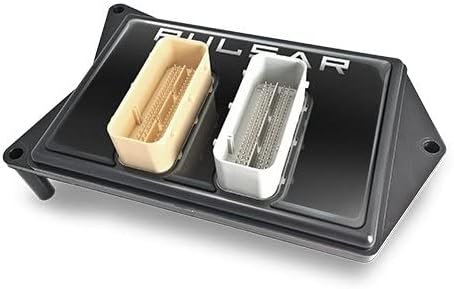
Image: A close-up view of the Pulsar module, emphasizing its two distinct connector ports.
Warranty and Support
Warranty Information:
The Edge Products Pulsar 42452 comes with a manufacturer's warranty. For specific details regarding warranty coverage, duration, and terms, please refer to the warranty documentation included with your product or visit the official Edge Products website.
Technical Support:
For technical assistance, installation questions, or troubleshooting beyond the scope of this manual, please contact Edge Products customer support. You can typically find contact information (phone, email, or support portal) on the official Edge Products website or within your product's packaging.
Visit the official Edge Products Store on Amazon for more information and product resources.


