1. Introduction
This manual provides essential information for the safe and efficient operation of your VOLTWORKS 3000W Pure Sine Wave Power Inverter. This device converts 12V DC battery power to 110V/120V AC household power, suitable for various applications including off-grid solar systems, vehicles, and emergency backup.
2. Safety Information
WARNING: Read all safety instructions before installation and operation.
- Ensure proper ventilation around the inverter to prevent overheating.
- Do not expose the inverter to water, rain, or excessive moisture.
- Connect the inverter only to a 12V DC power source.
- Avoid connecting loads that exceed the inverter's continuous power rating (3000W).
- Observe correct polarity when connecting battery cables (Positive to Positive, Negative to Negative). Reverse polarity can cause severe damage.
- This inverter is ETL Listed and UL458 compatible, ensuring adherence to safety standards.
- The unit includes multiple protection features: Short circuit, Input over-voltage/under-voltage, Output short-circuit, Over-load, and Over-temperature protection.

Figure 2.1: All-Round Protection Features
The inverter is designed with comprehensive protection mechanisms to safeguard both the unit and connected devices. These include safeguards against short circuits, input voltage fluctuations (over and under), output short circuits, excessive loads, and overheating. The durable aluminum housing further protects the internal components from physical impact.
3. Package Contents
Verify that all items are included in your package:
- 1 x VOLTWORKS 3000W Pure Sine Wave Inverter (ETL Listed)
- 2 pairs of Battery Cables (2FT each)
- 1 x 30FT Battery Monitoring Remote Controller
- 1 x Instruction Manual

Figure 3.1: Package Contents Overview
The image above displays the main inverter unit, the included battery cables (red for positive, black for negative), the remote controller with its long cable, and the LCD display on the inverter itself.
4. Product Features
- True Rated Continuous Power: Provides 3000 Watts of pure sine wave output power.
- Multiple AC Outlets: Equipped with 4 standard AC outlets for connecting various appliances.
- USB Charging Ports: Includes 2 x 2.4A USB ports for charging mobile devices.
- AC Hardwire Terminal: Features a dedicated terminal for high-power appliances requiring direct wiring.
- LCD Display: Shows real-time battery status, input voltage, output voltage, and protection codes.
- Remote Controller: A 30ft 4P4C RJ10 remote controller allows convenient power on/off and battery monitoring from a distance.
- Durable Construction: Built with a robust aluminum housing for enhanced protection and heat dissipation.
- Efficient Cooling: Features a built-in intelligent cooling fan that operates quietly and ensures optimal temperature regulation.

Figure 4.1: Inverter Components and Features
This image highlights the key components of the inverter, including the LCD display, power indicator, power on/off button, remote controller port, USB ports, AC sockets, earth wire connection, positive and negative terminals, and the intelligent cooling fan.
5. Setup and Installation
Follow these steps for proper installation of your power inverter:
- Mounting: Choose a dry, well-ventilated location for the inverter. Ensure sufficient space around the unit for airflow, especially near the cooling fan.
- Battery Connection:
- Connect the red battery cable to the positive (+) terminal of your 12V DC battery and the positive (+) terminal of the inverter.
- Connect the black battery cable to the negative (-) terminal of your 12V DC battery and the negative (-) terminal of the inverter.
- Ensure all connections are tight and secure to prevent arcing and ensure efficient power transfer.
- Grounding: Connect the earth wire terminal on the inverter to a proper ground point.
- Remote Controller Connection: Plug the 30ft RJ10 cable from the remote controller into the designated "Remote On/Off" port on the inverter.
- AC Load Connection: Plug your AC appliances into the 4 AC outlets. For high-power appliances, use the AC hardwire terminal if necessary, following local electrical codes.

Figure 5.1: Inverter Dimensions and Remote Controller Details
This image provides a visual reference for the inverter's physical dimensions and details of the remote controller, including its cable length and connector type.
Installation Video Guide
Video 5.1: Official VOLTWORKS 3000 Watt Power Inverter Installation and Feature Overview. This video demonstrates the physical connections and highlights key features of the inverter.
6. Operating Instructions
- Power On/Off: Press the "Power" button on the inverter's front panel or use the "On/Off" button on the remote controller to activate or deactivate the unit.
- Monitoring with LCD Display: The LCD screen provides real-time data:
- Battery Status: Indicates the current charge level of the connected battery.
- Input Voltage: Displays the DC voltage from the battery.
- Output Voltage: Shows the AC output voltage (110V/120V).
- Protection Codes: In case of a fault, the display will show a specific code to indicate the type of protection activated (e.g., "OL" for overload).
- USB Port Usage: Use the 2.4A USB ports to charge compatible USB-powered devices.
- Remote Control: The remote controller allows you to turn the inverter on/off and monitor battery status without direct access to the main unit.

Figure 6.1: Remote Controller Functionality
The remote controller provides convenient access to power control and battery status, featuring indicators for battery level, fault conditions, and power status.
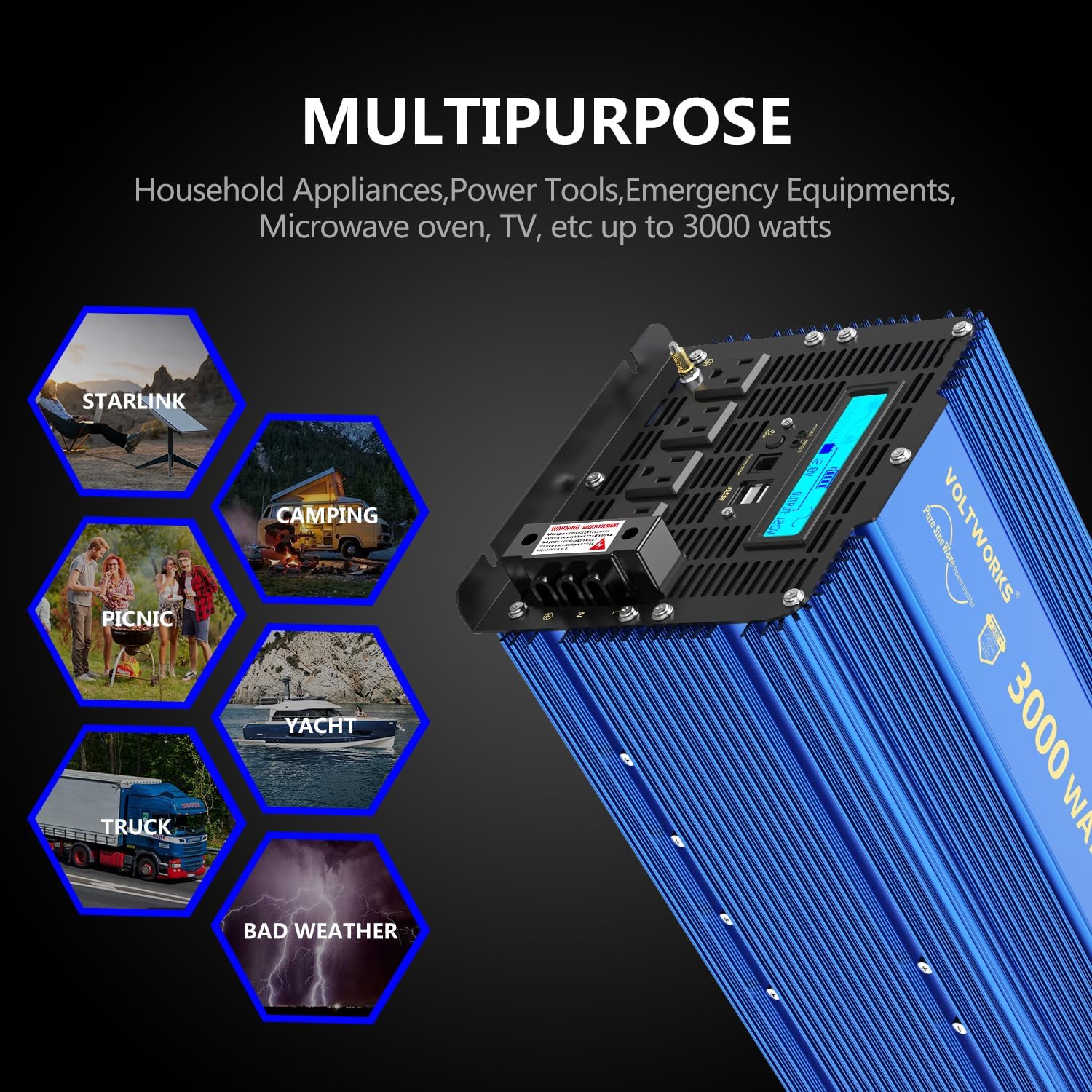
Figure 6.2: Multipurpose Applications
The VOLTWORKS 3000W Pure Sine Wave Inverter is designed for a wide range of applications, including powering household appliances, power tools, and emergency equipment. It is ideal for off-grid solar setups, cars, RVs, boats, and during power outages.
7. Maintenance
- Keep the inverter clean and free from dust and debris. Use a dry cloth for cleaning.
- Ensure the cooling fan is not obstructed. The built-in cooling fan automatically activates to maintain optimal operating temperature.
- Regularly check all electrical connections for tightness and corrosion.
- Store the inverter in a cool, dry place when not in use.
8. Troubleshooting
The LCD display provides diagnostic information through protection codes. Refer to the table below for common issues and their solutions.
| Problem/Code | Possible Cause | Solution |
|---|---|---|
| "OL" (Overload) | Connected load exceeds inverter's continuous or peak power rating. | Reduce the total load connected to the inverter. Ensure total wattage is within 3000W continuous. |
| Low Input Voltage | Battery voltage is too low. | Recharge or replace the 12V DC battery. |
| High Input Voltage | Battery voltage is too high. | Check battery charging system. Ensure input voltage does not exceed 15V DC. |
| Over-temperature | Inverter is overheating due to poor ventilation or excessive load. | Ensure adequate ventilation. Reduce load. Allow inverter to cool down. |
| No Output | Inverter is off, battery is dead, or connections are loose. | Turn on the inverter. Check battery charge. Verify all cable connections are secure. |
For more detailed troubleshooting, refer to the official Troubleshooting Guide (PDF).
9. Specifications
| Attribute | Value |
|---|---|
| Brand | VOLTWORKS |
| Model | VS-3000QBR |
| Item Weight | 15.5 pounds |
| Product Dimensions | 15 x 8 x 6.7 inches |
| Country of Origin | China |
| Voltage (AC Output) | 120 Volts |
| Wattage (Continuous) | 3000 watts |
| Power Source | DC 12V |
| Battery Capacity (Recommended) | 300 Amp Hours |
| Certifications | ETL Listed, UL458 Compatible |

Figure 9.1: Pure Sine Wave Output
The image illustrates the smooth, consistent waveform of the pure sine wave output, which is crucial for sensitive electronics and ensures stable power delivery.
10. Warranty and Support
Your VOLTWORKS 3000W Pure Sine Wave Power Inverter comes with an 18-month warranty, ensuring peace of mind regarding product quality and performance.
Product liability insurance is covered by AIG insurance company.
For any inquiries, technical assistance, or customer service needs, please contact VOLTWORKS customer support. Our team is dedicated to providing friendly and patient assistance.
Additional resources:
