1. Introduction
This manual provides comprehensive instructions for the Thakker WM-GX 58 Replacement Belt, specifically designed for compatibility with Sony WM-GX 58 Cassette Players (Walkman). It covers product overview, installation, maintenance, and troubleshooting to ensure optimal performance of your audio device.
2. Product Overview
The Thakker WM-GX 58 Replacement Belt is a high-quality, square-profile drive belt engineered to replace worn or broken belts in compatible Sony WM-GX 58 Cassette Players. A functional drive belt is crucial for the proper rotation of the cassette mechanism, ensuring stable and clear audio playback.
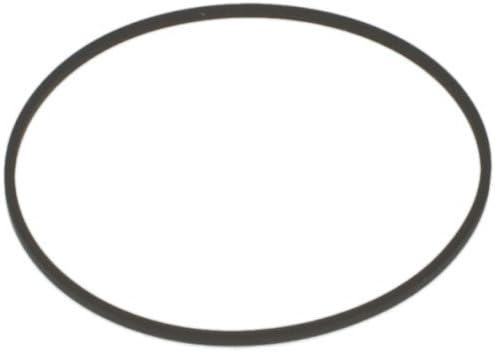
This image displays the Thakker WM-GX 58 Replacement Belt, which is a single, black, square-profile drive belt, essential for the internal mechanics of compatible cassette players.
3. Setup and Installation
Installation of the replacement belt requires careful handling and basic technical knowledge. It involves opening the cassette player's casing and replacing the old, deteriorated belt with the new Thakker WM-GX 58 belt.
Installation Steps:
- Preparation: Ensure the cassette player is powered off and disconnected from any power source. Gather necessary tools, typically small screwdrivers.
- Disassembly: Carefully open the cassette player's casing. Refer to your specific Sony WM-GX 58 service manual or online resources for detailed disassembly instructions, as procedures may vary by model.
- Old Belt Removal: Locate the old drive belt. Gently remove it from the motor pulley and flywheel. Note its path for correct installation of the new belt.
- New Belt Installation: Carefully place the new Thakker WM-GX 58 Replacement Belt around the motor pulley and the flywheel, ensuring it is seated correctly and has proper tension. Avoid twisting or stretching the belt excessively.
- Reassembly: Reassemble the cassette player's casing, ensuring all screws are tightened appropriately and no internal components are pinched.
- Testing: Connect the power and test the cassette player with a tape to confirm proper playback speed and function.
Caution: If you are unsure about any step, it is recommended to seek assistance from a qualified electronics technician to avoid damaging your device.
4. Operating Instructions
The Thakker WM-GX 58 Replacement Belt is an internal component that enables the proper functioning of your cassette player. Once the belt is correctly installed, the operation of your Sony WM-GX 58 Cassette Player will revert to its original intended functionality.
Please refer to the original operating manual of your Sony WM-GX 58 Cassette Player for detailed instructions on playing tapes, recording, using playback controls, and other features.
5. Maintenance
Proper maintenance of your cassette player, including the newly installed belt, will extend its lifespan and ensure consistent performance.
- Environmental Conditions: Avoid exposing the cassette player to extreme temperatures, high humidity, or direct sunlight, as these can degrade the belt material over time.
- Cleanliness: Keep the internal mechanisms of the cassette player clean and free of dust, lint, and debris. Dust accumulation can interfere with the belt's movement and cause premature wear.
- Belt Handling: Once installed, avoid touching the belt directly with bare hands, as oils from skin can degrade the rubber.
- Lubrication: Do not apply any lubricants or cleaning agents directly to the drive belt. This can cause the belt to slip or degrade its material.
6. Troubleshooting
If you encounter issues after replacing the drive belt, consider the following troubleshooting steps:
- Inconsistent Playback Speed (Wow and Flutter):
- Ensure the new belt is correctly seated on both the motor pulley and the flywheel.
- Check for any obstructions or debris in the belt's path.
- Verify that the belt has appropriate tension; it should be snug but not overly tight.
- Tape Not Playing or Slipping:
- Confirm the belt is not twisted or misaligned.
- Inspect the motor pulley and flywheel for any residue that might cause slippage. Clean if necessary.
- Ensure the belt is the correct size and type for your specific model.
- No Movement/Power:
- Double-check all internal connections if you disconnected any during disassembly.
- Ensure the motor is receiving power (this may require advanced diagnostics).
If problems persist after attempting these steps, it is advisable to consult a qualified electronics repair technician.
7. Specifications
| Product Name | Thakker WM-GX 58 Replacement Belt |
| Brand | THAKKER |
| Manufacturer | GID |
| Part Number | 8842 |
| ASIN | B07VH3CV87 |
| Batteries Included | No |
| Batteries Required | No |
| First Available Date | 20 July 2019 |
| Country of Origin | Germany |
| Package Contents | 1 Square Belt |
8. Warranty and Support
For specific warranty information regarding the Thakker WM-GX 58 Replacement Belt, please refer to the terms and conditions provided by the seller or manufacturer at the time of your purchase. Warranty details may vary based on the point of sale.
For technical support, product inquiries, or assistance with installation beyond the scope of this manual, please contact the seller or the manufacturer directly. Their contact information is typically available on your purchase receipt or the product packaging.


