
1. Introduction
Thank you for purchasing the Audiobox BBX 500 TWS Bluetooth Portable Speaker. This manual provides essential information for setting up, operating, and maintaining your speaker. Please read it thoroughly before use to ensure optimal performance and longevity of your device.
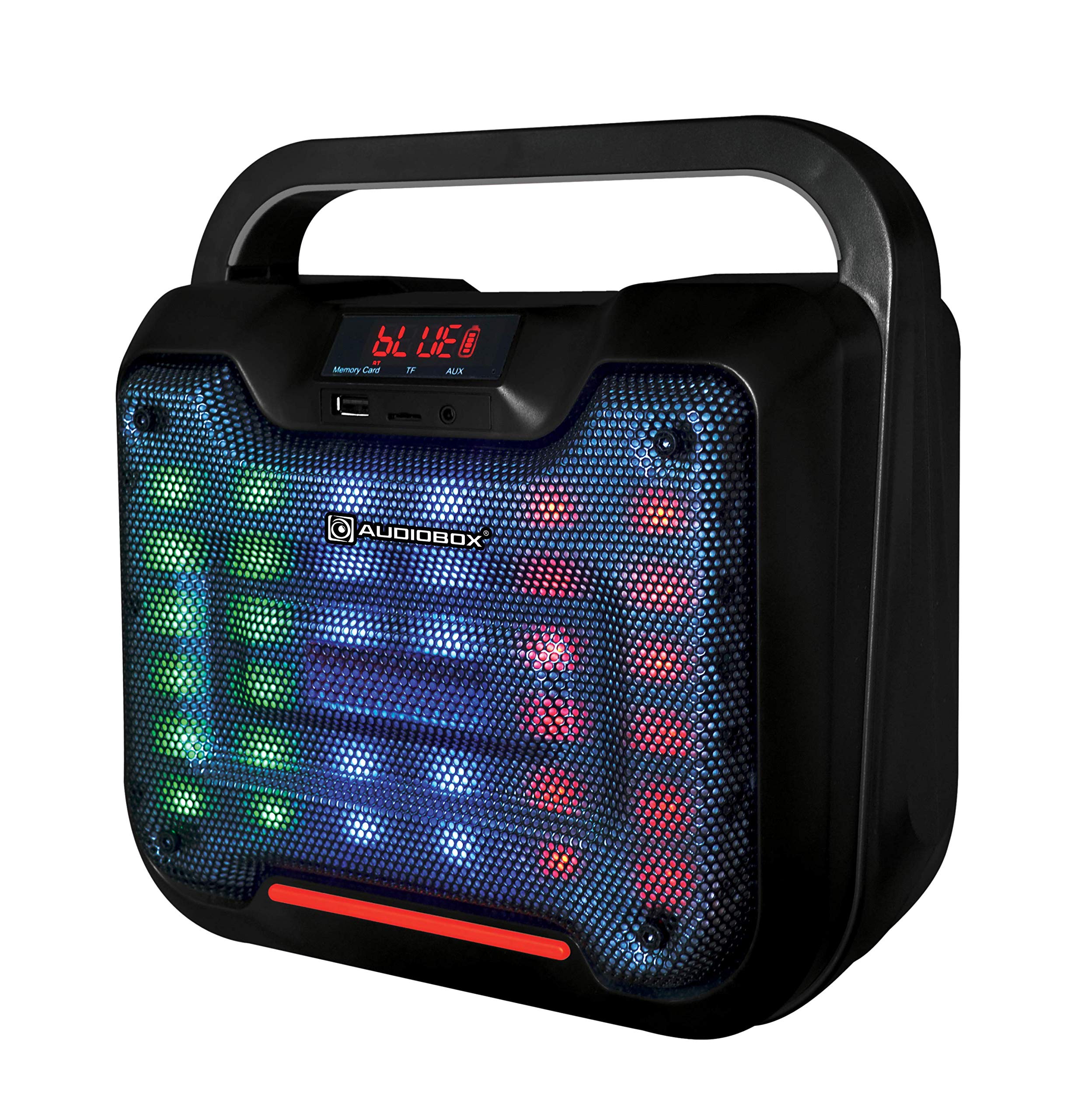
Figure 1: Audiobox BBX 500 TWS Bluetooth Portable Speaker. This image displays the speaker's main body, showcasing its design and primary features.
2. Package Contents
Verify that all items listed below are present in your package:
- 1 x Audiobox BBX 500 TWS Speaker
- 1 x Charging Cable
- 1 x User Manual (this document)
3. Product Features
The Audiobox BBX 500 TWS speaker offers the following key features:
- Bluetooth 4.2 EDR: For wireless audio streaming with TWS pairing capability.
- USB Audio Playback: Direct playback from USB storage devices.
- TF Card Music Playback: Supports memory cards up to 32GB for direct audio playback.
- 7 Colour LED FX: Integrated LED lighting effects for visual enhancement.
- Powerful 6.5" Driver: Delivers robust audio output.
- FM Radio: Built-in radio tuner for local broadcasts.
- Portable Design: Battery-powered for on-the-go use.
4. Setup
4.1 Charging the Speaker
Before first use, fully charge the speaker. Connect the provided charging cable to the speaker's 5V USB charging port and to a compatible USB power adapter (not included). The full charge time is approximately 2.5 hours.
Figure 2: Illustration of the charging port. Locate the 5V USB charging port on the speaker to connect the charging cable.
4.2 Powering On/Off
Locate the power button on the speaker. Press and hold the power button for a few seconds to turn the speaker on or off. An audible indicator will confirm the power status.
4.3 Bluetooth Pairing
- Ensure the speaker is powered on and in Bluetooth pairing mode. The LED indicator will typically flash to show it's discoverable.
- On your device (smartphone, tablet, laptop), enable Bluetooth and search for available devices.
- Select "BBX 500 TWS" from the list of found devices.
- Once paired, the speaker will emit a confirmation sound, and the LED indicator will change to a solid light.
The Bluetooth range is up to 10 meters (33 feet).
4.4 TWS (True Wireless Stereo) Pairing
If you have two BBX 500 TWS speakers, you can pair them together for a true wireless stereo experience:
- Turn on both BBX 500 TWS speakers.
- Press the TWS pairing button on one of the speakers (refer to the speaker's control panel for button identification).
- The speakers will automatically search for and connect to each other. A confirmation sound will indicate successful TWS pairing.
- Once TWS paired, connect your device via Bluetooth to one of the speakers as described in section 4.3. Both speakers will then play audio in stereo.
5. Operating Instructions
5.1 Bluetooth Playback
After successful Bluetooth pairing (Section 4.3), simply start playing audio on your connected device. The sound will be streamed wirelessly to the BBX 500 TWS speaker.
5.2 USB/TF Card Playback
Insert a USB flash drive or a TF (microSD) card (up to 32GB) containing audio files into the respective port on the speaker. The speaker will automatically detect the storage device and begin playing audio. Use the speaker's controls or the remote control to navigate tracks and adjust volume.
Figure 3: USB and TF card input ports. These ports allow for direct playback of audio files from compatible storage devices.
5.3 FM Radio
To activate FM radio mode, press the "Mode" button on the speaker or remote control until "FM" is displayed or announced. Use the skip/scan buttons to automatically search for and save available radio stations. The FM radio range is 87.5 - 108.0 MHz.
5.4 LED Lighting Effects
The BBX 500 TWS features 7-colour LED lighting effects. A dedicated button on the speaker or remote control allows you to cycle through different lighting modes or turn the lights off.
5.5 Volume Control and Track Navigation
Adjust the volume using the volume control knob or buttons on the speaker, or via the remote control. For USB/TF card and Bluetooth playback, use the previous/next track buttons on the speaker or remote to skip songs.
6. Maintenance
- Cleaning: Use a soft, dry cloth to clean the speaker's exterior. Do not use abrasive cleaners or solvents.
- Storage: Store the speaker in a cool, dry place away from direct sunlight and extreme temperatures.
- Battery Care: To prolong battery life, avoid fully discharging the battery frequently. Charge the speaker regularly, even if not in use for extended periods.
- Water Resistance: This speaker is not waterproof. Avoid exposure to water or high humidity.
7. Troubleshooting
| Problem | Possible Cause | Solution |
|---|---|---|
| No power | Battery is depleted. | Charge the speaker for 2.5 hours. |
| Cannot pair via Bluetooth | Speaker not in pairing mode; device Bluetooth off; too far from speaker. | Ensure speaker is in pairing mode. Turn on Bluetooth on your device. Move device closer to speaker (within 10m). |
| No sound | Volume too low; incorrect input mode; speaker not connected. | Increase volume on speaker and connected device. Select correct input mode (Bluetooth, USB, TF, FM). Re-establish connection. |
| USB/TF card not playing | Card not inserted correctly; unsupported file format; card corrupted. | Re-insert card. Ensure files are in a supported format. Try a different card. |
8. Specifications
| Bluetooth Version | 4.2 EDR |
| Bluetooth Range | Up to 10 meters |
| Total System Power | 30W |
| Pure System Power (RMS) | 15W |
| Driver Size | 6.5 inches |
| Frequency Response | 100Hz - 20KHz |
| Driver Impedance | 3 Ohm |
| Signal-to-Noise Ratio (S/N) | >=85dB |
| FM Radio Range | 87.5 - 108.0MHz |
| USB/TF Card Support | Up to 32 GB memory size |
| Battery Capacity | 1200 mAh (Lithium Ion) |
| Music Playback Time (50% volume) | Approximately 10 hours |
| Full Charge Time | Approximately 2.5 hours |
| Compatible Devices | Laptop, Smartphone, Tablet |
| Control Method | Remote |
| Dimensions (L x W x H) | 17.5 x 12.7 x 9.4 cm |
| Weight | 1.85 kg |
| Material | Plastic enclosure, Paper/Polypropylene cone |
9. Warranty and Support
The Audiobox BBX 500 TWS speaker comes with a Limited Warranty. Please refer to the warranty card included with your purchase for specific terms and conditions. For technical support or warranty claims, please contact your retailer or the manufacturer's customer service channels.