Product Overview
The YOCOWOCO aptX Wireless Bluetooth Adapter is designed to convert your wired Bose QuietComfort 25 (QC25) headphones into wireless Bluetooth headphones. This adapter supports aptX technology for near-lossless audio quality, provided your paired device also supports aptX. It features Bluetooth 5.0 for faster transfer speeds and improved sound transmission, ensuring quick pairing with iOS and Android smartphones.
The adapter integrates a gold-plated audio connector for enhanced signal conductivity and an internal microphone for clear voice communication. Control buttons are conveniently located for managing playback, calls, and volume. A micro USB port is included for charging.

Image: The YOCOWOCO Bluetooth adapter seamlessly integrated into a Bose QuietComfort 25 headphone, showing the audio jack connection.

Image: A pair of Bose QuietComfort 25 headphones, illustrating the design without the adapter attached. The adapter is not included with the headphones.
Setup Instructions
- Charge the Adapter: Before first use, fully charge the adapter using the provided micro USB cable. The LED indicator will show red while charging and turn blue when fully charged.
- Connect to Headphones: Carefully insert the gold-plated audio connector of the Bluetooth adapter into the audio jack of your Bose QuietComfort 25 headphones. Ensure a secure fit.
- Power On: Long press the Power On/Off button on the adapter for 3 seconds to turn it on. The LED indicator will flash blue.
- Enter Pairing Mode: If the adapter does not automatically enter pairing mode (indicated by alternating red and blue LED flashes), long press the Play/Pause button for 3 seconds. This will force the adapter into pairing mode.
- Pair with Device:
- On your smartphone or other Bluetooth-enabled device, go to the Bluetooth settings.
- Ensure Bluetooth is enabled.
- Scan for available devices.
- Select "B25S" from the list of available devices to initiate pairing.
- Confirm the pairing request on your device if prompted.
- Connection Confirmation: Once successfully paired, the LED indicator on the adapter will show a steady blue light or flash blue periodically.
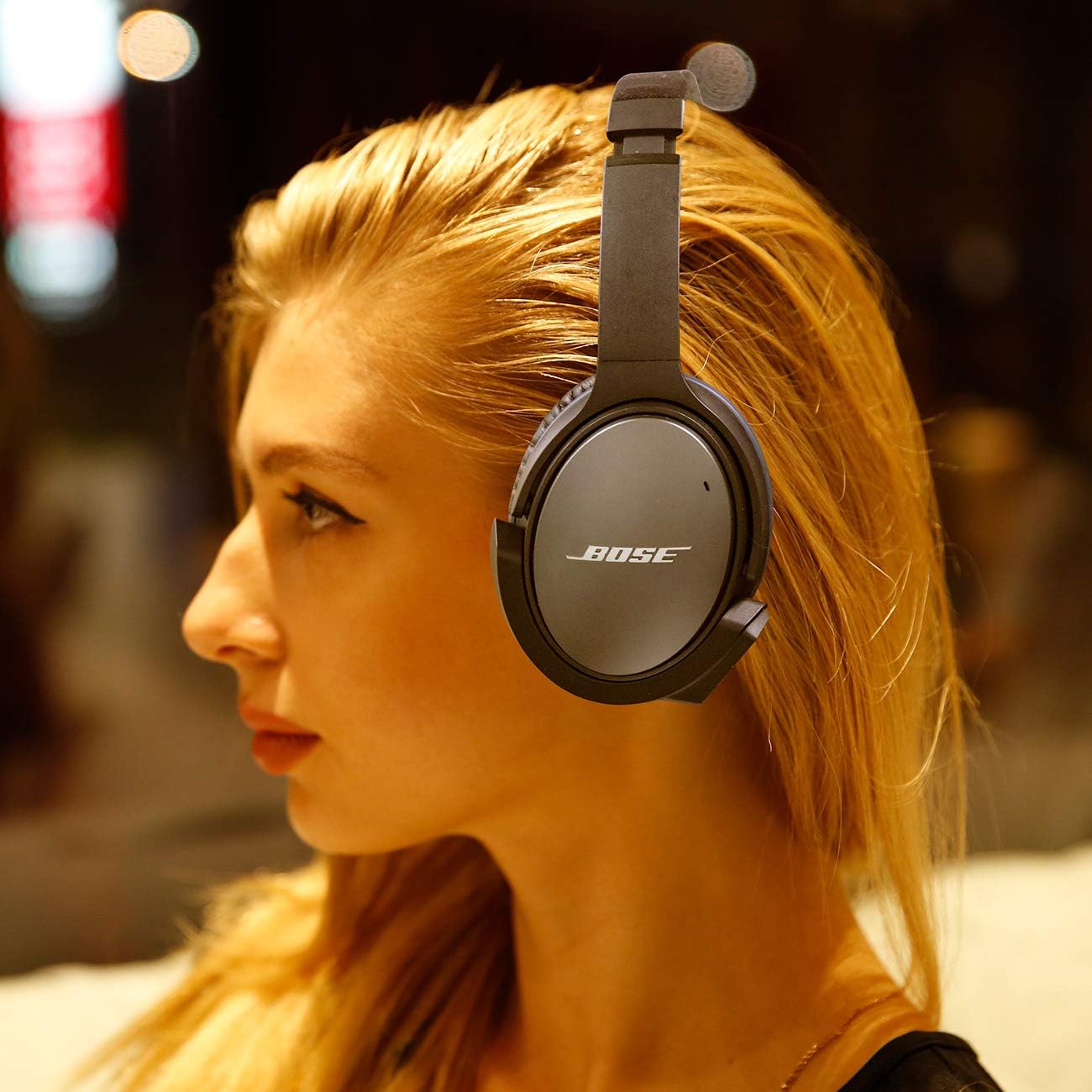
Image: Side view of the Bluetooth adapter connected to Bose QC25 headphones, showing how it integrates with the headphone's design.
Video: Demonstrates the process of connecting the YOCOWOCO Wireless Bluetooth Adapter to Bose QuietComfort QC 25 headphones and initial pairing.
Video: Instructions on how to re-pair the Bluetooth adapter with multiple devices or enter pairing mode manually.
Operating Instructions
Button Functions:

Image: Detailed view of the adapter's control panel, highlighting the USB charging port, LED indicator, volume up/next song, volume down/previous song, play/pause/answer/end call, and power on/off buttons, along with the microphone.
- Power On/Off Button: Long press to turn the adapter on or off.
- Play/Pause Button:
- Single press to play or pause music.
- Single press to answer an incoming call.
- Single press to end an active call.
- Long press for 3 seconds to enter pairing mode (if not already in it).
- Volume Up / Next Song Button:
- Single press to increase volume.
- Long press to skip to the next song.
- Volume Down / Previous Song Button:
- Single press to decrease volume.
- Long press to go to the previous song.
- Microphone: The internal microphone allows for clear hands-free communication during calls.
LED Indicator Status:

Image: Diagram illustrating the different states of the LED indicator light on the Bluetooth adapter, including low power, charging, full charge, matched/working, matching, and incoming call.
- Red light Flashing: Low Power
- Red light On: Charging
- Blue light On: Full Charged
- Blue light Flashing: Matched/Working
- Blue light and Red light Flashing Alternately: Matching (Pairing Mode)
- Blue light and Red light Flashing Rapidly: Call Coming
Maintenance
Charging the Adapter:
To charge the adapter, connect the provided micro USB cable to the charging port on the adapter and the other end to a USB power source (e.g., computer USB port, wall adapter). The red LED will illuminate during charging and turn blue when charging is complete. A full charge typically takes approximately 2 hours.
Important Note: Please remove the adapter from the headphone before charging to prevent potential damage or wear to the headphone's audio jack.
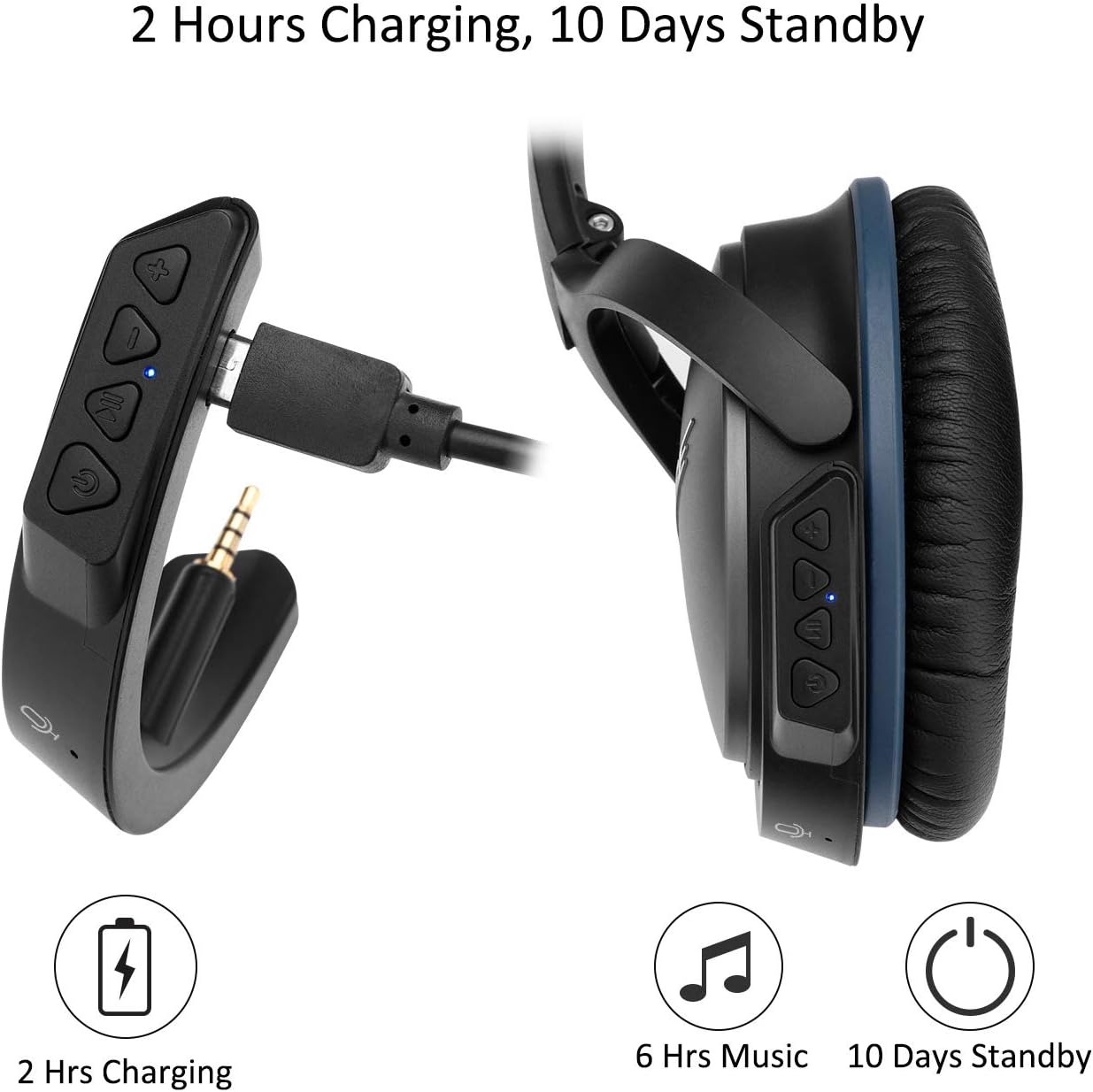
Image: Illustration showing the Bluetooth adapter being charged via its micro USB port, with an indication of 2 hours charging time, 6 hours music playback, and 10 days standby time.
Cleaning:
Wipe the adapter with a soft, dry cloth. Avoid using harsh chemicals or abrasive materials.
Troubleshooting
- Adapter not powering on: Ensure the adapter is sufficiently charged. Connect it to a power source and check if the red charging light appears.
- Cannot enter pairing mode (red and blue LED not flashing alternately): If the adapter is already connected to another device, it may not enter pairing mode automatically. Disconnect it from any previously paired devices or long press the Play/Pause button for 3 seconds to manually enter pairing mode.
- Connection issues or frequent disconnections:
- Ensure the adapter is within the effective Bluetooth range (approximately 10 meters without obstructions).
- Avoid solid walls or other significant physical barriers between the adapter and your paired device.
- Check for low battery on the adapter, as frequent prompt sounds indicate low battery and can lead to connection interruptions.
- If experiencing issues with multiple devices, try switching off Bluetooth on devices not currently in use.
- No sound or poor audio quality:
- Ensure the adapter is fully inserted into the headphone's audio jack.
- Verify that the volume on both the adapter and your paired device is turned up.
- Confirm that your paired device supports aptX for optimal audio quality, if that is a concern.
- Adapter does not fit Bose QC15 headphones: This adapter is specifically designed for Bose QC25 headphones. It is not compatible with Bose QC15 headphones.
Specifications
| Brand | YOCOWOCO |
| Model Number | YO-BQC25 |
| Product Dimensions | 3.46 x 1.77 x 0.59 inches |
| Item Weight | 2.89 ounces (0.18 Pounds) |
| Connectivity Technology | Bluetooth 5.0, USB (for charging) |
| Power Source | Battery Powered (1 Lithium Polymer battery required) |
| Material | Metal |
| Special Feature | Supports aptX (when paired device also supports aptX) |
Warranty and Support
This product comes with a warranty. If you encounter any issues with the product, please contact the seller for assistance. Your product experience is important, and the seller is committed to providing satisfactory after-sales service.
For inquiries or support, you can typically reach out to the seller through the order page on the platform where the product was purchased. Look for an option to "Ask a question" or contact the seller directly.