
Bang & Olufsen 1666512
Bang & Olufsen Beosound 1 User Manual
Model: 1666512
Introduction
The Bang & Olufsen Beosound 1 is a portable wireless multiroom speaker designed to deliver a 360-degree listening experience. Its conical structure and solid aluminum exterior provide both aesthetic appeal and excellent acoustic properties, filling your room with pure, balanced Bang & Olufsen Signature Sound. This manual provides essential information for setting up, operating, maintaining, and troubleshooting your Beosound 1 speaker.
What's in the Box
Upon unboxing your Beosound 1, please ensure all components are present:
- Beosound 1 Speaker
- Power Cable
- Quick Start Guide
Setup
Initial Placement
The Beosound 1 is engineered with 360-degree acoustic lens technology to deliver sound evenly in all directions. For optimal audio distribution, place the speaker in a central location within your room, or wherever you desire the sound to emanate from. Its portable design allows for flexible placement.
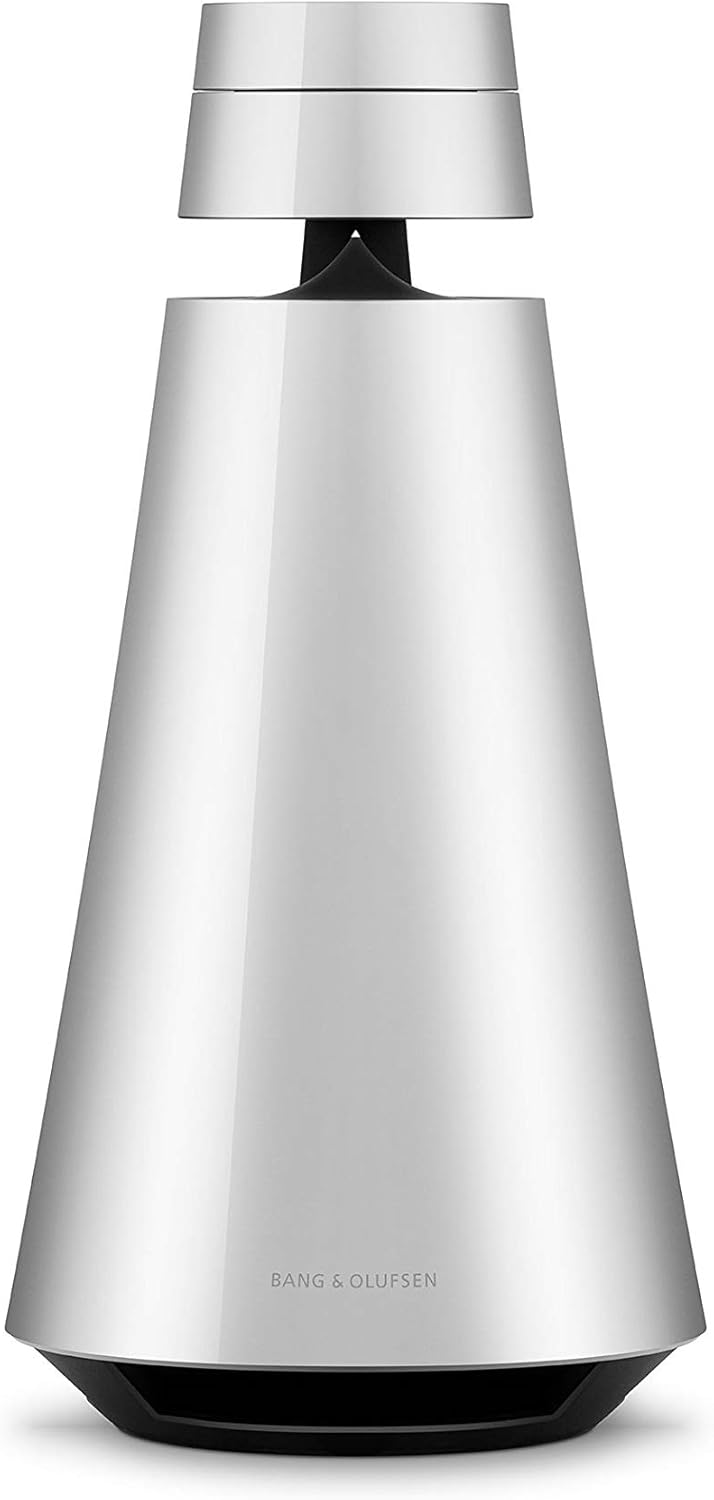
Front view of the Bang & Olufsen Beosound 1 speaker, showcasing its conical design and natural aluminum finish.
Power Connection
Connect the provided power cable to the power inlet on the Beosound 1 and then to a wall outlet. The speaker is battery-powered for portability, but requires AC power for charging and extended use.
First-time Setup and Connectivity
The Beosound 1 supports various wireless communication technologies for seamless streaming:
- Wi-Fi: For high-quality audio streaming and multiroom functionality. Use the Bang & Olufsen app to connect your speaker to your home Wi-Fi network.
- Bluetooth: For direct connection from your smartphone, tablet, or other Bluetooth-enabled devices.
- AirPlay 2 & Chromecast: Built-in support allows you to stream directly from compatible apps and devices.
Follow the on-screen instructions in the Bang & Olufsen app for guided setup and to connect your speaker to your preferred network.
Operating Your Beosound 1
OneTouch Interface
The Beosound 1 features an intuitive OneTouch interface located on its top surface. An integrated proximity sensor detects your position, allowing for uniform and intuitive operation from any direction.

Top-down view of the Beosound 1's control panel, highlighting the touch-sensitive surface and central button.
- Touch Wheel: Rotate your finger along the top edge to adjust volume.
- Command Button: The central button initiates voice interaction (note: this item does not include voice assistant functionality directly, but can integrate with smart home systems) and multiroom join functionality.
- Favorite Buttons: Dedicated and personalized favorite buttons allow for quick access to your preferred music sources or radio stations.
Audio Playback
Once connected, you can stream your favorite songs and podcasts seamlessly from your smart device. Use your preferred music streaming application and select the Beosound 1 as the output device via Wi-Fi (AirPlay 2, Chromecast) or Bluetooth.
Multiroom Functionality
Effortlessly connect your Beosound 1 with other compatible Bang & Olufsen multiroom speakers (such as Beosound 2, Beoplay A9, Beosound Balance, Beosound Edge, and Beosound Stage) throughout your space to create an unparalleled sound system that brings all rooms together. Manage your multiroom setup via the Bang & Olufsen app.

Two Beosound 1 speakers placed in a modern interior, demonstrating their multiroom audio capability.
Maintenance
Cleaning
To maintain the pristine appearance of your Beosound 1's natural aluminum finish, wipe it gently with a soft, dry, lint-free cloth. Avoid using abrasive cleaners, solvents, or spray cleaners directly on the speaker, as these may damage the surface.
Battery Care
The Beosound 1 is equipped with a rechargeable Lithium Ion battery, offering up to 12 hours of playback. To prolong battery life, avoid fully discharging the battery frequently and store the speaker in a cool, dry place if not used for extended periods. Charge the speaker regularly, even if not in use, to maintain battery health.
Troubleshooting
Common Issues
- No Power: Ensure the power cable is securely connected to both the speaker and a working power outlet. Check if the outlet is active.
- No Sound: Verify the volume level on both the speaker and your connected device. Ensure the correct input source is selected. Check if the speaker is properly connected via Bluetooth or Wi-Fi.
- Connectivity Issues: If experiencing problems with Wi-Fi or Bluetooth connection, try restarting both the Beosound 1 and your source device. Ensure the speaker is within range of your Wi-Fi router or Bluetooth device.
- Multiroom Not Working: Confirm all speakers are connected to the same Wi-Fi network and are compatible with the multiroom system. Update the Bang & Olufsen app and speaker firmware.
Resetting the Device
If you encounter persistent issues, a factory reset may resolve the problem. Refer to the Quick Start Guide or the Bang & Olufsen app for specific instructions on how to perform a factory reset for your Beosound 1.
Technical Specifications
| Feature | Specification |
|---|---|
| Model Name | Beosound 1 |
| Material | Natural Aluminum |
| Speaker Type | Multi Room |
| Color | Natural Aluminum |
| Product Dimensions | 6"D x 13"W x 6"H |
| Item Weight | 3.5 Kilograms (7.7 pounds) |
| Battery Life | 12 Hours |
| Power Source | Battery Powered |
| Wireless Communication Technology | Airplay, Bluetooth, Wi-Fi |
| Bluetooth Range | 10 Meters |
| Speaker Maximum Output Power | 60 Watts |
| Compatible Devices | Smartphone, Tablet, Desktop, Laptop |
| Controller Type | Button, Voice Control |
Warranty and Support
Warranty Information
The Bang & Olufsen Beosound 1 comes with a Limited Warranty. Please refer to the warranty card included in your product packaging or visit the official Bang & Olufsen website for detailed terms and conditions regarding your warranty coverage.
Customer Support
For further assistance, technical support, or to inquire about service, please visit the official Bang & Olufsen support page or contact their customer service. You can find more information and resources at the Bang & Olufsen Store on Amazon or their official brand website.
Related documents1666512


Ask a question about this manual
Ask about setup, troubleshooting, compatibility, parts, safety, or missing instructions. Manuals+ will review the question and use this page’s manual context to help answer it.