
Leadaybetter ZU60-RED-2+4
Leadaybetter Vacuum Filter Replacement Kit User Manual
For Shark Navigator Pet Plus NV150, NV251, NV255 and Zero-M Self-Cleaning Brushroll Pet Pro ZU60, ZU62, ZU62C Upright Vacuums
Introduction
This user manual provides comprehensive instructions for the installation, maintenance, and troubleshooting of your Leadaybetter Vacuum Filter Replacement Kit. Designed for optimal performance, these filters are compatible with various Shark Navigator and Zero-M series upright vacuums, ensuring your appliance maintains powerful suction and efficient air filtration.
Package Contents
Your Leadaybetter Vacuum Filter Replacement Kit includes the following components:
- 2 x HEPA Filters: Designed with H12 efficiency to capture 99.97% of particles as small as 0.3 microns.
- 4 x Foam Filters: Featuring a 60 PPI density for effective pre-filtration.
- 4 x Felt Filters: With a textured surface for enhanced dust collection.
- 1 x Cleaning Brush: A convenient tool for maintaining filter cleanliness and removing tangled hair.

Image: Complete contents of the Leadaybetter Vacuum Filter Replacement Kit, including HEPA, foam, and felt filters, along with a cleaning brush.
Compatible Models
These replacement filters are specifically designed to fit the following Shark upright vacuum models:
- Shark Navigator Pet Plus: NV150, NV150C, NV151, CU50WM, NV151CA, NV151NP, ZU51, NV251
- Shark Zero-M Self-Cleaning Brushroll Pet Pro: ZU102, ZU60, ZU62, ZU62C, NV255, ZU62NP
Replaces original part numbers 1238FT60 and 1239FT60.

Image: Visual guide illustrating the range of Shark vacuum models compatible with this filter kit.
Setup & Installation
Before installing new filters, ensure your vacuum cleaner is unplugged and the dust cup is empty. Refer to your vacuum's original manual for specific filter compartment locations if needed.
- Access Filters: Locate the filter compartments on your Shark vacuum. Typically, foam and felt filters are located beneath the dust cup, while the HEPA filter is often found in a separate compartment, sometimes at the front or side of the vacuum base.
- Remove Old Filters: Carefully remove the old foam, felt, and HEPA filters. Dispose of them properly.
- Install New Filters: Insert the new Leadaybetter filters into their respective compartments. Ensure they are seated correctly and securely. The foam filter is usually placed first, followed by the felt filter, and then the HEPA filter in its designated housing.
- Reassemble: Close all filter compartments and reattach the dust cup securely before operating the vacuum.

Image: Detailed view of the HEPA filter, showcasing its construction designed for high-efficiency filtration.
Operating Considerations
With new filters installed, your vacuum should exhibit improved suction and quieter operation. The high-efficiency filtration system works to capture fine particles, enhancing air quality in your home.
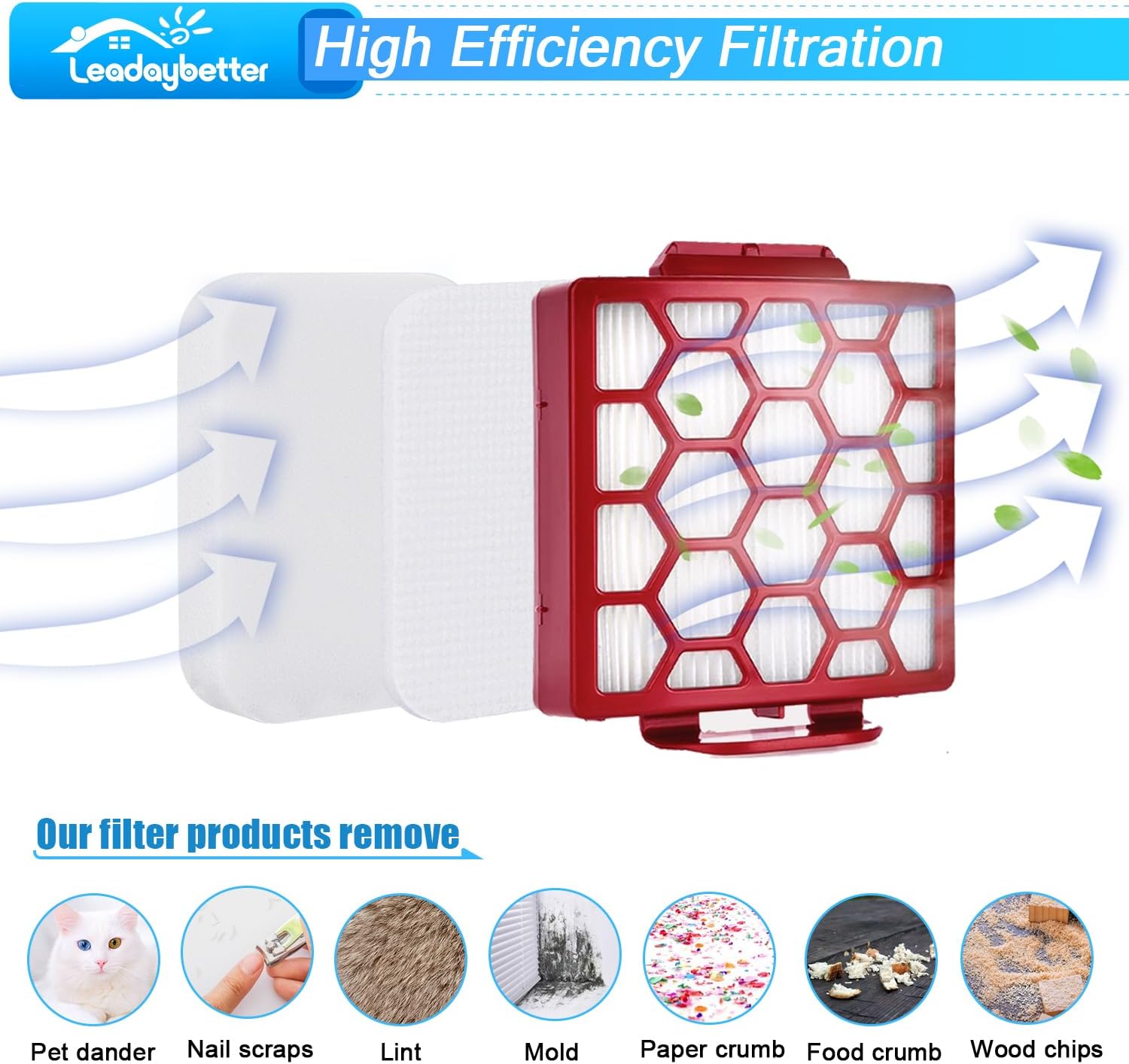
Image: An illustration demonstrating how the multi-layer filtration system effectively removes various airborne particles.
Maintenance
Regular cleaning and timely replacement of your filters are crucial for maintaining your vacuum's performance and extending its lifespan. The filters are washable and reusable.
Cleaning Instructions:
- Remove Filters: Take out the foam and felt filters from their compartments. The HEPA filter can also be removed for cleaning if necessary.
- Tap Off Debris: Gently tap the filters over a trash can to remove loose dirt and debris.
- Hand Wash: Rinse the filters under running water until the water runs clear. For foam and felt filters, gently squeeze to remove excess water. Do not wring.
- Air Dry Completely: Allow all filters to air dry completely for at least 24 hours before reinserting them into the vacuum. Do not use a dryer or other heating devices.
Replacement Schedule:
- It is recommended to replace the foam and felt filters every 3 months.
- It is recommended to replace the HEPA filter every 6 months.

Image: Instructions for washing and reusing the filters to maintain their effectiveness.
Troubleshooting
| Issue | Possible Cause | Solution |
|---|---|---|
| Reduced Suction Power | Clogged or dirty filters. | Clean or replace filters according to the maintenance schedule. Ensure filters are completely dry before reinstallation. |
| Unusual Noise from Vacuum | Improperly installed filters or worn seals. | Check that all filters are correctly seated. Inspect seals around filter compartments and dust cup for wear; clean any accumulated dust or debris from seals. |
| Dust Escaping Vacuum | Damaged or missing filters; improper installation. | Verify all filters are present and correctly installed. Replace any damaged filters immediately. |
Specifications
- Brand: Leadaybetter
- Material: Foam, Plastic
- Reusability: Reusable
- Product Dimensions (HEPA Filter): Approximately 4.9"L x 4.9"W x 1.02"H
- Compatible Devices: Shark Navigator Pet Plus NV150, NV150C, NV151, CU50WM, NV151CA, NV151NP, ZU51, NV251; Shark Zero-M Self-Cleaning Brushroll Pet Pro ZU102, ZU60, ZU62, ZU62C, NV255, ZU62NP Upright Vacuums.
- Replaces Part Numbers: 1238FT60 & 1239FT60

Image: A comparison chart detailing the dimensions of ZU60 filters to ensure correct fit.
Warranty and Support
Leadaybetter is committed to providing high-quality products and customer satisfaction. If you encounter any quality issues with your filters or require assistance, please contact our customer service team. We are dedicated to resolving your concerns promptly and ensuring your complete satisfaction.
For support, please refer to the contact information provided with your product packaging or visit the official Leadaybetter website.
Ask a question about this manual
Ask about setup, troubleshooting, compatibility, parts, safety, or missing instructions. Manuals+ will review the question and use this page’s manual context to help answer it.