
1. Introduction and Overview
Thank you for choosing the IPOTOOLS LY800H Automatic Welding Helmet. This helmet is designed to provide optimal protection and an enhanced viewing experience for various welding and grinding applications. Featuring a True Color filter, an extra-large field of view, and advanced sensor technology, the LY800H ensures safety and precision in your work.
This manual provides essential information on the helmet's features, safe operation, setup, maintenance, and troubleshooting. Please read it thoroughly before using the helmet to ensure proper function and your personal safety.

Image 1: IPOTOOLS LY800H Automatic Welding Helmet highlighting key features.
2. Safety Instructions
Your safety is paramount. Always adhere to the following safety guidelines when using the IPOTOOLS LY800H welding helmet:
- This helmet is designed to protect your eyes and face from sparks, spatter, heat, and harmful radiation (IR and UV) during welding and grinding. It is not suitable for laser welding or overhead applications where falling debris could cause injury.
- Ensure the helmet is correctly adjusted to your head for a secure and comfortable fit before starting any work.
- Always inspect the helmet and filter cartridge for any damage before each use. Do not use a damaged helmet or filter.
- The helmet provides protection against IR and UV radiation up to DIN16, even in the light state.
- Do not modify the helmet or its components. Use only original IPOTOOLS replacement parts.
- Clean the helmet and filter regularly as per the maintenance section to ensure clear vision and proper sensor function.
- Avoid direct exposure to the welding arc without proper eye protection, even for short periods.
3. Product Features
The IPOTOOLS LY800H welding helmet incorporates advanced features for superior performance and user comfort:
- XXL Field of View: An expansive 100 mm × 93 mm viewing area significantly enhances visibility and concentration during work.
- True Color Filter: Equipped with the latest True Color technology and an optical class of 1/1/1/1, providing exceptionally clear vision, faithful color rendering, and high contrast.
- 4 High-Performance Sensors: Four highly sensitive sensors ensure extremely fast and reliable auto-darkening, superior to helmets with fewer sensors.
- Automatic Darkening Function (ADF): Automatically switches from light to dark state upon arc ignition and back to light when the arc ceases.
- External Controls: Easily adjust darkening shade (DIN 4/5-9/9-13), sensitivity (1/10,000 s), and delay (0.1-0.8 s) without removing the helmet.
- Versatile Application: Suitable for TIG, MIG, MAG, MMA (electrode), plasma cutting, and grinding operations.
- Power Source: Combines solar cells with a 600 mAh lithium battery for extended operation.
- Durable Construction: Made from impact-resistant polyamide plastic.
- Adjustable Headband: Ergonomically designed, fully adjustable headband with soft padding for individual comfort and fit.
- Replacement Lenses: Includes 3 inner and 3 outer replacement lenses.
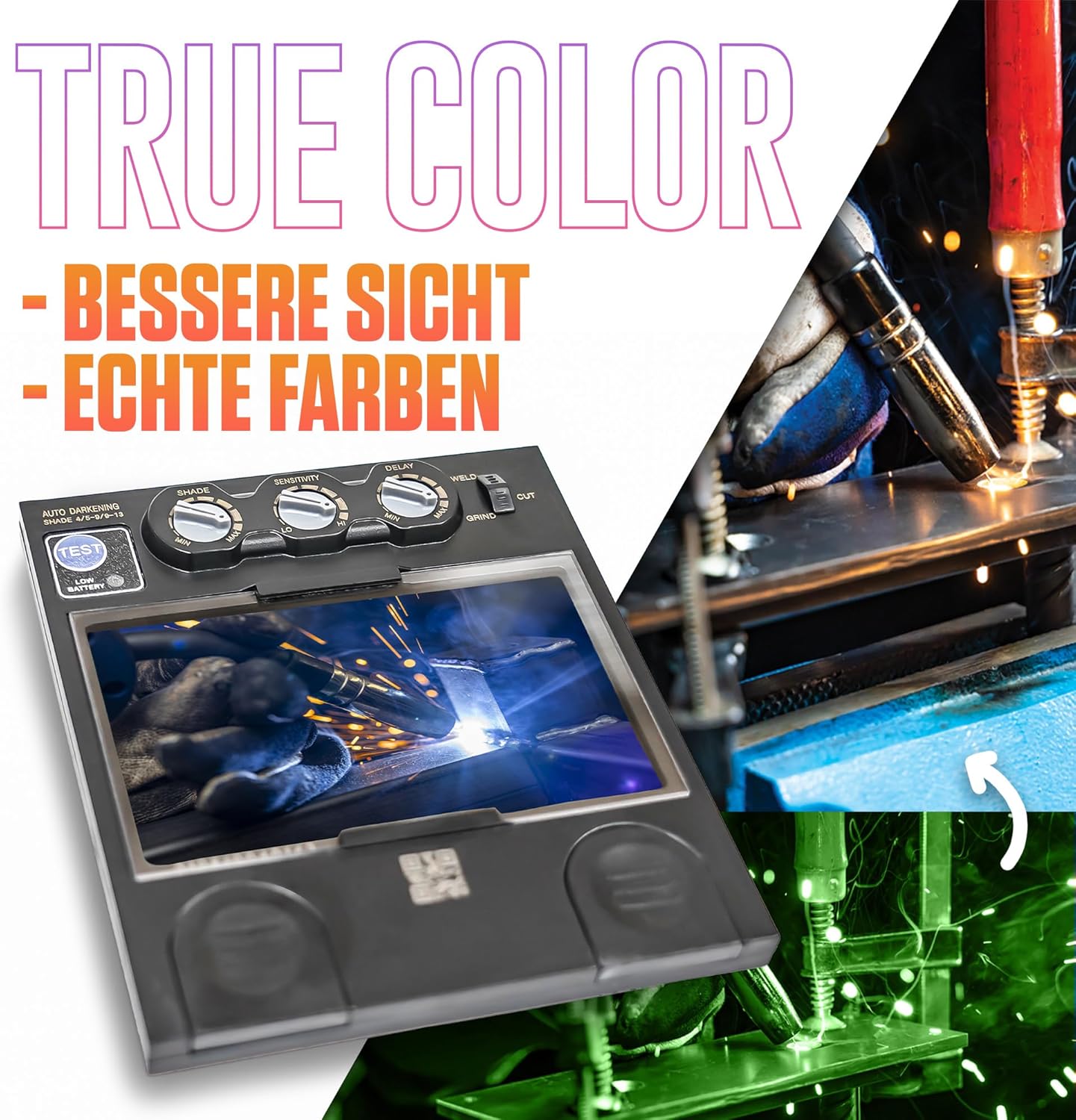
Image 2: The True Color filter provides enhanced visibility and natural color perception.
4. Setup
Follow these steps to set up your IPOTOOLS LY800H welding helmet:
- Adjust the Headband:
- Loosen the knob at the back of the headband and adjust the circumference to fit your head comfortably.
- Adjust the top strap to position the helmet correctly on your head, ensuring the viewing area is at eye level.
- Tighten the knobs on the sides of the helmet to set the tilt angle, allowing the helmet to flip up and down smoothly without falling.

Image 3: The fully adjustable headband ensures a secure and comfortable fit.
- Check Battery Status: The helmet is powered by solar cells and a built-in lithium battery. A low battery indicator (if present) will alert you when charging is needed. Ensure the helmet is exposed to light to charge the solar cells.
- Initial Function Test: Before welding, perform a quick test. Hold the helmet up to a bright light source (not the sun) and press the 'TEST' button (if available) or briefly expose it to a non-welding light source to confirm the filter darkens and lightens correctly.
5. Operating Instructions
The LY800H helmet features intuitive controls for various welding and grinding tasks:

Image 4: External controls for adjusting helmet settings.
- Select Operating Mode: Use the mode switch (often labeled 'WELD' / 'GRIND') to select between welding and grinding functions. In 'GRIND' mode, the filter remains in its light state (DIN 4) for clear vision during grinding without darkening.
- Adjust Darkening Shade (DIN): Use the 'SHADE' knob to select the appropriate darkening level (DIN 4/5-9/9-13) based on your welding process and current. Refer to welding safety standards for recommended shade levels.
- Adjust Sensitivity: The 'SENSITIVITY' knob controls how sensitive the sensors are to the welding arc. Adjust it to prevent accidental darkening from ambient light or to ensure darkening in low-amp TIG welding.
- Adjust Delay: The 'DELAY' knob sets the time the filter remains dark after the welding arc stops. A longer delay (0.1-0.8 s) is useful for preventing eye fatigue from afterglow or for tack welding.
- Automatic ON/OFF: The helmet automatically turns on when exposed to light and off after a period of inactivity to conserve battery life.

Image 5: The Automatic Darkening Function (ADF) supports various applications.
6. Maintenance
Proper maintenance ensures the longevity and performance of your welding helmet:
- Cleaning:
- Clean the outer and inner protective lenses regularly with a soft, clean cloth and a mild cleaning solution. Avoid abrasive cleaners.
- Wipe the helmet shell with a damp cloth. Do not immerse the helmet in water.
- Keep the sensors clean and free from obstructions to ensure proper auto-darkening function.
- Replacing Protective Lenses: Replace the outer and inner protective lenses when they become scratched, pitted, or too dirty to clean effectively. The helmet includes 3 inner and 3 outer replacement lenses.
- Storage: Store the helmet in a dry, clean place away from direct sunlight and extreme temperatures.
- Battery: The lithium battery is integrated and charged by solar cells. If the low battery indicator appears, ensure the helmet is exposed to sufficient light for charging.

Image 6: The auto-darkening filter should be kept clean for optimal performance.
7. Troubleshooting
If you encounter issues with your LY800H helmet, refer to the following common problems and solutions:
| Problem | Possible Cause | Solution |
|---|---|---|
| Filter does not darken. | Sensors are dirty or obstructed. Low battery. Sensitivity setting is too low. | Clean sensors and protective lenses. Expose helmet to light for solar charging. Increase sensitivity setting. |
| Filter remains dark after welding. | Delay setting is too high. | Decrease the delay setting. |
| Poor visibility. | Protective lenses are dirty or scratched. Incorrect shade setting. | Clean or replace protective lenses. Adjust shade to appropriate level for your application. |
| Helmet feels uncomfortable or loose. | Headband not properly adjusted. | Re-adjust the headband for a snug and comfortable fit. |
If the problem persists after attempting these solutions, please contact IPOTOOLS customer support.
8. Specifications
| Model Number | LY800H |
| Brand | IPOTOOLS |
| Optical Class | 1/1/1/1 |
| Field of View | 100 mm × 93 mm |
| Light State Shade | DIN 4 |
| Dark State Shade | DIN 5-9 / 9-13 (Adjustable) |
| Switching Time | 1/10,000 s |
| Delay Time | 0.1 - 0.8 s (Adjustable) |
| Sensors | 4 |
| UV/IR Protection | Up to DIN16 at all times |
| Power Supply | Solar cells and 600 mAh Lithium battery |
| Material | Impact-resistant Polyamide plastic |
| Item Weight | 540 Grams |
| Package Dimensions | 33.5 x 24.5 x 24 cm |
| Standard Complied | DIN |
9. Warranty and Support
IPOTOOLS stands behind the quality of its products. For warranty information, technical support, or to purchase replacement parts, please visit the official IPOTOOLS website or contact their customer service directly. Keep your purchase receipt as proof of purchase for any warranty claims.
For further assistance, you may also refer to the IPOTOOLS brand store on Amazon: IPOTOOLS Store