
Nintendo HDHSYAZAA
Nintendo Switch Lite - Yellow User Manual
Model: HDHSYAZAA
1. Introduction
The Nintendo Switch Lite is a dedicated handheld gaming device designed for personal, on-the-go play. This compact and lightweight system features integrated controls and a built-in +Control Pad, making it ideal for handheld gaming experiences. It is compatible with all Nintendo Switch software titles that support handheld mode.
Key features include:
- Optimized for personal, handheld gameplay.
- Sleek, unibody design with fully integrated controls.
- Built-in +Control Pad for precise input.
- Compatibility with a wide range of Nintendo Switch games that support handheld mode.
2. Product Overview
The Nintendo Switch Lite offers a streamlined experience focused on handheld gaming. Below are visual representations and descriptions of the console.
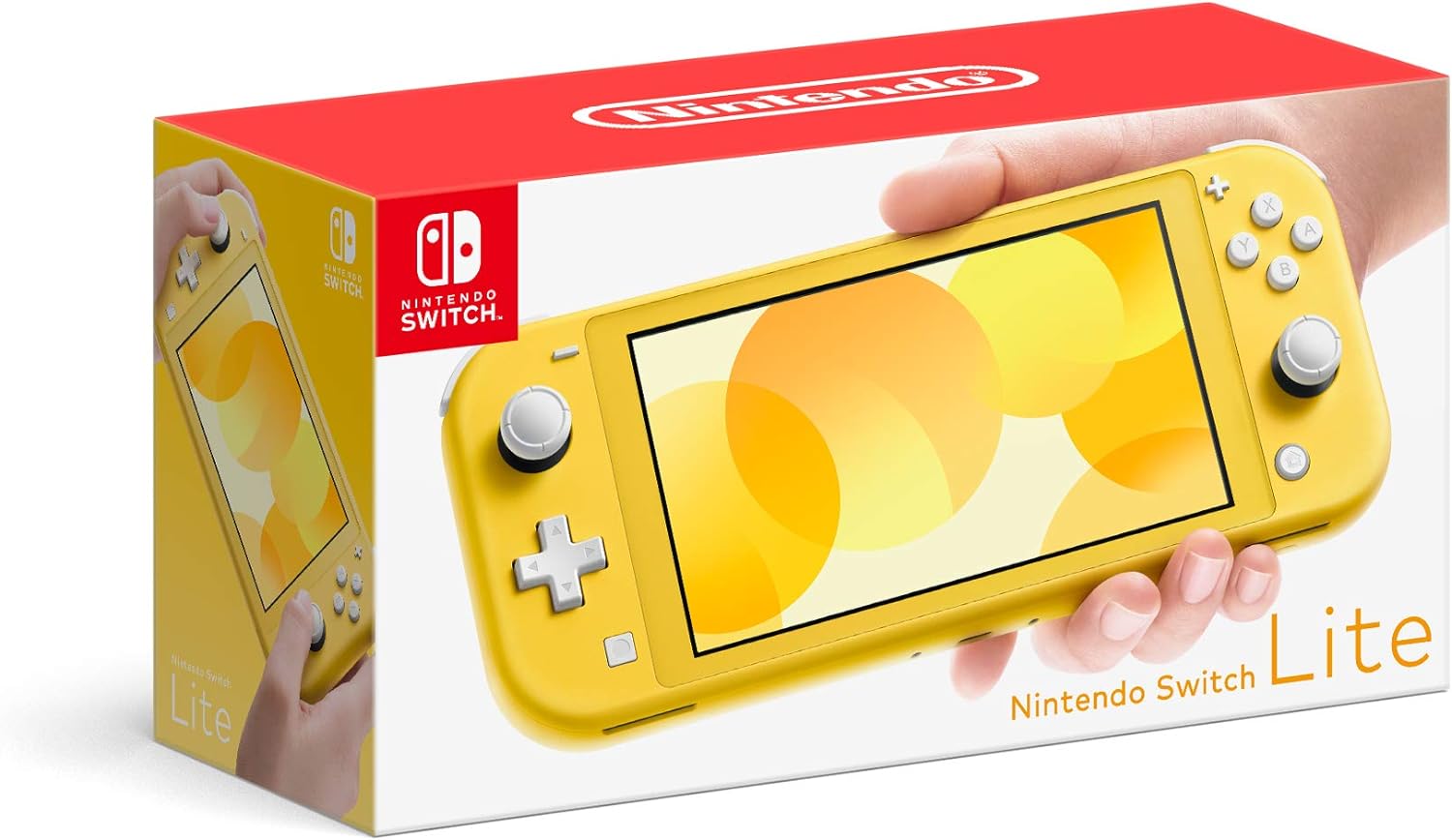
Figure 2.1: Nintendo Switch Lite Yellow console in its retail packaging.

Figure 2.2: Front view of the Nintendo Switch Lite Yellow console, showcasing the screen and integrated controls.

Figure 2.3: Rear view of the Nintendo Switch Lite Yellow console, displaying the product information label and vents.

Figure 2.4: A person placing the Nintendo Switch Lite Yellow console into a backpack, illustrating its portability.

Figure 2.5: A person holding and playing the Nintendo Switch Lite Yellow console, demonstrating handheld gameplay.
3. Setup
3.1 Initial Charging
Before first use, fully charge the Nintendo Switch Lite console using the included AC adapter. Connect the USB-C end of the AC adapter to the console's USB-C port at the bottom, and plug the other end into a wall outlet. The charging indicator will illuminate.
3.2 Powering On
Press and hold the POWER Button located on the top-left of the console for a few seconds until the Nintendo logo appears on the screen.
3.3 Initial System Settings
Upon first power-on, you will be guided through the initial setup process. Follow the on-screen prompts to configure:
- Language selection.
- Region selection.
- Wi-Fi network connection.
- Time zone and date.
- User creation and Nintendo Account linking (optional, but recommended for digital purchases and online features).
4. Operating Instructions
4.1 Basic Controls
The Nintendo Switch Lite features integrated controls:
- Left Stick: Used for movement and selection.
- +Control Pad: Directional input, typically for menu navigation or specific game actions.
- Right Stick: Used for camera control or other in-game actions.
- A/B/X/Y Buttons: Action buttons for gameplay and menu confirmation.
- L/R Buttons: Shoulder buttons.
- ZL/ZR Buttons: Trigger buttons.
- + (Plus) Button: Typically opens in-game menus or pauses.
- - (Minus) Button: Typically opens in-game menus or pauses.
- HOME Button: Returns to the HOME Menu.
- CAPTURE Button: Takes screenshots or video clips.
4.2 Navigating the HOME Menu
The HOME Menu is your central hub for launching games, accessing system settings, and managing user profiles. Use the Left Stick or +Control Pad to navigate between icons and press the A Button to select.
4.3 Playing Games
- Game Cards: Insert Nintendo Switch game cards into the Game Card slot located on the top-right of the console.
- Digital Downloads: Purchased digital games will appear on the HOME Menu after download from the Nintendo eShop.
4.4 Connecting to the Internet
From the HOME Menu, select System Settings > Internet > Internet Settings. The console will search for available Wi-Fi networks. Select your network and enter the password if required.
4.5 Adjusting Settings
Access various system settings via the System Settings icon on the HOME Menu. Here you can adjust screen brightness, volume, parental controls, data management, and more.
4.6 Sleep Mode and Power Off
- Sleep Mode: Briefly press the POWER Button to put the console into sleep mode. This conserves battery while keeping your game suspended.
- Power Off: Hold the POWER Button for at least three seconds, then select Power Options > Power Off from the menu that appears.
5. Maintenance
5.1 Cleaning the Console
Use a soft, dry cloth to clean the console's exterior. For the screen, use a screen-specific cleaning cloth. Avoid using harsh chemicals or abrasive materials. Do not allow liquids to enter any openings.
5.2 Battery Care
- Charge the console regularly, even if not in use, to maintain battery health.
- Avoid exposing the console to extreme temperatures, as this can degrade battery performance.
- If storing the console for an extended period, charge it to about 50% before storage.
5.3 Software Updates
Regularly check for and install system software updates to ensure optimal performance and access to new features. Go to System Settings > System > System Update.
5.4 Storage Management
The Nintendo Switch Lite has internal storage. You can expand this storage using a microSD card (sold separately). Manage your data by going to System Settings > Data Management.
6. Troubleshooting
This section addresses common issues you might encounter with your Nintendo Switch Lite.
| Problem | Possible Cause / Solution |
|---|---|
| Console does not power on. | Ensure the console is charged. Connect the AC adapter and allow it to charge for at least 30 minutes before attempting to power on again. If unresponsive, hold the POWER Button for 12 seconds to force a shutdown, then press it again to restart. |
| Screen is blank or frozen. | Hold the POWER Button for 12 seconds to force a shutdown. Wait a few seconds, then press the POWER Button again to restart the console. |
| Game card not recognized. | Ensure the game card is inserted correctly and fully into the Game Card slot. Remove and reinsert the card. Check the game card for any visible damage or dirt. |
| Cannot connect to Wi-Fi. | Verify your Wi-Fi password. Ensure your router is powered on and functioning. Try moving closer to the Wi-Fi router. Restart your router and the Nintendo Switch Lite. |
| Controls are unresponsive or drifting. | Go to System Settings > Controllers and Sensors > Calibrate Control Sticks or Calibrate Gyroscope Controls. If issues persist, contact Nintendo Support. |
If you encounter issues not listed here or if the suggested solutions do not resolve the problem, please refer to the official Nintendo Support website for further assistance.
7. Specifications
| Feature | Detail |
|---|---|
| Brand | Nintendo |
| Model Name | Nintendo Switch Lite - Yellow |
| Item Model Number | HDHSYAZAA |
| Platform | Nintendo Switch |
| Color | Yellow |
| Product Dimensions | 1 x 2 x 2 inches |
| Item Weight | 1.76 ounces |
| Batteries | 1 Lithium Polymer batteries required (included) |
| Input Device | Gamepad |
| Manufacturer | Nintendo |
| Date First Available | July 10, 2019 |
8. Safety Information
Please read the following safety guidelines carefully to ensure safe and proper use of your Nintendo Switch Lite console.
- Battery Safety: The console contains a lithium-ion battery. Do not attempt to replace the battery yourself. Do not expose the console to extreme heat, fire, or direct sunlight. Do not puncture, drop, or disassemble the battery.
- Screen Care: The screen is made of glass. If the screen is broken, avoid contact with the liquid crystal and broken glass.
- Volume: Avoid prolonged listening at high volume to prevent hearing damage.
- Physical Activity: Take regular breaks during gameplay. If you experience discomfort, stop playing immediately.
- Ventilation: Ensure proper ventilation around the console during use. Do not block the vents.
- Water and Moisture: Keep the console away from water and moisture. Do not use it in wet environments.
- Cleaning: Only clean the console with a dry, soft cloth. Do not use cleaning sprays or solvents.
- Children: This product is not suitable for very young children without adult supervision due to small parts and potential hazards.
9. Warranty and Support
For information regarding product warranty, repairs, and technical support, please visit the official Nintendo Support website. You will typically need your product's model number (HDHSYAZAA) and serial number for support inquiries.
Online Support: For the most up-to-date support information, FAQs, and troubleshooting guides, please visit the official Nintendo support page. (Specific URL not provided, please refer to Nintendo's official website for your region).
Customer Service: Contact Nintendo customer service for direct assistance with product issues or warranty claims.
Related Documents - HDHSYAZAA
 |
Nintendo Switch Repair and Exchange Price List (Out of Warranty) Official price list from Nintendo France for out-of-warranty repairs and exchanges of Nintendo Switch consoles and accessories, applicable from September 17, 2025. Includes pricing for various models and common issues. |
 |
Nintendo Switch, OLED Model, and Lite: Important Information, Safety, and Warranty Guide Comprehensive guide for Nintendo Switch, Nintendo Switch - OLED Model, and Nintendo Switch Lite consoles, covering essential safety information, parental controls, usage instructions, technical specifications, and warranty details. |
 |
Nintendo Switch Family: Important Information, Safety, and Specifications Comprehensive guide to Nintendo Switch, Nintendo Switch – OLED Model, and Nintendo Switch Lite, covering important information, health and safety guidelines, parental controls, technical specifications, warranty, and disposal. |
 |
NDS Lite Built-in Rechargeable Battery USG003 User Manual Comprehensive user manual for the USG003 built-in rechargeable battery designed for the Nintendo DS Lite (NDS L) handheld game console. Covers technical specifications, installation steps, charging procedures, usage recommendations, maintenance tips, and essential safety warnings. |
 |
Nintendo Switch, Switch OLED Model, and Switch Lite: Important Information and Specifications Comprehensive guide to Nintendo Switch, Nintendo Switch OLED Model, and Nintendo Switch Lite consoles, covering setup, safety, parental controls, warranty, and technical specifications. |
 |
Nintendo Switch Family: Important Information, Safety, and Warranty Guide Comprehensive guide to Nintendo Switch, Nintendo Switch – OLED Model, and Nintendo Switch Lite, covering essential setup, health and safety guidelines, parental controls, usage instructions, and warranty details. |