
1. Introduction
Welcome to the instruction manual for your Lensbaby Composer Pro II with Sweet 50 Optic. This unique lens system is designed to provide photographers with creative control over focus and depth of field, allowing for distinctive selective focus effects directly in-camera. By tilting the lens, you can move a 'sweet spot' of sharp focus across your image, surrounded by a gradual, pleasing blur. This manual will guide you through the setup, operation, and care of your new lens.
2. Product Overview
The Lensbaby Composer Pro II is a durable, all-metal lens body that houses the interchangeable Sweet 50 Optic. It features a smooth, precise tilt mechanism and a manual focus ring. The Sweet 50 Optic is a 50mm f/2.5 selective focus lens with a 12-blade adjustable aperture, offering versatility in controlling the size and intensity of the sweet spot.
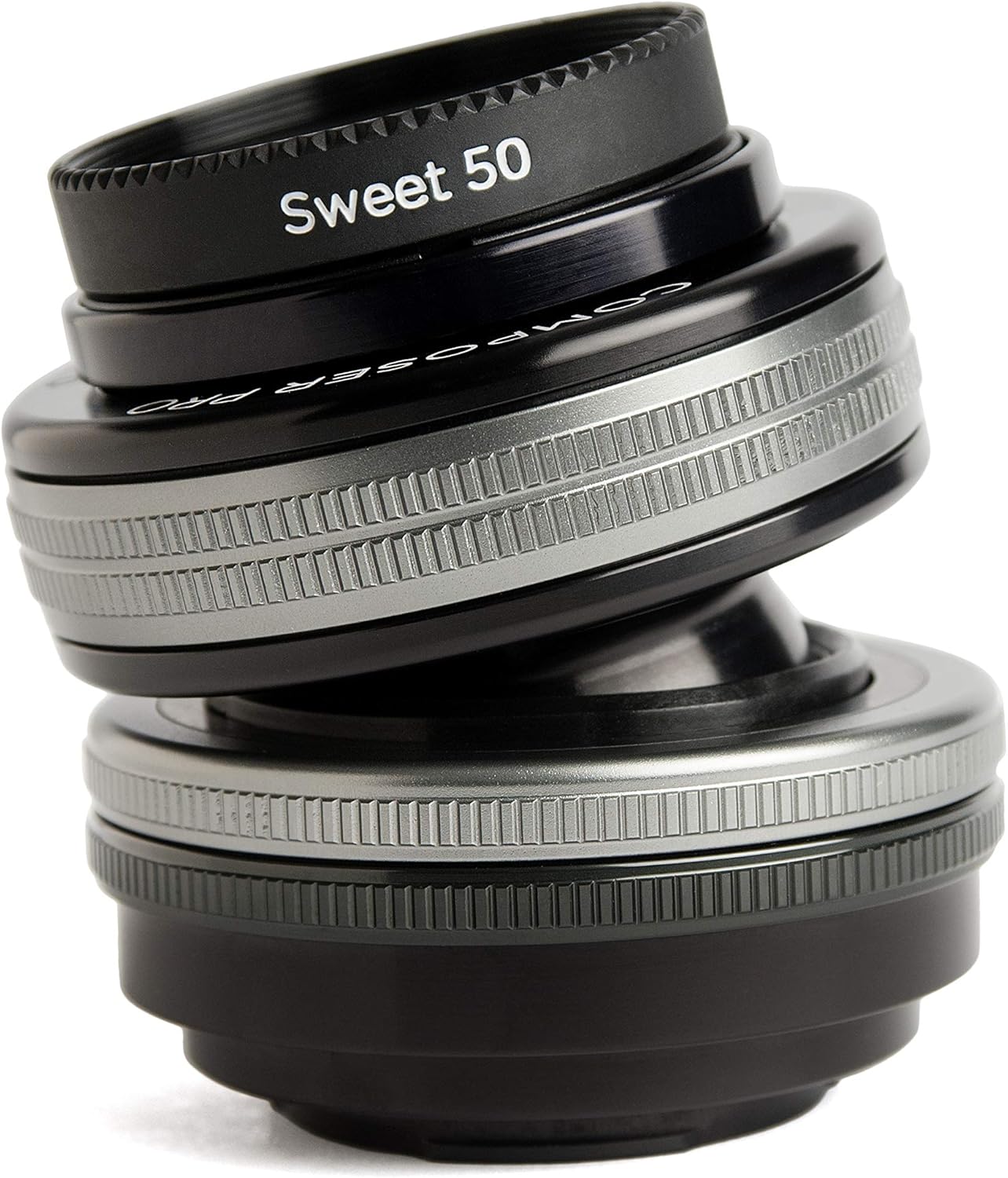
Image 2.1: The Lensbaby Composer Pro II with Sweet 50 Optic attached. This image shows the lens tilted, highlighting its unique design for selective focus photography.
3. Setup
3.1 Attaching the Composer Pro II to Your Camera
- Ensure your camera is turned off.
- Align the mounting index mark on the Composer Pro II lens body with the corresponding mark on your Nikon Z camera body.
- Gently insert the lens into the camera mount and rotate it clockwise until it clicks into place. Do not force the lens.
3.2 Inserting the Sweet 50 Optic
- If not already installed, remove the rear cap from the Composer Pro II lens body and the front cap from the Sweet 50 Optic.
- Align the red dot on the Sweet 50 Optic with the red dot inside the Composer Pro II lens body.
- Gently push the optic into the lens body until it seats firmly.
4. Operating Instructions
4.1 Focusing
The Composer Pro II with Sweet 50 Optic features manual focus. Rotate the focus ring on the front of the lens until your desired subject within the sweet spot appears sharp in your camera's viewfinder or live view display.
4.2 Aperture Control
The Sweet 50 Optic has a 12-blade adjustable aperture, ranging from f/2.5 to f/22. The aperture ring is located on the optic itself. Rotating this ring adjusts the size of the sweet spot of focus and the amount of blur in the surrounding area:
- Brighter Apertures (e.g., f/2.5): Produce a smaller sweet spot of focus with more dramatic blur.
- Darker Apertures (e.g., f/22): Result in a larger area of focus with less blur.
4.3 Tilting Mechanism
The Composer Pro II allows you to tilt the lens to move the sweet spot of focus anywhere within the frame. To tilt, gently hold the lens body and pivot it in the desired direction. The amount of tilt affects the position of the sweet spot. Experiment with different tilt angles to achieve various creative effects.

Image 4.1: An example photograph demonstrating the selective focus effect of the Sweet 50 Optic, with the surfer in sharp focus and the surroundings blurred.

Image 4.2: Another example showcasing the Sweet 50 Optic's ability to isolate a subject, here a child on a swing, with a dreamy, blurred background.
5. Maintenance
5.1 Cleaning the Lens Elements
To clean the front and rear glass elements of the Sweet 50 Optic, use a soft, lint-free microfiber cloth specifically designed for optics. For stubborn smudges, apply a small amount of lens cleaning solution to the cloth, not directly to the lens, and gently wipe in a circular motion. Avoid touching the glass with your fingers.
5.2 Cleaning the Lens Body
Wipe the metal body of the Composer Pro II with a clean, dry cloth. Do not use harsh chemicals or abrasive materials, as these can damage the finish.
5.3 Storage
When not in use, store the lens with both front and rear caps attached in a dry, dust-free environment. Avoid extreme temperatures and humidity.
6. Troubleshooting
- Images appear blurry: Ensure the lens is properly focused using the manual focus ring. Check your camera's shutter speed and ISO settings to avoid motion blur. Verify the Sweet 50 Optic is securely seated in the Composer Pro II body.
- Difficulty tilting the lens: Ensure no debris is obstructing the tilt mechanism. The Composer Pro II is designed for smooth movement; excessive force is not required.
- Dust on images: This may indicate dust on your camera sensor or the lens elements. Refer to section 5.1 for lens cleaning. For sensor cleaning, consult your camera's manual or a professional service.
7. Specifications
| Feature | Detail |
|---|---|
| Model Number | LBCP250NZ |
| Focal Length | 50 mm |
| Aperture Range | f/2.5 to f/22 |
| Diaphragm Blades | 12 |
| Lens Type | Selective Focus |
| Compatible Mountings | Nikon Z |
| Item Weight | 6.1 ounces |
8. Warranty and Support
Your Lensbaby Composer Pro II with Sweet 50 Optic is covered by a manufacturer's warranty against defects in materials and workmanship. For specific warranty details, please refer to the warranty card included with your product or visit the official Lensbaby website. For technical support, service, or inquiries, please contact Lensbaby customer service through their official channels.

