
Introduction
Thank you for choosing the Bulbright 6 Pack RGB LED Spotlight Bulb with Remote Control. This manual provides essential information for the safe and efficient use of your new LED bulbs. Please read these instructions carefully before installation and retain them for future reference.
Safety Information
- Always turn off the power supply before installing or replacing bulbs.
- Ensure the bulb is securely fastened in the GU10 socket.
- Do not use with dimmers unless explicitly stated as compatible. This product is designed for remote control dimming.
- Avoid direct exposure to water or high humidity environments. This product is for indoor use only.
- Do not disassemble the bulb; it contains no user-serviceable parts.
- Keep the remote control away from children.
Package Contents
- 6 x Bulbright RGB LED Spotlight Bulbs (GU10 Base)
- 1 x Remote Control (battery not included, typically CR2025 or CR2032)
Product Overview
The Bulbright RGB LED Spotlight Bulb features a GU10 base, offering 3 watts of power with color-changing capabilities. It includes a remote control for easy adjustment of colors and modes.

Image: Bulbright GU10 RGB LED Spotlight Bulb with its accompanying remote control, showcasing the product's design and primary components.

Image: Detailed dimensions of the Bulbright GU10 RGB LED Spotlight Bulb, indicating a width of 50mm (1.96 inches) and a height of 63mm (2.48 inches).
Setup and Installation
- Power Off: Before installation, ensure the power supply to the light fixture is completely turned off at the main switch or circuit breaker.
- Identify Socket: Confirm your fixture uses a GU10 base socket.
- Insert Bulb: Align the two pins of the GU10 bulb with the holes in the socket. Push the bulb into the socket and twist it clockwise until it locks securely into place.
- Restore Power: Once the bulb is securely installed, restore power to the light fixture.
- Remote Battery: Insert the required battery (e.g., CR2025 or CR2032) into the remote control, ensuring correct polarity.
Operating Instructions
The Bulbright RGB LED Spotlight Bulb is controlled using the provided infrared remote control.

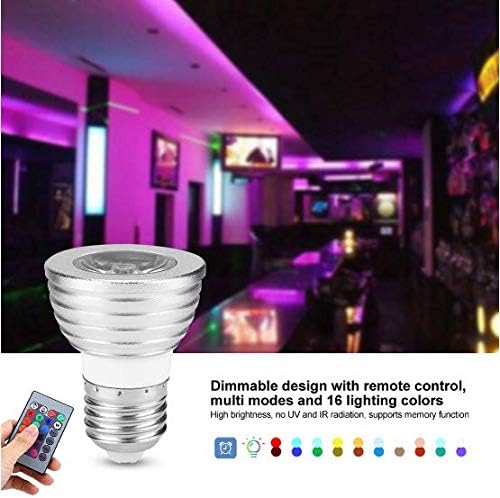
Image: The remote control for the Bulbright RGB LED Spotlight Bulb, showing various color buttons and mode selections. A hand is shown operating the remote, with the bulb visible in the background.
Remote Control Functions:
- On/Off: Press the ON button to turn the bulb on, and the OFF button to turn it off.
- Brightness Adjustment: Use the Brightness Up and Brightness Down buttons to adjust the light intensity.
- Color Selection: Press any of the 16 color buttons to select a specific static color. The main colors are Red, Green, Blue, and White.
- Mode Selection:
- FLASH: Cycles through colors quickly.
- STROBE: Flashes a single color.
- FADE: Smoothly transitions between colors.
- SMOOTH: Gradually changes between colors.
- Memory Function: The bulb features a memory function. The last selected color or mode setting will be remembered when the bulb is turned off and then back on.
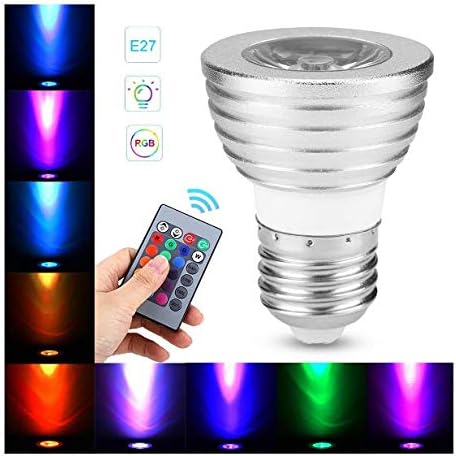
Image: The Bulbright RGB LED Spotlight Bulb demonstrating its ability to emit various colors, including red, orange, yellow, green, blue, and purple, showcasing its versatile lighting options.
Maintenance
- Cleaning: Ensure the power is off before cleaning. Wipe the bulb with a soft, dry cloth. Do not use liquid cleaners or abrasive materials.
- Remote Control: If the remote control stops responding, check and replace the battery if necessary. Ensure there are no obstructions between the remote and the bulb's sensor.
- Storage: If storing the bulbs for an extended period, keep them in a cool, dry place away from direct sunlight.
Troubleshooting
| Problem | Possible Cause | Solution |
|---|---|---|
| Bulb does not light up. | No power to the fixture. Bulb not installed correctly. Bulb is faulty. | Check power supply and circuit breaker. Ensure bulb is securely twisted into the GU10 socket. Test with another working bulb or replace the bulb. |
| Remote control not working. | Remote battery is dead or incorrectly inserted. Obstruction between remote and bulb. Remote is too far from the bulb. | Replace the remote control battery, ensuring correct polarity. Remove any objects blocking the line of sight. Move closer to the bulb (within 5-8 meters). |
| Bulb flickers or changes color unexpectedly. | Loose connection. Electrical interference. Faulty bulb. | Turn off power, re-seat the bulb firmly. Ensure the bulb is not near strong electromagnetic sources. Replace the bulb if the issue persists. |
Specifications
| Feature | Specification |
|---|---|
| Product Type | LED RGBW Light Bulb |
| Base Type | GU10 |
| Working Voltage | 85V-265V |
| Wattage | 3 Watts |
| Light Color | Multicolor (4 main colors: Red, Green, Blue, White; 16 total tones) |
| Brightness | 240 Lumens |
| Color Temperature | 2700 Kelvin |
| Life Span | >50000 hours |
| Material | Glass & Aluminum |
| Dimensions | 50mm (1.97") W x 63mm (2.48") H |
| Control Method | Infrared Remote Control |
| Indoor/Outdoor Usage | Indoor use only |
Warranty and Support
Bulbright products are manufactured to high-quality standards. For any issues or support inquiries, please refer to your purchase documentation or contact the retailer where the product was purchased. Keep your proof of purchase for warranty claims.