
1. Introduction
The H2CAP is a high-concentrated hydrogen water generator designed to electrolyze water molecules (H2O), discharge oxygen, and produce molecular hydrogen safely dissolved in water for absorption. It features a platinum SPE/PEM dual chamber technology, ensuring only pure hydrogen is generated into the water, free from chlorine, ozone, or peroxide. This device is compact, portable, and compatible with any water bottle with a 30mm bottleneck size.
The H2CAP is certified by the Japan Hydrogen Water Promotion Association (JHPA) and is recognized for its powerful performance, achieving high hydrogen concentrations (1,000 to 1,500ppb) and negative ORP values (-400mV to -800mV) in just 5 minutes.

Image: The H2CAP device, demonstrating its small and portable design.
2. What's in the Box
Your H2CAP package includes the following items:
- H2CAP Hydrogen Water Generator
- 500ml Tritan Bottle (BPA-Free)
- USB Charging Cable
- Descaler Sachets (for cleaning)
- User Manual
- Carrying Pouch
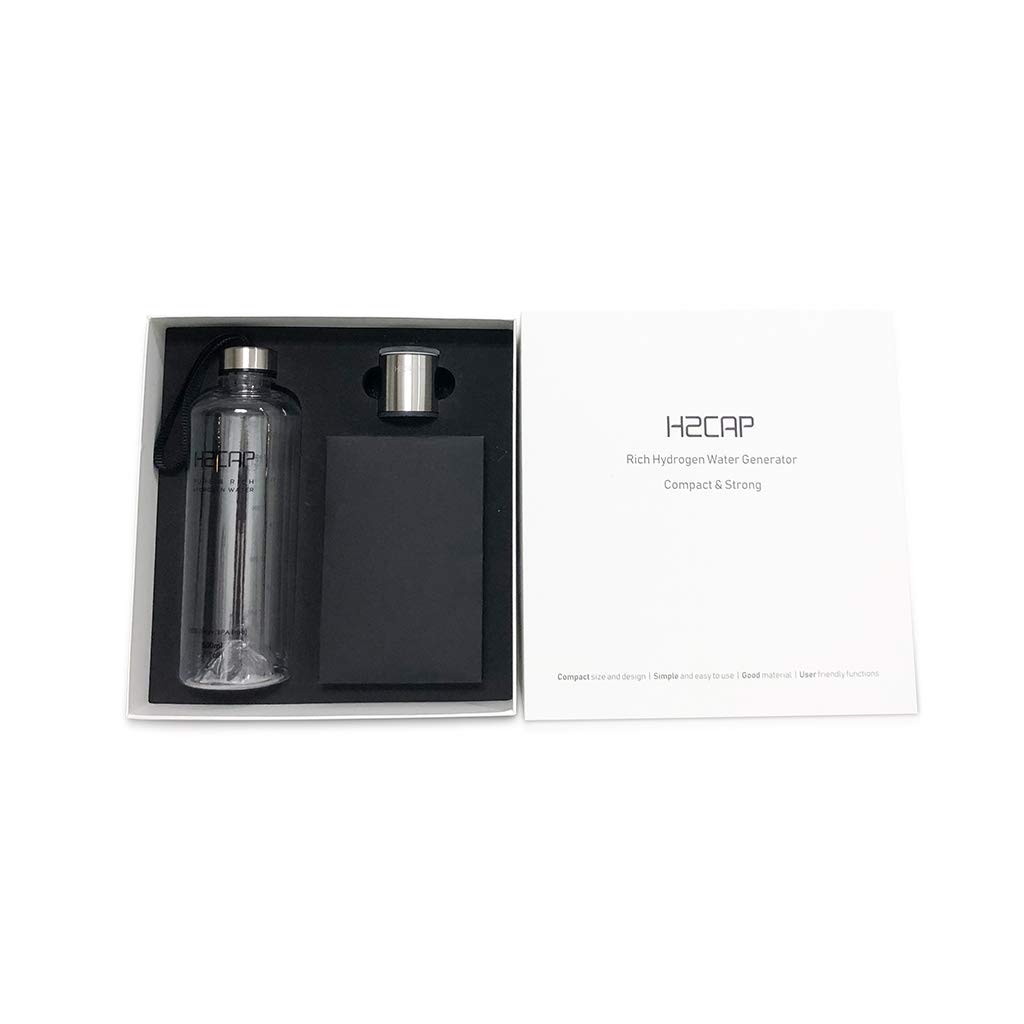
Image: All components included in the H2CAP package.
3. Setup
Before first use, ensure all components are present and familiarize yourself with the device. The H2CAP is designed for ease of use and portability.
3.1 Device Overview and Dimensions
The H2CAP is designed to be compact and compatible with standard bottle sizes. The set package includes a 30mm H2CAP unit.

Image: H2CAP dimensions and bottle compatibility.
3.2 Power Supply Options
The H2CAP operates via a USB port, offering flexible power options. It does not contain an internal battery, ensuring consistent performance and eliminating the need for battery replacement.
- Connect to a power bank.
- Connect to a smartphone (with appropriate adapter).
- Connect to a mobile charger.
- Connect to a computer's USB port.

Image: Available power supply methods for the H2CAP.
3.3 Initial Setup and Usage Overview
For a visual guide on the initial setup and components of your H2CAP Set Package, please watch the video below.
Video: This video demonstrates the components of the H2CAP Set Package and provides an overview of its initial setup.
4. Operating Instructions
The H2CAP is designed for simple operation to produce hydrogen-rich water quickly.
- Fill the provided Tritan bottle (or any compatible 30mm bottleneck bottle) with clean water.
- Screw the H2CAP generator onto the bottle securely.
- Connect the USB cable to the H2CAP and a power source (e.g., power bank, mobile charger, laptop).
- The device will automatically begin the hydrogen generation process, indicated by a blinking LED.
- After approximately 5 minutes, the process will complete, and the LED will change or turn off.
- Unplug the device and enjoy your hydrogen-rich water.
4.1 Understanding the Technology
The H2CAP utilizes a world-first 2-chamber, 9-layer system with platinum PEM (Proton Exchange Membrane) technology and a patented cross-mesh electrode. This advanced design ensures the production of 99.99% molecular hydrogen, separating oxygen and other byproducts to deliver pure hydrogen water.

Image: H2CAP's advanced platinum SPE/PEM dual chamber technology.
4.2 Testing Hydrogen Concentration
To verify the hydrogen concentration of your water, you can use the provided DH Test kit. This ensures your device is functioning optimally and producing the desired levels of molecular hydrogen.
Video: This video demonstrates how to perform the DH Test to measure hydrogen concentration in water.
5. Maintenance
Regular cleaning is essential to maintain the performance and longevity of your H2CAP device. The device features an automatic alarm (blinking orange LED) to indicate when cleaning is needed.
5.1 Descaling Procedure
Use the provided descaler sachets to perform the cleaning mode. Follow the instructions carefully to ensure proper maintenance.
Video: This video provides a step-by-step guide on how to use the descaler for the H2CAP's cleaning mode.
6. Troubleshooting
If your H2CAP is not functioning as expected, please refer to the following common issues:
- Blinking Orange LED and No Hydrogen Generation: This indicates that the device requires cleaning. Please follow the descaling procedure outlined in Section 5.1.
- No LED Light when Plugged In: Ensure the USB cable is securely connected to both the H2CAP and a functioning power source. Try a different USB port or power adapter.
- Low Hydrogen Concentration: Ensure you are using water within the recommended temperature range (25-35°C for testing). Perform the descaling procedure as mineral buildup can affect performance.
If issues persist after following these steps, please contact customer support.
7. Specifications
| Feature | Detail |
|---|---|
| Brand | H2CAP |
| Model Name | H2CAP |
| Special Feature | Portable |
| Power Source | USB Powered |
| Material | Stainless Steel 304, Tritan, Pt-Titanium, Pt-PEM/SPE |
| Capacity (Bottle) | 500 Milliliters |
| Hydrogen Concentration | 1,000 to 1,500ppb |
| ORP (Oxidation-Reduction Potential) | -400mV ~ -800mV |
| Electrolysis Time | 5 minutes |
| Item Weight | 1.31 pounds |
| Package Dimensions | 9.02 x 8.62 x 2.99 inches |
8. Warranty and Support
Specific warranty details are not provided in the product information. For warranty claims, technical support, or any other inquiries, please refer to the contact information provided with your product packaging or visit the official H2CAP website.