
1. Introduction
Thank you for choosing the Xvive U3C 2.4GHz Wireless System. This manual provides detailed instructions for the setup, operation, and maintenance of your wireless system, designed for use with condenser microphones, audio mixers, and PA systems. Please read this manual thoroughly before use to ensure optimal performance and longevity of your device.
2. Product Overview
2.1 Components
The Xvive U3C system includes the following components:
- U3C Transmitter (XLR male)
- U3C Receiver (XLR female)
- USB Charging Cable
- User Manual

Figure 2.1: What's in the Box - Xvive U3C wireless system, charging cable, and user manual.
2.2 Key Features
- Phantom Power: Supports both +12V and +48V phantom power for condenser microphones.
- High-Resolution Audio: Delivers 24-bit/48kHz audio with a broad frequency response from 20Hz to 20kHz.
- Optimized 2.4GHz Wireless Band: Provides a solid RF connection over a 90-foot (27.4 meters) range.
- Ultra-Low Latency: Less than 5ms latency for real-time performance.
- Multiple Channels: Supports up to 6 simultaneous channels.
- Long-Lasting Battery: Up to 5 hours of battery life for both transmitter and receiver.
- Signal-to-Noise Ratio: Up to 107 dB for clear, detailed audio.

Figure 2.2: Xvive U3C Transmitter (left) and Receiver (right).
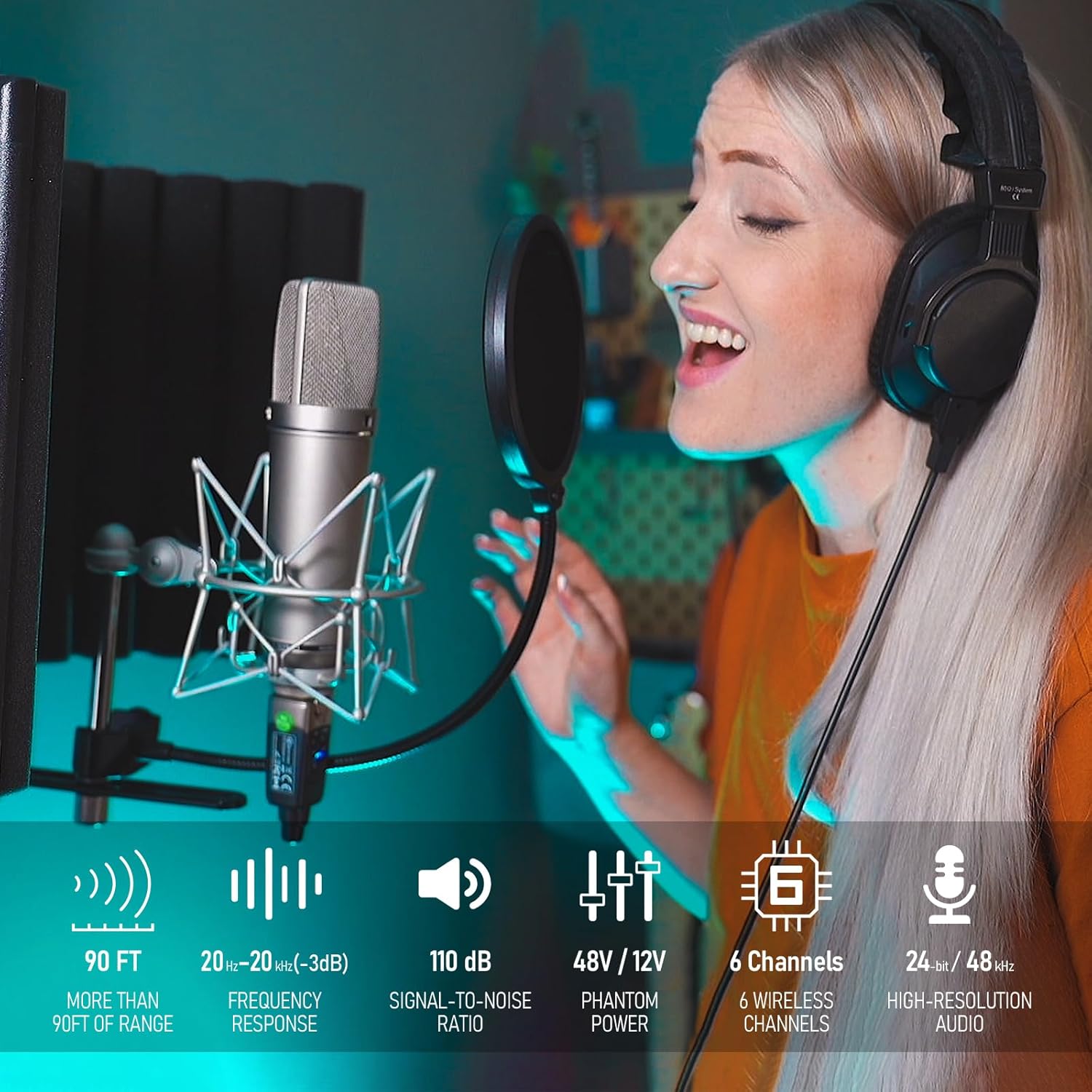
Figure 2.3: Key features of the Xvive U3C system.
3. Setup Instructions
3.1 Charging the Units
Before first use, fully charge both the transmitter and receiver using the provided USB charging cable. Connect the cable to a standard USB power adapter (not included). The charging indicator light will show charging status.
3.2 Connecting the Transmitter
- Connect the U3C Transmitter directly to the XLR output of your condenser microphone.
- Ensure the microphone is securely attached.
- Select the appropriate phantom power (+12V or +48V) on the transmitter to match your microphone's requirements. Refer to your microphone's manual for its phantom power needs.

Figure 3.1: Transmitter connected to a condenser microphone.
3.3 Connecting the Receiver
- Connect the U3C Receiver to an XLR input on your audio mixer, PA system, or other audio interface.
- Ensure the receiver is firmly seated in the input.

Figure 3.2: Receiver connected to an audio mixer.

Figure 3.3: Transmitter and receiver in a typical setup with a PA system.
4. Operating Instructions
4.1 Powering On/Off
- To power on, press and hold the POWER button on both the transmitter and receiver until the indicator lights illuminate.
- To power off, press and hold the POWER button on both units until the indicator lights turn off.
4.2 Channel Selection
- The U3C system offers 6 channels. To change the channel, briefly press the CHANNEL button on both the transmitter and receiver.
- Ensure both units are set to the same channel for proper operation. The channel number will be indicated by illuminated LEDs.
- If you experience interference, try switching to a different channel.
4.3 Mute Function (Transmitter Only)
- The transmitter features a MUTE button. Press it once to mute the microphone signal. Press again to unmute.
4.4 Phantom Power Selection (Transmitter Only)
- The transmitter has dedicated buttons for +12V and +48V phantom power. Select the appropriate voltage required by your condenser microphone.
- Caution: Ensure the correct phantom power is selected to avoid damage to your microphone.
4.5 Battery Status Indicators
Both units have LED indicators to show battery status. Refer to the device for specific light patterns indicating charge level and low battery warnings.
5. Maintenance
5.1 Charging
Recharge the units when the battery indicator shows low power. Use only the provided USB cable or a compatible USB power source. Avoid overcharging by disconnecting once fully charged.
5.2 Cleaning
Wipe the units with a soft, dry cloth. Do not use liquid cleaners or solvents, as these may damage the finish or internal components.
5.3 Storage
Store the Xvive U3C system in a cool, dry place away from direct sunlight and extreme temperatures. If storing for extended periods, ensure units are partially charged (around 50%) to preserve battery health.
6. Troubleshooting
| Problem | Possible Cause | Solution |
|---|---|---|
| No Sound |
|
|
| Interference/Dropouts |
|
|
| Short Battery Life |
|
|
7. Specifications
| Feature | Detail |
|---|---|
| Item Weight | 13.7 ounces |
| Product Dimensions | 1.2 x 1.1 x 3.9 inches |
| Item Model Number | U3U3C |
| Batteries | 2 Lithium Ion batteries (included) |
| Compatible Devices | Audio Mixer, Condenser Microphone, PA System |
| Connector Type | XLR |
| Material Type | Acrylonitrile Butadiene Styrene (ABS), Alloy Steel |
| Power Source | Battery Powered |
| Special Feature | Low Latency |
| Connectivity Technology | XLR, 2.4GHz Wireless |
| Phantom Power Support | +12V, +48V |
| Frequency Response | 20Hz - 20kHz |
| Audio Resolution | 24-bit/48kHz |
| Wireless Range | Up to 90 feet (27.4 meters) |
| Latency | Less than 5ms |
| Simultaneous Channels | Up to 6 |
| Battery Life | Up to 5 hours |
8. Warranty and Support
For warranty information and technical support, please refer to the official Xvive website or contact your local distributor. Keep your purchase receipt as proof of purchase for any warranty claims.
For further assistance, visit: Xvive Official Store on Amazon


