
Introduction
This manual provides essential instructions for the safe and effective use of your FITHOOD CS-QM91D replacement Li-ion battery. Please read this manual thoroughly before using the battery to ensure proper operation and longevity.
Important Safety Information
Failure to follow these safety instructions may result in fire, electric shock, injury, or damage to the battery or device.
- Do not attempt to disassemble, open, or service the battery pack.
- Do not crush, puncture, short external contacts, or dispose of in fire or water.
- Replace only with the battery pack designated for this product.
- Do not store above 60°C (140°F).
- Keep the battery away from children.
- If the battery leaks, avoid contact with skin and eyes. If contact occurs, wash immediately with plenty of water and seek medical advice.
- Dispose of used batteries according to local regulations. Do not dispose of with household waste.
ATTENTION: NEW BATTERY PACK MUST BE FULLY CHARGED BEFORE USE. TO REDUCE RISK OF FIRE OR BURNS, READ INSTRUCTION IN OPERATING GUIDE BEFORE USING THE BATTERY.
Compatibility
The FITHOOD CS-QM91D replacement battery is compatible with the following Sony camcorder models and battery part numbers:
Compatible Camcorder Models:
- Sony DCR-TRV14
- Sony DCR-TRV140
- Sony DCR-TRV140E
- Sony DCR-TRV140U
- Sony DCR-TRV145
- Sony DCR-TRV145E
- Sony DCR-TRV14E
- Sony DCR-TRV15
- Sony DCR-TRV15E
- Sony DCR-TRV16
- Sony DCR-TRV16E
- Sony DCR-TRV17E
- Sony DCR-TRV17K
- Sony DCR-TRV18
- Sony DCR-TRV18E
- Sony DCR-TRV18K
- Sony DCR-TRV19
- Sony DCR-TRV19E
- Sony DCR-TRV20
- Sony DCR-TRV20E
Compatible Battery Part Number:
- NP-QM91D
Please verify your device's model and original battery part number before use to ensure compatibility.
Setup and Initial Use
1. Initial Charging
Before first use, fully charge the battery. Connect the battery to a compatible Sony camcorder or an external battery charger. The charging indicator on your device or charger will typically show the charging status. A full charge may take several hours.
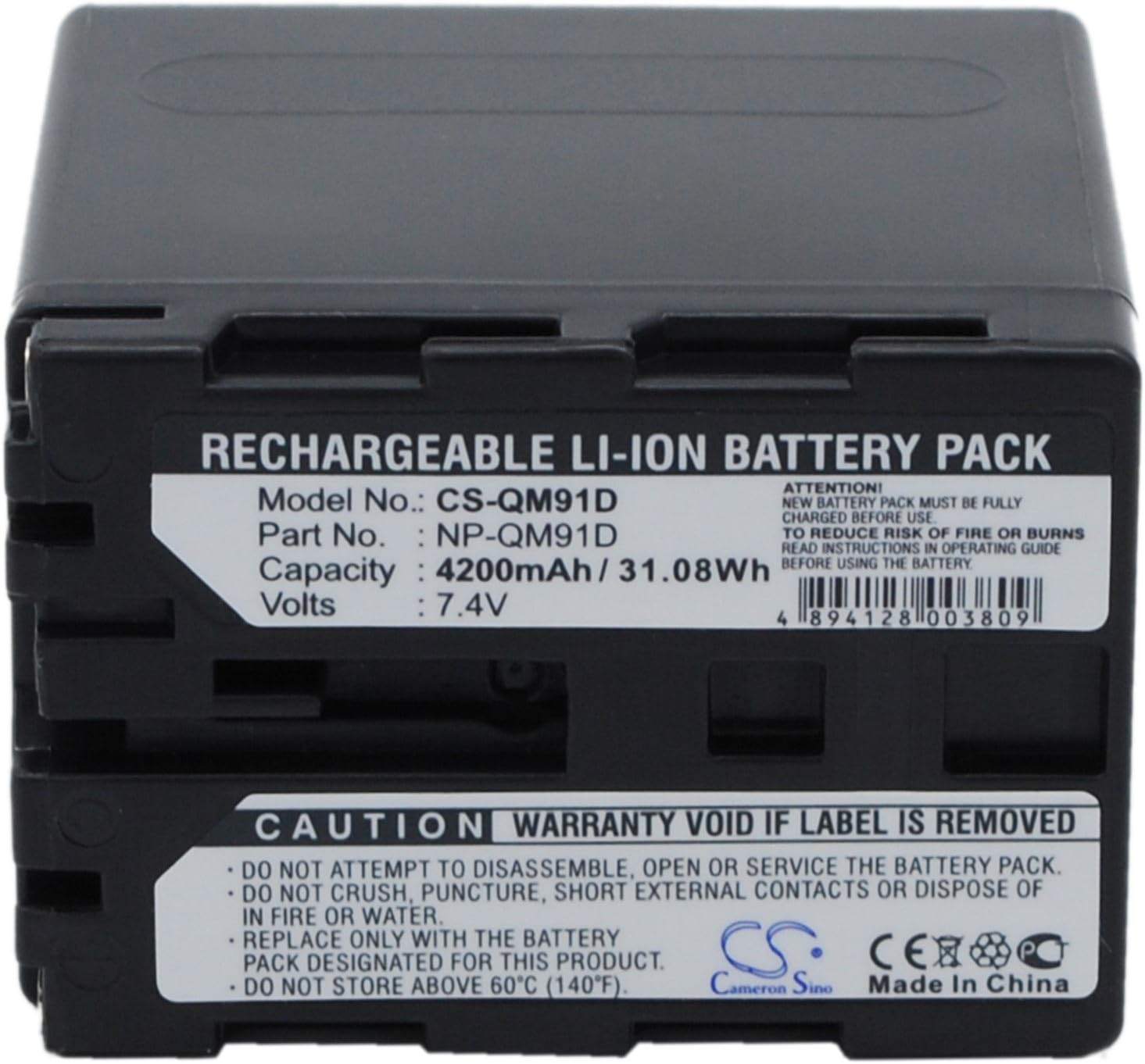
Image: Front view of the FITHOOD CS-QM91D battery, showing model number CS-QM91D, part number NP-QM91D, capacity 4200mAh / 31.08Wh, and voltage 7.4V. Safety warnings are also visible.
2. Battery Installation
- Ensure your camcorder is powered off.
- Locate the battery compartment on your camcorder.
- Align the battery's contacts with the camcorder's terminals.
- Gently slide the battery into the compartment until it clicks securely into place. Do not force the battery.
- Close the battery compartment cover, if applicable.
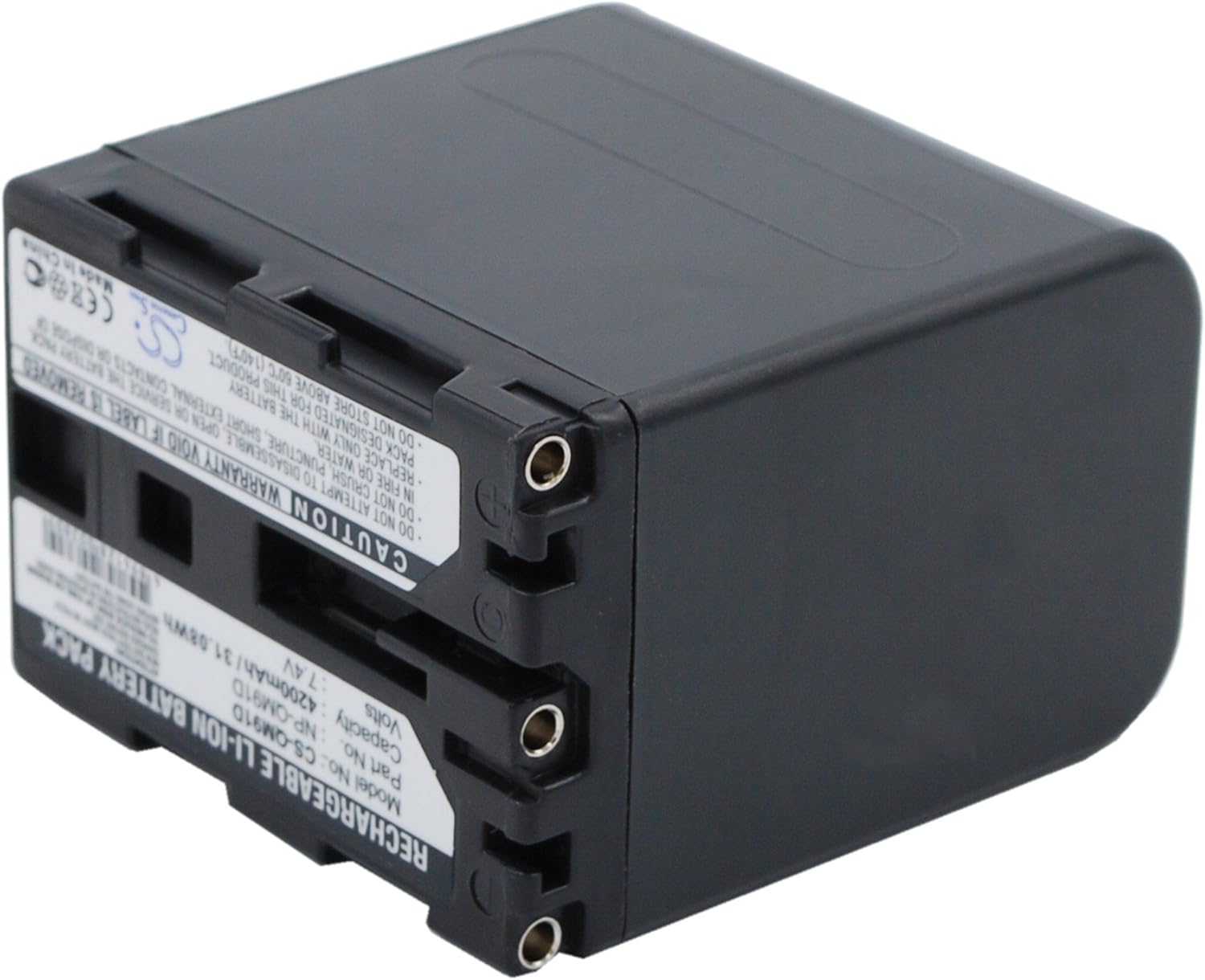
Image: Side view of the FITHOOD CS-QM91D battery, highlighting the electrical contacts for connection to a camcorder or charger.
Operating Instructions
Powering On/Off
Once the battery is securely installed and charged, you can power on your camcorder as usual. Refer to your camcorder's instruction manual for specific power-on procedures.
Checking Battery Level
Some camcorders display the remaining battery charge on their screen. Additionally, the FITHOOD CS-QM91D battery may feature a "CHECK" button and indicator lights to show the current charge level. Press the "PUSH" button to activate the indicator lights.

Image: Back view of the FITHOOD CS-QM91D battery, showing the "PUSH" button and LED indicator lights for checking the battery charge level.
Recharging
When the battery level is low, recharge it using a compatible charger or by connecting it to your camcorder while the camcorder is connected to its power adapter. It is recommended to fully discharge and recharge the battery periodically to maintain its health, though modern Li-ion batteries do not suffer from a "memory effect" as older battery types did.
Care and Maintenance
- Storage: Store the battery in a cool, dry place away from direct sunlight and extreme temperatures. For long-term storage, it is best to store Li-ion batteries at approximately 50% charge.
- Cleaning: Keep the battery contacts clean. Use a dry, soft cloth to wipe away any dust or debris. Do not use liquid cleaners.
- Avoid Impact: Do not drop the battery or subject it to strong impacts.
- Temperature: Avoid using or charging the battery in extremely hot or cold environments, as this can affect performance and lifespan.
Troubleshooting
| Problem | Possible Cause | Solution |
|---|---|---|
| Battery not charging. |
|
|
| Camcorder not powering on. |
|
|
| Short operating time. |
|
|
If problems persist, please contact customer support.
Product Specifications
- Model: CS-QM91D
- Part Number: NP-QM91D
- Battery Type: Li-ion
- Voltage: 7.4V
- Capacity: 4200mAh (31.08Wh)
- Dimensions: 55.75 x 38.65 x 59.80mm (approximately 2.19 x 1.52 x 2.35 inches)
- Weight: 300g / 10.58oz
- Certifications: ISO9001, RoHS, CE
- UPC: 4894128003809
Warranty and Support
FITHOOD batteries are manufactured under strict quality control standards and are certified with ISO9001, RoHS, and CE for quality assurance. For any questions, concerns, or technical support, please contact your retailer or the manufacturer directly.
Please ensure both the model and battery part number are matched with your device. If you are unsure, please send an email to the supplier with your battery details or pictures for professional suggestions.