
1. Introduction
The SOLUPEAK P16 is a passive RCA stereo audio volume controller designed to attenuate audio signals without requiring an external power supply. It serves as a passive preamplifier, ideal for systems where the output signal from sources like DACs, CD players, or computer sound cards is high, and the gain of power amplifiers or active speakers is also significant. This device allows for precise volume adjustment without introducing additional coloration or loss to the audio signal.
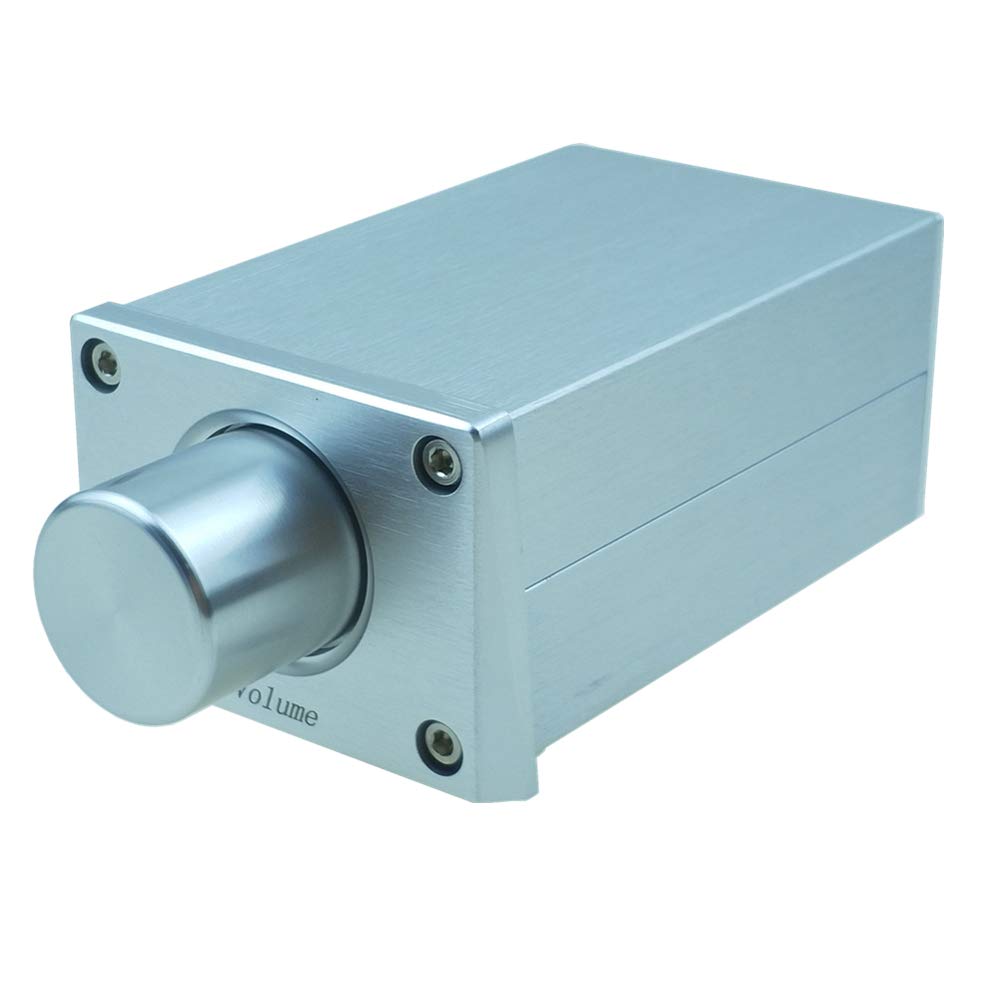
Image 1: Front angled view of the SOLUPEAK P16 RCA Stereo Audio Volume Controller. This image shows the compact silver aluminum casing with a prominent volume knob on the front panel.
2. Product Features
- Passive Operation: Requires no external power supply, ensuring a clean signal path.
- Volume Control: Equipped with a precision potentiometer for smooth audio level adjustment.
- Connectivity: Features 2x RCA input and 2x RCA output for versatile integration into audio systems.
- Signal Integrity: Designed to provide no gain, ensuring no sound coloration or quality loss.
- Durable Construction: Housed in a solid aluminum case with a silver brush surface finish for longevity.
- Quality Components: Utilizes gold-plated RCA sockets to prevent oxidation and ensure reliable connections.

Image 2: Diagram highlighting the internal components and construction of the SOLUPEAK P16. It shows the all-aluminum wire drawing box, solid aluminum knob, internal ALPS RK16 audio potentiometer, and gold-plated RCA terminals.
3. Setup Instructions
Follow these steps to integrate the SOLUPEAK P16 into your audio system:
- Prepare Cables: Ensure you have standard RCA audio cables available. These are not included with the P16.
- Connect Input: Connect your audio source (e.g., DAC, CD player, computer sound card) to the IN RCA ports on the rear of the P16 using RCA cables. Ensure left (L) and right (R) channels are correctly matched.
- Connect Output: Connect the OUT RCA ports on the rear of the P16 to your power amplifier or active speakers using RCA cables. Again, ensure left (L) and right (R) channels are correctly matched.
- No Power Required: The P16 is a passive device and does not require any external power supply.

Image 3: Visual guide for connecting the SOLUPEAK P16. This image illustrates the front panel with the volume knob and the rear panel showing the 'IN' audio input ports (RCA) and 'OUT' audio output ports (RCA), with arrows indicating connection flow.

Image 4: Top-down view of the SOLUPEAK P16 showing the front panel with the volume knob and the rear panel with the RCA input and output connections. This image helps identify the correct ports for setup.
4. Operating Instructions
Once connected, operating the SOLUPEAK P16 is straightforward:
- Power On Components: Ensure your audio source and amplifier/active speakers are powered on.
- Adjust Volume: Rotate the large knob on the front panel of the P16 clockwise to increase the audio output volume and counter-clockwise to decrease it.
- Optimal Setting: Adjust the volume to a comfortable listening level. The passive design ensures that the audio signal is attenuated without degradation.
5. Maintenance
To ensure the longevity and optimal performance of your SOLUPEAK P16, follow these simple maintenance guidelines:
- Cleaning: Use a soft, dry cloth to wipe the exterior of the unit. Avoid using liquid cleaners or abrasive materials, as these can damage the finish.
- Environment: Keep the unit in a dry environment, away from direct sunlight, extreme temperatures, and high humidity.
- Connections: Periodically check that all RCA cable connections are secure. Loose connections can lead to signal loss or intermittent audio.
- Ventilation: Ensure the unit has adequate airflow around it, although as a passive device, heat generation is minimal.
6. Troubleshooting
If you encounter issues with your SOLUPEAK P16, refer to the following common troubleshooting steps:
- No Sound Output:
- Verify all RCA cables are securely connected to both the input and output ports of the P16, and to your source and amplifier/speakers.
- Ensure your audio source and amplifier/speakers are powered on and functioning correctly.
- Check the volume knob on the P16; ensure it is not turned completely down.
- Distorted or Poor Sound Quality:
- Inspect RCA cables for damage or loose connections. Try swapping cables if possible.
- Ensure the audio source is not overdriving the input of the P16 or the amplifier.
- Test the audio system without the P16 to isolate if the issue originates from the controller or other components.
- Volume Knob Feels Rough or Wobbly:
- The volume knob is secured by a small screw. If it feels loose, gently tighten the screw on the side of the knob. Avoid over-tightening.
- If the knob rotation feels rough, it may be due to manufacturing tolerances. Continued use may smooth it out, or a very small amount of dry lubricant (e.g., graphite powder) applied carefully to the shaft (not inside the potentiometer) might help, but this should be done with caution.
- Sound Still Audible at Minimum Volume:
- While the P16 is designed to attenuate to near zero, some very faint signal might pass through depending on the sensitivity of connected equipment. This is generally not a fault but a characteristic of passive attenuators.
7. Specifications
| Parameter | Value |
|---|---|
| Model Number | P16 |
| Input Ports | 2x RCA (Left/Right) |
| Output Ports | 2x RCA (Left/Right) |
| Input Impedance | 10K Ohms |
| Dimensions (W x L x H) | 63.5 mm x 93 mm x 42 mm (2.5 in x 3.66 in x 1.65 in) |
| Net Weight | 255g (0.56 lbs) |
| Power Supply | Passive (No external power required) |
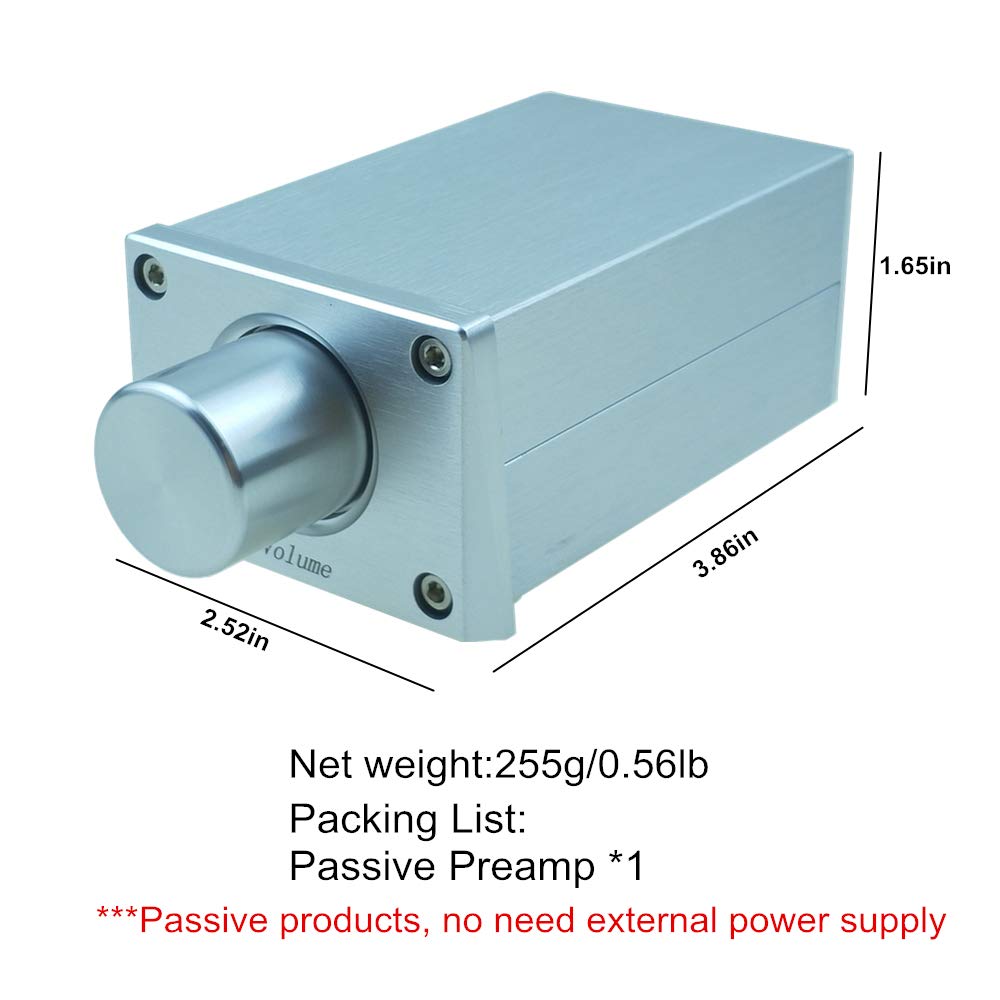
Image 5: Diagram illustrating the physical dimensions and net weight of the SOLUPEAK P16. It shows the width, length, and height measurements in inches, along with the weight in grams and pounds.
8. Warranty and Support
Specific warranty details and direct support contact information are not provided within this manual. For warranty claims, technical support, or further inquiries, please refer to the retailer where the product was purchased or visit the official SOLUPEAK website for the most current information.