
Introduction
This manual provides instructions for the assembly, operation, and maintenance of your Salamander Synergy Twin 30 Core Module AV Cabinet. Please read this manual thoroughly before assembly and use to ensure proper installation and to maximize the lifespan of your product. Keep this manual for future reference.
Safety Information
- Ensure all components are securely fastened during assembly. Loose parts can cause instability.
- Do not exceed the recommended weight capacity for shelves or the top surface. Refer to specifications for details.
- Keep small parts away from children during assembly to prevent choking hazards.
- Place the cabinet on a level, stable surface to prevent tipping.
- Avoid placing hot items directly on the cabinet surface without protective padding.
- Do not use abrasive cleaners or harsh chemicals, as they may damage the finish.
Package Contents
Before beginning assembly, verify that all parts listed below are present and undamaged. If any parts are missing or damaged, contact customer support.
- Top Panel (Walnut Wood)
- Bottom Panel
- Side Panels (2)
- Adjustable Shelves (3)
- Rear Panel
- Black Support Posts (4)
- Assembly Hardware (screws, cam locks, dowels, shelf pins)
- Instruction Manual
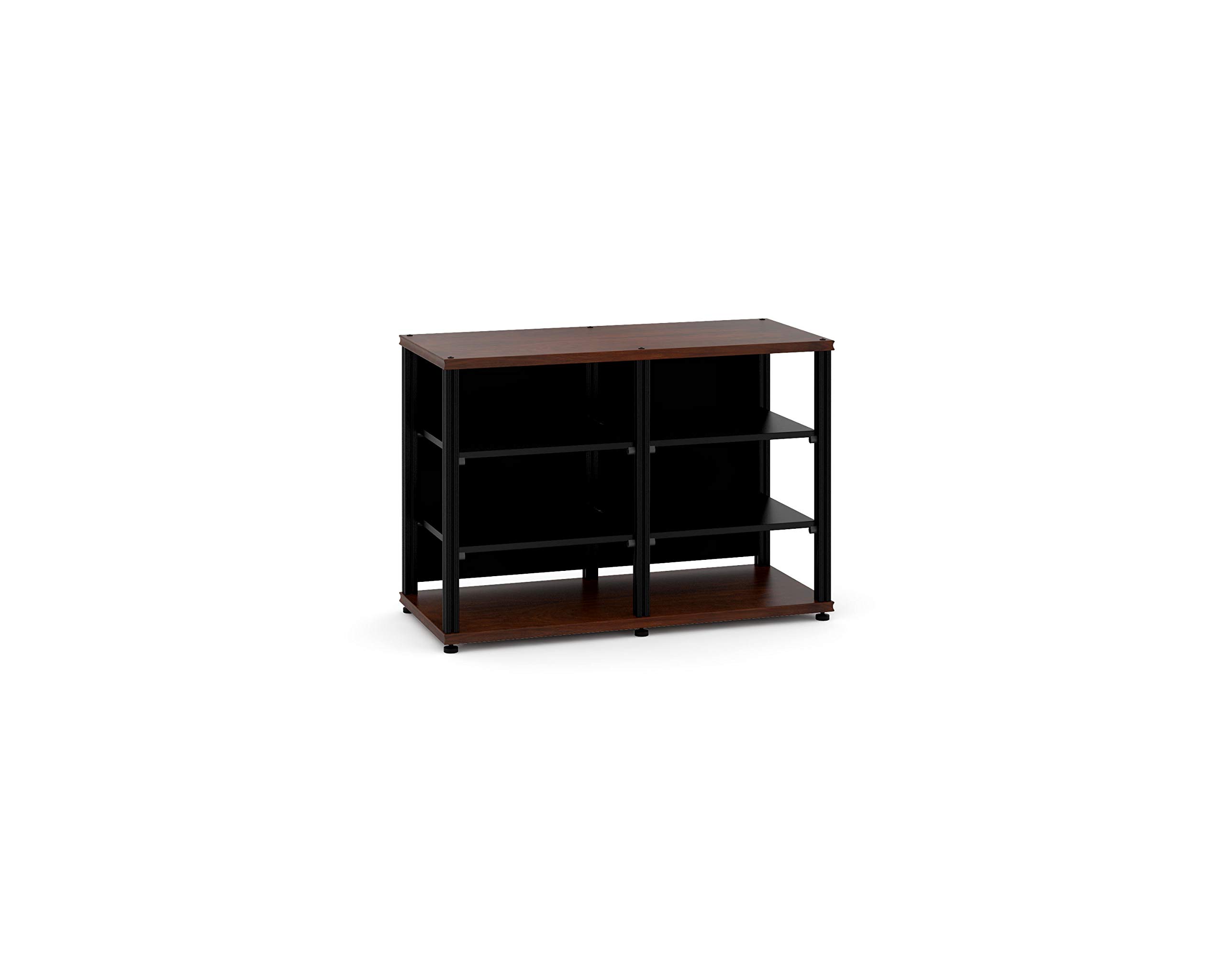
Image: Salamander Synergy Twin 30 Core Module AV Cabinet. This image displays the assembled cabinet, highlighting its walnut finish, black support posts, and the overall structure designed for AV components.
Setup and Assembly
Assembly is required for this product. It is recommended to have two people for assembly. A Phillips head screwdriver and a rubber mallet (optional) may be needed.
- Unpack Components: Carefully remove all parts from the packaging and lay them out on a soft, clean surface to prevent scratches.
- Attach Support Posts to Base: Secure the four black support posts to the bottom panel using the provided hardware. Ensure they are firmly tightened.
- Install Side Panels: Attach the side panels to the support posts, aligning the pre-drilled holes. Use the appropriate screws or cam locks as indicated in the hardware diagram.
- Insert Shelves: Place the shelf pins into the desired height holes on the side panels. Slide the adjustable shelves onto the pins. Ensure shelves are level and secure.
- Attach Top Panel: Carefully place the walnut top panel onto the assembled structure, aligning it with the support posts. Secure it with the remaining hardware.
- Install Rear Panel: Attach the rear panel to the back of the cabinet. This panel often includes cutouts for cable management.
- Final Check: Verify that all connections are tight and the cabinet is stable.
Operating Instructions
The Synergy Twin 30 Core Module is designed to house audio-visual components and provide organized storage.
- Component Placement: Place AV components such as receivers, amplifiers, and media players on the shelves. Distribute weight evenly.
- Cable Management: Utilize the cable cutouts in the rear panel to route power and signal cables. This helps maintain a tidy appearance and prevents cable strain.
- Ventilation: Ensure adequate airflow around your components to prevent overheating. Do not block ventilation openings on your devices or the cabinet. The open design of this module aids in natural convection.
- TV Placement: The top surface is suitable for TVs up to 50 inches. Ensure the TV base fits securely and does not overhang excessively.
Maintenance
Proper care will help preserve the appearance and functionality of your AV cabinet.
- Cleaning: Dust regularly with a soft, dry cloth. For deeper cleaning, use a slightly damp cloth with a mild, non-abrasive cleaner specifically designed for wood finishes. Wipe dry immediately.
- Avoid Moisture: Do not allow liquids to sit on the surface. Wipe spills immediately to prevent staining or damage to the wood finish.
- Sunlight Exposure: Avoid prolonged exposure to direct sunlight, which can cause fading or discoloration of the wood.
- Heat Protection: Use coasters or protective pads under hot items to prevent heat marks.
Troubleshooting
| Problem | Possible Cause | Solution |
|---|---|---|
| Cabinet is wobbly or unstable. | Loose assembly hardware; uneven floor. | Tighten all screws and fasteners. Ensure the cabinet is on a level surface; use shims if necessary. |
| Shelves do not sit level. | Shelf pins not fully inserted or unevenly placed. | Ensure all shelf pins are fully inserted into the corresponding holes at the same height on both sides. |
| Scratches or minor damage to finish. | Accidental impact or abrasive cleaning. | For minor scratches, a wood repair kit or furniture polish may help. Consult a professional for significant damage. |
Specifications
- Brand: Salamander Designs
- Model: Synergy Twin 30 Core Module
- Color: Black (posts), Walnut (panels)
- Material: Walnut Wood
- Recommended Uses: AV Components, Shelves
- Special Feature: Premium Finish
- Mounting Type: Modular Design
- Room Type: Living Room
- Number of Shelves: 3 (adjustable)
- Assembly Required: Yes
- UPC: 634878200912
- ASIN: B07TK3NPBF
Warranty Information
Salamander Designs products typically come with a limited manufacturer's warranty. For specific warranty terms, duration, and registration details, please refer to the warranty card included with your product or visit the official Salamander Designs website. Keep your proof of purchase for warranty claims.
Customer Support
If you have any questions, require assistance with assembly, or need to report missing/damaged parts, please contact Salamander Designs customer support:
- Website: www.salamanderdesigns.com/support
- Phone: Refer to the website for regional contact numbers.
Please have your model number (Synergy Twin 30 Core Module) and proof of purchase ready when contacting support.


