
Sndway FBABA0238
SNDWAY SW-1000A Laser Distance Meter User Manual
Model: FBABA0238
Introduction
Thank you for purchasing the SNDWAY SW-1000A Laser Distance Meter. This device is a high-precision optical instrument designed for accurate distance, speed, angle, and height measurements. It is suitable for various applications including golf, hunting, construction, and outdoor activities. Please read this manual carefully before using the device to ensure proper operation and to maximize its lifespan.
Safety Information
Please observe the following safety precautions to prevent injury and damage to the device:
- Laser Safety: This device uses an invisible laser. Do not look directly into the laser aperture or point the laser at others. Direct exposure to the laser beam may cause eye damage.
- Battery Safety: The device contains a built-in Li-ion battery. Do not disassemble, puncture, or expose the battery to extreme temperatures or fire. Use only the provided charging cable.
- Water Resistance: The device is IP54 waterproof, meaning it is protected against dust ingress and splashing water. Do not submerge the device in water.
- Handling: Handle the device with care. Avoid dropping it or subjecting it to strong impacts.
- Operating Environment: Do not operate the device in explosive atmospheres or near flammable materials.
- Cleaning: Use a soft, dry cloth to clean the device. Do not use abrasive cleaners or solvents.
Product Overview
The SNDWAY SW-1000A is a compact and versatile laser rangefinder. Below are its key components and features:
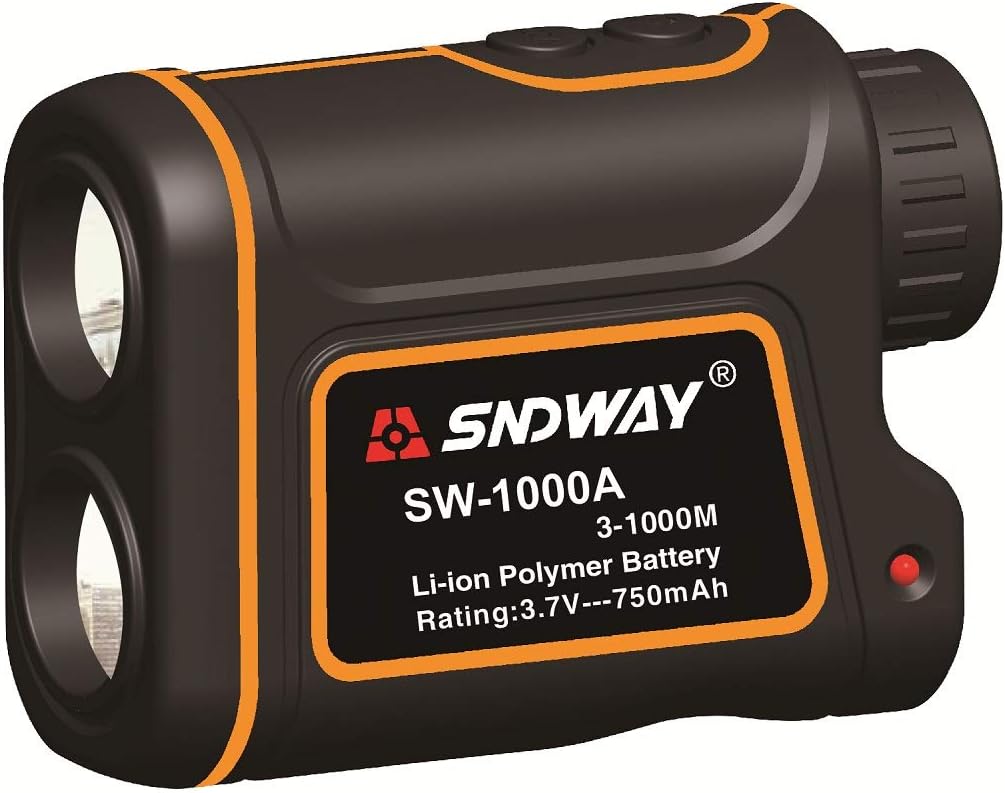
Figure 1: Front view of the SNDWAY SW-1000A Laser Distance Meter, showing the main body with the SNDWAY logo, model number SW-1000A, and battery specifications (Li-ion Polymer Battery, Rating: 3.7V---750mAh).
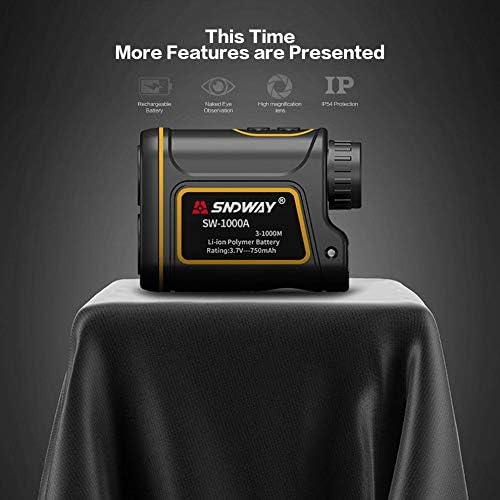
Figure 2: Side view of the device highlighting key features: Rechargeable Battery, Naked Eye Observation, High Magnification Lens, and IP54 Protection.
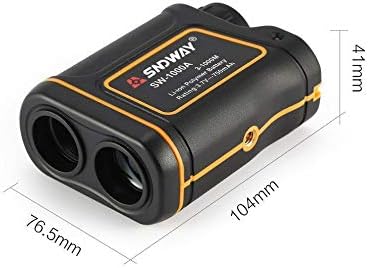
Figure 3: Dimensions of the SNDWAY SW-1000A, showing approximate measurements of 104mm length, 76.5mm width, and 41mm height.
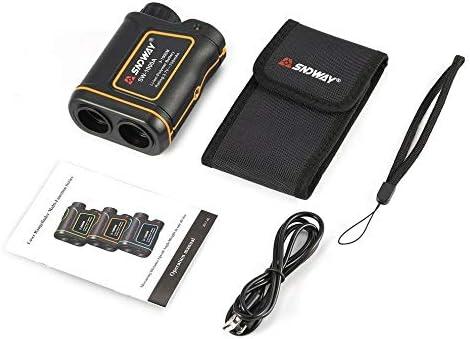
Figure 4: Contents of the product package, including the laser distance meter, a carrying case, a wrist strap, a USB charging cable, and the operation manual.
Components:
- Objective Lens: For viewing the target.
- Eyepiece/Diopter Adjustment: For focusing the view.
- Power/Measure Button: To turn on the device and initiate measurements.
- Mode Button: To switch between measurement modes (distance, speed, angle, height).
- Laser Emitter/Receiver: The components responsible for sending and receiving laser signals.
- USB Charging Port: For recharging the built-in battery.
- LCD Display: Internal display showing measurement results and battery status.
Setup
Charging the Battery:
The SNDWAY SW-1000A comes with a built-in 750mAh Li-ion battery. Before first use, it is recommended to fully charge the device.
- Locate the USB charging port on the side of the device.
- Connect the provided USB charging cable to the device's port.
- Connect the other end of the USB cable to a standard USB power adapter (not included) or a computer's USB port.
- The battery indicator on the LCD display will show charging status. Once fully charged, the indicator will typically show a full battery icon.
A full charge provides approximately 30,000 measurements.
Diopter Adjustment:
Adjust the eyepiece by rotating it until the internal LCD display and the target appear clear and in focus.
Operating Instructions
Turning On/Off:
- To turn on: Press the Power/Measure button briefly. The LCD display will activate.
- To turn off: The device will automatically power off after a period of inactivity to conserve battery.
Changing Measurement Units:
The device supports measurements in Meters (M) and Yards (Y). To switch units, press and hold the Mode button for a few seconds until the unit changes on the display.
Measurement Modes:
Press the Mode button briefly to cycle through the available measurement modes:
- Single Distance Measurement:
This is the default mode for measuring the linear distance to a target.
- Aim the crosshairs in the display at your desired target.
- Press the Power/Measure button once. The measurement will appear on the LCD display.
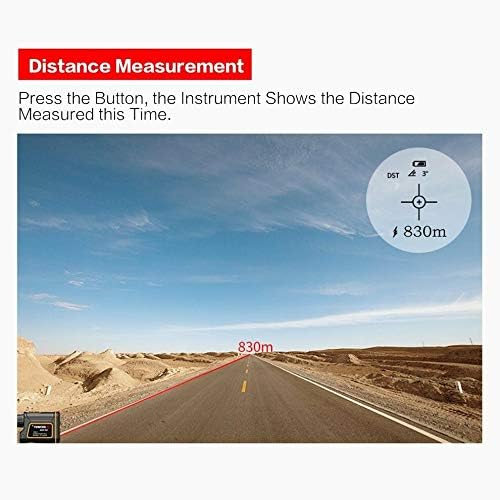
Figure 5: Example of distance measurement display, showing a measured distance of 830m to a distant object.
- Continuous Measurement (Scan Mode):
Allows for continuous scanning of distances as you pan the device across multiple targets.
- Enter this mode by pressing the Mode button until the scan icon appears.
- Press and hold the Power/Measure button while sweeping the device across the targets. The display will update with real-time distances.
- Height Measurement:
Measures the vertical height of an object using two distance measurements and an angle.
- Select the height measurement mode.
- Measure the distance to the base of the object.
- Measure the distance to the top of the object. The device will calculate and display the height.
- Angle Measurement:
Measures the angle of inclination or declination relative to the horizontal.
- Select the angle measurement mode.
- Point the device at the desired target. The angle will be displayed.
- Speed Measurement:
Measures the speed of a moving object.
- Select the speed measurement mode.
- Aim at the moving object and press the Power/Measure button. The speed will be displayed in KM/H.
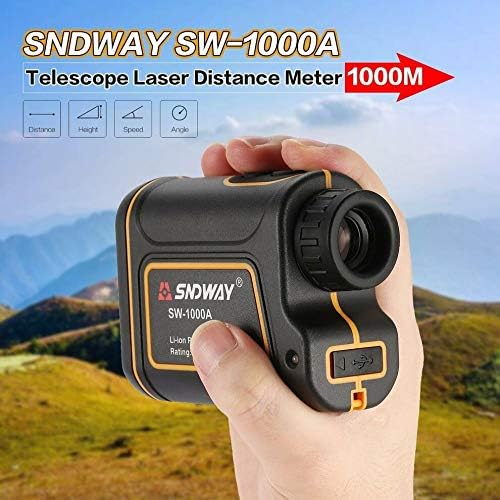
Figure 6: The SNDWAY SW-1000A held in hand, illustrating its portability and the icons for various measurement modes: Distance, Height, Speed, and Angle.
Maintenance
Cleaning:
- Use a soft, clean cloth to wipe the exterior of the device.
- For lenses, use a lens cleaning cloth and solution designed for optical instruments. Do not use abrasive materials.
Storage:
- Store the device in its protective carrying case when not in use.
- Keep it in a cool, dry place, away from direct sunlight and extreme temperatures.
- If storing for extended periods, ensure the battery is partially charged (around 50%) and recharge it every few months to maintain battery health.

Figure 7: The SNDWAY SW-1000A securely stored within its black protective carrying case.

Figure 8: The SNDWAY SW-1000A alongside its carrying case and wrist strap, demonstrating accessories for portability and protection.
Troubleshooting
| Problem | Possible Cause | Solution |
|---|---|---|
| Device does not turn on. | Low or depleted battery. | Charge the device using the provided USB cable. |
| Inaccurate measurements. |
|
|
| Display is blurry. | Diopter not adjusted. | Rotate the eyepiece to adjust the diopter until the display is clear. |
| Device not charging. | Faulty cable or power source. | Try a different USB cable or power adapter. Ensure the charging port is clean. |
Specifications
| Feature | Specification |
|---|---|
| Measuring Distance | 3 - 1000M |
| Measuring Speed | 0 - 300KM/H |
| Distance-Measuring Error | +/- 1M |
| Waterproof Rating | IP54 |
| Height-Measuring Function | Yes |
| Angular-Measuring Range | +/- 60 degree |
| Teleconverter | 7X |
| Objective Lens Aperture | 24MM |
| Ocular Lens Aperture | 16MM |
| Exit Pupil Diameter | 3.8MM |
| Field of View | 7 degree |
| Diopter Regulation Range | +/- 3 diopters |
| Measuring Units | M, Y |
| Battery | Built-in 750mAh Li-ion battery |
| Battery Lifespan (full charge) | 30000 times |
| Display | LCD display |
| Item Weight | 360 g |
| Material | Plastic Aluminum |
Warranty and Support
For warranty information and technical support, please refer to the official Sndway website or contact your retailer. Keep your purchase receipt as proof of purchase for any warranty claims.
For further assistance, please visit: www.sndway.com (Note: This is a placeholder URL as no specific support link was provided in the input data. Users should refer to the actual product documentation or manufacturer's website for accurate support information.)
Related Documents - FBABA0238
 |
SNDWAY SW-M100A Laser Distance Meter User Manual and Specifications Comprehensive user manual for the SNDWAY SW-M100A laser distance meter, covering features, operation, specifications, maintenance, and package contents. Learn how to measure distance, area, volume, and more. |
 |
SNDWAY SW-TG50 Laser Distance Meter User Manual and Specifications Comprehensive user manual and technical specifications for the SNDWAY SW-TG50 laser distance meter, covering operation, measurement functions, error codes, and maintenance. |
 |
Sndway SW-DS50/70/100/120 Laser Distance Meter User Manual - Guide and Specifications Comprehensive user manual for the Sndway SW-DS50, SW-DS70, SW-DS100, and SW-DS120 laser distance meters. Includes safety regulations, operation instructions, measurement functions, and troubleshooting tips. |
 |
Sndway SW-DR60 and SW-DR100 Dual Laser Distance Meter User Manual Comprehensive user manual for the Sndway SW-DR60 and SW-DR100 Dual Laser Distance Meters. Includes setup, measurement modes, safety guidelines, and technical specifications. |
 |
Руководство пользователя лазерного дальномера SNDWAY SW-T100 Подробное руководство пользователя для лазерного дальномера SNDWAY SW-T100, охватывающее меры безопасности, описание дисплея и клавиатуры, настройку, функции измерения, сохранение данных, сообщения об ошибках, технические характеристики и уход за изделием. |
 |
SNDWAY SW-24A/25A/26A/24B/25B/26B 激光测距仪 用户手册 - 操作指南与技术规格 获取SNDWAY SW-24A、SW-25A、SW-26A、SW-24B、SW-25B、SW-26B激光测距仪的详细用户手册。本指南包含产品操作、安全规程、测量功能、技术参数及维护保养信息,助您高效准确使用。 |
Ask a question about this manual
Ask about setup, troubleshooting, compatibility, parts, safety, or missing instructions. Manuals+ will review the question and use this page’s manual context to help answer it.