
TOUCHBeauty TB-1733
TOUCHBeauty Electric Manicure Pedicure Set
Model: TB-1733 | Brand: TOUCHBeauty
Introduction
The TOUCHBeauty Electric Manicure Pedicure Set, model TB-1733, is designed to provide professional-quality nail care in the comfort of your home. This versatile device features multiple interchangeable attachments, adjustable speed settings, and bi-directional rotation, making it suitable for various nail care needs, including filing, shaping, polishing, and callus removal. Its compact and rechargeable design ensures convenience and portability.
Package Contents

The image shows the main device, six interchangeable attachments, and the magnetic storage case. This comprehensive set provides all necessary tools for a complete manicure and pedicure.
- 1 x TOUCHBeauty Electric Manicure Pedicure Device (Model TB-1733)
- 6 x Interchangeable Attachments
- 1 x USB Charging Cable
- 1 x Magnetic Storage Case
- 1 x Instruction Manual
Key Features

Versatile Attachments
The set includes 6 specialized attachments designed for various nail care tasks, from shaping and filing to polishing and cuticle care. Each attachment serves a specific purpose to achieve salon-quality results.
Adjustable Speed and Rotation
Experience precise control with 8 progressive speed levels, ranging from 2,000 to 5,400 RPM. The device also supports both clockwise and anti-clockwise rotation, allowing for comfortable use from any angle and on both hands and feet.
Rechargeable and Portable
Equipped with a built-in Lithium-ion battery and USB-C charging, this device offers cordless operation for maximum convenience. Its compact and ergonomic design, along with the included magnetic carrying case, makes it ideal for travel and home use.
Detailed Attachment Functions

- Chrome Head: Designed for removing dead skin around the nails.
- Emery Head (Coarse 100#): Used for shaping and filing nails with a regular, coarser grit.
- Needle Emery Head: Ideal for repairing uneven nail edges and reaching smaller areas.
- Tungsten Steel Head: Specifically designed for efficient removal of gel nail polish.
- Emery Head (Fine 120#): For finer shaping and smoothing of nails.
- Felt Cone Head: Used for polishing and shining the nail surface to a smooth finish.
Progressive 8-Speed Control

The device features a progressive 8-speed control system. Press and hold the power button to start the device. Use the +/- buttons to adjust the speed from 2,000 to 5,400 RPM, allowing you to select the optimal speed for different nail care tasks and personal comfort.
Bi-Directional Rotation

The device supports both clockwise and anti-clockwise rotation. This feature enhances usability, allowing you to work comfortably from any direction and effectively on both fingernails and toenails. Simply click the rotation button to switch directions.
Magnetic Accessories Storage Box

The included magnetic storage box provides a neat and secure way to store all 6 attachments. This ensures that your accessories are organized, protected, and easy to transport, making the kit highly portable.
Safe and Effective Nail Care

The TOUCHBeauty TB-1733 is designed with user safety in mind. Its controlled speed and gentle operation minimize the risk of hurting thin nails or delicate skin, providing a safe and effective alternative to professional salon visits.
Setup
- Charging the Device: Before first use, fully charge the device. Connect the USB charging cable to the USB-C port at the bottom of the device and plug the other end into a compatible USB power adapter (not included). The charging indicator light will show charging status.
- Attaching Accessories: Select the desired attachment. Gently insert the attachment into the opening at the top of the device until it clicks securely into place. Ensure it is firmly seated before operation.
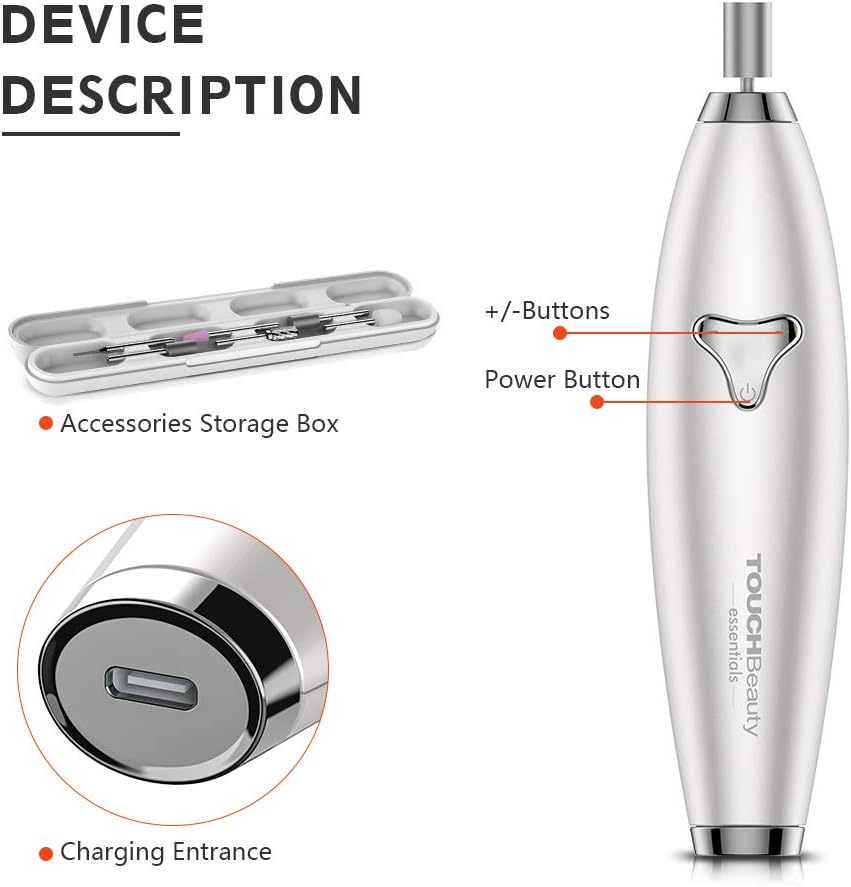
This image highlights the device's power button, speed adjustment buttons (+/-), and the USB-C charging port, essential for setup and operation.
Operating Instructions
- Power On/Off: Press and hold the power button (located in the center) to turn the device on or off.
- Adjusting Speed: Once powered on, use the '+' and '-' buttons to increase or decrease the rotation speed. There are 8 progressive speed levels to choose from.
- Changing Rotation Direction: Briefly press the power button (after the device is on) to switch between clockwise and anti-clockwise rotation.
- Using Attachments:
- Chrome Head: Gently glide over areas with dead skin around the cuticles.
- Emery Head (Coarse 100#): Use to shape and file the nail edge. Apply light pressure and move in one direction.
- Needle Emery Head: Carefully use to refine uneven nail edges or reach tight spots.
- Tungsten Steel Head: For gel nail removal, gently buff the gel layer until it is thin enough for soaking or further removal.
- Emery Head (Fine 120#): For smoothing and finishing the nail surface after coarse filing.
- Felt Cone Head: Use to polish the nail surface for a natural shine. Move in circular motions.
- General Usage Tips:
- Always start with the lowest speed and gradually increase as needed.
- Apply light pressure to avoid damaging nails or skin.
- Avoid using the device on inflamed, infected, or injured skin/nails.
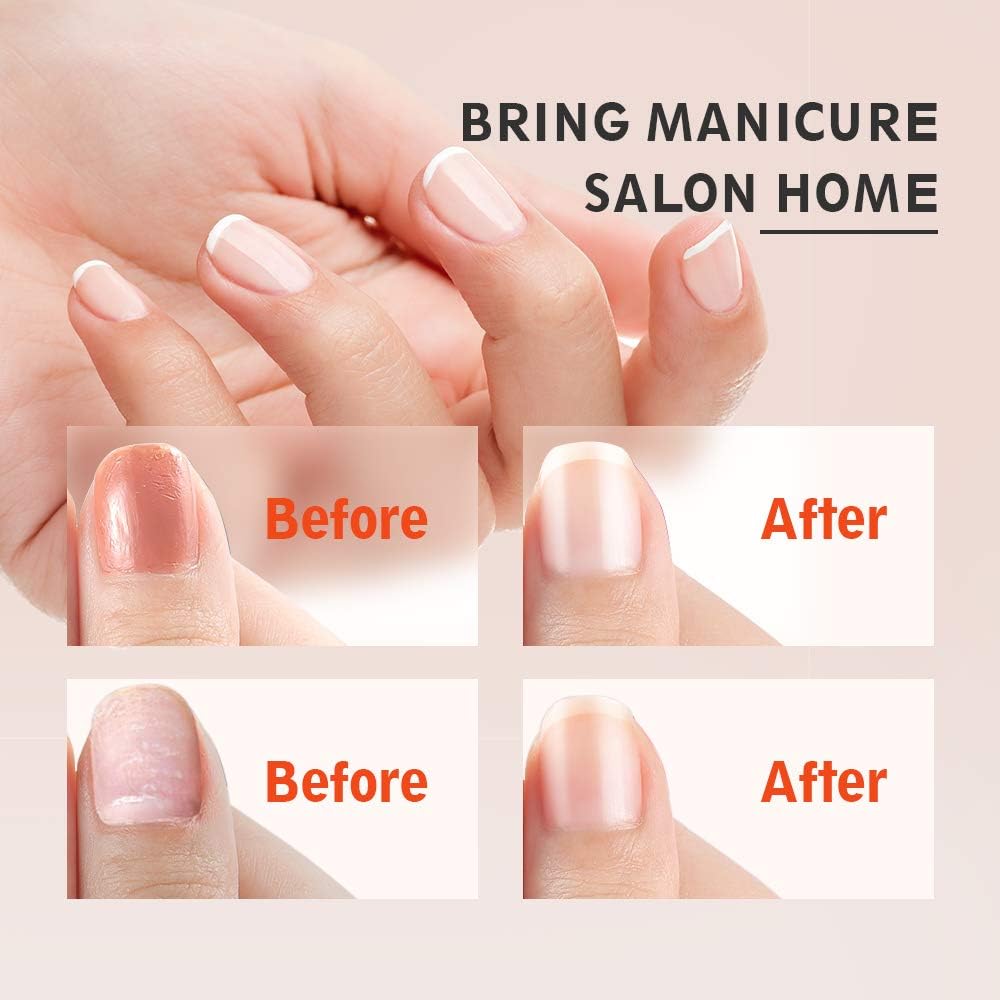
These images illustrate the potential results of using the manicure set, showing improved nail appearance before and after treatment.
Maintenance
- Cleaning the Device: Wipe the main unit with a soft, dry cloth. Do not immerse the device in water or use abrasive cleaners.
- Cleaning Attachments: After each use, remove the attachment and clean it with a small brush or a damp cloth. Ensure attachments are completely dry before storing.
- Storage: Store the device and all attachments in the provided magnetic storage case in a cool, dry place, away from direct sunlight and out of reach of children.
Troubleshooting
| Problem | Possible Cause | Solution |
|---|---|---|
| Device does not turn on. | Battery is low or depleted. | Charge the device fully using the USB cable. |
| Attachments are loose or fall off. | Attachment not inserted correctly. | Ensure the attachment is fully inserted and clicks into place. |
| Device stops during use. | Over-pressure applied or battery low. | Reduce pressure. If issue persists, charge the device. |
| Attachments are not effective. | Incorrect attachment used or speed too low. | Refer to "Operating Instructions" for correct attachment usage. Increase speed if necessary. |
Specifications
| Feature | Detail |
|---|---|
| Model Number | TB-1733 |
| Brand | TOUCHBeauty |
| Dimensions (L x W x H) | 16 x 4.2 x 3.5 cm |
| Weight | 260 grams |
| Speed Range | 2,000 - 5,400 RPM (8 levels) |
| Rotation | Bi-directional (Clockwise/Anti-clockwise) |
| Power Source | Rechargeable Lithium-ion Battery (USB-C) |
| Number of Attachments | 6 |
Warranty and Support
Your TOUCHBeauty Electric Manicure Pedicure Set comes with a 30-day money-back guarantee and a 24-month manufacturer's warranty. For any product inquiries, technical support, or warranty claims, please contact TOUCHBeauty customer service. Refer to the contact information provided in your product packaging or visit the official TOUCHBeauty website.
Ask a question about this manual
Ask about setup, troubleshooting, compatibility, parts, safety, or missing instructions. Manuals+ will review the question and use this page’s manual context to help answer it.