
1. Introduction
This manual provides detailed instructions for the installation, operation, and maintenance of your Govee LED Strip Lights (Model H6189). Please read this manual thoroughly before use to ensure proper functionality and safety.

Image: Govee LED Strip Lights H6189 product packaging, including the remote control and two coiled LED strips.
2. What's in the Box
- 2 x 16.4ft LED Strip Lights (Total 32.8ft)
- 1 x Remote Control
- 1 x Control Box
- 1 x Power Adapter
- Mounting Clips (for additional reinforcement)
3. Setup and Installation
3.1 Surface Preparation
Ensure the installation surface is clean, dry, and smooth. Dust, oil, or moisture can affect the adhesive's effectiveness. Recommended surfaces include smooth ceramic tile, marble, metal, wood, and plastic. Avoid rough or textured surfaces like knitted fabrics, dusty walls, or rough plastic.
3.2 Applying the Strip Lights
- Unroll the desired length of the LED strip.
- Remove the adhesive backing from the strip.
- Carefully press the strip onto the prepared surface, ensuring it adheres firmly without air bubbles.
- For additional security, use the provided mounting clips at regular intervals or at corners. Peel off the adhesive tape from the clip and apply it to the surface, then secure the strip light within the clip. Screws can be used for further reinforcement if desired.

Image: Illustration of the LED strip's adhesive backing, designated cutting points, and how a connector is used.
3.3 Cutting and Connecting
The LED strip lights are cuttable at designated sections, marked with a scissor icon. Ensure to make a clean, straight cut only at these marks. Cutting in non-designated areas will damage the strip lights. To connect cut sections or navigate corners, use appropriate 4-pin connectors (not provided).
3.4 Power Connection
- Connect the LED strip to the control box.
- Connect the power adapter to the control box.
- Plug the power adapter into a standard electrical outlet.
4. Operating Instructions
4.1 Remote Control Functions
The included 44-key IR remote control allows for convenient operation within a 32.8ft range. Functions include:
- Power On/Off
- Color Selection (20 preset colors, including RGB)
- DIY Color Buttons (6 customizable colors)
- Brightness Adjustment (6 levels)
- Mode Selection (Flash, Jump, Fade, etc.)
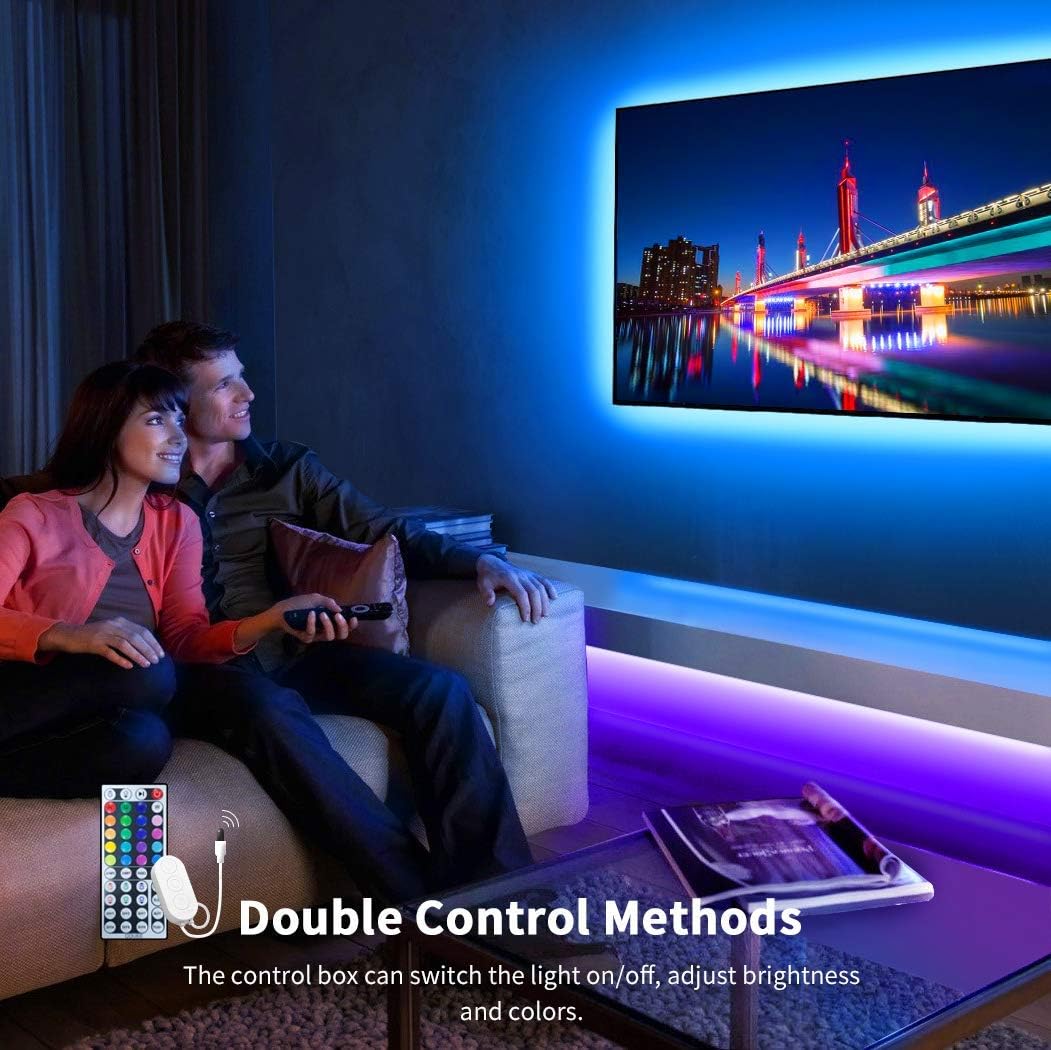
Image: Govee LED strip lights used as TV backlighting, enhancing the viewing experience.
4.2 Control Box Functions
The inline control box provides basic functions:
- Power On/Off
- Brightness Adjustment
- Color Change
4.3 App Control (Govee Home App)
For advanced control and customization, download the Govee Home App. The app allows for:
- Extensive color customization
- Scene modes
- Music synchronization
- Timer functions
- Voice control integration (e.g., with Alexa)
Video: Demonstrates how to use the Govee Home App for controlling RGBIC strip lights, including color customization, scene modes, and music sync. While this video specifically mentions RGBIC, the app control principles are generally applicable to Govee RGB products.
Video: A preview showcasing features of Govee Strip Light 2 Pro, including LuminBlend technology and RGBWW 5-color lamp beads. This video highlights advanced Govee lighting capabilities and app integration for dynamic lighting effects.
5. Maintenance
To maintain the performance and longevity of your LED strip lights:
- Keep the strips clean and free from dust. Use a soft, dry cloth for cleaning.
- Avoid exposing the strips to excessive heat or direct sunlight for prolonged periods.
- Do not bend the strips sharply, especially at non-designated cutting points, as this can damage the internal circuitry.
- Ensure all connections are secure to prevent flickering or power loss.
6. Troubleshooting
6.1 Lights Not Turning On
- Check if the power adapter is securely plugged into both the control box and the electrical outlet.
- Ensure the remote control's insulation sheet has been removed.
- Verify that the LED strip is correctly connected to the control box.
- Test the electrical outlet with another device to confirm it is working.
6.2 Remote Control Not Working
- Ensure there are no obstacles between the remote and the control box.
- Check the remote control's battery and replace if necessary.
- Confirm the remote is pointed directly at the IR receiver on the control box.
6.3 Lights Displaying Incorrect Colors or Flickering
- Check all connections between the strip, control box, and power adapter for looseness.
- If using cut sections, ensure the 4-pin connectors are correctly inserted and aligned.
- Reset the device by unplugging it for a few seconds and plugging it back in.
7. Specifications
| Specification | Detail |
|---|---|
| Model Number | H6189 |
| Length | 32.8 ft (2 rolls of 16.4 ft) |
| LED Beads | 300 LEDs |
| Color Type | RGB |
| Control Methods | Remote, Control Box, App |
| Power Source | Corded Electric |
| Voltage | 12 Volts |
| Wattage | 36 watts |
| Lifespan | Up to 50,000 hours |
| Installation Method | Self-Adhesive |
| Usage | Indoor use only |
| Certifications | FCC, RoHS, UL, CE |
8. Warranty and Support
Govee products typically come with a limited warranty. For specific warranty details, product registration, or technical support, please refer to the official Govee website or contact their customer service directly. Keep your purchase receipt as proof of purchase.


