
Introduction
This manual provides essential instructions for the safe and effective use of your sea jump USB Charging Cable, designed for A20 and A20W RC Quadcopter Drones. Please read this manual thoroughly before use to ensure proper operation and longevity of your product.
Product Overview
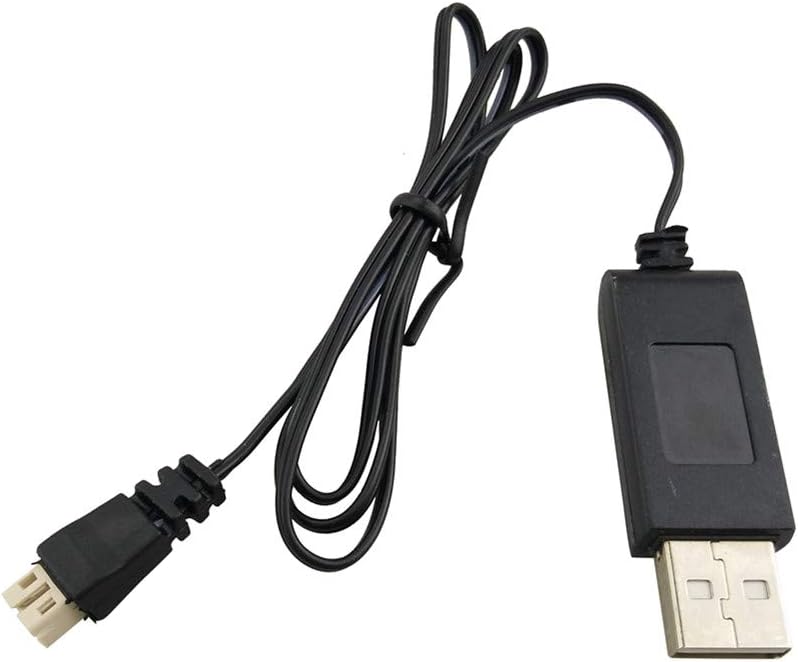
Image: The sea jump USB Charging Cable, featuring a standard USB-A connector on one end and a drone battery connector on the other.
The sea jump USB Charging Cable is a replacement or spare part for charging the batteries of A20 and A20W series RC drones. It features a standard USB-A plug for power input and a specific connector for the drone's battery.
Setup
- Identify Components: Ensure you have the sea jump USB Charging Cable, a compatible A20 or A20W drone battery, and a standard USB power source (e.g., computer USB port, USB wall adapter, power bank).
- Connect to Power Source: Insert the USB-A end of the charging cable into a powered USB port. Ensure the power source provides 5 Volts output.
- Connect to Battery: Carefully align the drone battery connector end of the charging cable with the port on your A20 or A20W drone battery. Push gently until it clicks into place. Do not force the connection.

Image: A close-up view of the USB-A connector and the drone battery connector of the charging cable, illustrating the connection points.
Operating Instructions
- Initiate Charging: Once both the USB power source and the drone battery are connected to the charging cable, the charging process will begin automatically.
- Monitor Charging: Observe any indicator lights on the battery or the charging cable (if present) to confirm charging status. Refer to your drone's battery manual for specific charging indicators.
- Complete Charging: Disconnect the battery from the charging cable once fully charged. Then, disconnect the USB-A end from the power source. Avoid overcharging the battery.
Maintenance
- Storage: Store the charging cable in a cool, dry place away from direct sunlight and extreme temperatures.
- Cleaning: Use a soft, dry cloth to clean the cable and connectors. Do not use liquid cleaners or solvents.
- Inspection: Regularly inspect the cable for any signs of damage, such as frayed wires, bent pins, or cracked insulation. Discontinue use immediately if damage is found.
- Handling: Always hold the connectors when plugging or unplugging the cable. Avoid pulling on the cable itself, as this can damage the internal wiring.
Troubleshooting
- Battery Not Charging:
- Ensure the USB power source is active and providing power.
- Verify that both ends of the charging cable are securely connected.
- Check the cable and battery for any visible damage.
- Try a different USB power source.
- Slow Charging:
- Ensure the USB power source provides sufficient current (typically 1A or more for faster charging).
- Avoid charging in extremely cold environments, as this can affect battery performance.
Specifications
| Feature | Specification |
|---|---|
| Product Name | sea jump USB Charging Cable |
| Compatibility | A20, A20W RC Quadcopter Drones |
| Input Voltage | 5 Volts (USB Standard) |
| Output Voltage | 7.4E+3 Millivolts (7.4 Volts) |
| Connector Type (Input) | USB-A |
| Connector Type (Output) | Proprietary Drone Battery Connector |