
Introduction
The WORX GT Revolution is a versatile 3-in-1 tool designed for lawn care, functioning as a string trimmer, an in-line wheeled edger, and a mini-mower. This cordless tool is part of the WORX Power Share family, allowing battery compatibility with over 75 other 20V, 40V, and 80V WORX tools.
This manual provides essential information for the safe and efficient operation, maintenance, and troubleshooting of your WG170.9 model. Please read it thoroughly before first use and keep it for future reference.
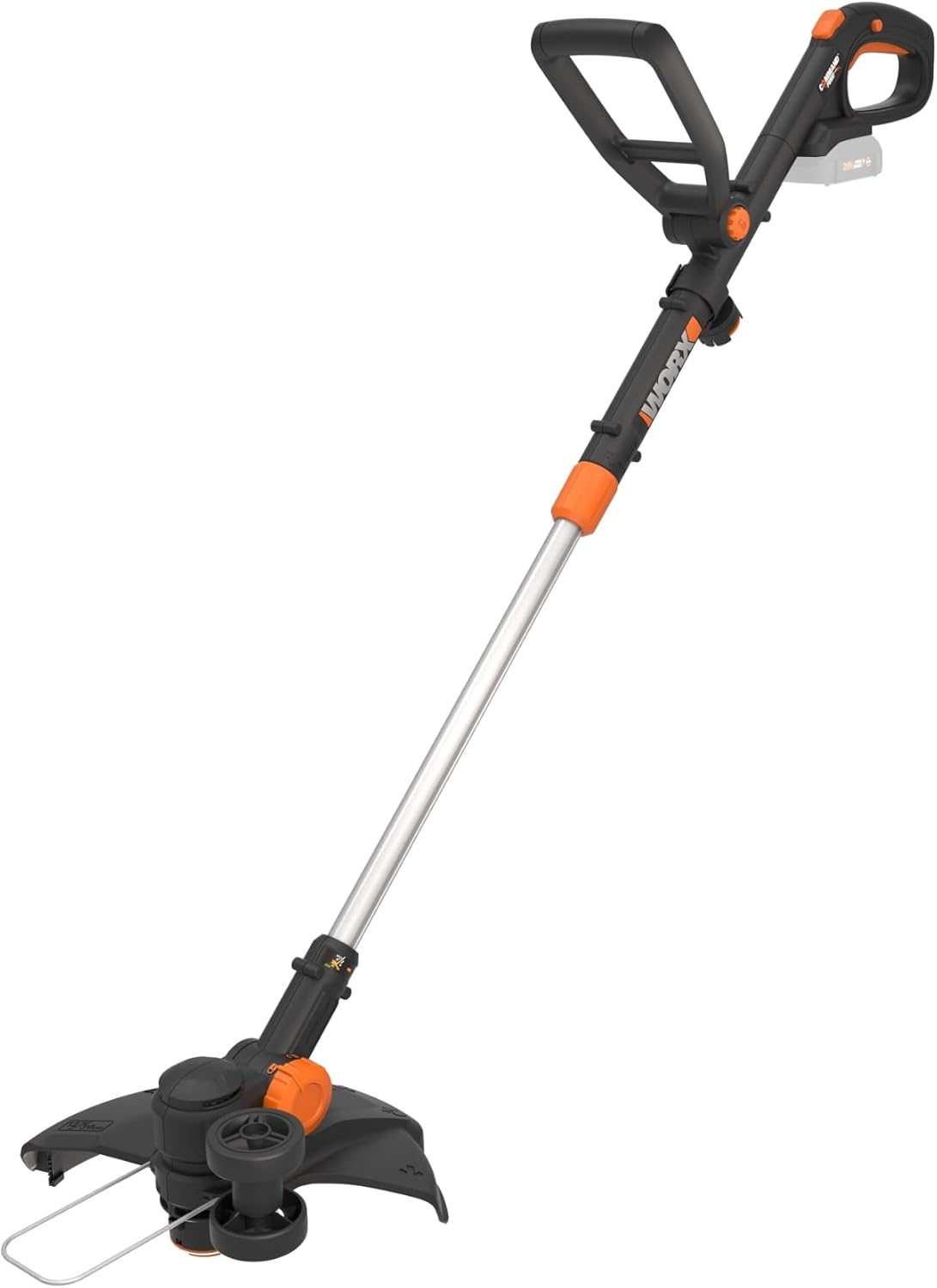
Figure 1: WORX GT Revolution 20V 12" String Trimmer (Tool Only)
Safety Information
WARNING: Always wear safety glasses and gloves when operating this tool. Keep bystanders at a safe distance to prevent injury from flying debris. Exercise caution with fingers and other body parts when using the edger and mini-mower functions to avoid cut hazards.
- Read all instructions carefully before use.
- Ensure the work area is clear of obstacles and debris.
- Do not operate the tool in wet conditions.
- Always disconnect the battery before performing any maintenance or cleaning.
- Store the tool in a dry, secure place out of reach of children.
What's Included
The WG170.9 model includes the following components:
- WORX GT Revolution 3-in-1 Trimmer
- Support Wheels
- 3 Trimmer Spools
- Spool Holder
Note: The 20V Battery and Charger are sold separately for this "Tool Only" model.

Figure 2: Included Components (Tool Only)
Setup
- Attaching the Guard: Securely attach the safety guard to the trimmer head using the provided screw. Ensure it is firmly in place before operation.
- Adjusting the Handle: The trimmer features 7 handle adjustments for user comfort. Loosen the adjustment knob, position the handle to your desired height and angle, and then tighten the knob securely.

Figure 3: Adjusting the Handle for Comfort
- Inserting the Battery: Align the 20V Power Share battery (sold separately) with the battery port on the tool's handle and slide it in until it clicks into place. Ensure it is fully seated.

Figure 4: Power Share Battery System
Operating Instructions
1. Trimmer Mode
- Hold the trimmer firmly with both hands.
- Press the power button to start the motor.
- Move the trimmer in a sweeping motion to cut grass and weeds.
- The proprietary Command Feed technology allows for instant line feed by pushing a button, ensuring continuous operation without stopping.

Figure 5: Push Button Line Feed
2. Edger Mode
- To convert to edger mode, rotate the head 90 degrees. The tool features 6 rotating head settings for flexibility.
- Attach the support wheels for stable and precise edging along sidewalks and driveways.
- Guide the edger along the desired line to create clean, defined edges.

Figure 6: Converting to Edger Mode
3. Mini-Mower Mode
- For mini-mower functionality, adjust the head and handle as needed.
- Use this mode for small lawn areas or difficult-to-reach spots where a traditional mower cannot go.
Maintenance
- Cleaning: After each use, disconnect the battery and clean the trimmer head and guard to remove grass clippings and debris. Use a damp cloth; do not use harsh chemicals.
- Line Replacement: When the trimmer line runs out, replace the spool with a new one. The included spool holder provides convenient storage for extra spools.
- Storage: Store the tool in a dry, protected area. The telescoping shaft can be collapsed for compact storage.
Troubleshooting
| Problem | Possible Cause | Solution |
|---|---|---|
| Tool does not start | Battery not charged or not properly inserted. | Ensure battery is fully charged and correctly seated in the tool. |
| Trimmer line not feeding | Spool empty or line tangled. | Replace spool or untangle line. Ensure line is properly wound. |
| Reduced cutting performance | Dull or worn trimmer line. | Advance new line using Command Feed or replace spool. |
If you encounter issues not listed here, please refer to the official WORX support resources or contact customer service.
Specifications
- Model: WG170.9
- Power Source: Battery Powered (20V Power Share)
- Cutting Width: 12 Inches
- No-Load Speed: 7600 RPM
- Item Weight: 4.7 Pounds (tool only)
- Product Dimensions: 55.25"L x 5.47"W
- Features: 3-in-1 (Trimmer, Edger, Mini-Mower), Command Feed, Adjustable Handle, Rotating Head, Rubberized Wheels, Adjustable Spacer Guard.
Warranty and Support
WORX offers a 3-year limited warranty for the tool and a 2-year limited warranty for the battery (if purchased with a battery). For detailed warranty information, product registration, or to access the "Spools for Life" program, please visit the official WORX website or refer to the full user manual PDF.
Official User Manual (PDF): Download PDF
WORX Store: Visit the WORX Store on Amazon