
1. Introduction
This manual provides essential information for the safe and effective use of your UpBright Car DC Adapter. This adapter is designed as a direct replacement power supply for a range of RadioShack Laser X-K-Ka Superwide Detectors. Please read this manual thoroughly before use and retain it for future reference.
2. Product Overview
The UpBright Car DC Adapter is a reliable power solution for your compatible RadioShack detector. It converts the 12-volt DC power from your vehicle's cigarette lighter socket into the appropriate power required by your device.

Figure 2.1: UpBright Car DC Adapter showing the cigarette lighter plug and the barrel connector.

Figure 2.2: The UpBright Car DC Adapter shown alongside a compatible RadioShack Laser X-K-Ka Superwide Detector, illustrating its intended use.
2.1 Key Features
- Input Voltage: 12 Volts DC (from vehicle cigarette lighter)
- Output Voltage: 12 Volts DC (compatible with specified detectors)
- Connector Type: Standard barrel connector (2 Pin)
- Safety: CE certified
- Compatibility: Designed for various RadioShack Laser X-K-Ka Superwide Detectors (e.g., 22-1617, 22-1623, 22-1626, etc.)
3. Setup
Follow these steps to properly set up your UpBright Car DC Adapter:
- Verify Compatibility: Ensure your RadioShack detector model number is listed as compatible with this adapter. Refer to the product description or packaging for a full list of compatible models.
- Locate Vehicle Power Socket: Identify the 12V DC cigarette lighter or auxiliary power socket in your vehicle.
- Connect to Detector: Insert the barrel connector end of the UpBright adapter firmly into the power input port of your RadioShack detector.
- Connect to Vehicle: Insert the cigarette lighter plug end of the UpBright adapter firmly into your vehicle's 12V DC power socket.
- Power On: Once connected, your detector should receive power. Some detectors may have an indicator light to confirm power reception.
4. Operating Instructions
The UpBright Car DC Adapter operates automatically once connected. It provides continuous power to your compatible RadioShack detector as long as it is plugged into a live 12V DC socket.
- Ensure the vehicle's ignition is in the 'ACC' (Accessory) or 'ON' position for the 12V socket to be active, if applicable to your vehicle.
- The adapter is designed for constant power supply; there are no user-adjustable settings on the adapter itself.
- Always disconnect the adapter from the vehicle's power socket when not in use for extended periods to prevent potential battery drain, especially if your vehicle's socket remains active when the ignition is off.
5. Maintenance
Proper care and maintenance will extend the life of your UpBright Car DC Adapter:
- Cleaning: Use a soft, dry cloth to wipe the adapter clean. Do not use liquid cleaners or solvents.
- Storage: Store the adapter in a cool, dry place when not in use. Avoid extreme temperatures and direct sunlight.
- Cable Care: Do not bend or crimp the cable excessively. Avoid placing heavy objects on the cable.
- Inspection: Periodically inspect the adapter and cable for any signs of damage, such as frayed wires, cracked casing, or bent pins. If damage is found, discontinue use immediately.

Figure 5.1: The UpBright Car DC Adapter with its cable neatly coiled, demonstrating proper storage to prevent damage.
6. Troubleshooting
If you encounter issues with your UpBright Car DC Adapter, refer to the following troubleshooting guide:
| Problem | Possible Cause | Solution |
|---|---|---|
| Detector not powering on. | Adapter not fully inserted into vehicle socket. | Push the adapter firmly into the vehicle's 12V socket until it clicks or is snug. |
| Vehicle's 12V socket is not active (e.g., ignition off). | Turn the vehicle's ignition to 'ACC' or 'ON'. | |
| Blown fuse in vehicle's 12V socket. | Check your vehicle's fuse box and replace the fuse for the 12V accessory socket if necessary. Consult your vehicle's owner's manual. | |
| Detector's power input port is damaged. | Try the adapter with another compatible device if available, or consult the detector's manual. | |
| Adapter feels loose in the socket. | Socket wear or adapter design. | Ensure the adapter is securely seated. If it continues to be loose, it may indicate wear in the vehicle's socket or the adapter's contacts. |
If the problem persists after trying these solutions, please contact UpBright customer support.
7. Specifications
| Feature | Detail |
|---|---|
| Brand | UpBright |
| Model Number | RadioShack Laser X-K-Ka CAR CHARGER (Replacement) |
| Input Voltage | 12 Volts DC |
| Output Voltage | 12 Volts DC |
| Main Power Connector Type | 2 Pin (Barrel Connector) |
| Certification | CE |
| Power Source | Corded Electric |
8. Warranty and Support
For warranty information or technical support regarding your UpBright Car DC Adapter, please refer to the contact information provided with your purchase or visit the official UpBright website. Keep your purchase receipt as proof of purchase for any warranty claims.
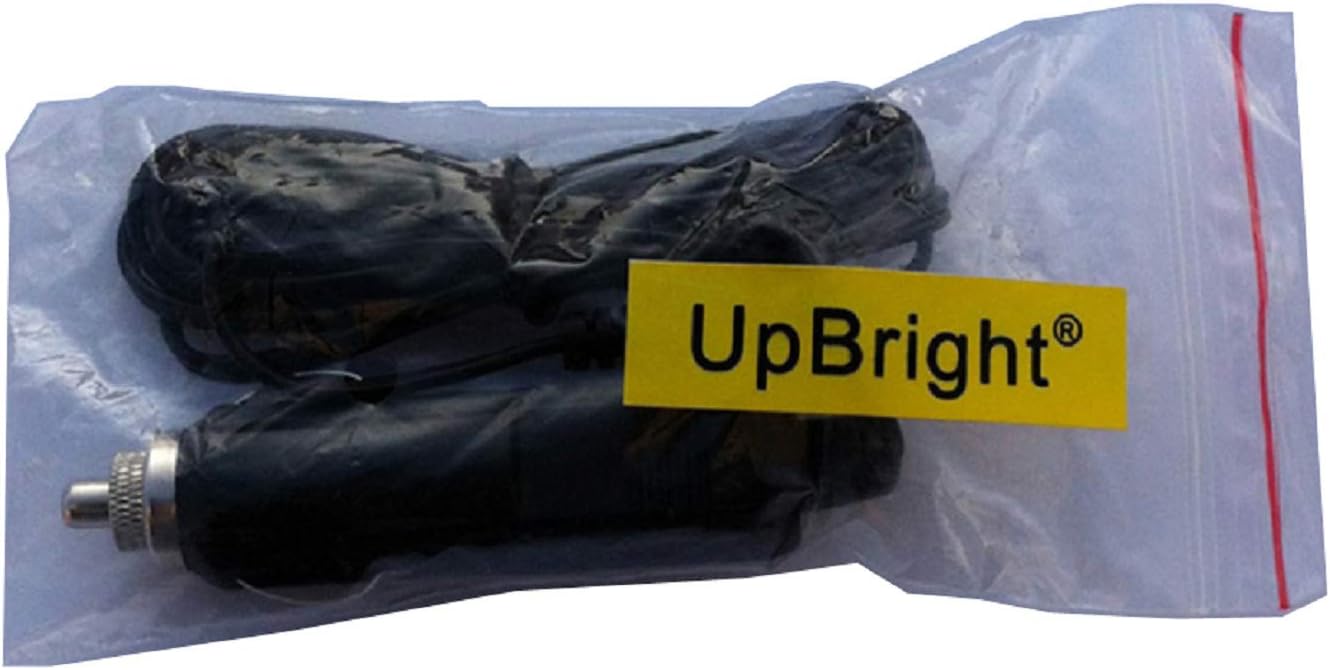
Figure 8.1: The UpBright Car DC Adapter as typically packaged, which may contain additional warranty or support details.