
PANO-MOUNTS 28MFANFIL2PACK
PANO-MOUNTS 287x147mm Magnetic PC Fan Dust Filter Instruction Manual
Model: 28MFANFIL2PACK
Introduction
This manual provides comprehensive instructions for the installation, operation, and maintenance of your PANO-MOUNTS 287x147mm Magnetic PC Fan Dust Filters. These filters are designed to protect your computer and electronic components from dust accumulation, thereby extending their lifespan and reducing cleaning frequency.

Image 1: Two PANO-MOUNTS 287x147mm magnetic dust filters, showcasing their fine mesh design.
Package Contents
Upon opening your package, please verify that all items are present and undamaged:
- 2 x PANO-MOUNTS 287x147mm Magnetic PC Fan Dust Filters
Setup and Installation
The PANO-MOUNTS magnetic dust filters are designed for easy, screw-free installation on any ferrous (iron-based) surface of your computer case or other compatible electronic devices.
- Identify Installation Area: Locate the fan intake or exhaust vents on your computer case where dust accumulation is a concern. Ensure the surface is metallic for magnetic adhesion.
- Clean Surface: Before installation, ensure the target surface is clean and free of dust or debris to ensure optimal magnetic contact.
- Position the Filter: Carefully place the magnetic dust filter over the desired vent. The magnetic frame will adhere to the metallic surface. Adjust its position until it fully covers the vent opening.

Image 2: Demonstrates the magnetic filter being easily attached to the top vent of a PC case.

Image 3: A magnetic dust filter installed on the side of a PC case, illustrating its function in preventing dust and dirt from entering.
Note: These filters are designed for external application to metallic surfaces. They are not intended for internal installation or non-magnetic surfaces.
Operation and Function
Once installed, the PANO-MOUNTS dust filters operate passively to protect your components. The fine PVC mesh, with a 0.5Φmm hole diameter, effectively blocks dust and larger particles while allowing sufficient airflow for cooling.
- Dust Prevention: The primary function is to prevent dust, pet hair, and other airborne debris from entering your computer chassis through fan openings.
- Versatile Application: Suitable for various applications beyond PC cases, including speaker grilles and other electrical/electronic products requiring dust protection.

Image 4: A visual comparison highlighting the smaller 0.5Φmm mesh hole size of PANO-MOUNTS filters for enhanced dust protection.
Important: While designed for optimal airflow, very dense mesh can slightly restrict air movement. If you notice higher component temperatures, monitor your system's temperatures after installation, especially for high-airflow intake fans, to ensure adequate cooling.
Maintenance and Cleaning
Regular cleaning of your dust filters is crucial to maintain optimal airflow and dust protection. The PVC material makes cleaning simple and extends the product's lifespan.
- Removal: Gently pull the filter away from the metallic surface. The magnetic attachment allows for easy removal.
- Cleaning: Rinse the filter under running water to remove accumulated dust. For stubborn dirt, a soft brush or cloth can be used. Avoid harsh chemicals or abrasive materials.
- Drying: Allow the filter to air dry completely before reattaching it to your computer case. Ensure no moisture remains to prevent potential damage to electronic components.
- Reinstallation: Once dry, simply place the filter back over the vent, allowing the magnets to secure it.
Video 1: An official PANO-MOUNTS video demonstrating the features of the 287x147mm magnetic dust filter, including its easy installation and cleaning process.
Troubleshooting
- Filter not adhering: Ensure the surface of your computer case is metallic (ferrous). The magnets will not stick to plastic, aluminum, or other non-magnetic materials. Clean the surface and the filter's magnetic strip to remove any obstructions.
- Reduced airflow/Increased temperatures: While the mesh is fine, it can slightly impede airflow. If you notice higher component temperatures, consider cleaning the filter more frequently or repositioning it to a less critical intake. For systems with very high airflow requirements, a slight increase in temperature might be observed.
- Dust still entering: Verify that the filter completely covers the vent opening and there are no gaps around the edges. Ensure the filter is clean, as a clogged filter can allow dust to bypass it due to pressure differences.
Specifications
| Feature | Detail |
|---|---|
| Model Number | 28MFANFIL2PACK |
| Dimensions (L x W x H) | 287mm x 147mm x 0.45mm (approx. 11.30" x 5.79" x 0.018") |
| Material | Polyvinyl Chloride (PVC) |
| Mesh Hole Diameter | 0.5Φmm |
| Attachment Method | Magnetic |
| Compatible Devices | Computer Cases, Speaker Grilles, other electronic devices with metallic surfaces |
| Quantity | 2 filters per pack |
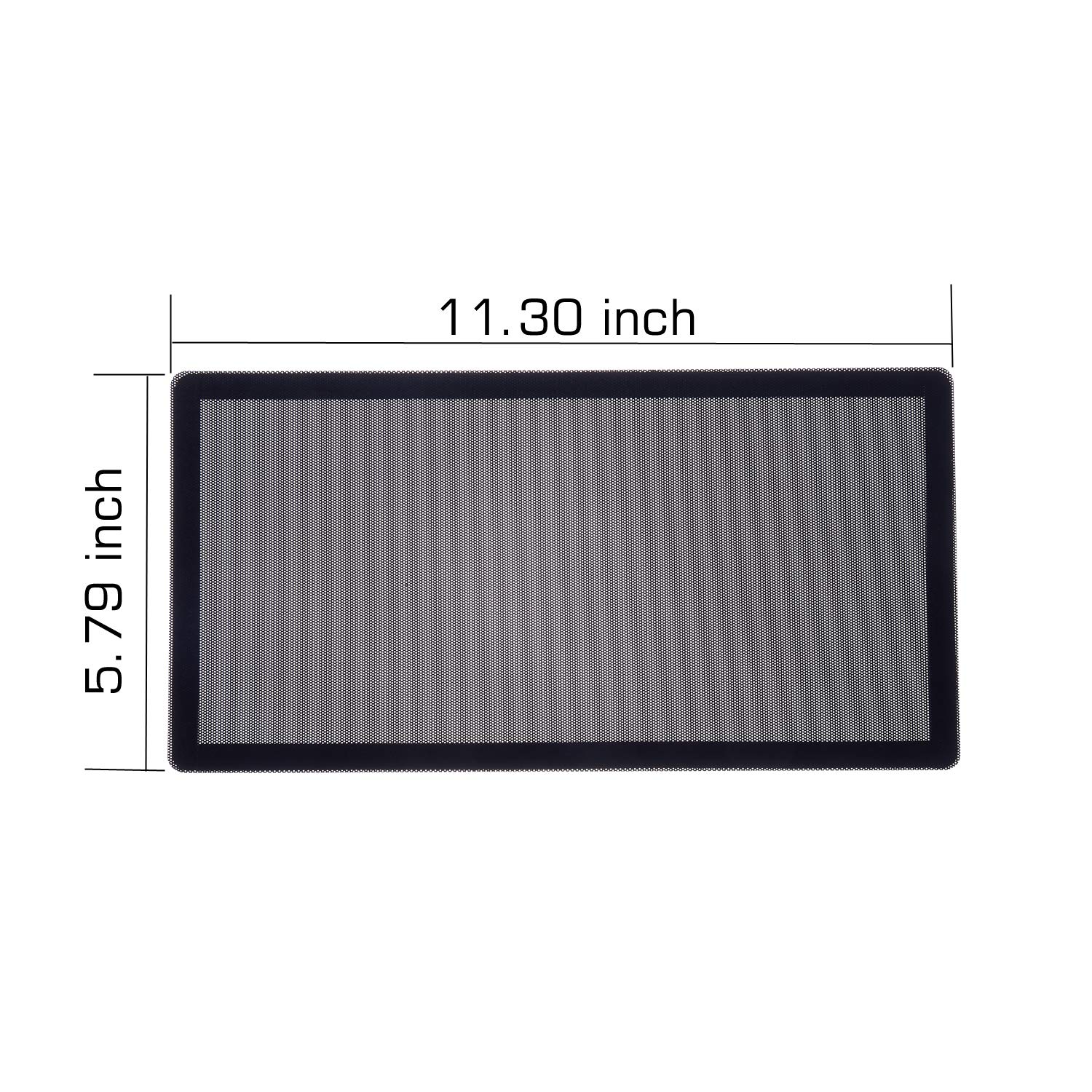
Image 5: The precise dimensions of the dust filter, measuring 11.30 inches by 5.79 inches (287mm x 147mm).
Warranty Information
PANO-MOUNTS products are manufactured to high-quality standards. Specific warranty details may vary. Please retain your proof of purchase for any warranty claims. For further information regarding warranty coverage, please contact PANO-MOUNTS customer support.
Customer Support
Should you have any questions, require assistance with installation, or encounter any issues with your PANO-MOUNTS dust filters, please do not hesitate to contact our customer support team. We are committed to providing prompt and detailed replies to ensure your satisfaction.
Contact Information: Please refer to the contact details provided on the product packaging or the official PANO-MOUNTS website for the most up-to-date support channels.
Related Documents - 28MFANFIL2PACK
 |
XIGMATEK Pano II Air Series PC Case User Manual User manual for the XIGMATEK Pano II Air Series PC case, detailing accessory contents, case features, and installation guides for motherboards, graphics cards, power supplies, drives, fans, and liquid cooling. |
 |
MSI MAG PANO 100L PZ / 100R PZ PC Case User Guide - Installation and Features Comprehensive user guide for the MSI MAG PANO 100L PZ and MAG PANO 100R PZ PC cases. Covers specifications, accessories, case features, and step-by-step installation procedures for various components. |
 |
MSI MAG PANO M110R & M110R WHITE Computer Case User Manual User manual for the MSI MAG PANO M110R and MAG PANO M110R WHITE computer cases, detailing specifications, features, installation, and connectivity. |
 |
MSI MAG PANO 130R PZ PC Case User Guide Comprehensive user guide for the MSI MAG PANO 130R PZ PC Case, detailing specifications, features, installation procedures for components like motherboards, graphics cards, storage drives, PSUs, and radiators, as well as front panel I/O connections and general information. |
 |
MSI MAG PANO 120R PZ PC Case User Guide - Specifications, Installation, and Features Comprehensive user guide for the MSI MAG PANO 120R PZ PC Case. Includes specifications, installation instructions for components like motherboard, GPU, HDD/SSD, PSU, I/O connections, and details on LED lighting control. |
 |
MSI MAG PANO M110R/M110L PC Case User Manual - Specifications, Installation, and Features Comprehensive user manual for MSI MAG PANO M110R and M110L PC cases. Features detailed specifications, step-by-step installation guides, I/O port information, and ARGB lighting control instructions. |
Ask a question about this manual
Ask about setup, troubleshooting, compatibility, parts, safety, or missing instructions. Manuals+ will review the question and use this page’s manual context to help answer it.