
VLM Group 7.4V DC Charger for Discavery Toys Stunt Zip 360 Degree Drone
User Manual: 7.4V DC Drone Toy Battery Charger
Model: 7.4V DC Charger for Discavery Toys Stunt Zip 360 Degree Drone
1. Introduction
1.1 Product Overview
This document provides essential instructions for the safe and effective use of your VLM Group 7.4V DC Drone Toy Battery Charger. This charger is designed to provide a reliable power source for compatible drone batteries, ensuring your drone is ready for use.
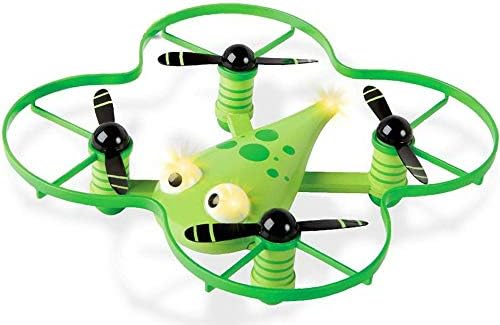
Figure 1: The VLM Group 7.4V DC Drone Toy Battery Charger. This image displays the compact black USB charger with its integrated cable and white connector tip.
1.2 Compatibility
This charger is specifically designed to be fully compatible with the Discavery Toys Stunt Zip 360 Degree Drone battery. Using this charger with other battery types or devices may result in damage to the charger, battery, or device, and could pose a safety risk.
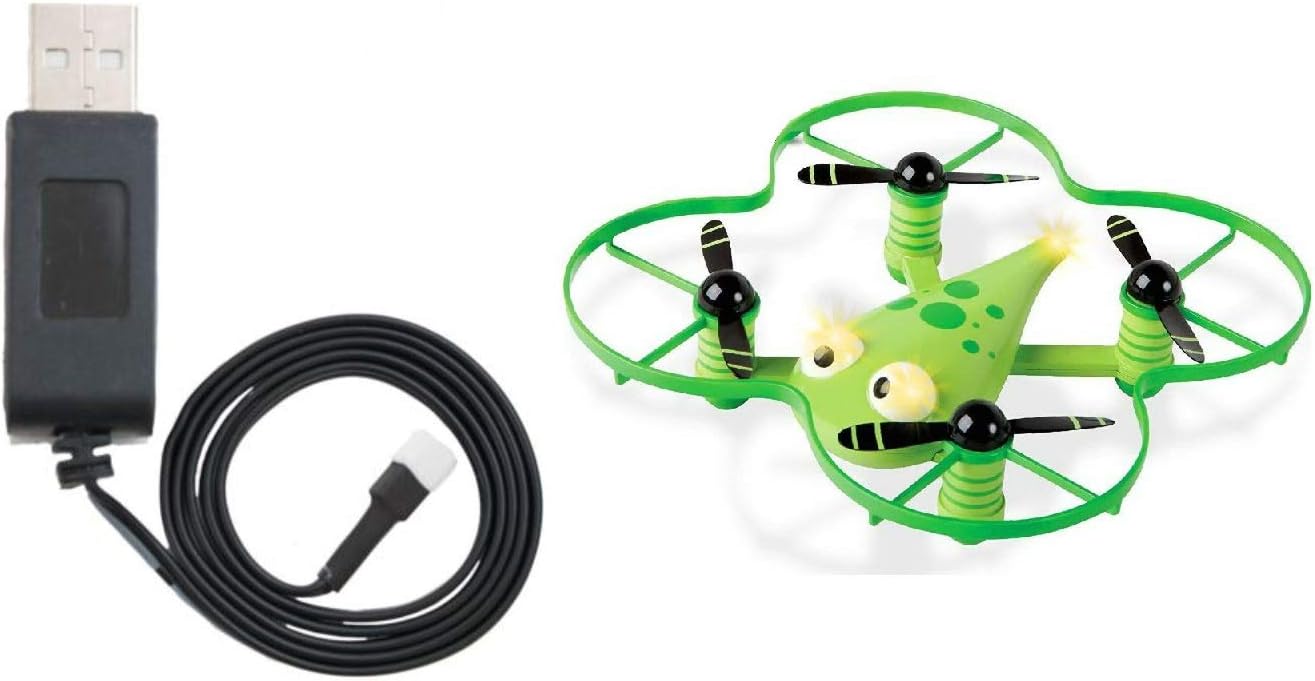
Figure 2: The VLM Group 7.4V DC Drone Toy Battery Charger shown alongside the Discavery Toys Stunt Zip 360 Degree Drone, illustrating their intended compatibility.
2. Setup
Before using the charger, ensure you have the correct battery for the Discavery Toys Stunt Zip 360 Degree Drone. Follow these steps to prepare the charger for use:
- Unpack: Carefully remove the charger from its packaging.
- Inspect: Check the charger and its cable for any visible damage. Do not use if damaged.
- Power Source: Connect the USB end of the charger cable to a compatible USB power source, such as a computer USB port, a USB wall adapter (not included), or a power bank. Ensure the power source provides stable power.
- Battery Preparation: Ensure the drone battery is clean and free of debris around its charging port.
3. Operating Instructions
Follow these steps to charge your Discavery Toys Stunt Zip 360 Degree Drone battery:
- Connect Battery: Carefully align the white connector tip of the charger cable with the charging port on your drone's battery. Gently push the connector in until it is securely seated. Do not force the connection.
- Charging Indicator: The charger may feature an indicator light (not specified in product details). If present, observe its behavior:
- A solid light typically indicates charging in progress.
- A light changing color or turning off usually indicates charging is complete.
- Charging Time: Charging time will vary depending on the battery's current charge level and capacity. Avoid overcharging the battery. It is recommended to disconnect the battery once fully charged.
- Disconnect: Once charging is complete, gently pull the connector straight out from the battery. Then, disconnect the USB end from the power source.
Important: Always supervise the battery during charging. Do not leave charging batteries unattended.
4. Maintenance
Proper care and maintenance will extend the life of your charger:
- Cleaning: Use a soft, dry cloth to clean the charger. Do not use liquid cleaners or solvents.
- Storage: Store the charger in a cool, dry place away from direct sunlight and extreme temperatures.
- Handling: Avoid bending or kinking the cable excessively. Do not drop the charger or subject it to strong impacts.
- Moisture: Keep the charger away from water and high humidity.
5. Troubleshooting
If you encounter issues with your charger, refer to the following common problems and solutions:
| Problem | Possible Cause | Solution |
|---|---|---|
| Charger not working / No indicator light | No power from USB source; Damaged charger; Incorrect connection. | Try a different USB port or power adapter. Ensure the USB connection is secure. Inspect the charger for damage. |
| Battery not charging | Battery not properly connected; Battery is fully charged; Battery is faulty; Charger is faulty. | Ensure the battery connector is fully inserted. Check if the battery is already charged. Try charging a different, known-good battery if available. If issues persist, the charger or battery may be faulty. |
| Slow charging | Low power USB source; High battery capacity. | Use a USB power source with higher output (e.g., a dedicated wall adapter instead of a computer port). Charging time varies with battery size. |
6. Specifications
| Feature | Detail |
|---|---|
| Brand | VLM Group |
| Model Compatibility | Discavery Toys Stunt Zip 360 Degree Drone |
| Output Voltage | 7.4 Volts (DC) |
| Input Voltage | 240 Volts (USB standard input) |
| Item Weight | 4 ounces |
| Package Dimensions | 6 x 5 x 1 inches |
| Color | Green (referring to the drone, charger is black) |
| Manufacturer | VLM Group |
| Specification Met | UL |
7. Warranty and Support
Specific warranty details for this product are not provided in the available information. For warranty claims, technical support, or further assistance, please contact the manufacturer directly:
Manufacturer: VLM Group
Please refer to the product packaging or the retailer's website for the most up-to-date contact information or warranty policy.