1. Product Overview
The IO CREST SI-ADA40141 is an internal M.2 B+M Key adapter card designed to expand your desktop PC's storage capabilities. Utilizing the JMB585 chipset, this card provides five SATA III 6Gb/s ports, allowing you to connect up to five SATA drives (SSDs or HDDs) to an M.2 (PCIe Gen3 x2 bandwidth) slot. It is engineered for efficient data transfer, achieving speeds up to 1700 MB/s, and supports FIS-based switching to optimize performance with multiple SATA storage devices.
Key Features:
- Connects five SATA drives to an M.2 B+M Key connection, offering up to 1700 MB/s speed.
- Plug and play functionality; no additional software or driver installation required for basic operation.
- Supports Port Multiplier functionality (non-RAID configurations).
- Compatible with SATA hard drives and solid-state drives.
- Features a 2-Lane M.2 PCI-Express 3.0 interface (B & M Key), compliant with PCI Express Base Specification Revision 3.1a.
- Designed exclusively for storage use; cannot boot operating systems or system drives.
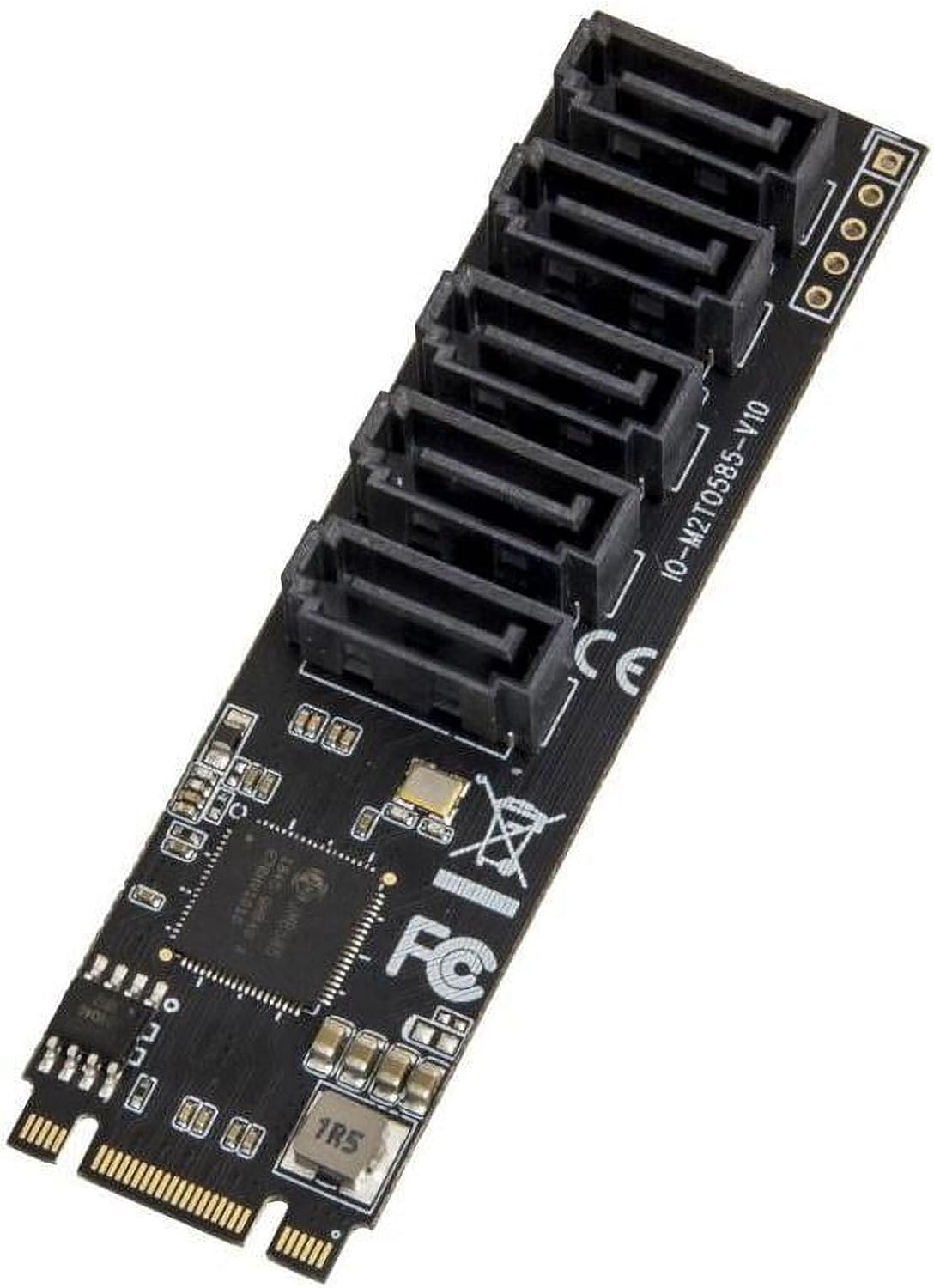
Figure 1: IO CREST SI-ADA40141 M.2 to 5-Port SATA Adapter Card. This image shows the adapter card with its five SATA ports and M.2 connector.
2. Setup and Installation
Follow these steps to install the IO CREST SI-ADA40141 adapter card into your desktop PC. Ensure your computer is powered off and unplugged before beginning installation.
- Prepare your Motherboard: Locate an available M.2 B+M Key slot on your motherboard. Refer to your motherboard's documentation to confirm compatibility and slot type.
- Insert the Adapter Card: Carefully align the M.2 adapter card with the M.2 slot. Gently push the card into the slot at an angle until it is fully seated.
- Secure the Card: Once seated, push the card down and secure it with the provided M.2 screw.
- Connect SATA Cables: Connect one end of your SATA data cables to the available SATA ports on the adapter card.
- Connect to Drives: Connect the other end of each SATA data cable to your SATA SSDs or HDDs. Ensure you also connect the necessary SATA power cables from your power supply to each drive.
Video 1: Installation Guide for the M.2 SATA Adapter Card. This video demonstrates the physical installation process, including inserting the card into the M.2 slot, securing it with a screw, and connecting SATA data cables to both the card and the hard drives.
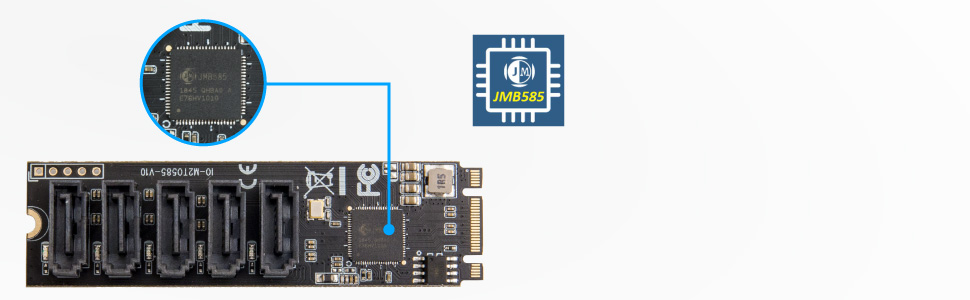
Figure 2: Close-up of the JMB585 Chipset. This image highlights the JMB585 chipset, which powers the 5-port SATA functionality of the adapter card.
3. Operating Instructions
The IO CREST SI-ADA40141 adapter card is designed for ease of use once installed.
- Plug and Play: This card typically operates as plug and play, meaning no specific drivers or software installations are required for your operating system (Windows, macOS, Linux) to recognize the connected drives.
- Storage Only: Please note that this card is intended for storage expansion only. It cannot be used as a boot device for your operating system.
- Drive Recognition: After installation and powering on your PC, the connected SATA drives should appear in your operating system's disk management utility or file explorer. You may need to initialize and format new drives before use.
- Port Multiplier: The card supports port multiplier functionality for non-RAID configurations, allowing multiple drives to be connected through a single SATA port on the card if a port multiplier enclosure is used.
4. Maintenance
To ensure optimal performance and longevity of your IO CREST SI-ADA40141 adapter card, consider the following maintenance tips:
- Airflow: Ensure adequate airflow within your PC case to prevent overheating of components, including the adapter card's chipset.
- Secure Connections: Periodically check that all SATA data and power cables are securely connected to both the adapter card and your storage drives. Loose connections can lead to data transfer issues or drive recognition problems.
- Physical Handling: The PCB of the card can be delicate. Handle the card with care during installation or removal to avoid bending or damaging the board or SATA ports.
5. Troubleshooting
If you encounter issues with your IO CREST SI-ADA40141 adapter card, refer to the following troubleshooting guide:
- Drives Not Detected:
- Verify the adapter card is fully seated in the M.2 slot and secured with its screw.
- Ensure all SATA data and power cables are correctly and firmly connected to both the card and the drives.
- Check your motherboard's BIOS/UEFI settings to ensure the M.2 slot is enabled and configured correctly (e.g., not sharing bandwidth with other PCIe slots if applicable).
- Confirm the drives themselves are functional by testing them with a direct motherboard SATA connection if possible.
- Slow Data Transfer Speeds:
- Ensure your SATA cables are rated for SATA III (6Gb/s) speeds.
- Check the health and performance of your connected drives. Older or failing drives can impact overall speed.
- Monitor the temperature of the JMB585 chipset. Excessive heat can lead to throttling. Ensure good case airflow.
- System Instability or Blue Screens (BSOD):
- This can sometimes indicate a faulty connection or an overheating component. Re-seat the card and check all cable connections.
- Ensure your power supply is adequate for all connected components, especially if you've added multiple drives.
- If issues persist, temporarily remove the card to see if system stability returns, which can help isolate the problem.
- Bright LED Indicators:
- The card features bright blue LED activity indicators. If these are distracting, a small piece of electrical tape can be placed over them.
- Cannot Boot OS from Connected Drives:
- This is expected behavior. The SI-ADA40141 is designed for storage expansion only and does not support booting an operating system from drives connected to its ports. Your primary OS drive must be connected directly to the motherboard's SATA or M.2 NVMe ports.
6. Specifications
| Brand | IO CREST |
| Model Number | SI-ADA40141 |
| Series | SI-ADA40141 |
| Hardware Interface | PCI Express 3.0 x2 (M.2 B+M Key), SATA 6.0 Gb/s |
| Number of SATA Ports | 5 |
| Chipset | JMB585 |
| Max Transfer Speed | Up to 1700 MB/s |
| Operating System Compatibility | Windows, macOS, Linux |
| Compatible Devices | Personal Computer (Desktop) |
| Product Dimensions (LxWxH) | 3.25 x 1 x 0.25 inches (approx. 82.55 x 25.4 x 6.35 mm) |
| Item Weight | 0.3 Pounds (approx. 4.8 ounces) |
7. Warranty and Support
The IO CREST SI-ADA40141 adapter card is backed by a 3-Year hassle-free warranty and lifetime customer service provided by Syba.
For technical support, warranty claims, or further assistance, please refer to the contact information provided with your product packaging or visit the official Syba/IO Crest website for support resources.