
1. Introduction
The LeTkingok HT2000 CO2 Gas Detector is designed for monitoring air quality by measuring carbon dioxide (CO2) levels, temperature, and relative humidity. This device is suitable for various environments such as factories, schools, offices, hotels, railway stations, supermarkets, and transportation lines where air quality monitoring is essential for health and safety.
2. Product Overview
The HT2000 features a clear display for CO2 concentration, temperature, and humidity, along with intuitive control buttons for easy operation.
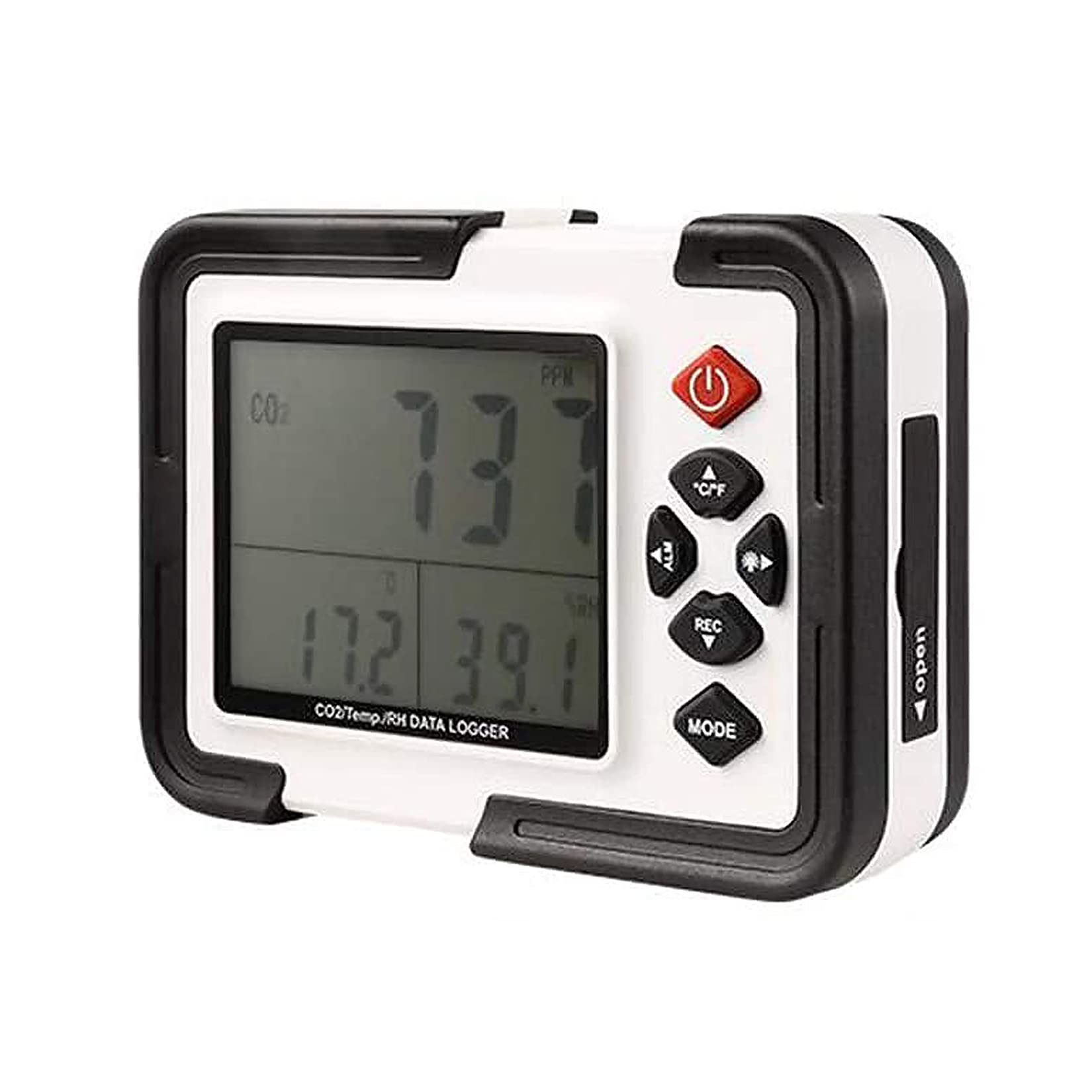
Image 1: Front view of the LeTkingok HT2000 CO2 Gas Detector, highlighting its display and control buttons. Labels indicate the 'Carbon dioxide value', 'Temperature / humidity value' on the screen, and buttons for 'Power ON/OFF key', 'Unit Converter', 'Left-ALM', 'Backlight / Right', 'REC / down key', and 'Mode switching key'.
The device is compact and designed for portability or stationary use.
3. Setup
3.1 Powering the Device
The HT2000 can be powered by either AA batteries or an external power supply adapter.
- Battery Installation: To install batteries, locate the battery compartment on the back of the device. Open the cover and insert four (4) AA batteries, ensuring correct polarity.
- Adapter Connection: Alternatively, connect the provided power supply adapter to the DC input port on the device and plug it into a standard electrical outlet.

Image 2: Rear view of the HT2000 CO2 Gas Detector, showing the battery compartment cover and mounting hole. This is where AA batteries are inserted to power the device.
3.2 Initial Power On
Press the Power ON/OFF key (red button) to turn on the device. The display will illuminate and begin showing readings after a brief initialization period.
4. Operating Instructions
4.1 Understanding the Display
The main display shows the current CO2 concentration in parts per million (ppm), temperature in degrees Celsius or Fahrenheit, and relative humidity in percentage (RH%).
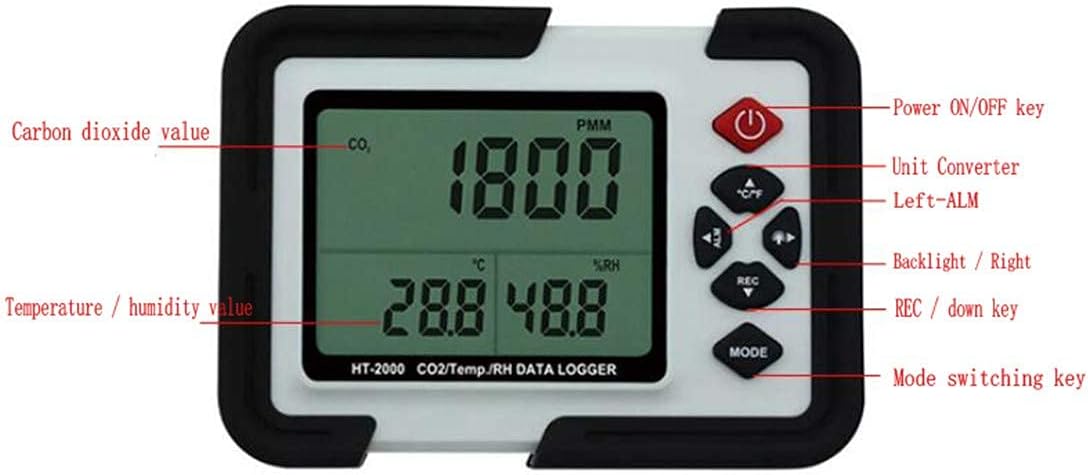
Image 3: The HT2000 CO2 Gas Detector displaying a CO2 reading of 1351 ppm, a temperature of 29.5°C, and a relative humidity of 45.0%. This illustrates the device in an operational state.
4.2 Key Functions
- Power ON/OFF Key: Turns the device on or off.
- Unit Converter (℃/℉): Switches the temperature display between Celsius and Fahrenheit.
- Left-ALM Key: Used for navigating menus or adjusting alarm settings.
- Backlight / Right Key: Activates the display backlight or navigates right in menus.
- REC / Down Key: Initiates data recording or navigates down in menus.
- MODE Switching Key: Cycles through different display modes or settings.
4.3 Data Logging
The HT2000 is equipped with a data logging function. To initiate data recording, press the REC key. Refer to the detailed instructions in the full manual (if provided separately) for setting logging intervals and retrieving data.
5. CO2 Grading Guidelines
Understanding CO2 levels is crucial for maintaining healthy indoor air quality. The following guidelines provide a general reference for CO2 concentrations:
- 250 to 350 ppm: Typical outdoor air level.
- 350 ppm to 1000 ppm: Well-ventilated living environment.
- 1000 ppm to 2000 ppm: Indicates oxygen-deficient air.
- 2000 ppm to 5000 ppm: Stagnant, sultry environment.
- More than 5000 ppm: Severe hypoxia conditions.
6. Maintenance
6.1 Cleaning
To clean the device, use a soft, dry cloth. Do not use abrasive cleaners, solvents, or immerse the device in water. Ensure the device is powered off before cleaning.
6.2 Storage
When not in use for extended periods, remove the batteries to prevent leakage. Store the device in a cool, dry place away from direct sunlight and extreme temperatures.
7. Troubleshooting
- Device does not power on: Check battery installation and ensure batteries are not depleted. If using the adapter, verify the connection and power source.
- Inaccurate readings: Ensure the device is placed in an area with good air circulation, away from direct drafts or heat sources. Allow sufficient time for stabilization after power-on.
- Display is dim or flickering: Replace batteries if using battery power. If using the adapter, check the power connection.
8. Specifications

Image 4: Side view of the HT2000 CO2 Gas Detector, illustrating its physical dimensions: approximately 140mm in length, 98mm in height, and 40mm in width.
| Parameter | Value |
|---|---|
| CO2 Measurement Range | 0 - 9999 ppm |
| CO2 Measurement Error | ±50 ppm |
| CO2 Response Time | 10 seconds |
| Temperature Measurement Range | -10 to 70°C |
| Temperature Resolution | 0.1°C |
| Temperature Measurement Error | ±1.2°C |
| Humidity Measurement Range | 0.1 to 99.9% RH |
| Humidity Resolution | 0.1% RH |
| Humidity Measurement Error | ±(10 to 90%) RH |
| Power Source | 4 x AA battery or power supply adapter |
| Dimensions | 145mm x 105mm x 40mm |
| Alarm | Audible |
| Operating Humidity | Up to 90% |
9. Package Contents
The standard package for the LeTkingok HT2000 CO2 Gas Detector includes the following items:
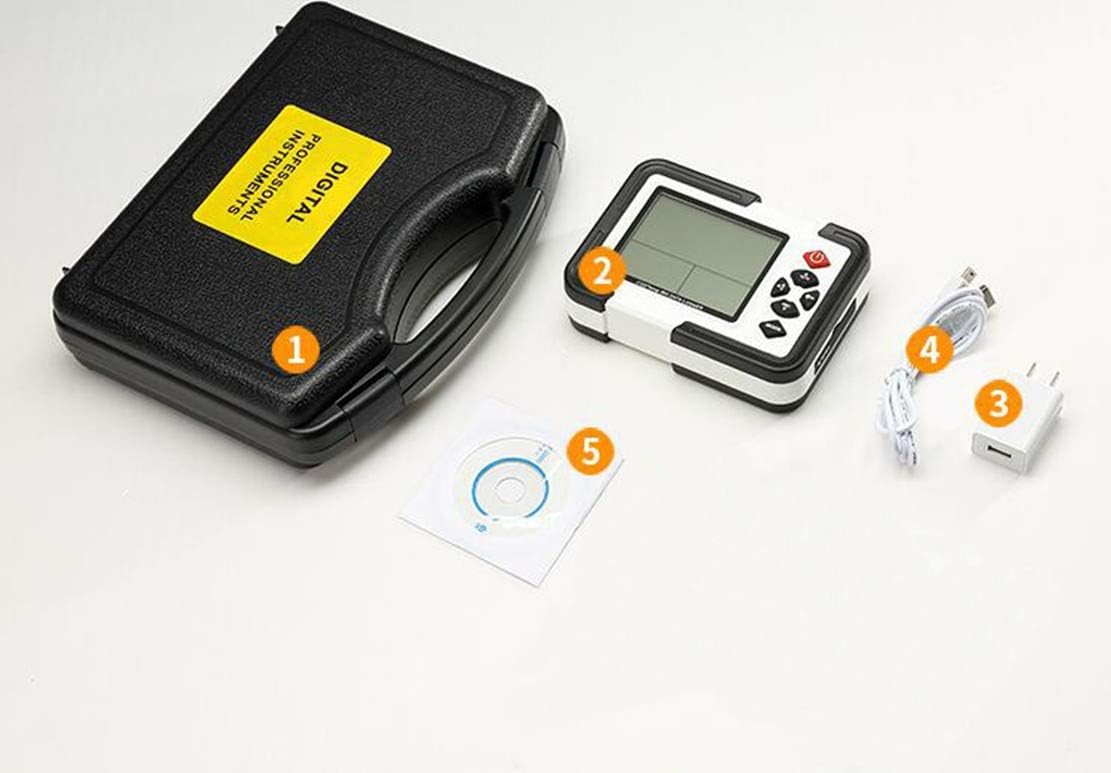
Image 5: Contents of the HT2000 package, showing (1) a protective carrying case, (2) the HT2000 CO2 Gas Detector unit, (3) a power adapter, (4) a USB cable, and (5) a software CD for data management.
- 1 x HT2000 CO2 Gas Detector Unit
- 1 x Protective Carrying Case
- 1 x Power Supply Adapter
- 1 x USB Cable
- 1 x Software CD (for data logging management)
10. Warranty and Support
For warranty information and technical support, please refer to the documentation provided with your purchase or contact the manufacturer directly. Keep your purchase receipt as proof of purchase for any warranty claims.