
Introduction
Thank you for choosing the ZecRek Bluetooth Beanie. This product combines a comfortable winter beanie with integrated wireless headphones, allowing you to enjoy music and hands-free calls while staying warm. This manual provides essential information for the safe and effective use of your new device, including setup, operation, maintenance, and troubleshooting.
Safety Information
- Read all instructions carefully before using the product.
- Do not expose the electronic components to water or moisture. While the beanie fabric is water-resistant, the electronic module should be removed before washing.
- Avoid using the product at excessively high volumes for extended periods to prevent hearing damage.
- Do not attempt to disassemble, repair, or modify the device. Contact customer support for assistance.
- Use only the provided charging cable or a certified equivalent.
- Keep the device away from extreme temperatures, direct sunlight, and open flames.
Package Contents
Please check the package for the following items:
- 1 x ZecRek Bluetooth Beanie
- 1 x USB Charging Cable
- 1 x User Manual (this document)
- 1 x Polar Fleece Neck Warmer
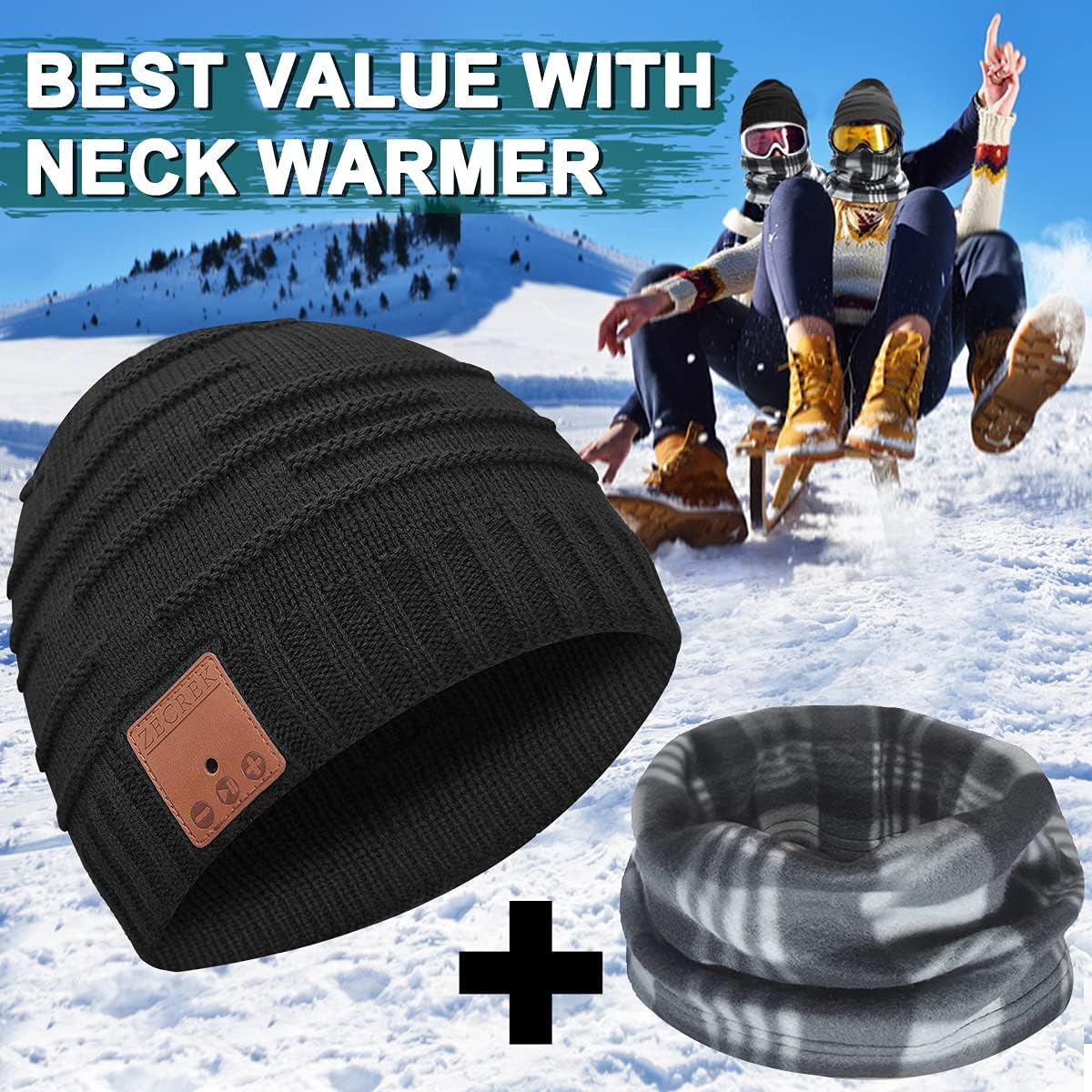
Image: The ZecRek Bluetooth Beanie and accompanying polar fleece neck warmer, as included in the package.
Product Overview
The ZecRek Bluetooth Beanie features a comfortable knitted design (70% Acrylic, 30% Polyester) with an integrated Bluetooth module. This module houses the speakers, microphone, and control panel, which is conveniently located on the right side of the beanie for easy access.

Image: A person wearing the ZecRek Bluetooth Beanie, highlighting the location of the control panel on the right side.
Setup
1. Charging the Beanie
Before first use, fully charge the Bluetooth beanie. The beanie is equipped with a 250mAh battery, providing up to 20 hours of music playback on a single charge.
- Locate the charging port on the Bluetooth module, typically found on the side of the control panel.
- Connect the provided USB charging cable to the beanie's charging port.
- Plug the other end of the USB cable into a USB power source (e.g., computer USB port, wall adapter).
- An indicator light will typically show red during charging and turn blue or off when fully charged.
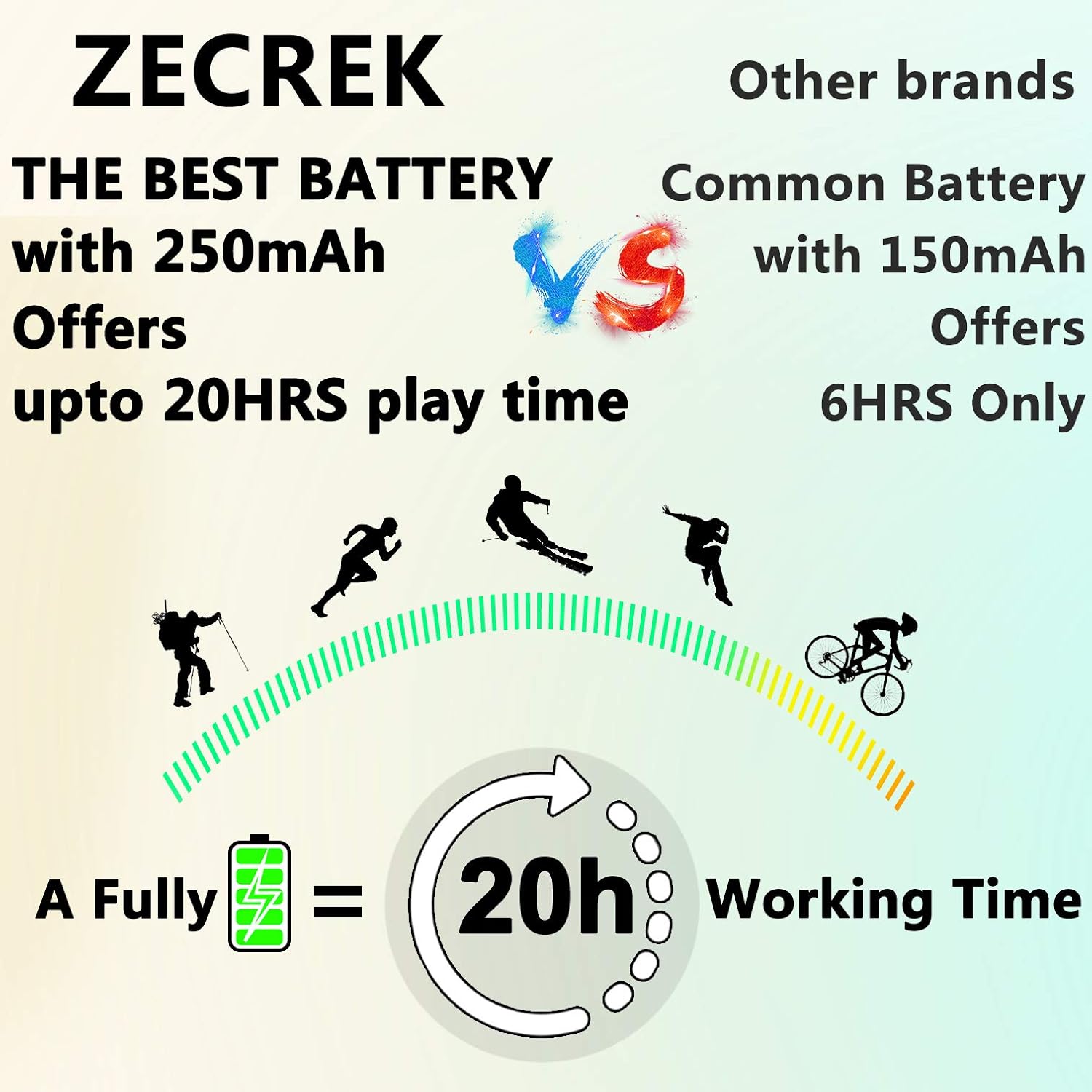
Image: A graphic demonstrating the ZecRek Bluetooth Beanie's extended battery life, offering up to 20 hours of continuous use.
2. Bluetooth Pairing
Pair your ZecRek Bluetooth Beanie with your smartphone or other Bluetooth-enabled device.
- Ensure the beanie is charged and turned off.
- Press and hold the power button on the control panel until the indicator light flashes red and blue, indicating it is in pairing mode.
- On your device, go to Bluetooth settings and ensure Bluetooth is enabled.
- Search for available devices. You should see "ZecRek Beanie" or a similar name appear in the list.
- Select the beanie to connect. Once connected, the indicator light will typically turn solid blue or flash slowly.
- The beanie offers stable connectivity up to 33 feet (10 meters).
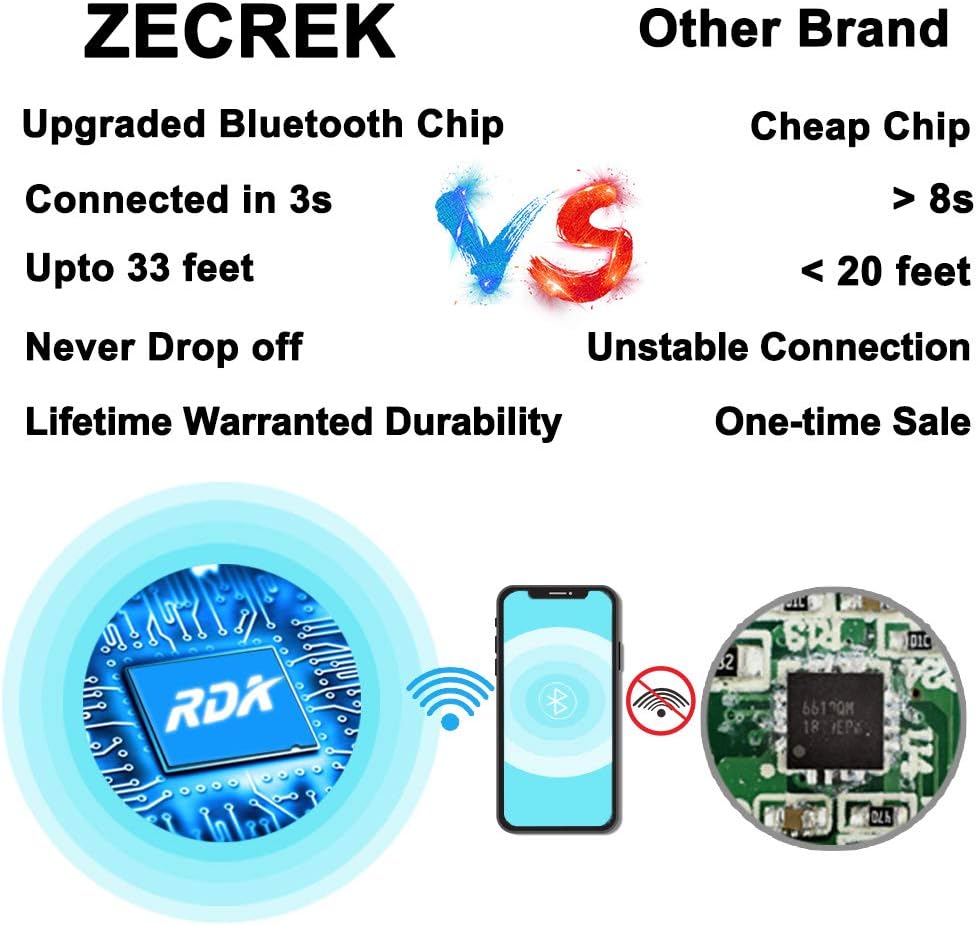
Image: A visual comparison highlighting the ZecRek Bluetooth Beanie's upgraded Bluetooth chip for stable and fast connections.
Operating Instructions
The control panel on the right side of the beanie allows for easy management of music and calls.
- Power On/Off: Press and hold the power button for approximately 3 seconds.
- Play/Pause Music: Short press the power button.
- Next Track: Short press the '+' button.
- Previous Track: Short press the '-' button.
- Volume Up: Long press the '+' button.
- Volume Down: Long press the '-' button.
- Answer/End Call: Short press the power button during an incoming call or active call.
- Reject Call: Long press the power button during an incoming call.
- Redial Last Number: Double-press the power button.
Maintenance
Washing the Beanie
The beanie is washable, but the electronic module must be removed first.
- Carefully locate the openings inside the beanie and remove the Bluetooth module (speakers and control panel).
- Hand wash the beanie fabric in cold water with a mild detergent.
- Rinse thoroughly and air dry completely before reinserting the electronic module.
- Do not machine wash or tumble dry the beanie with the electronics inside.

Image: A close-up view showing how to remove the speaker module from the beanie, with a washing machine in the background, indicating the beanie is washable once electronics are removed.
Electronic Module Care
- Keep the module dry and clean.
- Wipe with a soft, dry cloth if necessary.
- Store in a cool, dry place when not in use.
Troubleshooting
| Problem | Solution |
|---|---|
| Beanie does not turn on. | Ensure the battery is charged. Connect to a power source and try again. |
| Cannot pair with device. | Ensure the beanie is in pairing mode (flashing red/blue light). Turn off and on your device's Bluetooth. Make sure the beanie is within 33 feet of your device. |
| No sound or poor sound quality. | Check the volume levels on both the beanie and your connected device. Ensure the beanie is properly connected. Move closer to your device to avoid interference. |
| Battery not charging. | Check if the charging cable is securely connected to both the beanie and the power source. Try a different USB port or cable. |
Specifications
| Feature | Detail |
|---|---|
| Brand | ZecRek |
| Model Number (ASIN) | B07T2D2DWH |
| UPC | 753215874682 |
| Fabric Type | 70% Acrylic, 30% Polyester |
| Battery | 1 Lithium Ion (250mAh) |
| Playback Time | Up to 20 hours |
| Bluetooth Range | Up to 33 feet (10 meters) |
| Sound Output | Up to 120 decibels |
| Care Instructions | Hand Wash Only (remove electronics first) |
| Water Resistance | Waterproof (beanie fabric) |
| Package Dimensions | 10.24 x 5.47 x 2.76 inches |
| Item Weight | 5.61 ounces |
| Additional Features | Microphone, Wireless |
Warranty and Support
No specific warranty information is provided in the product details. For any product inquiries, technical support, or warranty claims, please contact ZecRek customer service through your original point of purchase or refer to the contact information provided on the product packaging.