
Introduction
This manual provides detailed instructions for the assembly, operation, and maintenance of your TAVR Furniture Tripod TV Stand. Please read this manual thoroughly before installation and use to ensure safe and correct operation. Keep this manual for future reference.
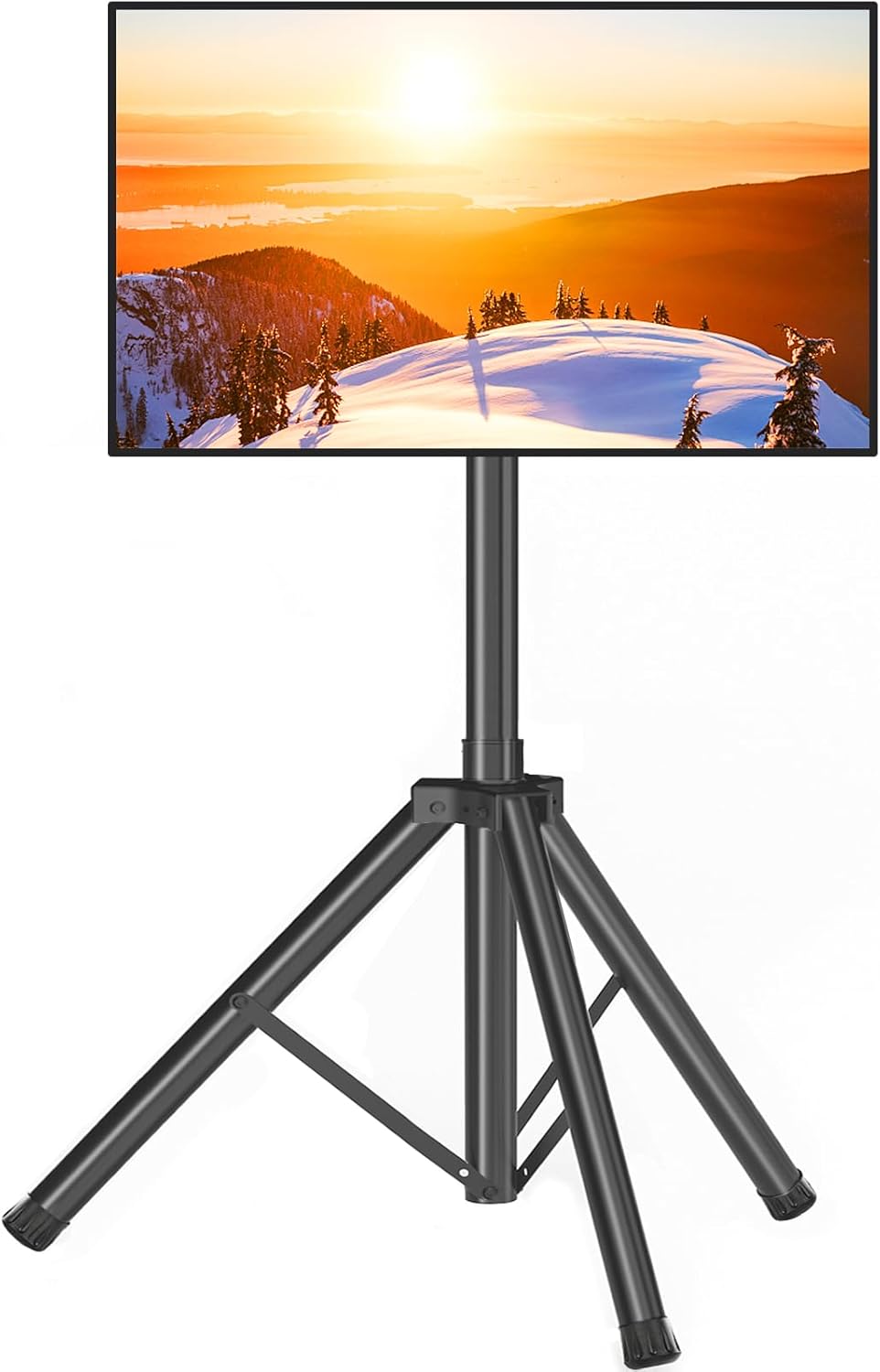
Image: TAVR Furniture Tripod TV Stand with a TV mounted.
Safety Information
Important Safety Instructions:
- Ensure the TV stand is placed on a stable, level surface to prevent tipping.
- Do not exceed the maximum weight capacity of 100 lbs (45 kg).
- Verify your TV's VESA pattern is compatible with the stand (100x100mm to 600x400mm).
- Always use the provided safety rope to secure the tripod legs and prevent accidental collapse.
- The stand features non-slip feet to increase stability and protect floor surfaces.
- The black electrostatic spraying process provides good insulation, making the stand safe and non-conductive.
- When adjusting height or tilt, ensure all locking mechanisms are securely fastened before releasing the TV.
- Keep children and pets away from the stand during assembly and adjustments.

Image: Safety features of the TV stand, including safety lock, security pin, cable management, and non-slip feet.

Image: Illustration of safe height range and safety lock to prevent TV dropping.
Setup and Assembly
While specific step-by-step assembly diagrams are not provided here, the general process involves attaching the TV mount to your television and then securing the TV to the tripod base. Please refer to the included assembly guide in your product packaging for detailed instructions and a complete parts list.
General Steps:
- Unpack all components and verify against the parts list.
- Assemble the tripod base, ensuring legs are fully extended and secured.
- Attach the VESA mounting brackets to the back of your television using the appropriate screws.
- Mount the television onto the tripod stand's main pole, ensuring it clicks into place or is secured with safety screws/pins.
- Connect the safety rope between the tripod legs to prevent over-extension or collapse.
- Utilize the cable management clips to organize and secure TV cables along the stand's pole.

Image: Cable management feature for organizing wires.

Image: Non-slip feet for enhanced stability and floor protection.
Operating Instructions
Height Adjustment
The TV stand allows for height adjustment from 51 inches to 75 inches. To adjust the height:
- Loosen the large knob on the main pole.
- Carefully raise or lower the TV to your desired viewing height.
- Insert the safety pin into the nearest hole to secure the height.
- Tighten the knob firmly to lock the pole in place.

Image: Height adjustment range from 51" to 75".

Image: Detail of the height adjustment knob and security pin.
Tilt Adjustment
The TV mount allows for a tilt of ±15 degrees (15 degrees up or 15 degrees down) to optimize your viewing angle and reduce glare.
- Locate the tilt adjustment knobs or levers on the TV mounting plate.
- Loosen the knobs/levers.
- Adjust the TV to the desired tilt angle.
- Tighten the knobs/levers firmly to secure the TV in position.

Image: TV mount tilt adjustment of ±15 degrees.
Portability and Storage
The tripod TV stand is designed for easy portability. It can be folded into a compact size for transport and storage.
- Ensure the TV is removed from the stand before folding.
- Loosen the leg locking mechanisms and fold the tripod legs inward.
- Collapse the main pole to its minimum height.
- Secure any loose parts. The folded stand can easily fit into a car trunk for transport.

Image: Folded TV stand stored in a car trunk, highlighting portability.

Image: Versatile use of the TV stand in indoor, outdoor, party, and gym environments.
Maintenance
Regular maintenance ensures the longevity and safe operation of your TV stand.
- Cleaning: Wipe the stand with a soft, dry cloth. For stubborn marks, a slightly damp cloth can be used, followed by immediate drying. Avoid abrasive cleaners or solvents.
- Inspection: Periodically check all screws, bolts, and locking mechanisms to ensure they are tight and secure.
- Storage: When not in use, store the stand in a dry, cool place, preferably folded to protect its components.
Troubleshooting
If you encounter any issues with your TAVR Furniture Tripod TV Stand, please refer to the following common solutions:
- Stand feels unstable:
- Ensure all three tripod legs are fully extended and evenly spread.
- Verify the safety rope is correctly installed and taut.
- Check that the stand is on a flat, level surface.
- Confirm all height adjustment knobs and safety pins are securely fastened.
- TV is not level:
- Check the VESA mounting brackets on the back of the TV to ensure they are installed evenly.
- Adjust the tilt mechanism if necessary.
- Difficulty adjusting height:
- Ensure the height adjustment knob is fully loosened before attempting to raise or lower the pole.
- Do not force the pole; check for any obstructions.
- TV does not fit the mount:
- Verify your TV's screen size is within the 23-75 inch range.
- Confirm your TV's VESA pattern (the distance between mounting holes on the back of your TV) is between 100x100mm and 600x400mm.

Image: Compatibility guide for TV screen size and VESA patterns.
Specifications
| Feature | Detail |
|---|---|
| Brand | TAVR Furniture |
| Model Number | Tripod TV Stand |
| Compatible TV Sizes | 23-75 inches |
| Maximum Weight Capacity | 100 lbs (45 kg) |
| VESA Compatibility | 100x100mm to 600x400mm |
| Height Adjustment Range | 51 inches to 75 inches |
| Tilt Angle | ±15 degrees |
| Material | Metal |
| Color | Black |
| Item Weight | 14.07 pounds |
| Product Dimensions (Max) | 31.5 x 31.5 x 75 inches |
| UPC | 786784035345 |

Image: Detailed dimensions and weight capacity of the TV stand.

Image: Cross-section of the stand's pole, showing material construction.
Warranty and Support
For warranty information, please refer to the documentation included with your product packaging or contact TAVR Furniture customer service directly.
If you require assistance with assembly, operation, or troubleshooting, our customer service team is available to help. Please reach out via the contact information provided in your product documentation or through the official TAVR Furniture website.


