
1. Introduction
This manual provides essential information for the safe operation, maintenance, and optimal performance of your BaBylissPRO FOILFX02 Professional Metal Double Foil Shaver (Model 27724). Please read these instructions carefully before using the device and retain them for future reference.
2. Safety Instructions
To ensure safe operation and prevent injury or damage to the device, observe the following safety guidelines:
- Use the shaver with care to avoid skin irritation or cuts.
- Do not overheat the device.
- Charge the battery strictly according to the instructions provided in this manual to prevent damage or injury.
- Keep the device away from water or other liquids. Do not use it in the shower or bath.
- Do not use the shaver if the foils are damaged, as this may cause skin injury.
- Keep out of reach of children.
- Unplug the shaver from the power source when not charging or in use.
3. Package Contents
Verify that all items are present in the package:
- BaBylissPRO FOILFX02 Professional Metal Double Foil Shaver
- Charging cable
- Cleaning brush
- Storage pouch
- Protective cap
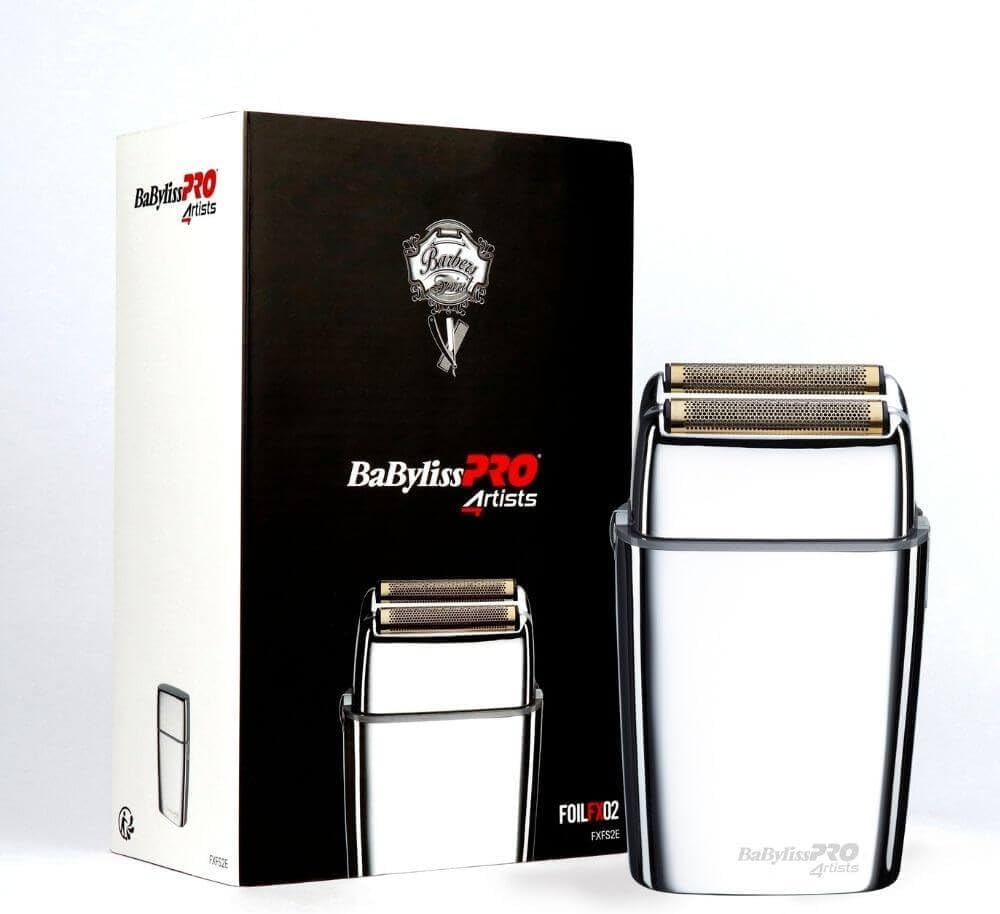
Image 1: BaBylissPRO FOILFX02 shaver with its original packaging.
4. Setup
4.1 Initial Charging
Before using your shaver for the first time, ensure it is fully charged. Connect the provided charging cable to the shaver's charging port and then to a suitable power outlet. A full charge provides approximately 3 hours of cordless operation.
4.2 Initial Inspection
Before each use, visually inspect the shaver for any signs of damage, especially to the foils. Do not use the shaver if any part appears damaged.
5. Operating Instructions
5.1 Powering On/Off
To turn on the shaver, slide the power switch located on the side of the device to the 'ON' position. To turn off, slide the switch back to the 'OFF' position.

Image 2: Side view of the shaver highlighting the power switch.
5.2 Shaving Technique
For optimal results, follow these steps:
- Ensure your skin is clean and dry.
- Gently place the shaver's foils flat against your skin.
- Move the shaver in short, smooth strokes, preferably against the direction of hair growth.
- Do not press too hard, as this can cause irritation or damage to the foils. The ergonomic design allows for comfortable and precise handling.

Image 3: The BaBylissPRO FOILFX02 shaver with its protective cap removed, revealing the double foils.
6. Maintenance
6.1 Cleaning
Regular cleaning is crucial for maintaining the shaver's performance and hygiene:
- Always turn off and unplug the shaver before cleaning.
- Carefully remove the foil head assembly.
- Use the provided cleaning brush to gently brush away hair clippings from the foils and cutters. Do not use water on the foils unless specified for wet/dry use (this model is not specified as wet/dry).
- Do not use harsh chemicals or abrasive cleaners.
- Replace the protective cap after cleaning to protect the foils.
6.2 Foil and Cutter Replacement
Over time, the foils and cutters may wear down, affecting shaving performance. For optimal results, replace them when you notice a decrease in efficiency or comfort. Replacement foils and cutters for this model are typically designated as BaByliss FXRF2.
7. Troubleshooting
If you encounter issues with your shaver, refer to the following common solutions:
- Shaver does not turn on: Ensure the shaver is fully charged. Connect it to the charging cable and allow sufficient time to charge.
- Poor shaving performance: Clean the foils and cutters thoroughly to remove any trapped hair. If performance does not improve, the foils and cutters may need to be replaced.
- Skin irritation: Ensure you are not pressing too hard against the skin. Shave in the direction that causes the least irritation. If irritation persists, consult a dermatologist.
- Unusual noise: Turn off the shaver and inspect the foils and cutters for any foreign objects or damage. If damage is found, do not use the shaver.
8. Specifications
| Brand | BaBylissPRO |
| Model Name | FOILFX02 |
| Model Number | 27724 |
| Product Dimensions (L x W x H) | 13.3 x 8.2 x 4 cm |
| Item Weight | 636 Grams |
| Power Source | Battery Powered |
| Battery Life | 3 hours |
| Blade Material | Stainless Steel |
| Color | Black |
| Special Feature | Ergonomic Design |
9. Warranty and Support
For detailed warranty information, terms, and conditions, please refer to the warranty card or documentation included with your original purchase. If you require technical assistance, replacement parts, or customer support, please contact BaBylissPRO customer service through their official website or the contact information provided in your product packaging.