
Philips 245E1S-00
Philips 245E1S Monitor User Manual
Model: 245E1S-00
1. Safety Information
Please read these safety instructions carefully before using your monitor. Keep this manual for future reference.
- Do not expose the monitor to rain or moisture.
- Do not block any ventilation openings. Install in accordance with the manufacturer's instructions.
- Do not install near any heat sources such as radiators, heat registers, stoves, or other apparatus (including amplifiers) that produce heat.
- Protect the power cord from being walked on or pinched, particularly at plugs, convenience receptacles, and the point where they exit from the apparatus.
- Only use attachments/accessories specified by the manufacturer.
- Unplug this apparatus during lightning storms or when unused for long periods of time.
- Refer all servicing to qualified service personnel. Servicing is required when the apparatus has been damaged in any way.
2. Package Contents
Verify that all items listed below are present in your package:
- Philips 245E1S Monitor Display
- Stand Base
- Stand Neck
- Power Cable
- HDMI Cable
- User Manual (this document)
3. Setup
3.1. Assembling the Monitor Stand
Follow these steps to assemble the monitor stand:
- Carefully place the monitor display face down on a soft, clean surface to prevent scratches.
- Attach the stand neck to the stand base, ensuring it clicks securely into place.
- Align the assembled stand with the mounting holes on the back of the monitor display.
- Gently push the stand into the monitor until it locks securely.
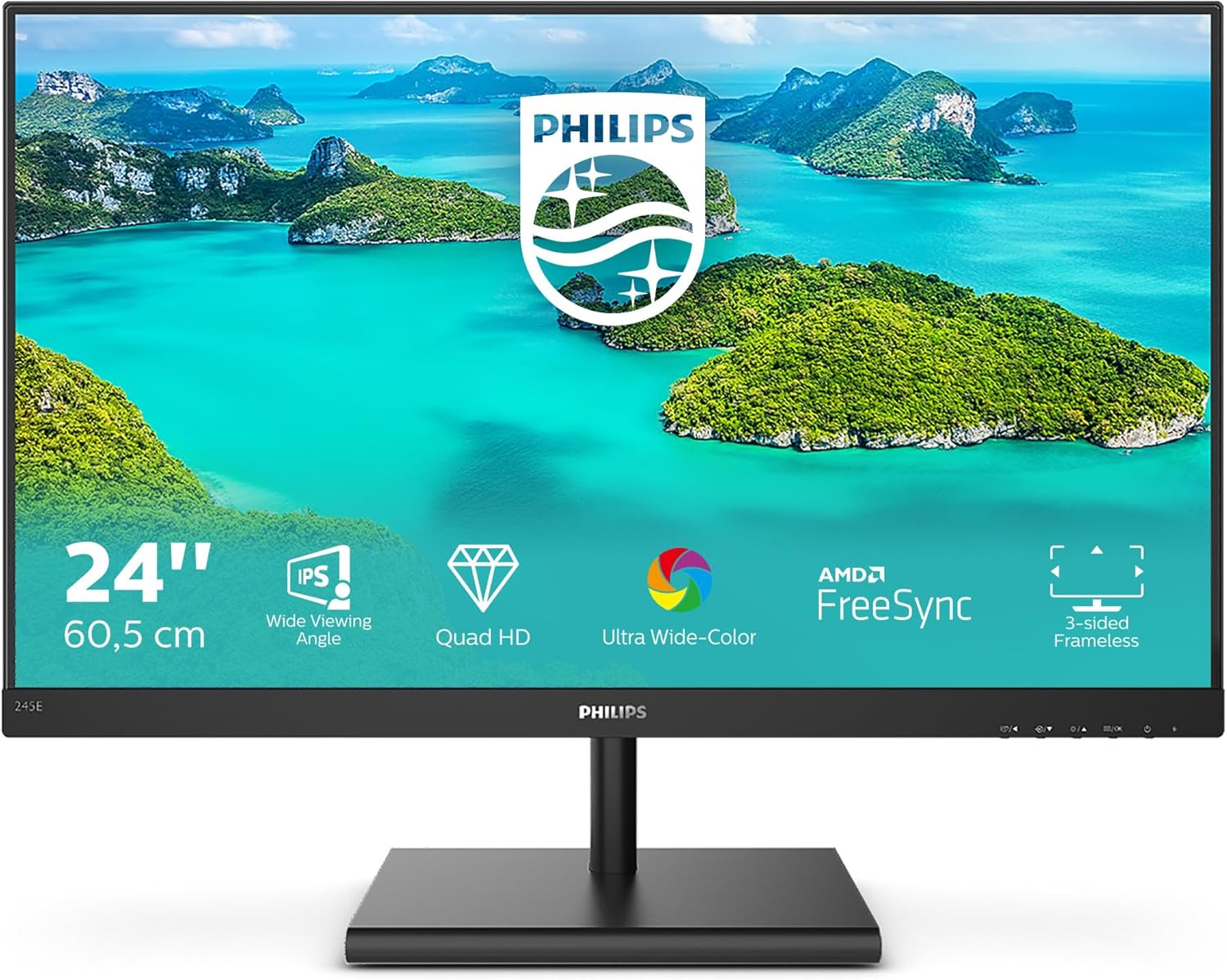
Figure 3.1: Front view of the Philips 245E1S monitor with the stand assembled.
3.2. Connecting Cables
Before connecting, ensure the monitor and your computer are powered off.
- Power Connection: Connect the power cable to the monitor's power input and then to a power outlet.
- Video Connection: Connect one end of the HDMI cable (or DisplayPort/VGA cable, depending on your source) to the corresponding port on the monitor and the other end to your computer's video output.
- Audio Output: If you wish to connect external speakers or headphones, connect them to the Audio Out port on the monitor. Note: This monitor does not have built-in speakers.

Figure 3.2: Rear view of the monitor with labeled input ports (HDMI, DisplayPort, VGA, Audio Out).
4. Operating the Monitor
4.1. Powering On/Off and OSD Navigation
The monitor features intuitive controls located on the bottom right side of the bezel.
- Power Button: Press to turn the monitor on or off.
- OSD Menu Buttons: Use the adjacent buttons to navigate the On-Screen Display (OSD) menu. These buttons typically allow you to select input sources, adjust picture settings, and access other monitor functions.
4.2. Adjusting Monitor Tilt
The Philips 245E1S monitor allows for tilt adjustment to optimize your viewing angle. Gently hold the top and bottom edges of the monitor and tilt it forward or backward within its range (-5 to 20 degrees).

Figure 4.1: Monitor tilt adjustment range.
4.3. Key Features
- IPS Wide Viewing Angle: Provides consistent image and color accuracy from virtually any angle.
- Quad HD (QHD) Resolution: Offers crisp, detailed images with 2560 x 1440 pixels, providing ample screen space for multitasking.
- Ultra Wide-Color: Delivers a wider spectrum of colors for a more vivid and lifelike picture.
- AMD FreeSync Technology: Synchronizes the monitor's refresh rate with your GPU's frame rate to eliminate screen tearing and stuttering for smooth gaming and video playback.
- FlickerFree Technology: Regulates brightness and reduces flicker, minimizing eye strain during prolonged use.
- SmartContrast: Philips technology that analyzes the content you are displaying, automatically adjusting colors and controlling backlight intensity to dynamically enhance contrast.
- 3-sided Frameless Design: Minimizes bezel distractions for a more immersive viewing experience, ideal for multi-monitor setups.
5. Maintenance
To ensure the longevity and optimal performance of your monitor, follow these cleaning guidelines:
- Always unplug the monitor from the power outlet before cleaning.
- Use a soft, lint-free cloth slightly dampened with water or a mild, non-abrasive screen cleaner.
- Gently wipe the screen and casing. Avoid applying excessive pressure.
- Do not use alcohol, ammonia, or abrasive cleaners, as these can damage the screen surface.
- Never spray liquid directly onto the screen.
6. Troubleshooting
If you encounter issues with your monitor, refer to the table below for common problems and their solutions.
| Problem | Possible Cause | Solution |
|---|---|---|
| No power / Power LED off | Power cable not connected or power outlet issue. | Ensure power cable is securely connected to monitor and power outlet. Check if the power outlet is working. |
| No image / "No Signal" message | Video cable not connected or incorrect input selected. | Check video cable connection between monitor and computer. Press the OSD button to select the correct input source (HDMI, DP, VGA). |
| Image is distorted or blurry | Incorrect resolution or refresh rate setting. | Set the display resolution to 2560 x 1440 and refresh rate to 75Hz in your computer's display settings. |
| OSD menu does not appear | Monitor is off or OSD buttons are not functioning. | Ensure the monitor is powered on. Try pressing the OSD menu button firmly. |
| Flickering screen | Refresh rate mismatch or external interference. | Ensure refresh rate is set to 75Hz. Check for strong electromagnetic interference sources nearby. |
7. Specifications
Detailed technical specifications for the Philips 245E1S monitor:
| Feature | Specification |
|---|---|
| Brand | Philips |
| Model | 245E1S-00 |
| Screen Size | 23.8 Inches |
| Resolution | 2560 x 1440 (QHD Wide 1440p) |
| Panel Type | IPS |
| Aspect Ratio | 16:9 |
| Refresh Rate | 75 Hz |
| Response Time | 10 Milliseconds |
| Image Contrast Ratio | 1000:1 |
| Connectivity | 1x HDMI, 1x DisplayPort, 1x VGA, Audio Out |
| Special Features | Adaptive Sync, Ultrawide Screen, FlickerFree, SmartContrast |
| Product Dimensions | 5.4 x 1.95 x 4.14 cm (Monitor only); 2.56 kg |
| Voltage | 240 Volts |
| Wattage | 17.94 watts |

Figure 7.1: Monitor dimensions (example values shown in image, refer to table for exact product dimensions).
8. Warranty and Support
For warranty information and technical support, please refer to the warranty card included with your product or visit the official Philips support website. You can typically find drivers, FAQs, and contact information for customer service there.
Online Support: www.philips.co.uk/support
Ask a question about this manual
Ask about setup, troubleshooting, compatibility, parts, safety, or missing instructions. Manuals+ will review the question and use this page’s manual context to help answer it.