
Introduction
Thank you for choosing the InstaTrack TS-502 Digital Body Composition Bathroom Scale. This manual provides essential information for the safe and effective use of your scale. Please read it thoroughly before first use and retain it for future reference.
This scale utilizes Bio-electrical Impedance Analysis (BIA) technology to estimate various body composition metrics. For accurate readings, it is important to follow the instructions carefully.
Setup
1. Battery Installation
Your InstaTrack TS-502 scale requires 2 AAA batteries, which are included. To install or replace batteries:
- Locate the battery compartment on the underside of the scale.
- Open the battery compartment cover.
- Insert the 2 AAA batteries, ensuring correct polarity (+/-).
- Close the battery compartment cover securely.

2. Initial Calibration
For the most accurate readings, calibrate the scale before first use and after moving it.
- Place the scale on a hard, flat surface. Avoid carpets or uneven flooring.
- Lightly step on the scale to turn it on, then immediately step off.
- The display will show '0.0' and then turn off. Calibration is complete.
3. Creating a User Profile
The InstaTrack TS-502 can store up to 8 user profiles. Creating a profile allows the scale to recognize you and provide personalized body composition data.
- Press the 'SET' button to enter user profile setup mode.
- Use the 'Up' or 'Down' arrows to select a user number (P1-P8). Press 'SET' to confirm.
- Set your height using the 'Up' or 'Down' arrows. Press 'SET' to confirm.
- Set your age. Press 'SET' to confirm.
- Select your gender (male/female). Press 'SET' to confirm.
- Choose between 'Normal' or 'Athlete' mode. Athlete mode is for individuals who engage in intense physical activity regularly. Press 'SET' to confirm and save your profile.
Watch the video below for a visual guide on setting up your user profile and other features:
Operation
1. Weighing Only Mode
To measure only your body weight:
- Ensure the scale is on a hard, flat surface.
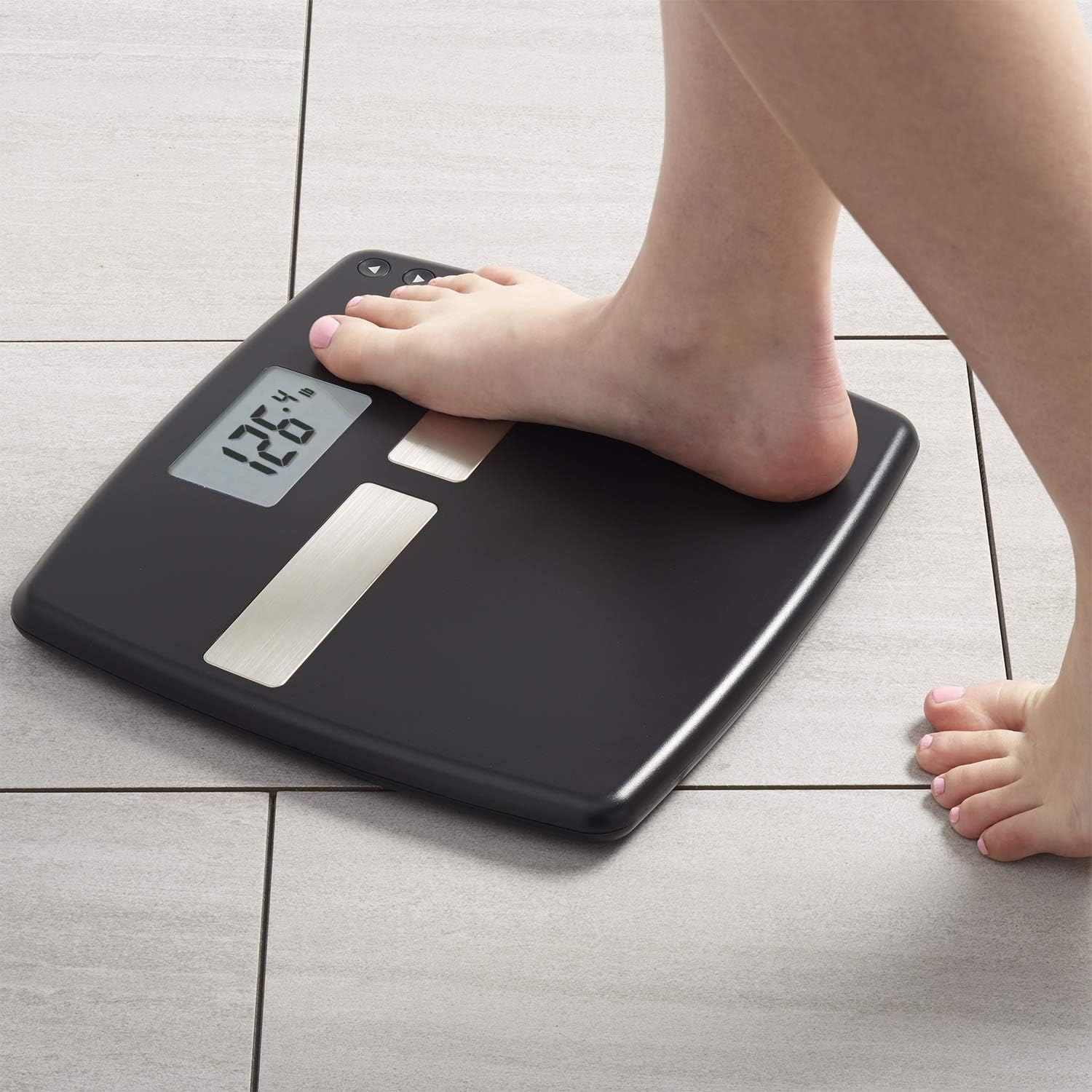
- Step onto the scale with both feet. The scale will automatically turn on and display your weight.
- Remain still until the weight reading stabilizes.
2. Body Composition Measurement
To measure body composition (body fat, body water, muscle mass, and Daily Calorie Estimator):
- Ensure your user profile is set up (see Setup section).
- Step onto the scale with bare, clean, and dry feet, ensuring they are positioned on the metal electrodes.
- The scale will automatically recognize your profile (if within 8 users) and display your weight, followed by body fat percentage, body water percentage, muscle mass percentage, and Daily Calorie Estimator.
- Remain still until all readings are displayed.

3. Athlete Mode
If you regularly engage in intense physical activity, select 'Athlete' mode during user profile setup. This mode uses a different algorithm for body composition calculation, providing more accurate results for individuals with higher muscle mass and lower body fat.
4. Daily Calorie Estimator
The scale provides a Daily Calorie Estimator, which is an approximation of the calories needed to maintain your current weight based on your body composition and activity level (Normal/Athlete mode). This is a guide and individual needs may vary.
Maintenance
1. Cleaning
To clean your scale:
- Wipe the surface with a soft, damp cloth.
- Do not use abrasive cleaners or harsh chemicals, as these can damage the scale's surface and electronic components.
- Avoid getting water inside the scale.
2. Storage
Store the scale in a cool, dry place, away from direct sunlight and extreme temperatures. Ensure it is placed flat to prevent damage to the sensors.
3. Battery Replacement
When the battery indicator appears on the display, replace the batteries as described in the 'Battery Installation' section.
Troubleshooting
- Inconsistent Readings: Ensure the scale is placed on a hard, flat, and stable surface. Carpets or uneven floors can affect accuracy. Re-calibrate the scale by stepping on and off until '0.0' appears. Ensure your feet are clean and dry when taking body composition measurements.
- 'Err' Message: This typically indicates an error during body composition measurement. Ensure your bare feet are making good contact with the metal electrodes. If the issue persists, re-calibrate the scale.
- No Display: Check if the batteries are correctly installed and not depleted. Replace batteries if necessary.
- Scale Does Not Turn On: Lightly tap the scale or step on it briefly to activate. If it still doesn't turn on, check the batteries.
Specifications
| Brand | Instatrack |
| Model Number | TS-502 |
| Color | Black |
| Special Features | Body Fat, Bodyweight, Muscle Mass, Daily Calorie Estimator, User Recognition |
| Display Type | LCD |
| Weight Limit | 400 Pounds (181 kg) |
| Weight Increments | 0.2 lb (0.1 kg) |
| Material | Plastic with Tempered Glass Core |
| Item Weight | 4 Pounds |
| Product Dimensions | 12.5 x 12 x 0.8 inches |
| Batteries | 2 AAA batteries (included) |
| User Profiles | Up to 8 |
Warranty and Support
Warranty Information
The InstaTrack TS-502 Digital Body Composition Bathroom Scale comes with a 2-year limited warranty from the date of purchase. This warranty covers manufacturing defects under normal use. Please retain your proof of purchase for warranty claims.
Product Support
For any questions, technical assistance, or warranty inquiries, please contact our customer support team:
- Phone: 1-800-INSTATRACK (This is a placeholder, please refer to your product packaging for the exact number)
- Email: help@instatrack.com
- Website: www.instatrack.com