
Introduction
This manual provides essential information for the safe and efficient use of your Sony UBP-X800M2 4K UHD Blu-ray Player. Please read it thoroughly before operating the unit and retain it for future reference. The UBP-X800M2 offers advanced features including 4K Ultra HD playback, High Dynamic Range (HDR) support, Dolby Atmos, DTS:X, and High-Resolution Audio with DSEE HX.
Safety Information
WARNING: To reduce the risk of fire or electric shock, do not expose this apparatus to rain or moisture. To avoid electric shock, do not open the cabinet. Refer servicing to qualified personnel only.
- Ensure proper ventilation to prevent overheating.
- Do not place heavy objects on the player.
- Avoid exposing the unit to direct sunlight, heat sources, or excessive dust.
- Disconnect the power cord from the wall outlet if the unit is not to be used for an extended period.
Package Contents
Verify that all items listed below are included in your package:
- Sony UBP-X800M2 4K UHD Blu-ray Player
- Remote Control (RMT-VB310U)
- AAA Batteries (x2)
- High-Speed HDMI Cable (6ft)
- AC Power Cord
- Instruction Manual (this document)

Image: The Sony UBP-X800M2 Blu-ray player shown with the included HDMI cable.
Setup
1. Physical Connections
Follow these steps to connect your Blu-ray player to your television and audio system.
- Connect to TV: Use the supplied High-Speed HDMI cable to connect the player's HDMI OUT (VIDEO/AUDIO) port to an HDMI input on your TV. For 4K HDR content, ensure your TV's HDMI input supports HDCP 2.2 and is configured for enhanced HDMI format (e.g., "Enhanced Format" or "HDMI UHD Deep Color").
- Connect to Audio System (Optional):
- For multi-channel audio (Dolby Atmos, DTS:X), connect the player's HDMI OUT (AUDIO ONLY) port to an HDMI input on your AV receiver.
- Alternatively, use the DIGITAL OUT (COAXIAL) or DIGITAL OUT (OPTICAL) port to connect to an audio receiver for digital audio.
- Network Connection:
- Wired: Connect an Ethernet cable from the player's LAN port to your router or network hub.
- Wireless: The player supports Wi-Fi. You will configure this during initial setup.
- Power Connection: Connect the AC power cord to the player's AC IN port, then plug the other end into a wall outlet.
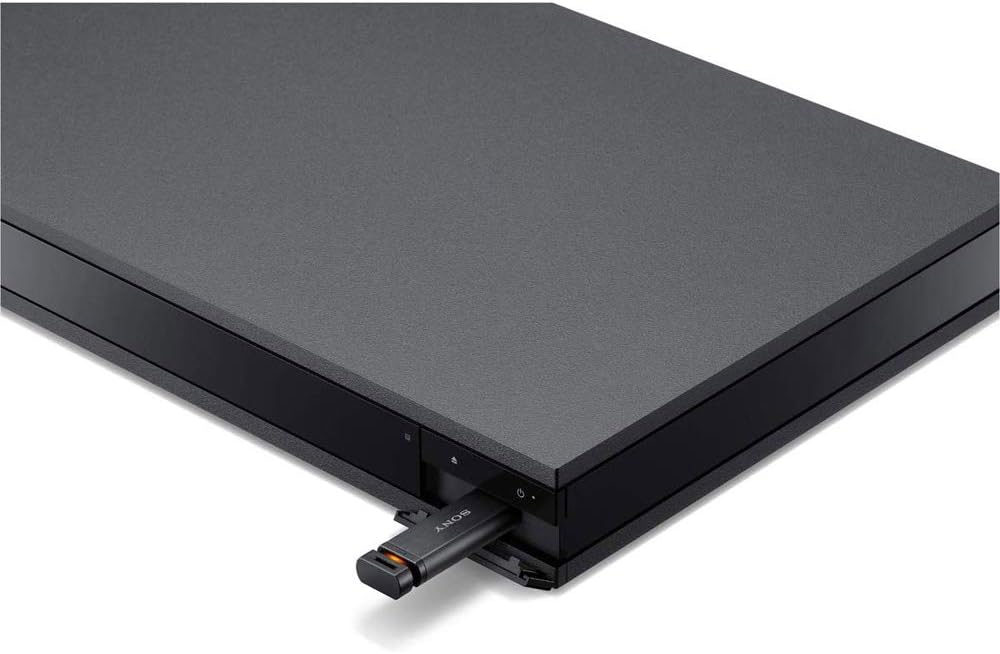
Image: Rear panel connections of the Sony UBP-X800M2 Blu-ray player, including HDMI outputs, LAN port, and digital audio outputs.

Image: A high-speed HDMI cable, essential for connecting the player to a display or audio receiver.
2. Initial Settings
After connecting the player and turning on your TV, power on the Blu-ray player. The initial setup wizard will guide you through:
- Language selection
- Network setup (wired or wireless)
- Video output settings
- Audio output settings
Operating Instructions
1. Basic Disc Playback
- Power on the player and your TV.
- Press the OPEN/CLOSE button on the front panel or remote control to open the disc tray.
- Place a disc (Blu-ray, DVD, or CD) gently onto the disc tray with the label side facing up.
- Press the OPEN/CLOSE button again to close the tray.
- The player will automatically begin playback or display the disc menu. Use the arrow keys and ENTER button on the remote to navigate menus.
- Use the PLAY, PAUSE, STOP, PREV, and NEXT buttons for playback control.

Image: The remote control for the Sony UBP-X800M2, featuring playback controls, navigation, and dedicated service buttons.

Image: A hand carefully placing a Blu-ray disc into the open disc tray of the player.
2. Advanced Features
- 4K HDR Playback: The player supports 4K Ultra HD Blu-ray discs and High Dynamic Range (HDR10, Dolby Vision). Ensure your TV and HDMI cable are compatible for optimal performance. The player can also convert HDR to SDR for non-HDR displays.
- Dolby Atmos & DTS:X: Experience immersive surround sound with compatible audio systems. Connect via HDMI OUT (AUDIO ONLY) to an AV receiver that supports these formats.
- High-Resolution Audio with DSEE HX: Enjoy superior audio quality. The Digital Sound Enhancement Engine HX (DSEE HX) upscales existing audio to near High-Resolution Audio quality.
- Streaming Services: Access popular streaming applications directly from the player's home menu. A stable internet connection is required.

Image: A television screen displaying various 4K streaming service applications, accessible through the Blu-ray player.

Image: The Dolby Atmos logo, indicating support for immersive audio technology.

Image: A diagram illustrating the benefits of High-Resolution Audio and DSEE HX technology, showing increased data transmission compared to standard audio formats.
Maintenance
- Cleaning the Unit: Wipe the exterior of the player with a soft, dry cloth. Do not use abrasive pads, scouring powder, or solvents such as alcohol or benzene.
- Cleaning Discs: Wipe discs with a soft cloth from the center outwards. Do not use solvents.
- Software Updates: Periodically check for and install software updates to ensure optimal performance and access to the latest features. Updates can typically be performed via the network connection in the player's settings menu.
Troubleshooting
If you encounter issues with your player, refer to the following common solutions:
| Problem | Solution |
|---|---|
| No power | Ensure the AC power cord is securely connected to both the player and a working wall outlet. |
| No picture on TV |
|
| No sound |
|
| Disc playback freezes or skips |
|
| Remote control not working |
|
Specifications
| Feature | Detail |
|---|---|
| Model Name | UBP-X800M2 |
| Product Dimensions (W x H x D) | 16.9 x 2 x 10.4 inches (430 x 50 x 265 mm) |
| Item Weight | 8.5 pounds (3.8 kg) |
| Supported Media Types | 4K Ultra HD Blu-ray, Blu-ray Disc, DVD, CD, SACD, DVD-Audio |
| Video Resolution | Up to 3840x2160 (4K UHD) |
| HDR Support | HDR10, Dolby Vision (firmware update may be required) |
| Audio Output Modes | Dolby Atmos, DTS:X, High-Resolution Audio, DSEE HX |
| Connectivity | 2x HDMI (1x Video/Audio, 1x Audio Only), 1x Digital Coaxial Audio Out, 1x Digital Optical Audio Out, 1x USB, 1x Ethernet (LAN), Wi-Fi (2.4GHz/5GHz) |
| Special Features | 4K High Dynamic Range, HDR to SDR Conversion, High-Resolution Audio Playback, Versatile Connectivity, Anti-vibration construction |
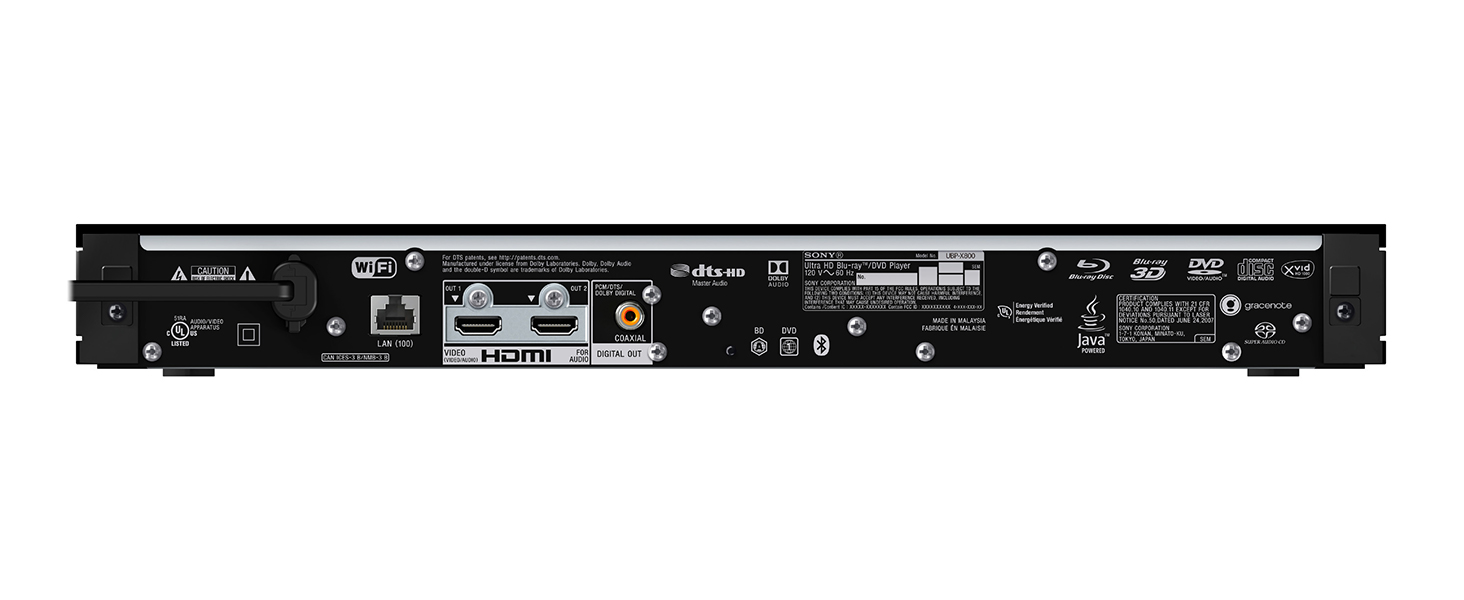
Image: An internal view of the player's chassis, highlighting its anti-vibration construction designed for clearer sound.
Warranty and Support
For warranty information, product registration, and technical support, please visit the official Sony support website or contact Sony customer service. Specific warranty terms may vary by region and purchase location.
Online Support: www.sony.com/electronics/support


