Product Overview
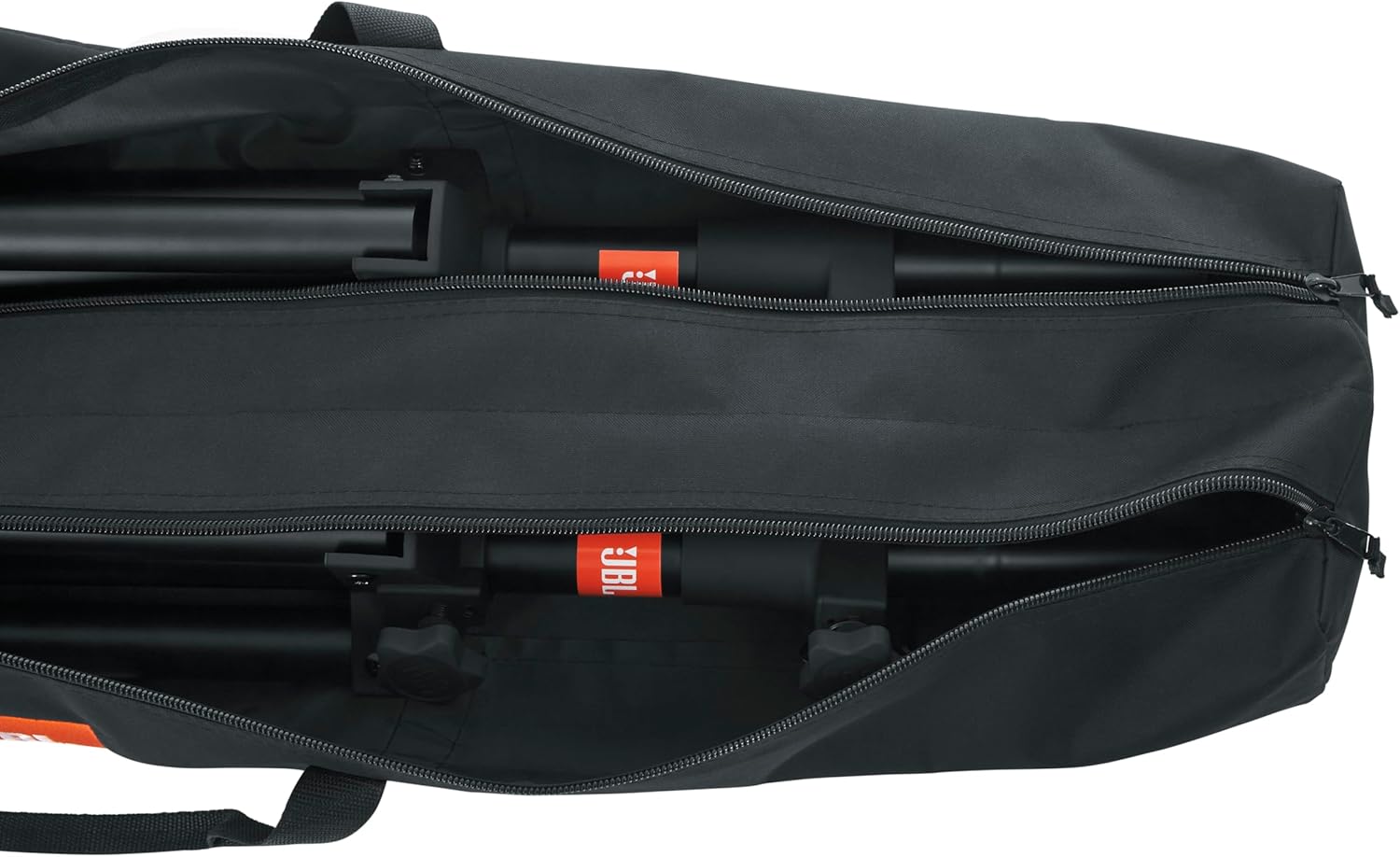
This manual provides instructions for the JBL Standard Speaker Stand Set, model JBLSPKSTMASET. This set includes two lightweight aluminum speaker stands and a double speaker stand carry bag. The stands are designed to provide stable support for loudspeakers, featuring adjustable height and a dual-diameter pole for compatibility with various speaker mounts.

An official JBL Professional video showcasing various speaker accessories, including speaker stands, highlighting their features and design.
Safety Information
Adhering to these safety guidelines is crucial for preventing accidents and ensuring the longevity of your equipment.
- Always ensure the stand legs are fully extended and locked before mounting a speaker.
- Do not exceed the maximum load capacity of 60 lbs (27 kg) per stand.
- Distribute the speaker's weight evenly on the stand.
- Avoid placing stands in high-traffic areas where they could be easily knocked over.
- Regularly inspect stands for any signs of wear or damage before use.
- The red safety trim on the feet is removable but recommended for enhanced visibility.

Setup and Assembly
Follow these steps to correctly assemble and set up your JBL speaker stands.
- Unpacking: Carefully remove all components from the carry bag. The set includes two speaker stands and one double speaker stand bag.
- Extending the Legs: Place the stand on a flat, stable surface. Loosen the leg adjustment knob and gently pull the legs outwards until they are fully extended and form a stable tripod base. Tighten the knob securely.
- Adjusting Height: Loosen the height adjustment knob on the main pole. Carefully raise the inner pole to the desired height. Ensure the safety pin engages in one of the pre-drilled holes for secure positioning. Tighten the height adjustment knob firmly.
- Mounting the Speaker: The stand features a dual-diameter inner tube (35mm and 38mm) to accommodate various speaker pole mounts. Carefully place your speaker onto the top pole of the stand, ensuring it is seated firmly and securely.


Operation
Once assembled and the speaker is mounted, ensure all knobs are tightened and the stand is stable. Periodically check the stability during use, especially in dynamic environments. Always ensure the speaker's center of gravity is directly over the stand for maximum stability.
Care and Maintenance
Proper care and maintenance will extend the life of your speaker stands.
- Cleaning: Wipe down the stands with a soft, damp cloth. Avoid abrasive cleaners or solvents that could damage the finish.
- Storage: When not in use, collapse the stands and store them in the provided carry bag to protect them from dust and scratches. Store in a dry environment.
- Inspection: Before each use, inspect all parts for any signs of damage, loose fasteners, or excessive wear. Do not use damaged equipment.

Troubleshooting
Common issues and their solutions.
Stand Instability
- Issue: Stand wobbles or feels unstable.
- Solution: Ensure the legs are fully extended and the leg adjustment knob is securely tightened. Verify the stand is on a flat, level surface. Check that the speaker's weight is within the stand's capacity and evenly distributed.
Difficulty Adjusting Height
- Issue: Inner pole is difficult to raise or lower.
- Solution: Loosen the height adjustment knob completely. Ensure the safety pin is disengaged. Check for any obstructions or debris in the pole mechanism. Do not force the adjustment.
Specifications
Key technical details for the JBL Standard Speaker Stand Set.
| Feature | Detail |
|---|---|
| Model Number | JBLSPKSTMASET |
| Material | Aluminum |
| Color | Black |
| Minimum Height | 48 inches (1219 mm) |
| Maximum Height | 81 inches (2057 mm) |
| Load Capacity | 60 lbs (27 kg) |
| Pole Diameter | Dual (35mm and 38mm) |
| Item Weight (per stand) | Approximately 6.44 lbs (2.92 kg) |
| Product Dimensions (collapsed) | 46.5 x 12.75 x 6.75 inches (118.1 x 32.4 x 17.1 cm) |

Warranty and Support
For warranty information and customer support, please refer to the official JBL website or contact your authorized JBL dealer. Keep your proof of purchase for warranty claims.
For additional product information and accessories, visit the JBL Store on Amazon.


