
Introduction
Thank you for choosing the InstaTrack Digital Bathroom Scale, Model TS-703. This scale is designed to provide accurate body weight measurements and features a convenient weight tracking function for up to two users. Its durable tempered glass platform and bright blue backlit LCD display ensure ease of use and readability. Please read this manual thoroughly before use to ensure proper operation and maintenance.
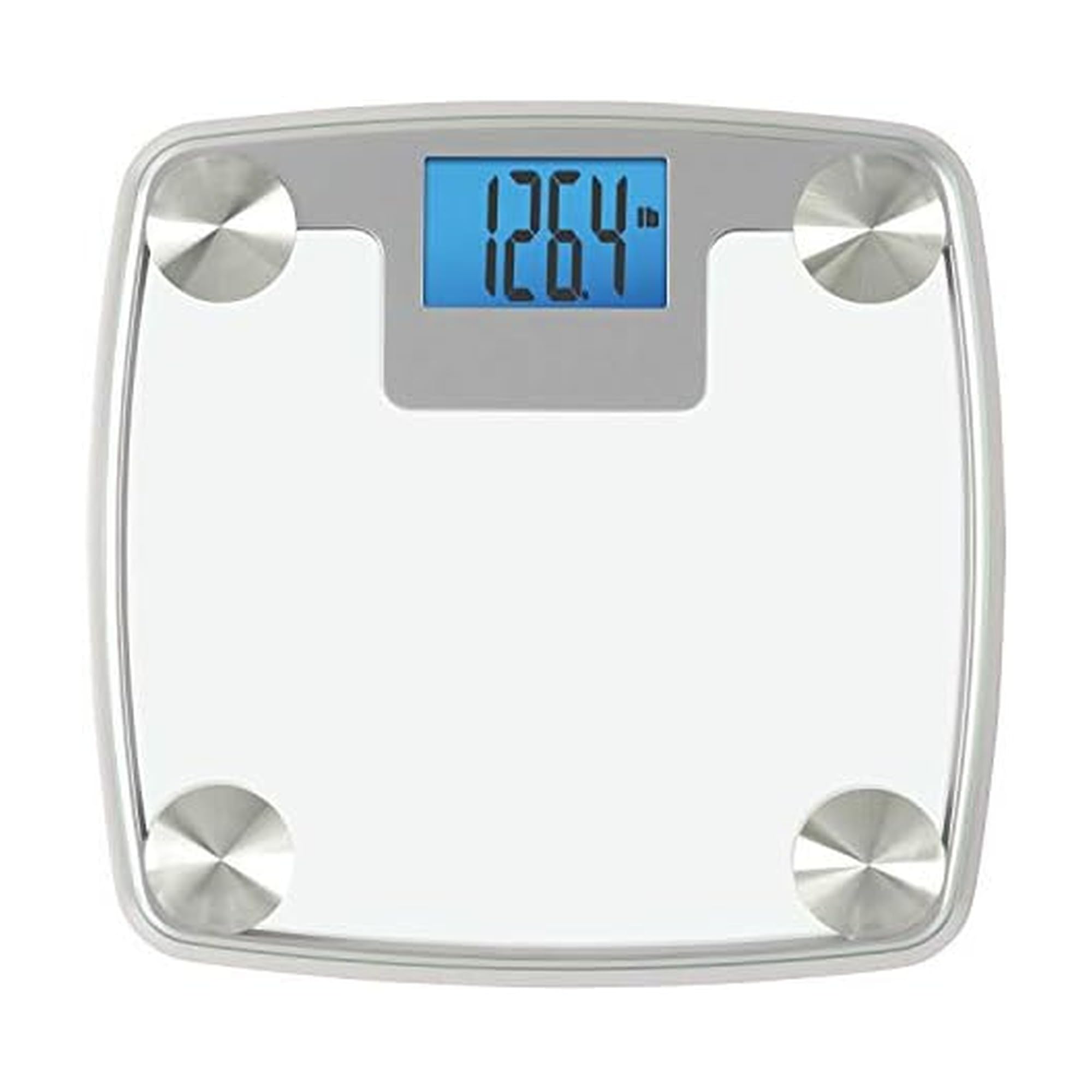
Figure 1: Top view of the InstaTrack Digital Bathroom Scale TS-703.
Setup
- Unpacking: Carefully remove the scale from its packaging. Inspect for any damage.
- Battery Installation:
The scale requires 3 AAA batteries, which are included. Locate the battery compartment on the underside of the scale. Open the cover, insert the batteries according to the polarity indicators (+/-), and close the cover securely.

Figure 2: Bottom view of the scale with the battery compartment.
- Placement:
For accurate readings, place the scale on a hard, flat, and stable surface. Avoid carpets or uneven flooring, as this can affect accuracy.

Figure 3: Side view of the scale, illustrating its low profile.
- Initial Calibration:
Before first use or if the scale has been moved, it is recommended to calibrate it. Briefly step on the scale to turn it on, then step off. The display will show '0.0' and then turn off, indicating successful calibration.
Operating Instructions
- Taking a Weight Reading:
Ensure the scale is on a hard, flat surface. Step onto the scale with bare feet, standing still and centered. The display will show your weight. The scale features 'Instant On' technology, so no tapping is required.

Figure 4: Taking a weight measurement on the scale.
- Weight Tracking Function (for up to 2 users):
The scale can store and track weight for two individual users. When you step on the scale, it will automatically recognize the user and display the difference from your previous weight. To select a user number (P1 or P2), gently tap the scale to turn it on, then press the button on the side or back of the scale to cycle between P1 and P2 before stepping on. The scale will then display your current weight, followed by your previous weight and the difference.
- Unit Conversion (lbs/kg):
The scale can display weight in pounds (lb) or kilograms (kg). To switch between units, locate the unit switch button on the underside of the scale, usually near the battery compartment. Press it to toggle between the desired units.
Maintenance
- Cleaning: Clean the scale with a damp cloth and mild detergent. Do not use abrasive cleaners or immerse the scale in water.
- Storage: Store the scale in a dry place at room temperature. Avoid extreme temperatures or high humidity.
- Battery Replacement: When the display shows 'Lo', it indicates low battery. Replace all 3 AAA batteries with new ones, ensuring correct polarity.
Troubleshooting
- 'Lo' on Display: Indicates low battery. Replace batteries.
- 'Err' on Display: Indicates an overload (weight exceeds 440 lbs / 200 kg) or an unstable reading. Step off the scale and try again.
- Inaccurate Readings:
- Ensure the scale is on a hard, flat surface.
- Recalibrate the scale by stepping on and off until '0.0' appears.
- Ensure you are standing still and centered on the scale.
- No Display: Check if batteries are correctly installed or need replacement.
Specifications
| Model Number | TS-703 |
| Brand | Instatrack |
| Weight Limit | 440 Pounds (200 kg) |
| Readout Accuracy | 0.2 Pounds (0.1 kg) |
| Display Type | LCD with Blue Backlight |
| Material | Tempered Glass, Stainless Steel |
| Product Dimensions | 13.23 x 13.66 x 2.24 inches |
| Item Weight | 3.74 pounds |
| Batteries | 3 AAA batteries (included) |
| Special Feature | Auto Shut Off, Weight Tracking Technology |

Figure 5: High-precision strain gauge sensors for accurate readings.
Product Video
Official product video demonstrating the features and operation of the InstaTrack Digital Bathroom Scale, including weight tracking and calibration.
Warranty and Support
The InstaTrack Digital Bathroom Scale comes with a 2-year limited warranty. For product support, please refer to the contact information provided with your purchase or visit the official Instatrack website. Our support team is available to assist with any questions or issues you may encounter.


