
Introduction
Thank you for choosing the BENYAR Chronograph Quartz Watch Model BY5140. This manual provides detailed instructions for setting up, operating, and maintaining your watch to ensure its longevity and accurate performance. Please read this manual carefully before using your watch.
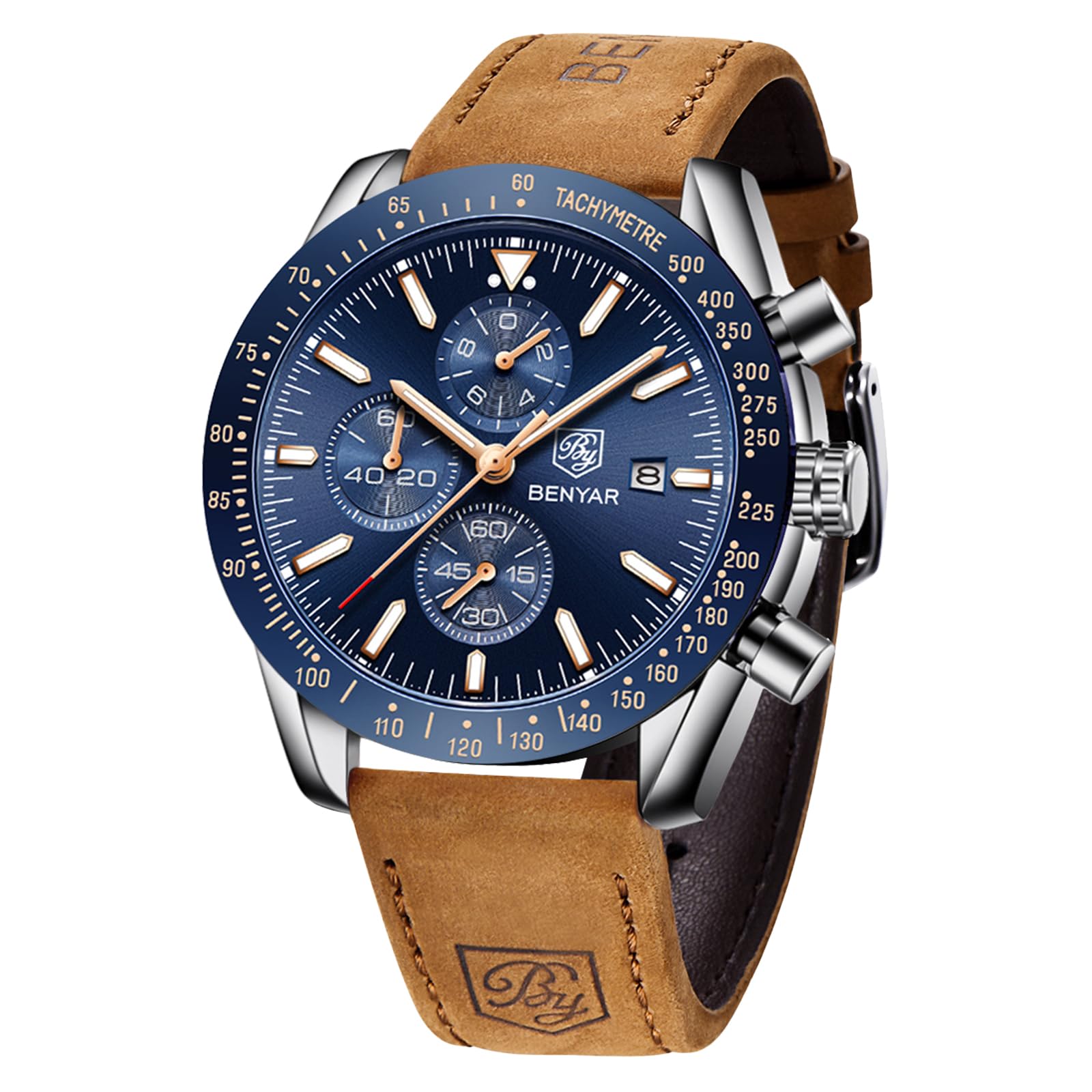
Image: BENYAR Chronograph Quartz Watch BY5140 with blue dial and brown leather strap.
Product Overview
Components and Functions
Your BENYAR BY5140 watch features a multi-functional design. Familiarize yourself with the main components:
- Crown (Middle Button): Used for setting time and date.
- Upper Pusher: Used to start and stop the chronograph.
- Lower Pusher: Used to reset the chronograph.
- Sub-dials: Include 1/10 second, minute, and second indicators for chronograph function.
- Date Window: Displays the current date.

Image: Diagram illustrating the watch's buttons and sub-dial functions.
Key Features
- Durable Construction: Stainless steel case with a genuine leather strap.
- Scratch-Resistant Dial: Protected by high-hardness mineral glass.
- Water Resistance: Rated for 30 meters (3ATM), suitable for splashes and rain.
- Luminous Display: Hands and markers feature a luminous effect for visibility in low light.

Image: Visual representation of 30M water resistance, high hardness mineral glass, luminous effect, and durable leather strap.
Setup
Setting the Time
- Pull the crown (middle button) out to the second click position.
- Turn the crown to adjust the hour and minute hands to the desired time.
- Push the crown back in to the normal position to start the watch.
Setting the Date
- Pull the crown (middle button) out to the first click position.
- Turn the crown clockwise or counter-clockwise to adjust the date.
- Once the correct date is set, push the crown back in to the normal position.
Important: To prevent damage to the date mechanism, avoid setting the date between 9:00 PM and 1:00 AM.
Resetting the Chronograph Hands to Zero
If the chronograph second hand is not aligned to the "0" (zero) position:
- Pull the crown (middle button) out completely to the second click position.
- Press the lower pusher repeatedly until the chronograph second hand returns to the "0" position. Press the button once at a time; do not hold it down continuously.
- Once aligned, push the crown back in to the normal position.
Operating the Chronograph
The chronograph function allows you to measure elapsed time.
- Start: Press the upper pusher to start the chronograph. The chronograph second hand will begin to move.
- Stop: Press the upper pusher again to stop the chronograph. The elapsed time will be displayed on the sub-dials.
- Reset: After stopping the chronograph, press the lower pusher to reset all chronograph hands back to their "0" positions.
Maintenance
General Care
- Clean your watch regularly with a soft, dry cloth to remove dust and dirt.
- Avoid exposing the watch to strong magnetic fields, as this can affect timekeeping accuracy.
- Keep the watch away from harsh chemicals, solvents, and detergents, which can damage the case, strap, or seals.
Water Resistance Guidelines
Your BENYAR BY5140 watch is water-resistant to 30 meters (3ATM). This means it is suitable for daily use and can withstand splashes, rain, and brief immersion in water. However, it is not suitable for showering, swimming, diving, or any water sports where it might be submerged for extended periods or exposed to high-pressure water.
Caution: Do not operate the crown or pushers when the watch is wet or submerged, as this can compromise the water resistance.

Image: Water resistance chart for various ATM ratings.
Battery Information
The watch is powered by one LR44 battery (included). When the battery runs low, the watch may lose accuracy or stop. It is recommended to have the battery replaced by a qualified watch technician to ensure proper sealing and water resistance.
Troubleshooting
- Watch not running: Check if the crown is pushed in completely. If the watch still does not run, the battery may need replacement.
- Chronograph hands not resetting to zero: Follow the instructions in the "Resetting the Chronograph Hands to Zero" section under Setup.
- Date not changing: Ensure the time is set correctly (AM/PM). Avoid setting the date between 9:00 PM and 1:00 AM.
- Water inside the watch: If you notice condensation or water droplets inside the watch, stop using it immediately and seek professional service. This indicates a breach in water resistance.
Specifications
| Model Number | BY5140 |
| Brand | BY BENYAR |
| Movement Type | Quartz |
| Display Type | Analog |
| Case Material | Stainless Steel |
| Case Diameter | 45 mm |
| Case Thickness | 14 mm |
| Dial Window Material | Hardlex Mineral Glass |
| Band Material | Genuine Leather |
| Band Width | 22 mm |
| Band Length | 220 mm |
| Clasp Type | Buckle |
| Water Resistance Depth | 30 Meters (3ATM) |
| Power Source | Battery (1 x LR44 included) |

Image: Product dimensions and parameters.
Warranty and Support
BY BENYAR is committed to 100% customer satisfaction. If you encounter any issues or have questions regarding your watch, please do not hesitate to contact us. We aim to respond to all inquiries within 24 hours.
For support, please refer to the contact information provided with your purchase or visit the official BY BENYAR website.