
Introduction
This manual provides essential instructions for the safe and efficient operation of your Daewoo KOR07R3ZER Microwave. Please read this manual thoroughly before using the appliance and retain it for future reference. This 0.7 cubic feet, 700-watt microwave features a retro design, Concave Reflex System (C.R.S) for even cooking, a child safety lock, and a Zero On energy-saving function.
Important Safety Instructions
When using electrical appliances, basic safety precautions should be followed, including the following:
- Read all instructions before using the appliance.
- Do not operate the microwave if the cord or plug is damaged, if it is not working properly, or if it has been damaged or dropped.
- Do not heat liquids or other foods in sealed containers as they are liable to explode.
- Do not use corrosive chemicals or vapors in this appliance.
- Ensure proper ventilation around the microwave. Do not block any ventilation openings.
- Do not allow the cord to hang over the edge of a table or counter, or touch hot surfaces.
- Always ensure the turntable and roller ring are correctly positioned before operation.
- Do not attempt to operate this oven with the door open as this can result in harmful exposure to microwave energy.
- Close supervision is necessary when the appliance is used by or near children.
- Only use utensils suitable for microwave ovens.
- Do not overcook food.
- Do not store anything directly on top of the microwave oven when it is in operation.
Setup
Unpacking
Carefully remove the microwave oven and all packing materials from the carton. Check the oven for any damage, such as dents or a misaligned door. If any damage is observed, do not operate the oven and contact your dealer immediately.
Ensure all included components are present:
- Microwave Oven Unit
- Glass Turntable
- Roller Ring
- Instruction Manual (this document)
Placement
Place the microwave on a flat, stable surface that can support its weight and the heaviest food item likely to be cooked in it. Ensure there is adequate ventilation space around the unit:
- Minimum 4 inches (10 cm) of space on the top, sides, and rear.
- Do not place the microwave near heat sources or in damp areas.

Image: Side view of the Daewoo KOR07R3ZER Microwave, illustrating its compact design suitable for countertop placement. Note the ventilation slots on the side.
Power Connection
Plug the microwave into a dedicated 120V AC, 60Hz grounded electrical outlet. Do not use extension cords or adapters.
Turntable Installation
Place the roller ring in the center of the microwave oven floor. Position the glass turntable securely on top of the roller ring, ensuring it sits properly in the center hub.

Image: Interior view of the microwave showing the glass turntable and roller ring correctly placed on the oven floor.
Operating Instructions
Your Daewoo KOR07R3ZER microwave features intuitive controls for various cooking functions.

Image: Front view of the microwave, displaying the control panel with the digital timer, function dial, and control buttons.
Control Panel Overview
- Digital Display: Shows time, power level, and cooking indicators.
- Function Dial: Used to select cooking time, weight for defrost, or auto-cook options.
- Auto Cook Button: Selects pre-programmed cooking options.
- Defrost Button: Initiates defrosting by weight or time.
- Power Level Button: Adjusts microwave power output.
- Start/+30sec Button: Starts cooking or adds 30 seconds to cooking time.
- Stop/Clear Button: Stops cooking, clears settings, or cancels operation.
Basic Microwave Cooking
- Place food in a microwave-safe container on the turntable.
- Close the door securely.
- Turn the Function Dial to set the desired cooking time. The maximum cooking time is 99 minutes 99 seconds.
- Press the "Start/+30sec" button to begin cooking.
Adjusting Power Level (5 Levels)
By default, the microwave cooks at 100% power. To adjust:
- Set the desired cooking time using the Function Dial.
- Press the "Power Level" button repeatedly to cycle through the 5 power levels (P100, P80, P60, P40, P20).
- Press "Start/+30sec" to begin cooking.
Auto Cook Functions (5 Options)
The microwave has 5 pre-programmed auto-cook options for common foods:
- 1. Beverage
- 2. Baked Potato
- 3. Dinner Plate
- 4. Fresh Vegetable
- 5. Frozen Vegetable
- Place food in the microwave.
- Press the "Auto Cook" button repeatedly to select the desired food item.
- Turn the Function Dial to select the quantity or weight (refer to the display for specific options).
- Press "Start/+30sec" to begin.
2-Way Defrost (by Weight or Time)
This feature allows defrosting food based on its weight or a set time.
Defrost by Weight:
- Place frozen food in the microwave.
- Press the "Defrost" button once. The display will show "dEF1".
- Turn the Function Dial to select the weight of the food (e.g., 0.1 to 2.0 kg).
- Press "Start/+30sec" to begin defrosting.
Defrost by Time:
- Place frozen food in the microwave.
- Press the "Defrost" button twice. The display will show "dEF2".
- Turn the Function Dial to set the desired defrosting time.
- Press "Start/+30sec" to begin defrosting.
Child Safety Lock
To activate the child safety lock:
- Press and hold the "Stop/Clear" button for 3 seconds. A lock indicator will appear on the display.
To deactivate the child safety lock:
- Press and hold the "Stop/Clear" button for 3 seconds. The lock indicator will disappear.
Zero On Energy Saving Function
This microwave is equipped with a Zero On energy-saving function to minimize standby power consumption. When the microwave is not in use for a period, it will automatically enter a low-power state. To reactivate, simply open the door or press any button.
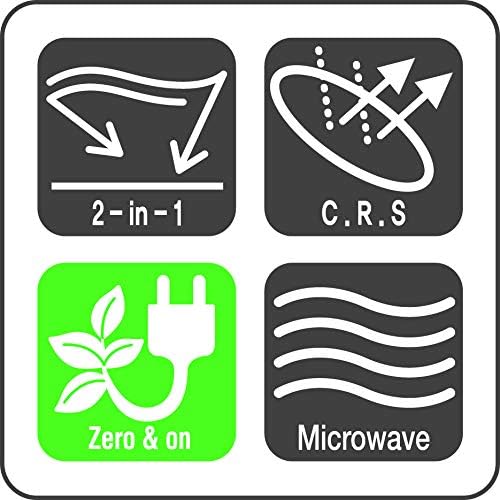
Image: Icons illustrating key features such as the 2-in-1 defrost, Concave Reflex System (C.R.S), and Zero On energy-saving technology.
Maintenance and Cleaning
Regular cleaning and maintenance will ensure the longevity and optimal performance of your microwave oven.
Exterior Cleaning
- Wipe the exterior with a damp cloth and mild detergent.
- Avoid abrasive cleaners or harsh chemicals.
Interior Cleaning
- Clean the interior cavity after each use to prevent food splatters from drying and hardening.
- Use a damp cloth with mild soap. For stubborn stains, place a bowl of water with lemon slices inside and microwave for 2-3 minutes to loosen residue, then wipe clean.
- Do not use abrasive pads or steel wool.
Turntable and Roller Ring
- The glass turntable and roller ring can be removed for cleaning.
- Wash them in warm, soapy water or in the dishwasher.
- Ensure they are completely dry before placing them back in the oven.
Troubleshooting
If you encounter issues with your microwave, refer to the following common problems and solutions:
| Problem | Possible Cause | Solution |
|---|---|---|
| Microwave does not start. | Door not closed properly; Plug not inserted; Fuse blown or circuit breaker tripped; Child lock activated. | Ensure door is firmly closed; Check plug connection; Reset circuit breaker or replace fuse; Deactivate child lock. |
| Food not heating. | Incorrect cooking time/power level; Door not closed properly. | Adjust time/power; Ensure door is firmly closed. |
| Turntable not rotating. | Turntable or roller ring not positioned correctly; Debris under turntable. | Reposition turntable and roller ring; Clean under the turntable. |
| Unusual noise during operation. | Turntable or roller ring not positioned correctly; Foreign object inside. | Reposition turntable and roller ring; Check for and remove any foreign objects. |
If the problem persists after attempting these solutions, please contact Daewoo customer service for assistance.
Specifications
| Feature | Detail |
|---|---|
| Brand | Daewoo |
| Model Name | KOR07R3ZER |
| Capacity | 0.7 Cubic Feet |
| Wattage | 700 watts |
| Voltage | 120 Volts (AC) |
| Color | Red |
| Installation Type | Countertop |
| Number of Power Levels | 5 |
| Special Features | Child Safety Lock, Concave Reflex System (C.R.S), 2-Way Defrost, Zero On Energy Saving |
| Included Components | Turn Table |
| Material | Painted/Enamel (Exterior), Metal (Inner) |
| Controller Type | Button, Dial |
| Heating Method | Microwave Radiation |
Warranty and Support
Manufacturer's Warranty
This Daewoo KOR07R3ZER Microwave is covered by a 1 Year Manufacturer's Warranty from the date of purchase. This warranty covers defects in materials and workmanship under normal use. Please retain your proof of purchase for warranty claims.
Customer Support
For technical assistance, troubleshooting beyond this manual, or warranty inquiries, please contact Daewoo Customer Service. Refer to the official Daewoo website or your purchase documentation for the most current contact information.
Online Support: www.daewooelectronics.com
