
HP 3XB78A#B1K
HP Designjet T2600 Postscript Inkjet Large Format Printer
Model: 3XB78A#B1K
1. Introduction and Overview
The HP Designjet T2600 is a high-performance Postscript Inkjet Large Format Printer designed for AEC, GIS, and MCAD professionals. This multifunction device integrates printing, scanning, and copying capabilities, offering precise, accurate line quality and crisp text. It features a compact design, quiet operation, and a smart interface to enhance collaboration and workflow efficiency.
Key features include fast print speeds, an integrated output stacker, dual roll support, and advanced security features to protect your data and device.
2. What's in the Box
Upon unboxing your HP Designjet T2600, please verify that all components listed below are present:
- HP Designjet T2600 Multifunction Printer
- Printer Stand and Media Bin
- 15.6" Touchscreen
- Spindle
- Printheads
- Introductory Ink Cartridges
- User Guide
- Power Cords
3. Setup Guide
Follow these steps to set up your HP Designjet T2600 printer:
- Unpacking: Carefully remove the printer and all components from the packaging. Retain packaging materials for future transport if needed.
- Assemble Printer Stand and Media Bin: Follow the instructions in the included User Guide to assemble the printer stand and attach the media bin. Ensure all connections are secure.
- Attach Touchscreen: Mount the 15.6" touchscreen to the designated arm on the printer stand. Connect the necessary cables as indicated in the User Guide.
- Install Spindle: Insert the spindle into the printer's media loading area.
- Connect Power: Connect the power cords to the printer and then to a grounded electrical outlet.
- Install Printheads and Ink Cartridges: Open the ink cartridge access door. Install the printheads and then the introductory ink cartridges into their respective slots. Ensure they click into place.
- Initial Power On: Press the power button. The printer will perform an initial setup routine, which may include printhead alignment and ink system priming. Follow any on-screen prompts on the 15.6" touchscreen.
- Network Connection: Connect the printer to your network via Ethernet. The touchscreen interface will guide you through network configuration.

Figure 3.1: Fully assembled HP Designjet T2600 printer, ready for operation.
4. Operating Instructions
The HP Designjet T2600 offers versatile functionality for printing, scanning, and copying large format documents.
4.1. Loading Media
The printer supports both sheet feed and roll feed media. For roll media, load the roll onto the spindle and feed it into the printer as directed by the touchscreen. For sheet media, use the sheet feed tray. The integrated 100-page output stacker and media bin will manage finished prints.
4.2. Printing
To print, send your document from a connected computer or mobile device. For easy PDF printing, utilize HP Click software. You can also print and share jobs from the cloud using the HP Smart app on your mobile device. The printer supports high-quality output with HP Bright Office Inks and the unique Adobe PDF Print Engine, ensuring precise line drafts and boldly colored 3D renders.
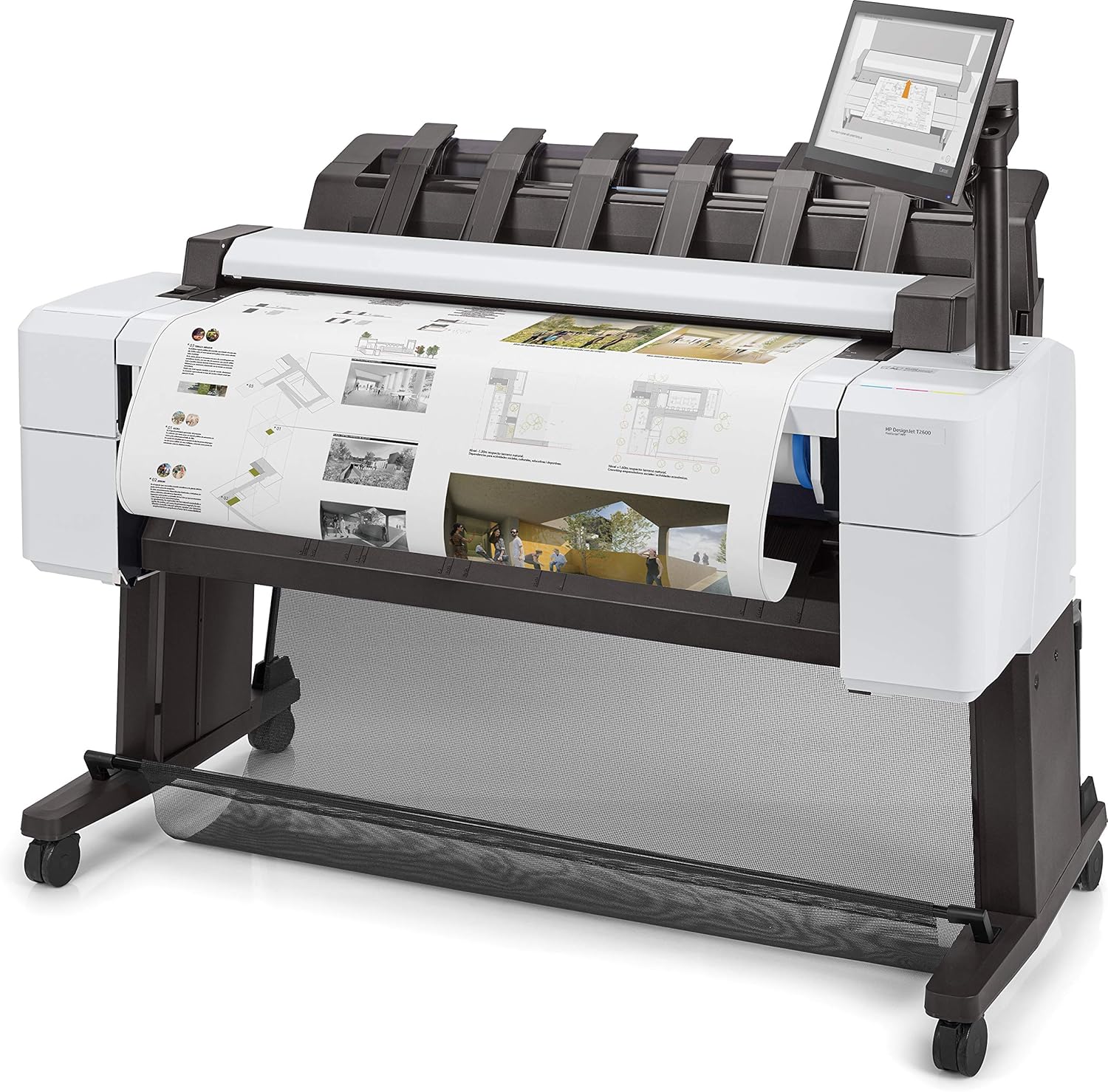
Figure 4.1: The HP Designjet T2600 actively printing a large format document.
4.3. Scanning and Copying
The integrated scanner allows for easy digitization of your projects. Utilize automated scanning features and user-centric quicksets for efficient workflows. Post-editing capabilities are also available. To make a copy, select the 'Copy' function on the touchscreen and follow the prompts for document placement and settings.
5. Maintenance
Regular maintenance ensures optimal performance and longevity of your HP Designjet T2600 printer.
- Ink Cartridge Replacement: Replace ink cartridges (Cyan, Magenta, Yellow, Photo Black, Gray, Matte Black) when prompted by the printer or when ink levels are low. Ensure you use genuine HP original ink cartridges. The printer features dynamic security and is intended to be used only with cartridges using an HP original chip.
- Printhead Maintenance: The printer will periodically perform automatic printhead cleaning and alignment. If print quality issues arise, you can initiate manual cleaning cycles through the touchscreen menu.
- Cleaning: Regularly wipe down the exterior of the printer with a soft, damp cloth. Keep the media path and scanner glass clean to prevent dust and debris from affecting print and scan quality.
- Firmware Updates: Periodically check for and install firmware updates to ensure your printer has the latest features and security enhancements.
6. Troubleshooting
This section provides solutions to common issues you might encounter. For more detailed troubleshooting, refer to the comprehensive User Guide or HP's online support resources.
- Printer Not Responding:
- Ensure the power cords are securely connected to both the printer and the electrical outlet.
- Check if the printer is powered on.
- Verify network connectivity (Ethernet cable connected, network settings correct).
- Poor Print Quality:
- Check ink levels and replace any empty or low cartridges.
- Perform a printhead cleaning and alignment cycle through the printer's touchscreen menu.
- Ensure you are using appropriate media for your print settings.
- Paper Jams:
- Follow the on-screen instructions to clear any detected paper jams.
- Carefully remove any jammed media, ensuring no torn pieces remain inside.
- Scanner Not Working:
- Ensure the scanner glass is clean.
- Verify that the document is placed correctly on the scanner.
7. Specifications
| Feature | Specification |
|---|---|
| Model Name | Designjet T2600 |
| Printing Technology | Inkjet |
| Printer Output | Color |
| Connectivity Technology | Ethernet |
| Maximum Color Print Resolution | 2400 x 1200 Dots Per Inch |
| Maximum Black and White Print Resolution | 1200 dpi |
| Ink Color | Cyan, Magenta, Yellow, Photo Black, Gray, Matte Black |
| Additional Printer Functions | Copy, Scan |
| Scanner Type | Sheetfed |
| Max Input Sheet Capacity | 100 |
| Dual-sided printing | Yes (Automatic Duplex) |
| Power Consumption | 120 Watts (On-mode) |
| Product Dimensions | 30"D x 55"W x 49"H |
| Item Weight | 33 pounds (15 Kilograms) |
| Memory Storage Capacity | 128000 MB |
| Compatible Devices | Smartphones |
| Control Method | App |
| Special Feature | Color Print Capability, Network-Ready, Energy Star |
8. Warranty and Support
Your HP Designjet T2600 printer comes with a Manufacturer's Warranty. For specific details regarding coverage and duration, please refer to the warranty documentation included with your product or visit the official HP support website.
In addition, purchases may be eligible for a 30-day easy returns policy. For customer support, technical assistance, or to inquire about service, please contact HP's official support channels. You can find contact information and resources on the HP website.
Ask a question about this manual
Ask about setup, troubleshooting, compatibility, parts, safety, or missing instructions. Manuals+ will review the question and use this page’s manual context to help answer it.