
Introduction
This manual provides essential information for the safe and efficient use of your X-DRAGON 24000mAh Waterproof Portable Solar Charger. Please read these instructions carefully before using the product to ensure optimal performance and longevity. This device is designed to provide portable power for your electronic devices, featuring solar charging capabilities, dual USB outputs, and integrated flashlights.
Product Overview
Familiarize yourself with the components of your X-DRAGON solar charger:

Image: Detailed diagram of the X-DRAGON solar charger highlighting its key features and ports.
- Monocrystalline Solar Panel: For emergency solar charging.
- LED Battery Indicator: Displays remaining power level.
- Dual Output (5V 2.4A Max): Two USB-A ports for charging external devices.
- Dual Input (5V 2A Max): Micro USB and USB-C ports for recharging the power bank.
- Power Control Switch: Turns the power bank on/off and activates the flashlight.
- Compass: Integrated for outdoor navigation assistance.
- Dual LED Light: Provides illumination with Steady, SOS, and Strobe modes.
- Waterproof Cover: Protects USB ports from water and dust.
Setup
Initial Charging
Before first use, it is recommended to fully charge the power bank via a wall adapter or computer USB port. This ensures the internal battery is properly activated and calibrated. Connect the provided USB cable to either the Micro USB or USB-C input port on the power bank and the other end to a 5V/2A power source. The LED indicators will show charging progress.
Solar Charging Considerations
The solar panel is designed for emergency charging and maintaining battery life, not as a primary charging method. Due to its compact size and varying sunlight intensity, solar charging will be significantly slower than wall charging. For optimal solar charging, place the device under strong, direct sunlight. Avoid charging through glass (e.g., car windows) as this reduces efficiency.
Operating Instructions
Charging the Power Bank
- Via Wall Adapter/Computer: Connect a USB cable to either the Micro USB or USB-C input port and a 5V/2A power source. The blue LED indicators will light up sequentially during charging and remain solid when fully charged.
- Via Solar Panel: Place the solar panel directly under strong sunlight. The green LED indicator will illuminate, indicating solar charging is active. The blue LEDs will show the battery level. Note that solar charging is slow and primarily for emergencies.
Charging External Devices
The power bank features two USB-A output ports (5V 2.4A Max) to charge your devices.
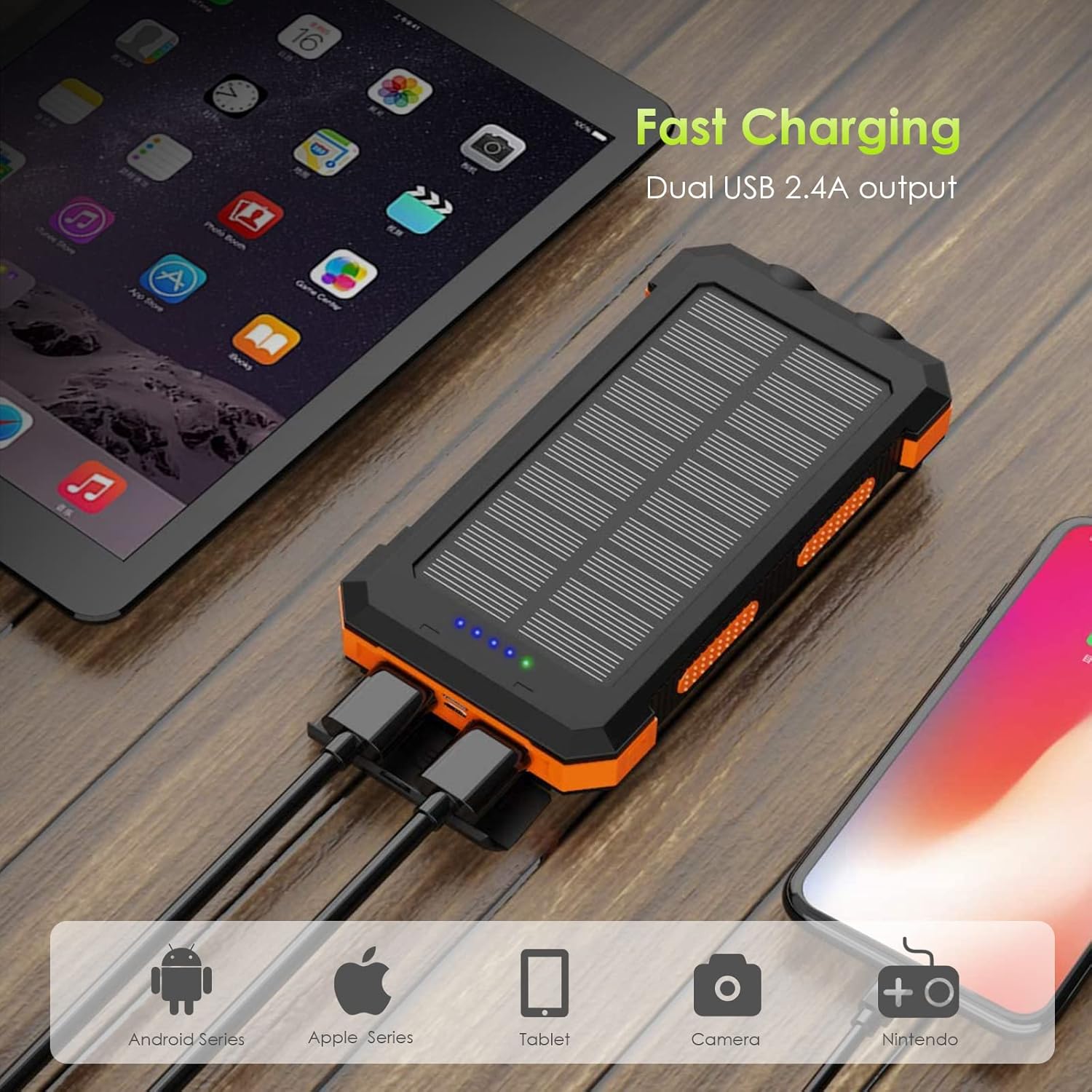
Image: The power bank simultaneously charging a tablet and a smartphone.
- Open the waterproof cover to access the USB output ports.
- Connect your device's charging cable to one of the USB output ports on the power bank.
- The power bank will automatically begin charging your device. If not, press the power button once.
- The blue LED indicators will show the remaining battery level of the power bank.
- Disconnect your device once fully charged. Close the waterproof cover after use.
Using the LED Flashlight
The power bank includes dual LED flashlights with multiple modes.

Image: The dual LED flashlight in operation, casting light up to 170 feet.
- To turn on/off: Press and hold the power button for approximately 3 seconds.
- To change modes: Once the flashlight is on, press the power button briefly to cycle through modes: Steady Light → SOS → Strobe → Off.
Using the Compass
The integrated compass can assist with basic direction finding during outdoor activities. Ensure the power bank is held flat and away from strong magnetic fields for accurate readings.
Maintenance
Proper care ensures the longevity and performance of your solar charger.
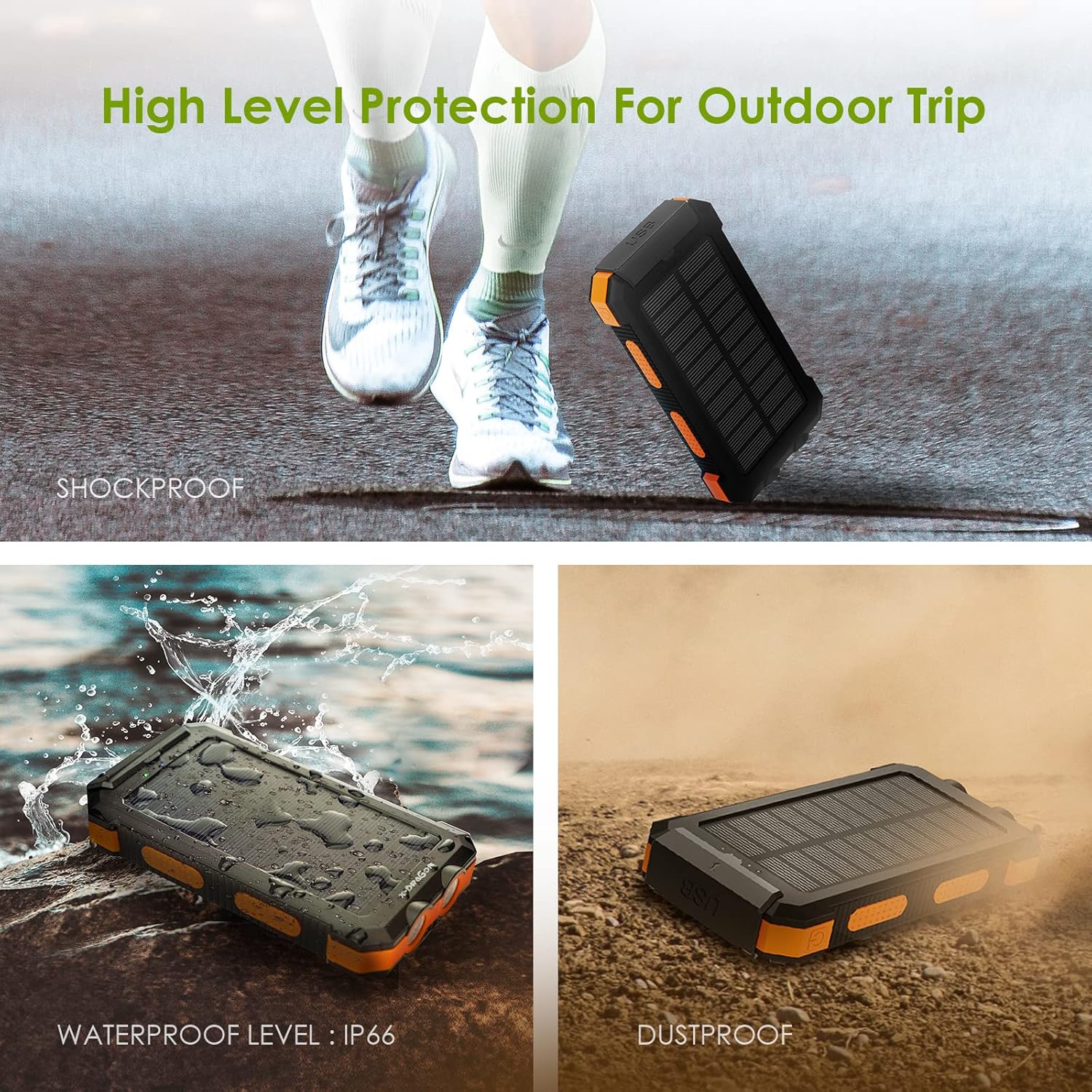
Image: Visual representation of the power bank's shockproof, waterproof (IP66), and dustproof design.
- Cleaning: Wipe the device with a soft, dry cloth. Do not use harsh chemicals or abrasive cleaners. Ensure the solar panel is clean for efficient charging.
- Waterproof Cover: Always ensure the waterproof cover for the ports is securely closed when not in use, especially in wet or dusty environments, to maintain its IP66 rating.
- Storage: Store the power bank in a cool, dry place away from direct sunlight and extreme temperatures. For long-term storage, charge the device to about 50-75% every 3 months to preserve battery health.
- Environmental Protection: While the device is waterproof, shockproof, and dustproof, avoid prolonged exposure to extreme conditions, submersion in water, or dropping from significant heights.
Troubleshooting
- Power bank not charging:
- Ensure the charging cable is securely connected to both the power bank's input port and the power source.
- Verify the power source (wall adapter, computer USB) is functional and providing 5V/2A output.
- Try a different charging cable or power source.
- Device not charging from power bank:
- Ensure the power bank has sufficient charge (check LED indicators).
- Press the power button once to activate output if it doesn't start automatically.
- Try a different USB output port or charging cable.
- Ensure your device's charging cable is compatible and functional.
- Slow solar charging:
- Solar charging is inherently slower than wall charging and is intended for emergency use.
- Ensure the solar panel is clean and exposed to direct, strong sunlight without obstruction.
- Avoid charging through glass, which significantly reduces efficiency.
- Flashlight not working:
- Ensure the power bank has sufficient charge.
- Press and hold the power button for 3 seconds to turn on/off.
- Briefly press the power button to cycle through modes if it's already on.
Specifications
| Model Number | XD-SC-012-BORA |
| Battery Capacity | 24000mAh (Lithium Polymer) |
| Dual Input | 5V 2A (Micro USB & USB-C) |
| Dual Output | 5V 2.4A (Max) |
| Dimensions | 163 x 85 x 23 mm (6.42 x 3.35 x 0.91 inches) |
| Weight | 437g (15.41 oz) |
| Special Features | Solar Charging, Dual Flashlights, Compass, Waterproof (IP66), Shockproof, Dustproof, Fast Charging, Short Circuit Protection |
| Certifications | FCC, RoHS, CE |
| Box Contents | 1x X-DRAGON Solar Power Bank, 1x USB Cable |
Warranty and Support
Your X-DRAGON 24000mAh Waterproof Portable Solar Charger comes with an 18-month warranty from the date of purchase. This warranty covers manufacturing defects and ensures reliable operation under normal use.
For warranty claims, technical support, or any inquiries regarding your product, please contact X-DRAGON customer service through the retailer where the product was purchased or refer to the official X-DRAGON website for contact information.
Please retain your purchase receipt as proof of purchase for warranty purposes.