
1. Overview
The Corsair RM850 is an 80 PLUS Gold certified, fully modular ATX power supply designed to deliver efficient and reliable power to your PC. It features industrial-grade, 105°C-rated capacitors for enhanced performance and durability. The RM850 supports Microsoft Modern Standby sleep mode for faster wake-from-sleep times and improved low-load efficiency. Its Zero RPM fan mode ensures quiet operation under low to medium loads.

Image 1.1: The Corsair RM850 Power Supply unit.
Key Features:
- 80 PLUS Gold Certified: Ensures high efficiency operation, reducing power consumption, heat, and noise.
- Tuned for Low Noise Operation: A 135 mm rifle bearing fan with a specially calculated fan curve minimizes noise, even under full load.
- 105°C-Rated Capacitors: Industrial-grade capacitors provide solid electrical performance and reliability.
- Microsoft Modern Standby Compatible: Enables extremely fast wake-from-sleep times and better low-load efficiency.
- Zero RPM Fan Mode: The cooling fan switches off entirely at low and medium loads for near-silent operation.
- Fully Modular Cables: Simplifies PC builds and upgrades by allowing connection of only necessary cables.
2. Setup and Installation
2.1 Safety Precautions
- Always disconnect the power supply from the AC outlet before installation or maintenance.
- Ensure proper grounding to prevent electrical hazards.
- Do not open the power supply unit; it contains high voltage components.
- Handle components with care to avoid damage from static electricity.
2.2 Physical Installation
- Mounting the PSU: Install the RM850 into the power supply bay of your PC case. Secure it with the provided screws. Ensure the fan is oriented correctly for optimal airflow (typically facing down if your case has a bottom vent, or up if it's a top-mounted PSU).
- Connecting Modular Cables: The RM850 is fully modular. Connect only the cables required for your system components.
- 24-pin ATX Cable: Connect to the motherboard's main power connector.
- 4+4 pin CPU (EPS12V) Cable: Connect to the CPU power connector(s) on the motherboard.
- 6+2 pin PCIe Cables: Connect to your graphics card(s). Use separate cables for each connector on the GPU if possible.
- SATA Cables: Connect to SSDs, HDDs, and optical drives.
- Peripheral (Molex) Cables: Connect to older peripherals or case fans if needed.
- Connect AC Power: Once all internal connections are secure, connect the AC power cord to the power supply and then to a wall outlet or surge protector.
- Power Switch: Ensure the power switch on the back of the PSU is in the OFF (0) position before connecting to AC power. After connecting, flip it to the ON (I) position.

Image 2.1: The RM850 power supply installed within a computer case.

Image 2.2: Close-up view of the modular cable connection ports on the RM850.

Image 2.3: The Corsair RM850 unit alongside its complete set of modular cables.

Image 2.4: Rear panel of the RM850, showing the AC power inlet and the main power switch.
3. Operating Instructions
3.1 Powering On Your System
After completing the installation and ensuring all cables are securely connected, press the power button on your computer case. The RM850 will provide stable power to your components.
3.2 Zero RPM Fan Mode
The RM850 features a Zero RPM fan mode. This means the power supply fan will not spin when the power supply is under low to medium load, resulting in virtually silent operation. The fan will automatically activate when the load increases to maintain optimal temperatures.
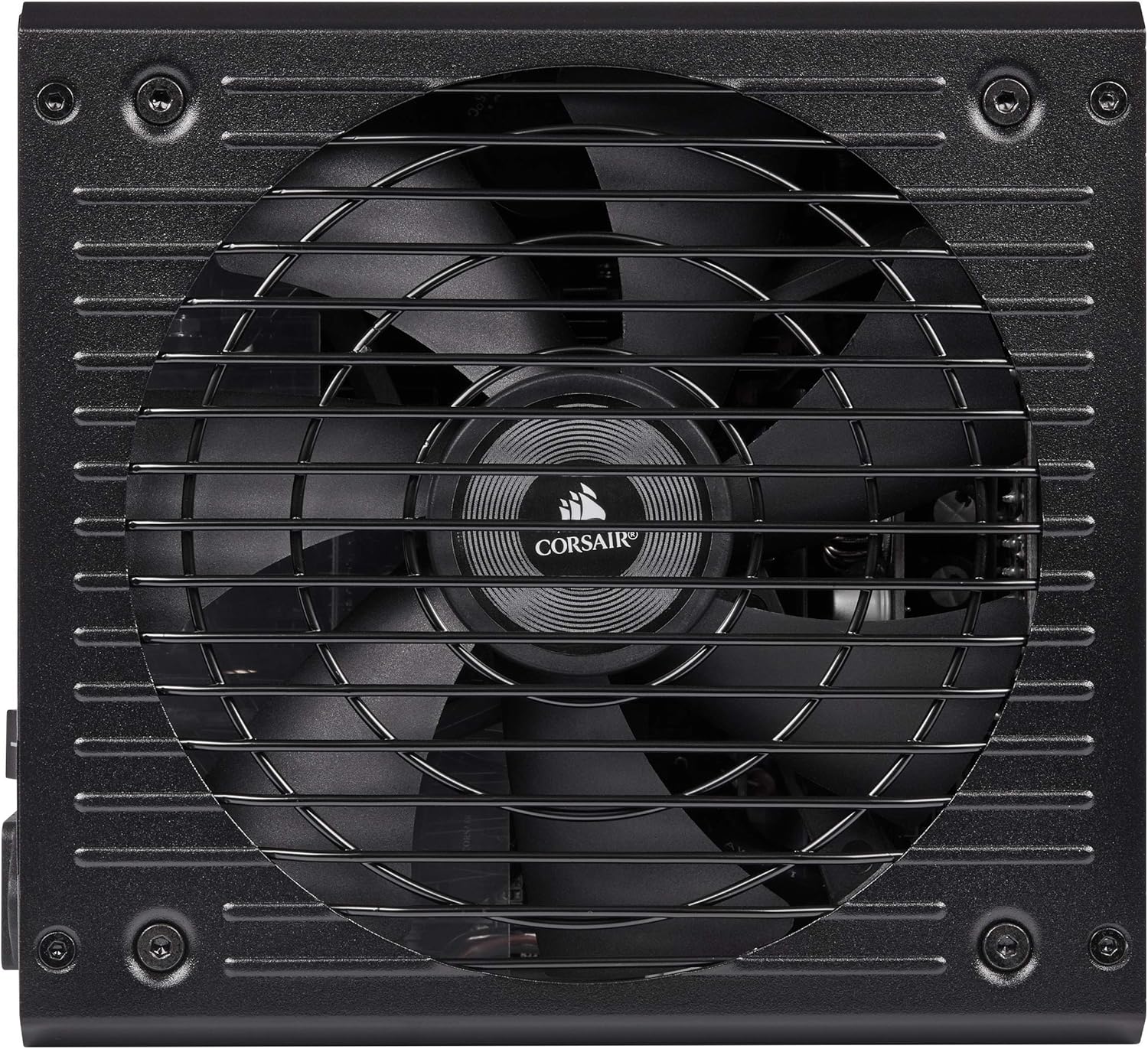
Image 3.1: Top view of the RM850, showing the cooling fan grille.
3.3 Microsoft Modern Standby
The RM850 is compatible with Microsoft Modern Standby, allowing your system to wake from sleep faster and operate more efficiently at low power states. This feature is managed by your operating system and motherboard.
4. Maintenance
Regular maintenance helps ensure the longevity and optimal performance of your Corsair RM850 power supply.
- Dust Removal: Periodically clean the exterior of the power supply and the fan grille to prevent dust buildup. Use compressed air to gently clear dust from the fan blades and heatsinks. Ensure the power supply is turned off and unplugged before cleaning.
- Cable Management: Ensure cables are neatly routed and do not obstruct airflow within the PC case.
- Environmental Conditions: Operate the power supply in a well-ventilated area with stable temperature and humidity.
5. Troubleshooting
If you encounter issues with your RM850 power supply, consider the following troubleshooting steps:
- No Power:
- Check if the AC power cord is securely connected to both the power supply and the wall outlet.
- Ensure the power switch on the back of the PSU is in the ON (I) position.
- Verify that all modular cables (especially the 24-pin ATX and 4+4 pin CPU) are firmly seated in both the PSU and the motherboard/components.
- Test the wall outlet with another device to confirm it has power.
- System Instability or Random Shutdowns:
- Ensure your system's power requirements do not exceed the RM850's 850W capacity.
- Check for proper ventilation within your PC case to prevent overheating of components, including the PSU.
- Verify that all power connectors to your components (GPU, motherboard) are correctly installed.
- Fan Not Spinning:
- The RM850 features Zero RPM fan mode. The fan will only spin under higher loads. This is normal operation.
- If the system is under heavy load and the fan is still not spinning, ensure there are no obstructions to the fan.
If these steps do not resolve the issue, refer to the Warranty and Support section for further assistance.
6. Specifications
| Model Name | RM Series |
| Brand | Corsair |
| Output Wattage | 850 Watts |
| 80 PLUS Certification | Gold Certified |
| Form Factor | ATX |
| Power Supply Design | Fully Modular |
| Cooling Method | Air (135 mm Rifle Bearing Fan) |
| Capacitor Rating | 105°C-Rated |
| Dimensions (L x W x H) | 11.89 x 8.43 x 5.08 inches |
| Item Weight | 2.2 Pounds |
| Maximum Input Voltage | 240 Volts |
| Minimum Input Voltage | 100 Volts |

Image 6.1: Graphs illustrating the RM850's fan noise levels and power efficiency at various loads.
7. Warranty
The Corsair RM850 power supply is backed by a ten-year warranty, reflecting its high quality and reliability. For complete details regarding warranty terms, conditions, and the claims process, please refer to the official Corsair website or the warranty documentation included with your product.
8. Support
For additional support, including frequently asked questions, driver downloads, and contact information for technical assistance, please visit the official Corsair support website:
You may also find helpful resources and community forums on the Corsair website.