
Introduction
This manual provides detailed instructions for the installation, operation, and maintenance of your BELVA BMRGBBK 6.5-inch 2-Way Coaxial Marine Speakers with Multi-Color LED Lighting. Please read this manual thoroughly before installation and use to ensure proper function and longevity of your speakers.
Safety Information
- Always disconnect the vehicle's battery before beginning any electrical installation.
- Ensure all wiring is properly insulated and secured to prevent short circuits and damage.
- Use appropriate personal protective equipment (PPE) during installation, such as safety glasses.
- Verify mounting locations are free of obstructions and provide adequate clearance for the speaker depth.
- Do not expose speakers to extreme temperatures or direct sunlight for prolonged periods when not in use.
- Consult a professional installer if you are unsure about any part of the installation process.
Package Contents
Verify that all items are present in the package:
- BELVA BMRGBBK 6.5-inch Marine Speakers (2)
- Speaker Grilles (2)
- Speaker Wires (2 pairs)
- LED Controller Wire
- RF Wireless Remote
- Stainless Steel Mounting Hardware (screws)

Image: BELVA BMRGBBK product box showing contents.
Specifications
| Feature | Specification |
|---|---|
| Speaker Type | 6.5-inch 2-Way Coaxial |
| Peak Power Handling | 500 Watts per pair (250W each) |
| RMS Power Handling | 250 Watts per pair (125W each) |
| Tweeter | 1" PEI (Polyetherimide) Balanced Dome |
| Cone Material | Injection Molded Polypropylene (IMPP) |
| Surround Material | Rubber |
| Impedance | 4 Ohms |
| Sensitivity | 91 dB |
| Frequency Response | 60 - 20000 Hz |
| Water Resistance | IP66 Rated (Waterproof) |
| Basket Material | Injection Molded, Rust Resistant Polymer (ABS Plastic) |
| LED Illumination | Multi-Color |
| Control Method | RF Wireless Remote |
| Cutout Dimensions | 5.44 inches |
| Item Weight | 1.44 ounces (per speaker) |

Image: Overview of BELVA BMRGBBK 6.5-inch marine speakers.
Setup and Installation
1. Mounting the Speakers
- Choose a suitable mounting location that provides adequate space for the speaker and its depth (cutout dimensions: 5.44 inches). Ensure the surface is flat and stable.
- Using the provided template (if included, otherwise measure carefully), mark the cutout area and screw holes.
- Carefully cut the opening for the speaker.
- Drill pilot holes for the mounting screws.
- Insert the speaker into the opening and align the screw holes.
- Secure the speaker using the provided stainless steel mounting screws. Do not overtighten.
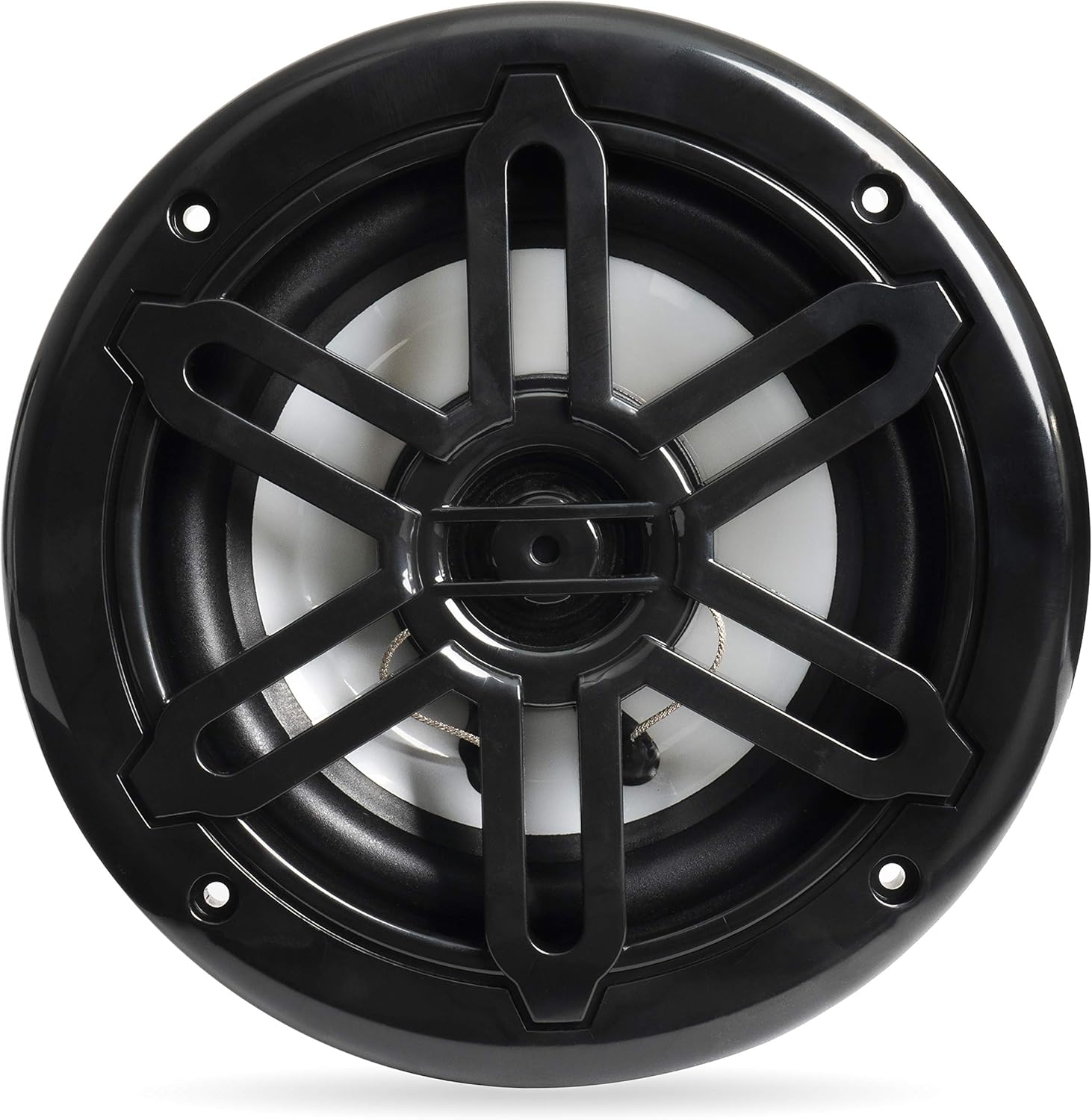
Image: Front view of the BELVA BMRGBBK marine speaker.

Image: Angled view of the BELVA BMRGBBK marine speaker.

Image: Stainless steel mounting screws included with the speakers.
2. Audio Wiring
- Connect the provided speaker wires to the speaker terminals. Ensure correct polarity (positive to positive, negative to negative). The speaker terminals are located on the rear of the speaker.
- Route the speaker wires to your amplifier or head unit. Ensure wires are protected from sharp edges and heat sources.
- Connect the other end of the speaker wires to the corresponding output channels of your amplifier or head unit.

Image: Rear view of the BELVA BMRGBBK marine speaker, highlighting the audio terminals.

Image: Speaker wires provided for audio connection.
3. LED Lighting Wiring
- Connect the LED controller wire to the LED input on each speaker.
- Connect the LED controller to a 12V DC power source (typically from the vehicle's electrical system). Ensure the power source is fused appropriately.
- Secure the LED controller in a dry, accessible location.

Image: LED controller wire for connecting to the speakers.

Image: The LED controller unit.
Operating Instructions
LED Lighting Control
The multi-color LED lighting is controlled using the included RF wireless remote. Ensure the LED controller is powered on.
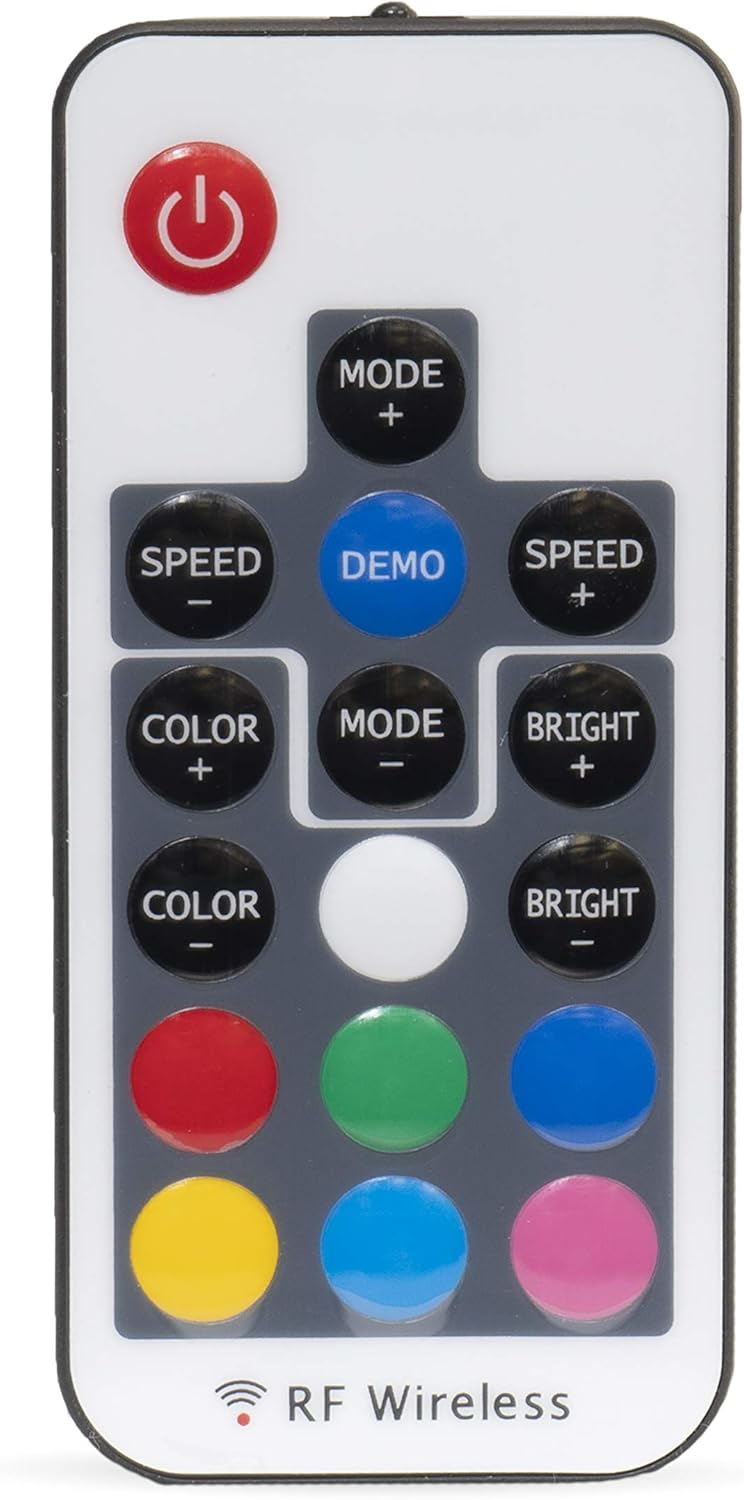
Image: RF wireless remote for controlling the LED lighting.
- Power Button: Turns the LED lights on or off.
- MODE +/-: Cycles through different lighting modes (e.g., static colors, fading, flashing).
- SPEED +/-: Adjusts the speed of dynamic lighting modes.
- COLOR +/-: Changes the static color of the LED lights.
- BRIGHT +/-: Adjusts the brightness of the LED lights.
- DEMO: Activates a demonstration mode cycling through various effects.
- Color Buttons: Direct selection of specific colors (Red, Green, Blue, White, Yellow, Cyan, Magenta, etc.).

Image: Speakers demonstrating multi-color LED illumination.
Maintenance
- Cleaning: Clean the speakers with a soft, damp cloth. Avoid using harsh chemicals or abrasive cleaners, which can damage the speaker grilles or cone material.
- Inspection: Periodically inspect all wiring connections for corrosion or damage. Ensure mounting screws remain tight.
- Storage: If storing the vehicle or vessel for an extended period, ensure speakers are clean and dry.
Troubleshooting
| Problem | Possible Cause | Solution |
|---|---|---|
| No sound from speakers | Incorrect wiring, amplifier off, source unit issue, damaged speaker. | Check all audio connections for correct polarity and secure fit. Ensure amplifier and source unit are powered on and functioning. Test with another audio source if possible. |
| Distorted sound | Overpowering, incorrect gain settings, damaged speaker. | Reduce volume or amplifier gain. Check for proper impedance matching. Inspect speaker cone for physical damage. |
| LED lights not working | LED controller not powered, loose connections, remote battery dead. | Verify 12V power to the LED controller. Check all LED wiring connections. Replace the battery in the RF remote. |
| Remote not controlling LEDs | Remote battery dead, remote out of range, interference. | Replace remote battery. Ensure remote is within effective range of the LED controller. Minimize potential sources of RF interference. |
Product Video
Video: An overview of the BELVA 500W 6.5-inch 2-Way Water-Resistant Marine Speakers, showcasing their features and multi-color LED lighting.
Warranty and Support
Warranty Information
This product comes with a limited warranty. Please refer to the warranty card included with your purchase or contact BELVA customer support for specific details regarding warranty coverage and terms.
Customer Support
For technical assistance, troubleshooting, or warranty inquiries, please contact BELVA customer support. Contact information can typically be found on the manufacturer's website or on the product packaging.