
1. Introduction
This instruction manual provides comprehensive guidance on how to redeem your Roblox Digital Gift Card for 5,250 Robux and access any associated exclusive virtual items. Robux is the virtual currency used within the Roblox platform to enhance your avatar and unlock various in-game perks and experiences.

This image displays the Roblox Digital Gift Card, indicating a value of $50 which provides 5,250 Robux (4,500 base + 750 bonus Robux).
2. Redemption Process
Follow these steps to successfully redeem your Roblox Digital Gift Card and add Robux to your account:
- Locate Your Digital Code: After purchase, your digital gift card code will be sent to your email address. Ensure you have this code readily available.
- Access the Redemption Page: Open a web browser and navigate to the official Roblox redemption page: roblox.com/redeem.
- Log In or Sign Up: If you already have a Roblox account, log in. If not, you will need to create a new account to proceed with redemption.
- Enter Your PIN: On the redemption page, locate the field to enter your gift card PIN. Carefully type in the digital code you received.
- Confirm Redemption: Click the 'Redeem' button. Your Robux balance should be updated within approximately 5 minutes.
This visual guide outlines the four steps to redeem your Roblox Gift Card: 1. Scan the QR code or visit Roblox.com/redeem. 2. Log in or create a new account. 3. Locate your PIN and enter it on the website. 4. Click 'Redeem' to add Robux to your account.

This image provides a detailed three-step process for redeeming your Roblox gift card and accessing your virtual item. Step 1: Redeem the code at Roblox.com/redeem. Step 2: View your updated Robux balance. Step 3: Find your free virtual item in your inventory under the 'Accessories' tab.
3. Exclusive Virtual Item
Every Roblox Digital Gift Card includes a free exclusive virtual item upon redemption. The specific item you receive is determined by the purchase price of the gift card.
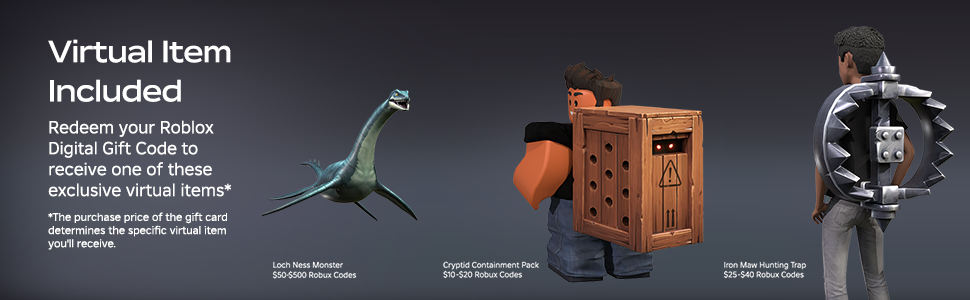
This image illustrates examples of exclusive virtual items that can be obtained upon redeeming a Roblox Digital Gift Card. Items shown are the Loch Ness Monster (for $50-$500 Robux Codes), Cryptid Containment Pack (for $10-$20 Robux Codes), and Iron Maw Hunting Trap (for $25-$40 Robux Codes). The specific item received depends on the gift card's value.
After successful redemption, your virtual item will be available in your Roblox inventory, typically under the 'Accessories' tab.
4. Using Your Robux
Once Robux has been added to your account, you can use it across the Roblox platform for various purposes:
- Avatar Customization: Purchase clothing, accessories, and animations to personalize your avatar.
- Game Passes: Acquire special abilities, items, or access to exclusive areas within your favorite Roblox experiences.
- Developer Products: Buy one-time use items or consumables directly from experiences.
Roblox Gift Cards often provide bonus Robux upon redemption, offering more value for your purchase.

This image highlights the benefit of receiving up to 25% more Robux when redeeming Roblox Gift Cards, set against a background of diverse Roblox game experiences.
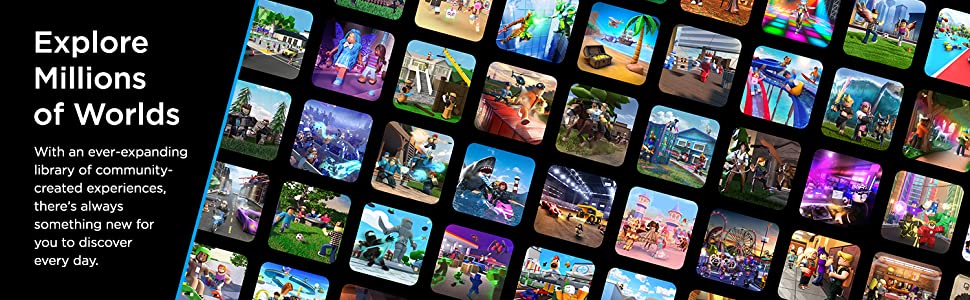
Roblox offers a vast library of community-created experiences, ensuring there is always new content to explore and enjoy.

This image emphasizes the vast array of community-created experiences available on Roblox, encouraging users to explore millions of worlds with their Robux.
5. Specifications
| Attribute | Detail |
|---|---|
| Product Type | Digital Gift Card (Software Download) |
| Denomination | 5,250 Robux (for $50 USD value) |
| Brand | Roblox |
| Model Number (ASIN) | B07RZ75JW3 |
| Redemption Platform | Roblox.com/redeem (not mobile app or console) |
| Exclusive Item | Included upon redemption (item varies by card value) |
| Release Date | May 15, 2019 |
6. Troubleshooting
- Code Not Received: If your digital code does not arrive instantly, please allow up to 5 minutes for processing. Check your email's spam or junk folder. For persistent issues, contact the retailer's customer support.
- Redemption Error: Ensure you are entering the PIN correctly on roblox.com/redeem. This digital card cannot be redeemed via the Roblox mobile app or video game consoles.
- Robux Balance Not Updated: After successful redemption, it may take up to 5 minutes for your Robux balance to reflect the new amount. Log out and log back into your Roblox account if the balance doesn't update.
- Virtual Item Missing: After redemption, check your Roblox inventory, specifically the 'Accessories' tab, for your exclusive virtual item.
7. Important Information & Support
- Non-Returnable/Non-Refundable: This product is non-returnable and non-refundable once purchased.
- Terms of Use: By purchasing and redeeming this digital product, you agree to Roblox's Games and Software Terms of Use.
- Roblox Premium: This product grants Robux and cannot be used to purchase a Roblox Premium subscription.
- Larger Orders: Orders exceeding $200 USD in value may require additional processing time.
- Further Assistance: For more information or specific support inquiries, please visit the official Roblox Gift Card FAQs at roblox.com/giftcardFAQs.