
Roblox 1,000 Robux Digital Gift Card
Roblox Digital Gift Card - 1,000 Robux Instruction Manual
Model: 1,000 Robux Digital Gift Card
Introduction
This manual provides comprehensive instructions for the Roblox Digital Gift Card, specifically for the 1,000 Robux denomination. This digital gift card offers the simplest method to add Robux, Roblox's virtual currency, directly to your account. Robux can be utilized to customize your avatar, acquire in-game items, and access exclusive features within various Roblox experiences.

Image: Front of the Roblox Digital Gift Card, showing the 1,000 Robux denomination and the Roblox logo.
Setup: Redeeming Your Gift Card
To activate your Robux and claim your exclusive virtual item, follow these steps carefully:
- Locate Your PIN: Check the email associated with your purchase for your digital gift card PIN code.
- Access Redemption Page: Open a web browser and navigate to the official Roblox redemption page: roblox.com/redeem.
- Enter Code: Log in to your Roblox account (or create one if you don't have one). Enter the PIN code from your email into the designated field.
- Confirm Redemption: Click the "Redeem" button. Your Robux balance will be updated, and your virtual item will be added to your inventory. Please allow up to 5 minutes for your balance to reflect the new Robux.

Image: A visual guide illustrating the three steps to redeem a Roblox gift card and view the updated Robux balance and virtual item.

Image: A four-step diagram showing how to redeem a Roblox gift card, including scanning a QR code or visiting the website, logging in, entering the PIN, and clicking redeem.
Important Note: This digital gift card can only be redeemed for Robux at Roblox.com/redeem. It cannot be redeemed within the Roblox mobile application or on any video game console. For larger orders exceeding $200 USD in value, additional processing time may be required.
Operating: Using Your Robux
Once redeemed, your Robux balance will be available in your Roblox account. You can spend Robux on a variety of in-game purchases and enhancements:
- Avatar Customization: Purchase new clothing, accessories, animations, and body parts to personalize your avatar.
- Game Passes: Unlock special abilities, items, or access to exclusive areas within your favorite Roblox experiences.
- Developer Products: Support creators by purchasing one-time use items or consumables within experiences.
- Private Servers: Create private servers for certain games to play exclusively with friends.
Roblox is an expansive platform where millions of users create, play, and connect daily. Your Robux enhance this experience, offering more possibilities for gaming, creating, and exploring.
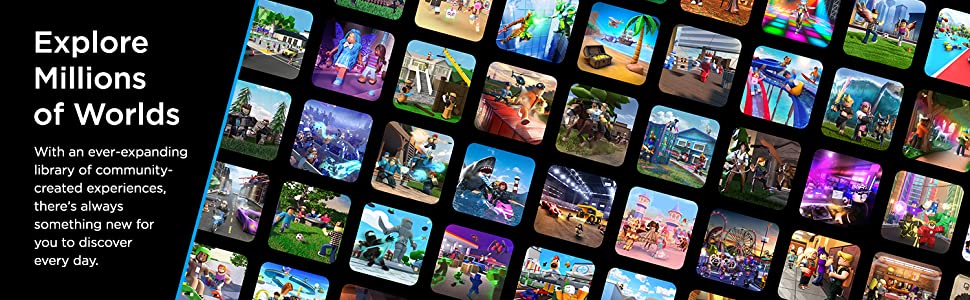
Image: A collage of various Roblox game thumbnails, illustrating the vast array of experiences available on the platform.
Exclusive Virtual Item
Every Roblox Gift Card redemption includes a free exclusive virtual item. This item is automatically added to your account upon successful redemption of the gift card.
To view your new virtual item, navigate to your inventory within your Roblox account. The item will typically be found under the "Accessories" tab, specifically within categories like "Head" or "Back."

Image: Various Roblox avatars displaying different virtual backpack items, indicating that an exclusive virtual item is included with the gift card redemption.

Image: A banner showing various virtual items, specifically Jurassic World Rebirth themed backpacks and a cap, indicating they are included with Roblox Digital Gift Code redemption.
Bonus Robux Information
When you redeem a Roblox Gift Card, you are eligible to receive up to 25% more Robux. This bonus is automatically applied during the redemption process, providing additional value for your gaming and creative endeavors within Roblox.

Image: A promotional image highlighting the benefit of receiving up to 25% more Robux when using Roblox Gift Cards.
Specifications and Important Notes
| Specification | Detail |
|---|---|
| ASIN | B07RZ74VLR |
| Release Date | May 15, 2019 |
| Manufacturer | Roblox |
| Item Type | Software Download |
| Item Weight | 0.01 ounces |
Important Notes:
- This product grants a specified amount of Robux to the user’s Roblox account upon redemption. It cannot be used to purchase a Roblox Premium subscription.
- Roblox Gift Cards can be redeemed worldwide.
- This product is non-returnable and non-refundable.
- By placing your order, you agree to the Games and Software Terms of Use and any applicable Developer or Publisher Terms of Use.
Troubleshooting
If you encounter any issues during the redemption process or with your Robux balance, consider the following common solutions:
- Redemption Delay: After entering your PIN, please allow up to 5 minutes for your Robux balance to update on your account.
- Incorrect Redemption Platform: Ensure you are redeeming the digital gift card exclusively at Roblox.com/redeem. Redemption is not supported via the Roblox mobile app or game consoles.
- Order Processing Time: For larger orders, particularly those exceeding $200 USD in value, additional time may be required for processing before the digital code is delivered or activated.
- Code Validity: Double-check that the PIN code entered is correct and has not been previously redeemed.
Support and Further Information
For additional questions, detailed FAQs, or assistance with your Roblox Digital Gift Card, please visit the official Roblox support page:
If your issue pertains to the purchase or delivery of the digital code from Amazon, please contact Amazon Customer Service for support.
Ask a question about this manual
Ask about setup, troubleshooting, compatibility, parts, safety, or missing instructions. Manuals+ will review the question and use this page’s manual context to help answer it.