Introduction
The Enbrighten LED Camping Lantern is a versatile, battery-powered lighting solution designed for various outdoor and emergency situations. Featuring a durable design, multiple power options, and a built-in USB charging port, it provides reliable illumination and device charging capabilities.

Image: The Enbrighten LED Camping Lantern, showcasing its design and key features like 3 light levels and 650 lumens.
Key Features
- Dual Battery Power: Operates with a built-in rechargeable 4400mAh battery (Micro USB cable included) or 3 D-cell batteries. Both can be used simultaneously for extended life.
- USB Device Charging: Integrated USB charging port (1.0A output) for topping off device batteries, ideal for emergencies.
- Full-Range Dimming: Customize light output up to 650 lumens by holding down the power button.
- Impact and Water Resistant: Rugged design with IPX4 water-resistance rating for durability in various conditions.
- Carabiner Handle: Locking carabiner-style handle with textured grip for secure hanging.
- 4000K Natural White Light: Provides 360 degrees of natural white light.
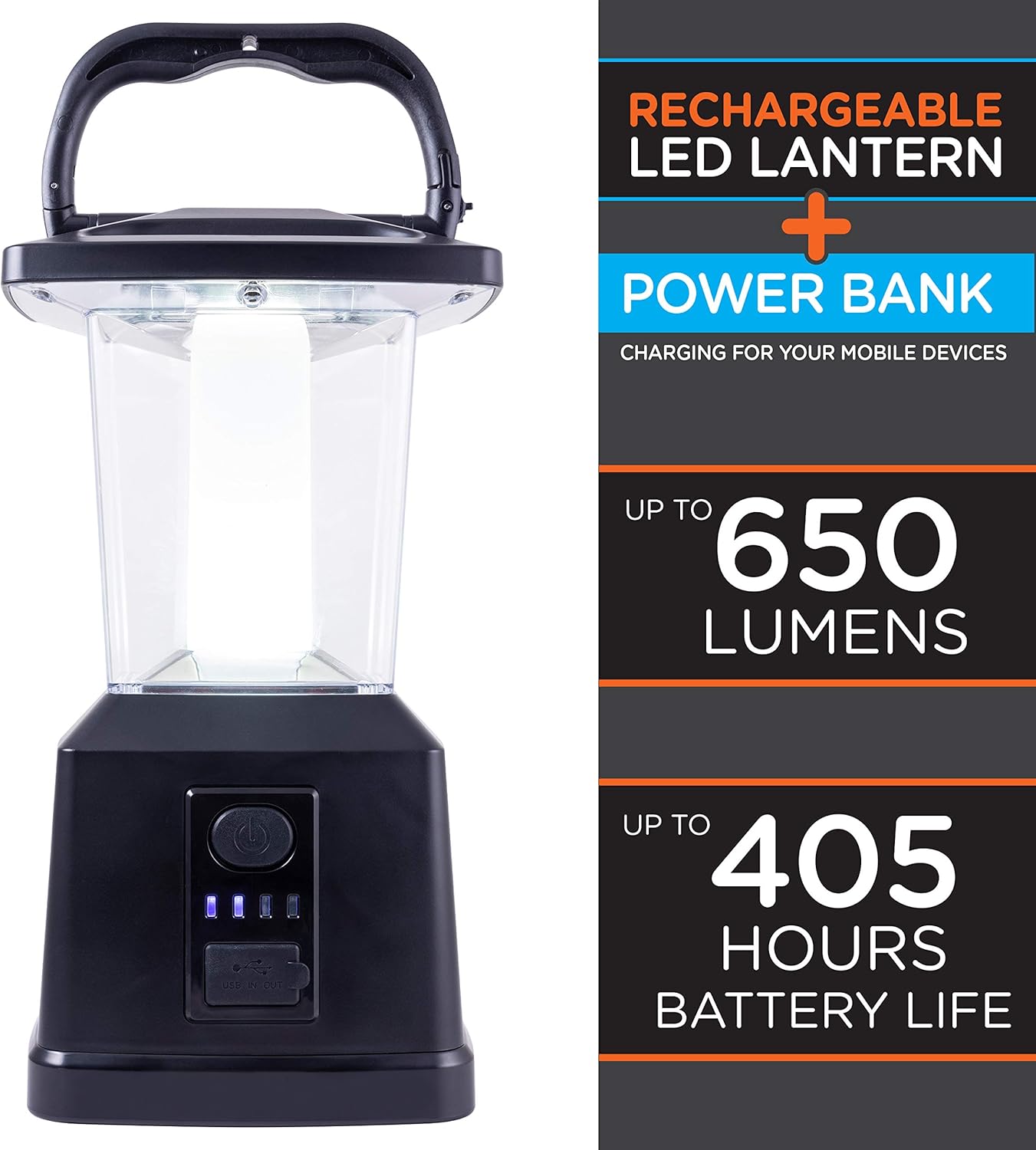
Image: The Enbrighten LED Camping Lantern, emphasizing its 650 lumens brightness and up to 405 hours of battery life.

Image: Illustration of the lantern's flexible power options, including its rechargeable lithium-ion battery, 3 D-cell battery compatibility, and the option to use both for extended runtimes.
Setup
- Initial Charge: Before first use, fully charge the built-in 4400mAh lithium-ion battery using the included Micro USB cable. Connect the cable to the lantern's charging port and a compatible USB power source.
- Optional D-Cell Batteries: For extended operation or as an alternative power source, unscrew the bottom cover of the lantern. Insert three (3) D-cell batteries into the designated compartments, ensuring correct polarity. Replace the cover securely.

Image: A detailed diagram of the lantern, pointing out its key components including the 4400mAh Li-ion battery, USB charging port, battery level indicator, and the power/dimming button.
Operating Instructions
- Power On/Off: Press the power button located on the front of the lantern to turn the light on or off.
- Dimming Function: To adjust the brightness, press and hold the power button. The light will gradually dim or brighten. Release the button when the desired brightness level is reached. The lantern offers full-range dimming up to 650 lumens.
- Battery Level Indicator: The blue LED lights next to the power button indicate the current battery charge level. Four lights indicate a full charge, and the number of lit LEDs decreases as the battery drains.
- USB Device Charging: Open the protective cover over the USB ports. Connect your device's charging cable to the USB output port (labeled "USB IN OUT 1.0A"). The lantern will begin charging your device. Close the protective cover when not in use to prevent dust and moisture ingress.

Image: The lantern actively charging a smartphone, demonstrating its power bank functionality.

Image: A visual guide to the charge indicator lights, showing how 0-25%, 25-50%, 50-75%, and 75-100% charge levels are represented.

Image: The lantern illuminating an outdoor area, highlighting its 360-degree 4000K natural white light output.
Maintenance
- Cleaning: Wipe the lantern with a soft, damp cloth. Do not use abrasive cleaners or solvents.
- Battery Care: If using D-cell batteries, replace all three batteries at the same time. Do not mix old and new batteries or different types of batteries. Remove batteries if the lantern will not be used for an extended period.
- Storage: Store the lantern in a cool, dry place away from direct sunlight and extreme temperatures.
Troubleshooting
| Problem | Possible Cause / Solution |
|---|---|
| Lantern does not turn on. |
|
| Light is dim or flickers. |
|
| Device not charging via USB. |
|
| Internal battery not holding charge. |
|
Specifications
| Attribute | Detail |
|---|---|
| Brand | Enbrighten |
| Model Name | Enbrighten LED Rechargeable Lantern |
| Model Number | 43934 |
| Product Dimensions | 5.9"L x 6.9"W x 11.4"H |
| Battery Description | Lithium-Ion (built-in), D-cell (optional) |
| Brightness | 650 Lumen |
| Mounting Type | Tabletop Mount |
| Water Resistance Level | Water Resistant (IPX4) |
| Battery Life | Up to 405 Hours (with both battery types) |
| Number of Batteries | 1 Lithium Ion battery required (included), 3 D-cell batteries (not included) |
| Specification Met | IP54 |
| Voltage | 4.5 Volts |
| Wattage | 6 watts |
| Manufacturer | Jasco Products Company, LLC |
| UPC | 030878439343 |
| Light Source Type | Light Emitting Diode (LED) |
| Color | Black |
| Material | Plastic |
Warranty & Support
This Enbrighten LED Camping Lantern comes with a 5-year limited warranty from Jasco Products Company, LLC.
For support or warranty claims, please contact Jasco Products Company, LLC directly. Refer to the product packaging or their official website for the most current contact information.


