
RENPHO ES-BR003
RENPHO Rechargeable Smart Scale User Manual
Model: ES-BR003
1. Introduction
Thank you for choosing the RENPHO Rechargeable Smart Scale. This digital bathroom scale is designed to help you monitor your body weight and 12 other essential body composition measurements, providing a comprehensive overview of your health. By connecting to the RENPHO Health app via Bluetooth, you can track your progress over time and gain valuable insights into your fitness journey. Please read this manual carefully before use to ensure proper operation and maintenance.
2. Safety Information
- Do not use this device if you are pregnant or have a pacemaker or other internal medical device.
- The scale is not intended for use by infants, toddlers, or individuals with limited physical, sensory, or mental capabilities unless supervised.
- Always place the scale on a hard, flat surface. Using it on soft surfaces like carpet may affect accuracy.
- Do not step on the edge of the scale; this may cause it to tip.
- The scale surface is made of glass and can be slippery when wet. Ensure the surface is dry before stepping on it.
- Do not immerse the scale in water or use harsh chemical cleaners.
- Keep the scale away from extreme temperatures and direct sunlight.
3. Product Overview
3.1 Key Features
- Rechargeable Design: USB charging with a built-in battery for long-term use.
- Comprehensive Measurements: Measures 13 essential body composition metrics including Weight, Body Fat, BMI, Metabolic Age, Body Water, Basal Metabolism, Fat-free Body Weight, Bone Mass, Subcutaneous Fat, Protein, Visceral Fat, Skeletal Muscle, and Muscle Mass.
- High Accuracy: Equipped with 4 high-precision sensors, measuring in 0.2 lb./0.05kg increments up to 396 lbs/180kg.
- Smart App Integration: Syncs data with the RENPHO Health app and other fitness apps like Apple Health, Fitbit, and Samsung Health.
- Unlimited Users: Supports unlimited user profiles, making it suitable for family use.
- Clear LED Display: Easy-to-read measurements in any lighting condition.
3.2 Components
The RENPHO Smart Scale features a sleek design with durable tempered glass and high-sensitive electrodes for accurate measurements.

Image: Exploded view showing the internal components of the RENPHO Smart Scale, including the 4 high-sensitive electrodes, durable tempered glass platform, 4 accurate weight measurement sensors, and 4 anti-slip stable pads.
3.3 Dimensions

Image: The RENPHO Smart Scale measures 10.2 inches by 10.2 inches with a thickness of 0.8 inches, making it compact and easy to store.
4. Setup
4.1 Charging the Scale
The RENPHO Smart Scale is USB rechargeable. Before first use, or when the battery is low, connect the scale to a USB power source (e.g., AC adapter, desktop PC, notebook, portable source) using the provided USB cable.

Image: The scale features a convenient USB port for charging, allowing it to be powered by various sources such as an AC adapter, desktop PC, notebook, or portable power bank.
4.2 Downloading the RENPHO Health App
To utilize all smart features and track your body composition, download the "RENPHO Health" app from the App Store (for iOS devices) or Google Play (for Android devices).
4.3 Connecting to the App via Bluetooth
- Ensure Bluetooth is enabled on your smartphone.
- Open the RENPHO Health app and create an account or log in.
- Step onto the scale to activate it. The display will show "0.0" or your weight.
- The app will automatically detect the scale and prompt you to connect. Follow the on-screen instructions to pair your device.
- Once connected, your measurements will sync automatically to the app.
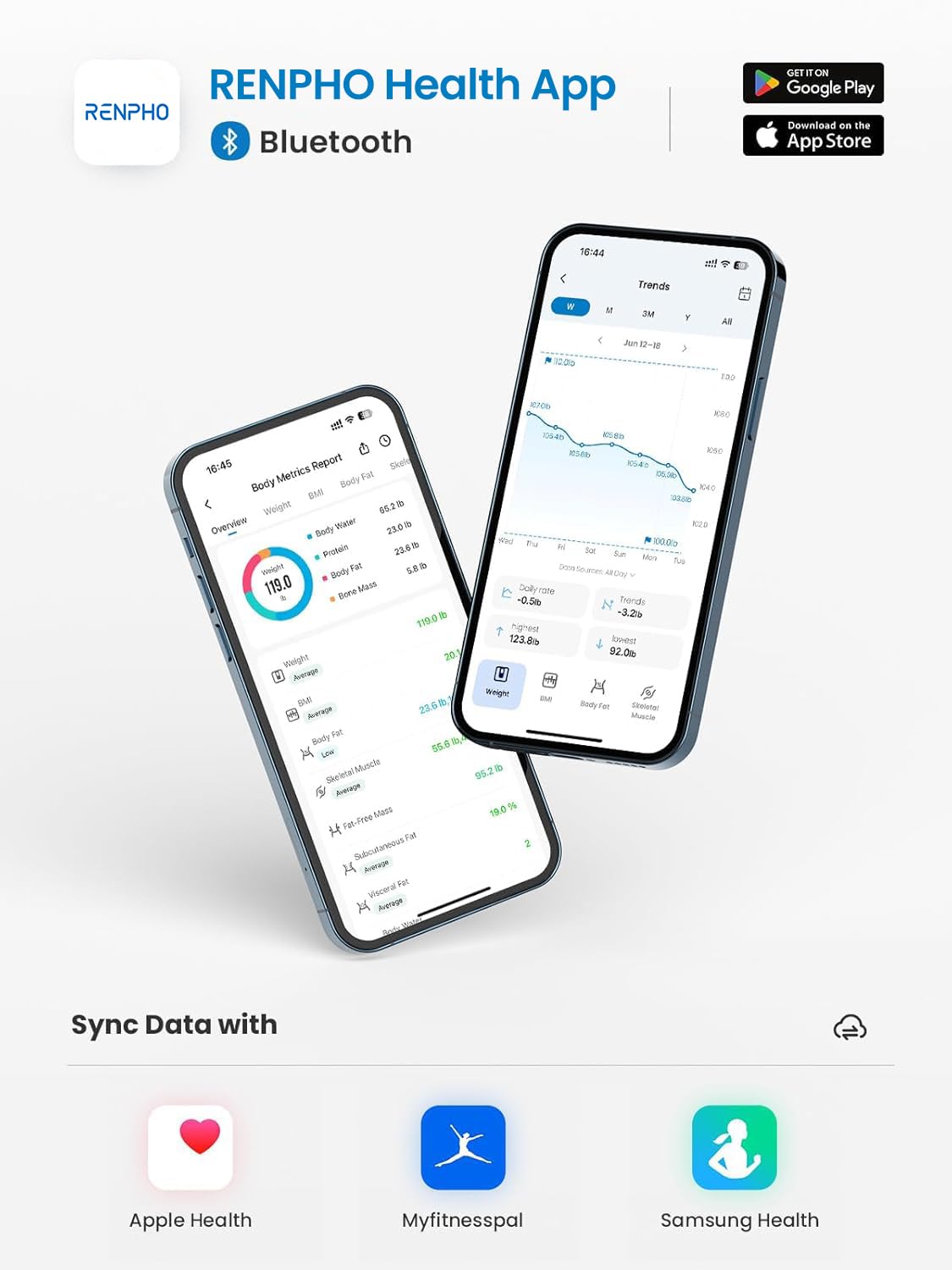
Image: The RENPHO Health App provides a comprehensive overview of your body metrics and allows seamless data synchronization with other popular fitness applications like Apple Health, MyFitnessPal, and Samsung Health.
5. Operating Instructions
5.1 Taking a Measurement
- Place the scale on a hard, flat surface.
- Step onto the scale barefoot and stand still. Ensure your feet are in contact with all four electrode areas.
- Your weight will be displayed on the scale. If connected to the app, all 13 body composition metrics will be calculated and synced automatically.
5.2 Understanding Body Composition Metrics
The RENPHO Health app provides detailed insights into 13 key body composition metrics:
- Weight
- BMI (Body Mass Index)
- Body Fat Percentage
- Water Percentage
- Skeletal Muscle
- Fat-free Body Weight
- Muscle Mass
- Bone Mass
- Protein
- Basal Metabolism
- Metabolic Age
- Subcutaneous Fat
- Visceral Fat

Image: An infographic illustrating the 13 essential body composition metrics measured by the RENPHO Smart Scale, including Weight, BMI, Body Fat, Body Water, Skeletal Muscle, Fat-Free Mass, Muscle Mass, Bone Mass, Protein, BMR, Metabolic Age, Subcutaneous Fat, and Visceral Fat.
5.3 Tracking Your Progress
The RENPHO Health app allows you to set goals, save historical data, and track your daily, weekly, and monthly progress. This intelligent monitoring helps you visualize your weight loss journey and fitness changes.

Image: The RENPHO Health App displays clear charts for monitoring your weight and body fat progress over weeks, months, and years, helping you visualize your health journey.
5.4 Multi-User Functionality
The RENPHO Health app supports unlimited user profiles, allowing multiple family members or friends to use the same scale and track their individual data. It also includes a "baby mode" to accurately record the weight of infants and pets.

Image: The RENPHO Health App supports unlimited user profiles, enabling families to track and share their health achievements together, including a dedicated mode for weighing babies and pets.
6. Maintenance
- Cleaning: Wipe the scale surface with a damp cloth and mild detergent. Avoid abrasive cleaners or harsh chemicals.
- Storage: Store the scale in a cool, dry place. Avoid placing heavy objects on it when not in use.
- Battery Care: Recharge the scale regularly to maintain battery health. Avoid fully depleting the battery for extended periods.
7. Troubleshooting
| Problem | Possible Cause | Solution |
|---|---|---|
| Scale does not turn on. | Low battery. | Charge the scale using the provided USB cable. |
| Inaccurate readings. | Scale on soft surface; not standing still; not barefoot. | Place on a hard, flat surface. Stand still with bare feet on electrodes. |
| Cannot connect to app. | Bluetooth off; app not open; scale not activated. | Ensure Bluetooth is on. Open RENPHO Health app. Step on scale to activate. |
| App not syncing data. | Connection issue; app permissions. | Check Bluetooth connection. Ensure app has necessary permissions. Restart app/phone. |
For further assistance, please refer to the FAQ section within the RENPHO Health app or contact customer support.
8. Specifications
- Product Dimensions: 10.2 x 10.2 x 0.96 inches
- Item Weight: 2.6 Pounds
- Model Number: ES-BR003
- Batteries: 1 Lithium Metal battery (included, rechargeable)
- Manufacturer: RENPHO
- Color: Black
- Recommended Uses: Adults
- Special Features: Body Fat, Body Mass Index, Bodyweight, Bone Mass, Muscle Mass
- Display Type: LED
- Maximum Capacity: 396 lbs / 180 kg
- Measurement Increments: 0.2 lb / 0.05 kg
9. Warranty & Support
RENPHO products come with a standard warranty. For specific warranty details, product registration, or technical support, please visit the official RENPHO website or contact their customer service team. Contact information can typically be found on the RENPHO website or within the RENPHO Health app.
Website: www.renpho.com