
Fazley FSP-500
Fazley FSP-500-W Digital Piano User Manual
Model: FSP-500-W
1. Introduction
Thank you for purchasing the Fazley FSP-500-W Digital Piano. This instrument is designed to provide a rich and authentic piano playing experience, suitable for both beginners and experienced musicians. It features 88 Hammer Action keys, 16 distinct sounds, and various practical functions such as Layer mode, a built-in metronome, and multiple effects. This manual provides essential information for the safe and effective use of your digital piano.
2. Safety Instructions
- Power Supply: Use only the specified power adapter. Ensure the voltage matches the requirements of your region.
- Water and Moisture: Do not expose the instrument to rain, moisture, or excessive humidity. Avoid placing objects containing liquids on the piano.
- Ventilation: Ensure proper ventilation around the instrument. Do not block ventilation openings.
- Placement: Place the piano on a stable, level surface to prevent accidental falls. Avoid direct sunlight or heat sources.
- Cleaning: Disconnect the power before cleaning. Use a soft, dry cloth. Do not use liquid cleaners or solvents.
- Servicing: Do not attempt to service the instrument yourself. Refer all servicing to qualified personnel.
3. Setup
3.1 Unpacking
Carefully remove the digital piano and all accessories from the packaging. Retain the packaging for future transport or storage.
3.2 Placement
Place the Fazley FSP-500-W on a sturdy, flat surface. Ensure there is enough space for comfortable playing and access to the rear panel connections.

Figure 1: Front view of the Fazley FSP-500-W digital piano with the included music rest.
3.3 Power Connection
- Connect the power adapter to the DC IN jack on the rear panel of the piano.
- Plug the power adapter into a suitable electrical outlet.
3.4 Connecting Accessories
The rear panel provides various connection options:

Figure 2: Rear panel connections including USB, audio out, and pedal inputs.
- Pedals: Connect sustain pedals or a pedal unit to the designated pedal input jacks.
- Headphones: For private practice, connect standard stereo headphones to the headphone jack. This will mute the internal speakers.
- USB: Use a USB cable to connect the piano to a computer for MIDI data transfer.
- Audio Out: Connect to external amplification systems or recording devices using the audio output jacks.
4. Operating Instructions
4.1 Powering On/Off
Press the POWER button located on the control panel to turn the piano on or off. A brief startup sequence will occur when powering on.
4.2 Volume Control
Adjust the master volume using the dedicated volume knob or buttons on the control panel. Start with a low volume and increase it gradually.
4.3 Sound Selection
The FSP-500-W offers 16 different instrument sounds, including various grand piano tones. Use the SOUND buttons or a dedicated dial to cycle through and select your desired sound.

Figure 3: Detail of the 88 Hammer Action keys, providing an authentic piano feel.
4.4 Layer Mode
Layer mode allows you to play two different sounds simultaneously. Refer to the control panel markings or the quick start guide for specific button combinations to activate and adjust layered sounds.
4.5 Metronome
The built-in metronome provides a steady beat for practice. Activate the metronome function and adjust its tempo and beat signature using the dedicated controls.
4.6 Effects
The FSP-500-W includes various digital effects to enhance the sound. Explore the control panel to activate and adjust effects such as reverb or chorus.
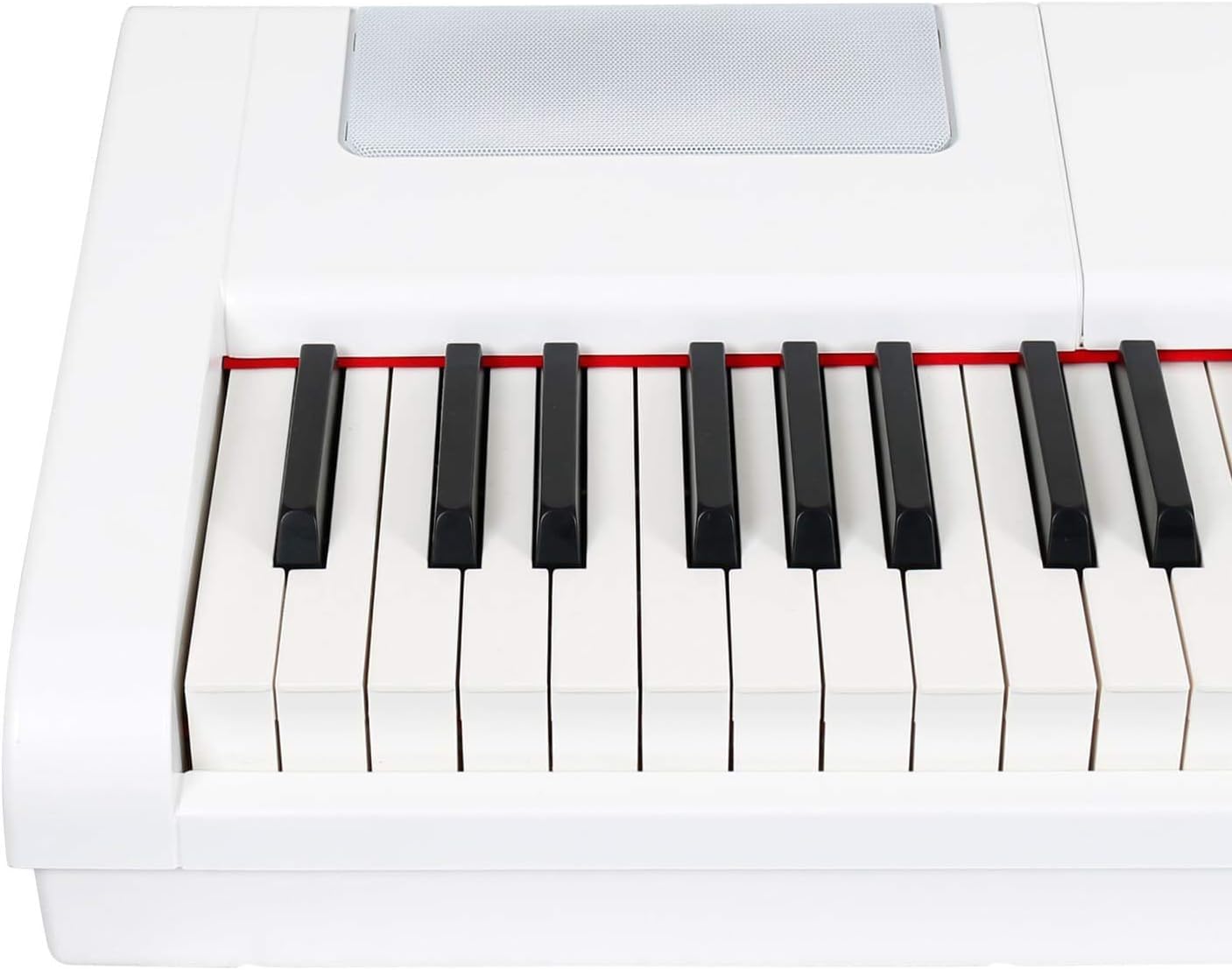
Figure 4: Integrated speaker grille for sound output.
5. Maintenance
5.1 Cleaning
To clean the piano, wipe the surface with a soft, dry cloth. For stubborn dirt, slightly dampen the cloth with water and then wipe dry immediately. Avoid abrasive cleaners, waxes, or solvents.
5.2 Storage
When not in use for extended periods, store the piano in a cool, dry place, away from direct sunlight and extreme temperatures. If possible, cover the keys to protect them from dust.
6. Troubleshooting
- No Sound:
- Check if the power is on and the volume is turned up.
- Ensure headphones are not connected, as they mute the internal speakers.
- Verify external amplification is properly connected and powered on if used.
- Keys Not Responding:
- Power cycle the instrument (turn off, then on again).
- Ensure no foreign objects are lodged between the keys.
- Distorted Sound:
- Reduce the volume level.
- Check connections to external audio equipment for proper seating.
- Metronome Not Working:
- Ensure the metronome function is activated and its volume is audible.
If problems persist, please contact customer support.
7. Specifications
| Feature | Specification |
|---|---|
| Brand | Fazley |
| Model Number | FSP 500 |
| Instrument Type | Digital Piano |
| Color | White |
| Number of Keys | 88 |
| Key Type | Hammer Action |
| Number of Sounds | 16 (including grand piano sounds) |
| Polyphony | 64 notes |
| Special Features | Layer Mode, Metronome, Effects, Portable |
| Connectivity Technology | USB |
| Power Source | Electric Cable |
| Product Dimensions (L x W x H) | 147 x 46 x 23 cm |
| Item Weight | 17.5 Kilograms |
| Body Material Type | Synthetic |
| Skill Level | Advanced |
| Age Range (Description) | Adult |
8. Warranty and Support
For warranty information and customer support, please refer to the documentation provided at the time of purchase or visit the official Fazley website. Keep your proof of purchase for warranty claims.
Related documentsFSP-500


Ask a question about this manual
Ask about setup, troubleshooting, compatibility, parts, safety, or missing instructions. Manuals+ will review the question and use this page’s manual context to help answer it.