
Pyle PS1200
Pyle PS1200 Power Sequencer Conditioner User Manual
Model: PS1200 | Brand: Pyle
Introduction
The Pyle PS1200 is a professional audio/video power sequencer and conditioner designed to provide clean, stable power to your equipment. It features 8 worldwide/EU standard power outlets, a digital display for voltage and temperature, dual USB charging ports, and built-in surge protection. This manual provides detailed instructions for the safe and efficient operation of your PS1200 unit.
Key Features
- Power Supply Controller Sequencer System
- Audio Video (A/V) Power Conditioner
- Lab Tested Pro Audio Stage & Studio Performance
- Power Filter with 2-Stage High-Insert Dissipation
- Ensures the Safety of Electrical Equipment with Clean AC Power
- Noise/Interference/Distortion Eliminator Circuitry
- Integrated Micro-Controller for Displaying Precise AC Voltage and Ambient Temperature
- Independent Outlet Power Cut-Off Switch Control
- (8) Worldwide/EU Power Outlets on Rear Panel
- Selectable Power Sequence Switch Time (2 Seconds / 0.5 Seconds)
- Step Time Display in 8 Segment LED
- Sequence Switch LED
- Dual USB Device Charge Ports (5V/2A x2)
- Digital LCD Display with Real-time Data Readout
- Front Panel Continuous ‘Unswitched’ Power Outlet
- Control Signal Link Connection
- Built-in Safety, Spike & Surge Overload Protection
- Multiple Unit Compatible Series Link Support (Ability to Series Link Over 100+ Units)
- LED Indicator Lights for Each Output on Front Panel
- Switchable Power Supply: 115/230V
Package Contents
Please ensure all items are present in the package:
- Pyle PS1200 Pro Audio Power Conditioner
- Link Cable (6.6 ft.)
- Power Cable (5.9 ft., 14 AWG)

Image: Contents of the PS1200 package, showing the main unit and the included link cable.
Setup and Installation
Physical Installation
The PS1200 is designed for rack mounting. Ensure adequate ventilation around the unit. The dimensions are 18.89'' (L) x 8.26'' (W) x 2.16'' (H) inches. It weighs 7.63 pounds.

Image: Detailed dimensions of the Pyle PS1200 unit, indicating its rack-mountable size.
Power Connection
- Before connecting, verify the voltage selector switch on the rear panel is set to the correct voltage for your region (115V or 230V).
- Connect the supplied power cable to the PS1200 and then to a suitable wall outlet.
Connecting Equipment
The PS1200 features 8 worldwide/EU standard power outlets on the rear panel and one unswitched outlet on the front panel.
- Plug your audio/video equipment into the desired sequenced outlets (1-8) on the rear.
- For devices requiring continuous power, use the 'Unswitched' outlet on the front panel.
- Utilize the dual USB ports on the front for charging compatible devices.

Image: Overview of the PS1200's front and rear panels, detailing the various functions and connection points.
Series Linking Multiple Units
The PS1200 supports series linking of over 100 units for expanded power sequencing capabilities. Use the provided link cable to connect the "Control Signal Link" ports (IN/OUT) on the rear panels of multiple units.
Operation
Powering On/Off
- Press the "ON/OFF" switch on the front panel to power on the unit. The LCD display will illuminate.
- The unit will initiate the power sequence for connected devices based on the selected sequence time.
Understanding the Display
The integrated micro-controller provides real-time data readout on the digital LCD display:
- Voltage Readout: Displays the precise AC voltage.
- Temperature Readout: Displays the ambient temperature. You can select between Fahrenheit and Celsius.
- 8 Segment LED: Shows the step time during sequencing.
Sequence Control
- Sequence Switch Time: Select between 2 seconds or 0.5 seconds delay for each outlet in the sequence.
- Independent Outlet Control: Each of the 8 sequenced outlets has an independent power cut-off switch on the front panel, allowing manual control over individual devices.
- Bypass Mode: The unit may feature a bypass mode to disable sequencing and provide immediate power to all outlets. Refer to the front panel controls for this option.
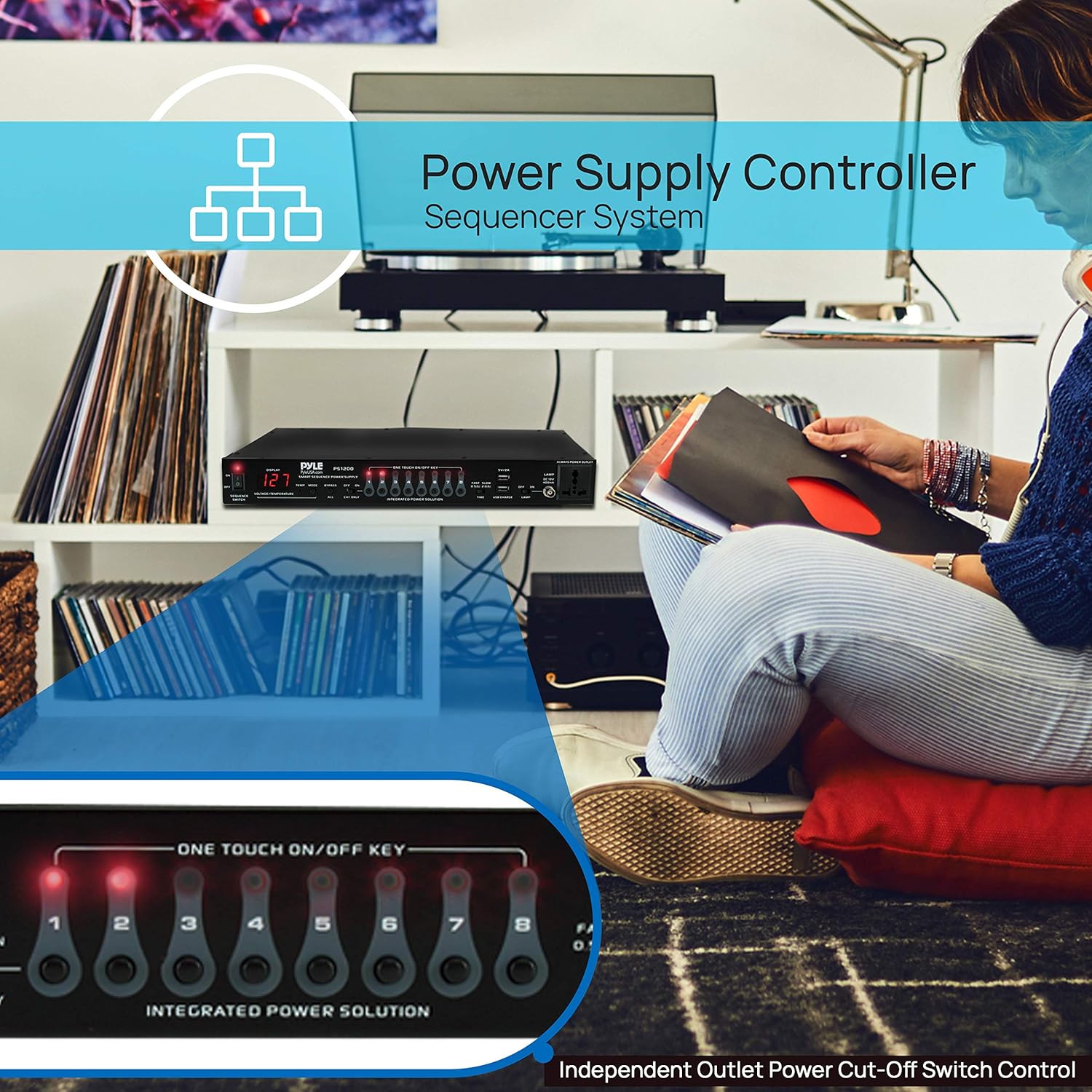
Image: The Pyle PS1200 integrated into a professional audio setup, illustrating its function as a power controller.
Maintenance
- Keep the unit clean by wiping with a soft, dry cloth.
- Ensure proper ventilation to prevent overheating.
- Do not expose the unit to moisture or extreme temperatures.
- Regularly check power cables for any signs of damage.
Troubleshooting
| Problem | Possible Cause | Solution |
|---|---|---|
| Unit does not power on. | No power from wall outlet; Power cable loose; Unit fuse blown. | Check wall outlet with another device. Ensure power cable is securely connected. Contact support if fuse is suspected. |
| Devices not receiving power from sequenced outlets. | Individual outlet switch is off; Sequence not initiated; Overload protection activated. | Ensure individual outlet switches are ON. Verify the main power switch is ON. Reduce connected load if overload is suspected. |
| Inaccurate voltage/temperature reading. | Sensor malfunction; Environmental factors. | Ensure unit is in a stable environment. If problem persists, contact support. |
| USB ports not charging. | Device incompatibility; Cable issue. | Try a different USB cable or device. Ensure device requires 5V/2A. |
Technical Specifications
| Feature | Specification |
|---|---|
| Outlet Type | (8) Channel Worldwide/EU Standard Power Outlets |
| Output Power | 2200 Watt MAX |
| Link Connector | S-Video, 4-Pin |
| Sequence Switch Time Selectable | 2 Seconds / 0.5 Seconds |
| Selectable Temperature Unit Readout | Fahrenheit / Celsius |
| BNC Connector | 12V/0.5 Amp |
| MAX Output Current | 15 Amp RMS |
| MAX Output Voltage | 275 Volt |
| Power Cable Length | 5.9 ft. (14 AWG) |
| USB Power | 5V/2A (x2) |
| Power Supply | 115/230V, Switchable |
| Dimensions (L x W x H) | 18.89'' x 8.26'' x 2.16'' inches |
| Item Weight | 7.63 pounds |
| Model Number | PS1200 |
Warranty Information
Pyle products are designed and manufactured to the highest quality standards. For specific warranty details, please refer to the warranty card included with your product or visit the official Pyle website. Keep your purchase receipt as proof of purchase for warranty claims.
Protection plans are also available for extended coverage:
- 3-Year Protection Plan
- 4-Year Protection Plan
- Complete Protect (monthly plan)
Support and Contact
For technical support, troubleshooting assistance, or warranty inquiries, please contact Pyle customer service. Visit the official Pyle website for the most up-to-date contact information.
You can also visit the Pyle Store on Amazon for more product information and resources.
Related documentsPS1200

Ask a question about this manual
Ask about setup, troubleshooting, compatibility, parts, safety, or missing instructions. Manuals+ will review the question and use this page’s manual context to help answer it.