
Introduction
This manual provides comprehensive instructions for the Pyle PT8050CH 8-Channel Wireless Bluetooth Power Amplifier. This versatile system is designed to deliver clear, accurate sound for various audio needs, including home stereo, PA, theater, studio, or stage applications. It features Bluetooth wireless streaming, USB playback, AUX input, and multiple microphone inputs. Please read this manual thoroughly before operating the device to ensure proper use and to maximize its performance.
Important Safety Instructions
- Read Instructions: All safety and operating instructions should be read before the product is operated.
- Retain Instructions: The safety and operating instructions should be retained for future reference.
- Heed Warnings: All warnings on the product and in the operating instructions should be adhered to.
- Follow Instructions: All operating and use instructions should be followed.
- Cleaning: Unplug this product from the wall outlet before cleaning. Do not use liquid cleaners or aerosol cleaners. Use a damp cloth for cleaning.
- Attachments: Do not use attachments not recommended by the product manufacturer as they may cause hazards.
- Water and Moisture: Do not use this product near water – for example, near a bathtub, washbowl, kitchen sink, or laundry tub; in a wet basement; or near a swimming pool.
- Accessories: Do not place this product on an unstable cart, stand, tripod, bracket, or table. The product may fall, causing serious injury to a child or adult, and serious damage to the product.
- Ventilation: Slots and openings in the cabinet are provided for ventilation to ensure reliable operation of the product and to protect it from overheating. These openings must not be blocked or covered.
- Power Sources: This product should be operated only from the type of power source indicated on the marking label. If you are not sure of the type of power supply to your home, consult your product dealer or local power company.
- Grounding or Polarization: This product may be equipped with a polarized alternating-current line plug (a plug having one blade wider than the other). This plug will fit into the power outlet only one way. This is a safety feature. If you are unable to insert the plug fully into the outlet, try reversing the plug. If the plug should still fail to fit, contact your electrician to replace your obsolete outlet. Do not defeat the safety purpose of the polarized plug.
- Power-Cord Protection: Power-supply cords should be routed so that they are not likely to be walked on or pinched by items placed upon or against them, paying particular attention to cords at plugs, convenience receptacles, and the point where they exit from the product.
- Lightning: For added protection for this product during a lightning storm, or when it is left unattended and unused for long periods of time, unplug it from the wall outlet and disconnect the antenna or cable system. This will prevent damage to the product due to lightning and power-line surges.
- Overloading: Do not overload wall outlets, extension cords, or integral convenience receptacles as this can result in a risk of fire or electric shock.
- Object and Liquid Entry: Never push objects of any kind into this product through openings as they may touch dangerous voltage points or short-out parts that could result in a fire or electric shock. Never spill liquid of any kind on the product.
- Servicing: Do not attempt to service this product yourself as opening or removing covers may expose you to dangerous voltage or other hazards. Refer all servicing to qualified service personnel.
- Damage Requiring Service: Unplug this product from the wall outlet and refer servicing to qualified service personnel under the following conditions: when the power-supply cord or plug is damaged; if liquid has been spilled, or objects have fallen into the product; if the product has been exposed to rain or water; if the product does not operate normally by following the operating instructions; if the product has been dropped or damaged in any way; or when the product exhibits a distinct change in performance.
- Replacement Parts: When replacement parts are required, be sure the service technician has used replacement parts specified by the manufacturer or have the same characteristics as the original part. Unauthorized substitutions may result in fire, electric shock, or other hazards.
- Safety Check: Upon completion of any service or repairs to this product, ask the service technician to perform safety checks to determine that the product is in proper operating condition.
Package Contents
- Pyle PT8050CH Amplifier Mixer System
- Bluetooth Antenna
- Detachable Rack Mount Brackets
- Power Cable
- Remote Controller
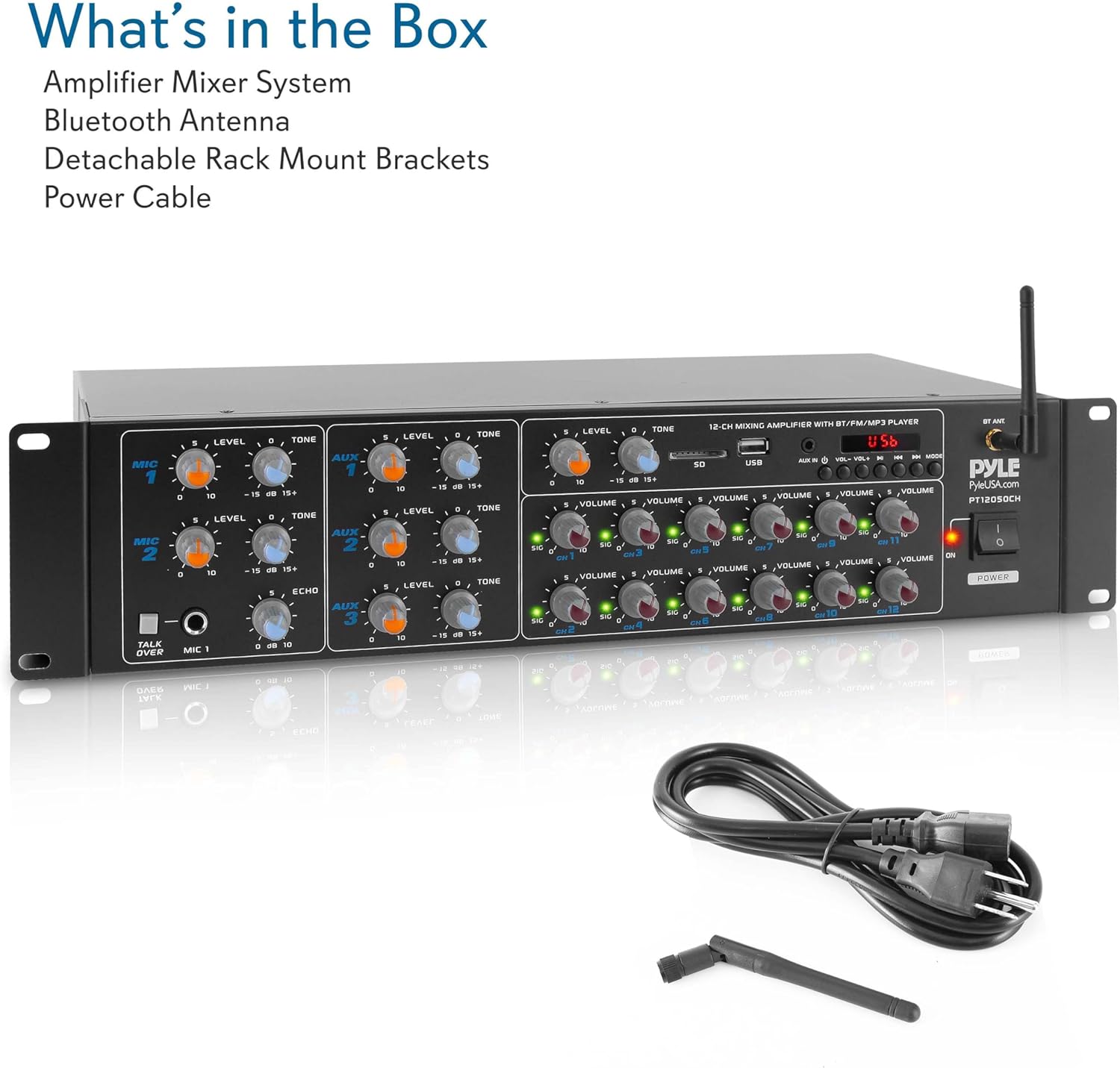
Image showing the Pyle PT8050CH amplifier unit along with its included accessories: a remote controller, a Bluetooth antenna, detachable rack mount brackets, and a power cable.
Product Overview
Front Panel

Detailed view of the Pyle PT8050CH amplifier's front panel, highlighting the microphone inputs, AUX inputs, volume controls for each channel, USB/SD card slots, Bluetooth indicator, and power button.
- MIC 1/2 Level Control: Adjusts the volume level for Microphone 1 and Microphone 2 inputs.
- MIC 1/2 Tone Control: Adjusts the tone (treble/bass) for Microphone 1 and Microphone 2 inputs.
- AUX 1/2 Level Control: Adjusts the volume level for AUX 1 and AUX 2 inputs.
- AUX 1/2 Tone Control: Adjusts the tone (treble/bass) for AUX 1 and AUX 2 inputs.
- Echo Control: Adjusts the echo effect for microphone inputs.
- Talk Over (MIC 1) Button: When pressed, this function automatically lowers the background music volume when a signal is detected from Microphone 1, useful for announcements.
- USB/SD Card Slot: Insert USB flash drives or SD cards for media playback.
- USB/SD Control Buttons: Play/Pause, Stop, Previous, Next, Repeat, and Mode selection for USB/SD playback.
- Bluetooth Indicator: Lights up when Bluetooth is connected.
- Master Volume Control: Adjusts the overall output volume.
- Channel Volume Controls: Independent volume controls for each of the 8 output channels.
- Power Button: Turns the unit On/Off.
- LCD Digital Display: Shows current mode, track information, and other status indicators.
Rear Panel
Detailed view of the Pyle PT8050CH amplifier's rear panel, showing the power input, voltage selector, speaker outputs, RCA inputs, and microphone inputs.
- Voltage Selector: Switch between 110V and 220V power input. Ensure this is set correctly for your region before powering on.
- Power Input: Connect the included power cable here.
- Speaker Outputs: Connect your speakers to these terminals. The unit supports 4-8 ohm impedance speakers.
- RCA Audio Inputs (L/R): Connect external audio sources such as CD players, tuners, or tape decks.
- MIC Input 1/2: Connect 1/4" microphone cables here.
- AUX Input: Connect external audio devices using a 3.5mm cable.
Setup Guide
- Unpacking: Carefully remove the amplifier from its packaging and ensure all accessories are present.
- Placement: Place the amplifier on a stable, flat surface or install it into a standard rack using the provided brackets. Ensure adequate ventilation around the unit.
- Voltage Selection: Before connecting the power cable, verify the Voltage Selector switch on the rear panel is set to the correct voltage for your region (110V or 220V). Incorrect voltage selection can damage the unit.
- Speaker Connection: Connect your speakers to the Speaker Outputs on the rear panel. Ensure proper polarity (+ to + and - to -) for each speaker. This amplifier supports speakers with 4-8 ohm impedance.
- Audio Source Connection:
- RCA Inputs: Connect audio sources like CD players or tuners to the RCA Audio Inputs (L/R).
- AUX Input: For devices with a 3.5mm output, connect them to the AUX Input on the rear panel.
- Microphones: Connect 1/4" microphones to the MIC Input 1/2 jacks on the rear panel.
- Power Connection: Connect the power cable to the Power Input on the rear panel, then plug it into a wall outlet.
- Power On: Press the Power Button on the front panel to turn on the amplifier.
Operating Instructions
Power On/Off
Press the Power Button on the front panel to turn the amplifier on or off. The LCD display will illuminate when the unit is powered on.
Source Selection
Use the Mode button (part of the USB/SD Control Buttons) to cycle through available input sources: Bluetooth, USB, SD Card, RCA, and AUX.
Bluetooth Streaming
- Ensure the amplifier is powered on.
- Press the Mode button until "Bluetooth" appears on the LCD display. The Bluetooth indicator light will flash, indicating it's in pairing mode.
- On your mobile device (smartphone, tablet, computer), enable Bluetooth and search for available devices.
- Select "Pyle Audio" or "PT8050CH" from the list of devices.
- Once paired, the Bluetooth indicator light on the amplifier will become solid, and you can stream audio from your device.
- Adjust the master volume and individual channel volumes as needed.
Video demonstrating the Pyle PT8050CH amplifier, showcasing its features and connectivity options, including Bluetooth pairing.
USB/SD Card Playback
- Insert a USB flash drive or SD card into the corresponding slot on the front panel.
- The amplifier should automatically switch to USB/SD mode. If not, press the Mode button to select it.
- Use the USB/SD Control Buttons (Play/Pause, Previous, Next, Stop, Repeat) to manage playback.
- The LCD display will show track information.
AUX Input
Connect your audio device to the AUX Input on the rear panel using a 3.5mm cable. Select AUX mode using the Mode button. Adjust the AUX Level Control and master volume.
Microphone Usage
- Connect your microphones to the MIC Input 1/2 jacks on the rear panel.
- Adjust the MIC 1/2 Level Control and MIC 1/2 Tone Control on the front panel to achieve the desired sound.
- Use the Echo Control to add an echo effect to the microphone output.
- Voice Priority Function: Press the Talk Over (MIC 1) Button to enable this feature. When active, any audio signal from Microphone 1 will automatically reduce the volume of background music, making announcements clearer.

Image showing the microphone input section of the amplifier's front panel, with controls for level, tone, echo, and the 'Talk Over' button for voice priority.
Multi-Zone Audio
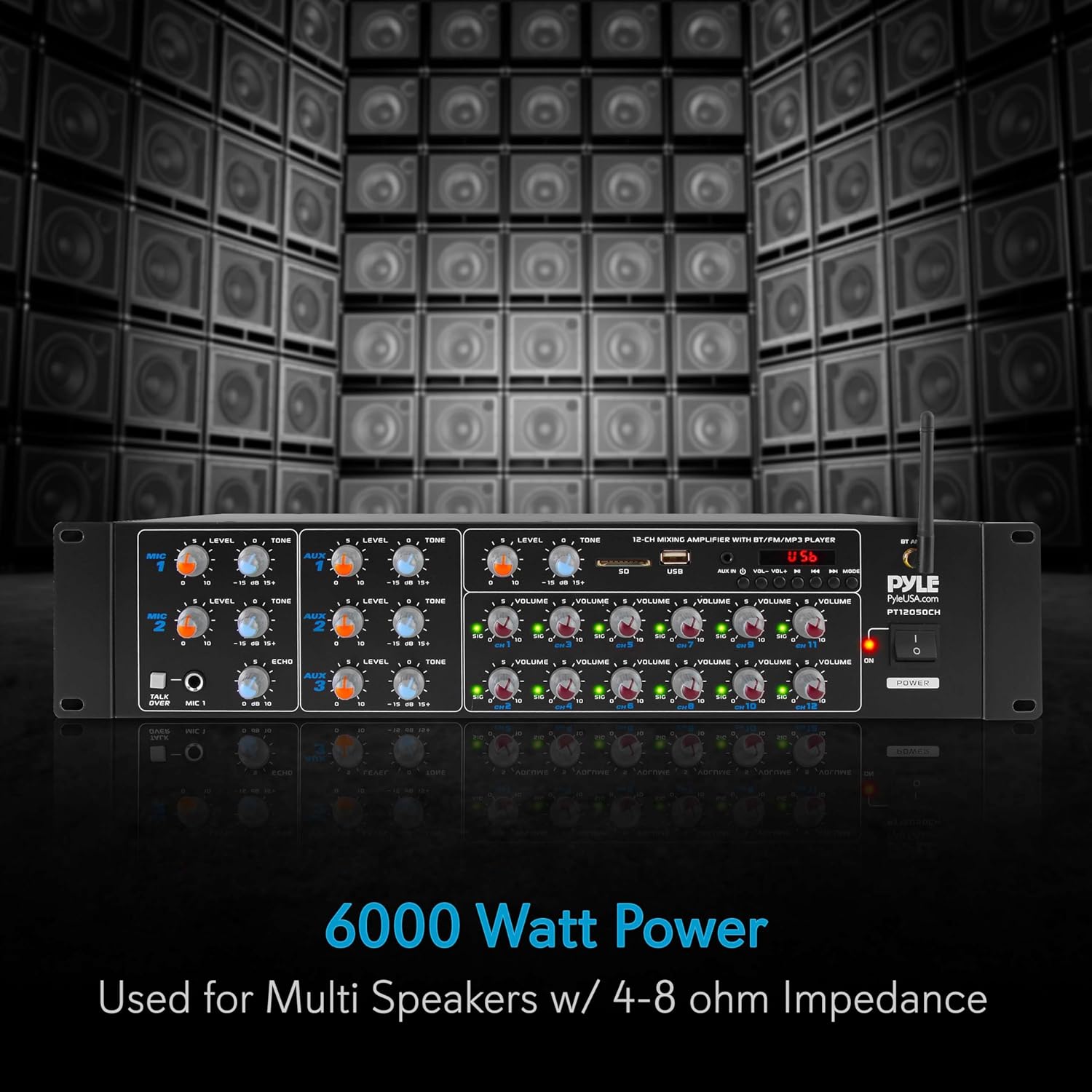
The PT8050CH features 8 independent output channels, allowing you to connect multiple speakers and manage their volume levels individually using the Channel Volume Controls. This enables multi-zone audio distribution.
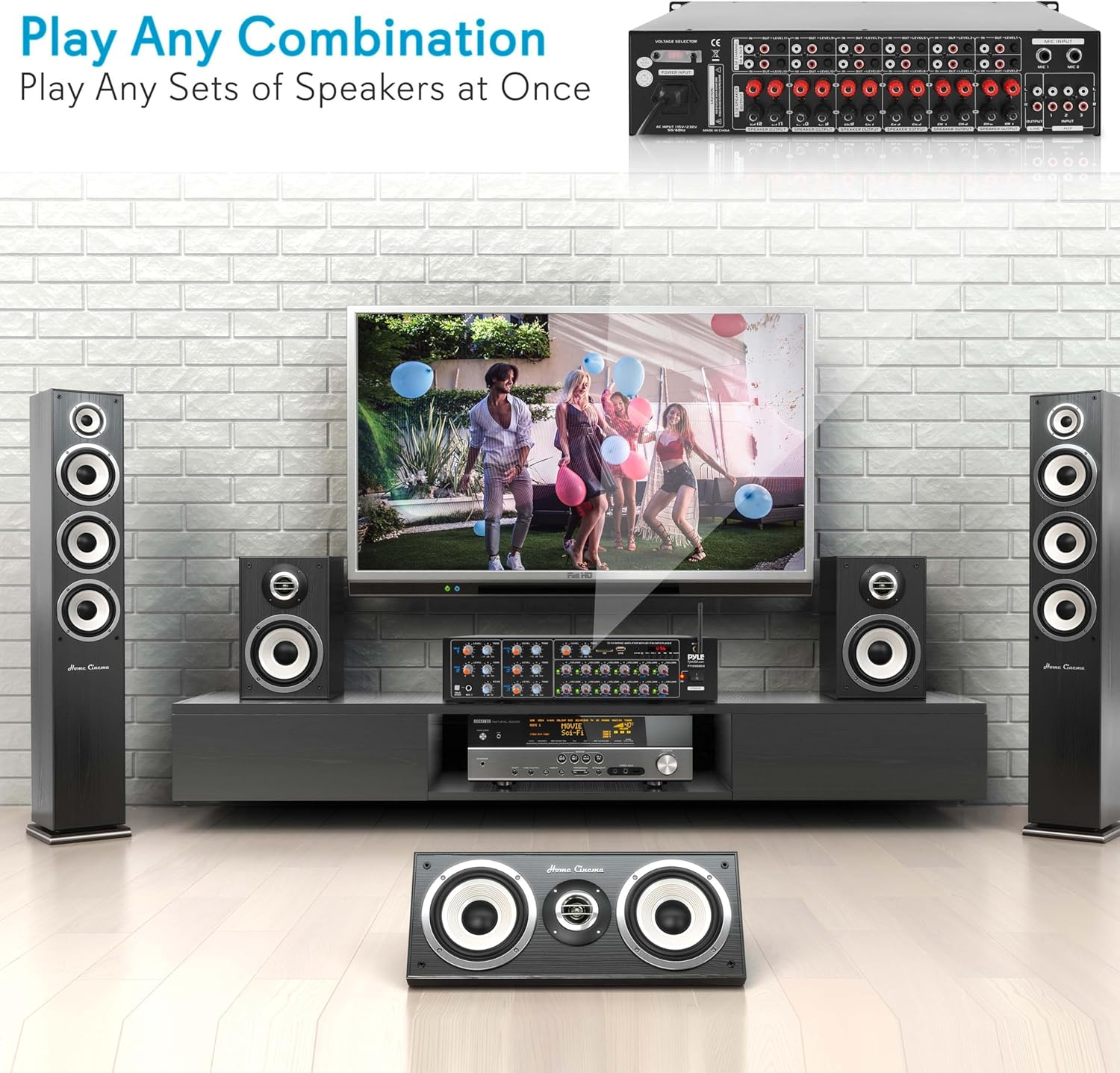
Illustration of the Pyle PT8050CH amplifier connected to various speakers in a home environment, showcasing its ability to play audio through multiple speaker sets simultaneously.
Maintenance
- Cleaning: Use a soft, dry cloth to clean the exterior of the amplifier. Do not use abrasive cleaners, waxes, or solvents.
- Ventilation: Ensure that the ventilation openings on the unit are not blocked. Proper airflow is essential to prevent overheating.
- Power Cord: Regularly inspect the power cord for any signs of damage. If damaged, replace it immediately with a suitable replacement.
- Storage: If storing the unit for an extended period, disconnect it from the power source and store it in a cool, dry place away from direct sunlight and extreme temperatures.
Troubleshooting
| Problem | Possible Cause | Solution |
|---|---|---|
| No power | Power cable not connected; Power outlet not active; Voltage selector incorrect. | Ensure power cable is securely connected. Check if the power outlet is working. Verify the Voltage Selector on the rear panel is set to the correct voltage (110V/220V). |
| No sound output | Incorrect input source selected; Volume levels too low; Speakers not connected properly; Speaker impedance mismatch. | Select the correct input source using the Mode button. Increase Master Volume and individual Channel Volume controls. Check speaker connections and ensure proper polarity. Verify speakers are 4-8 ohm impedance. |
| Bluetooth not connecting | Amplifier not in Bluetooth mode; Device not in pairing mode; Device too far from amplifier. | Ensure amplifier is in Bluetooth mode (indicator flashing). Put your device in pairing mode and search for "Pyle Audio" or "PT8050CH". Move your device closer to the amplifier (within 30+ ft). |
| USB/SD playback not working | Incorrect file format; USB/SD card not inserted correctly; Corrupted media. | Ensure audio files are in a supported format (e.g., MP3). Reinsert the USB drive/SD card. Try a different USB drive/SD card or different audio files. |
| Microphone not working | Microphone not connected; MIC Level control too low; Microphone faulty. | Ensure microphone is securely connected to the MIC input. Increase the MIC Level control. Test with a different microphone if available. |
| Distorted sound | Volume levels too high; Input signal too strong; Speaker issues. | Reduce Master Volume or individual Channel Volume. Check the input source's output level. Inspect speakers for damage. |
Specifications
- Model: PT8050CH
- Power Output: 4000 Watts MAX
- Channels: 8
- Speaker Impedance: 4-8 Ohms
- Connectivity Technology: Bluetooth
- Bluetooth Wireless Range: 30+ ft.
- Inputs: 3 pairs RCA Audio Input, 2 x 1/4'' Microphone Input, AUX (3.5mm) Input, USB, SD Card Slot
- Audio Encoding: Stereo
- Audio Output Mode: Stereo
- Product Dimensions (L x W x H): 18.89'' x 11.22'' x 3.93'' inches
- Item Weight: 15.31 lbs.
- Manufacturer: Sound Around
Warranty and Support
Pyle products are designed and manufactured to the highest quality standards. For warranty information or technical support, please refer to the warranty card included with your product or visit the official Pyle website. Keep your purchase receipt as proof of purchase for any warranty claims.


